 14 DAY TRIAL //
 Yahoo has long given up on any ambition to have some sort of social service, closing down or selling off anything that even vaguely resembled a social network. In fact, it seemed content with integrating Facebook and Twitter into its services and calling it a day. Yet the more features it adds to Yahoo Updates, its status update aggregator of sorts, the more it's starting to look like Facebook. You can even post Facebook status updates from inside Yahoo Mail. And the latest example, users can now comment on and even 'like' your status updates.
"We’ve recently been hard at work helping you stay in touch with the people who matter the most to you, from posting your Facebook status from Mail to making sure you always have your friends’ updated contact information," Yahoo's Tony Cheng wrote.
"Today I wanted to introduce another easy way to keep up with the people on Yahoo! Mail… and keep the conversation going! Specifically, you can now comment or ‘Like’ Updates that you see on the What’s New page in Yahoo! Mail. Say, for example, that your friend rates a movie on Yahoo! Movies. Now by clicking on ‘Like’, you can show your approval," she added.
If you're getting a sense of deja vu, wait until you see it in action. To be fair, there are only so many ways you can create an update stream with comments and a 'like' button, so maybe the similarities with Facebook can be forgiven.
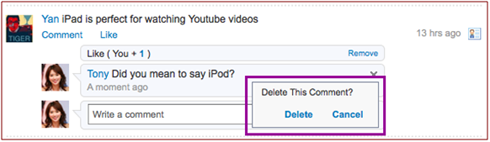
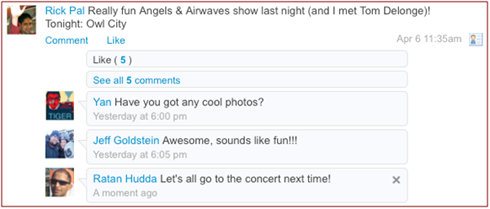
The feature itself works as you'd expect. Under any status update in Yahoo Mail, you will see two links, Comment and Like. Again, if you've ever used Facebook, you know what these are for. Clicking on Like will add you to the list of people who liked that particular message. You can remove the like at any point in the future, if you want to. Commenting is just as easy. Click on Comment and you will see a small box where you can type your comment. You can also remove it if you realize you've made a mistake.