 14 DAY TRIAL //
 It seems that Yahoo! accounts are still valuable for cybercriminals, otherwise they probably wouldn’t bother sending out fake emails that attempt to lure recipients to fake login webpages.
Two new variants have been submitted by users to millersmiles.co.uk. The first one involves the old “Yahoo! will delete your account” scheme:
Dear Yahoo! Email User,
Due to excess abandoned Yahoo! e-mail account, Yahoo! Help Desk is currently carrying out system clean up to delete inactive accounts, inother to create space for fresh users.
To verify that your Yahoo e-mail account is active, you are required to click on the link below or copy and paste in a new web page, then complete the form available for this process.
Failure to do this will result in account termination.
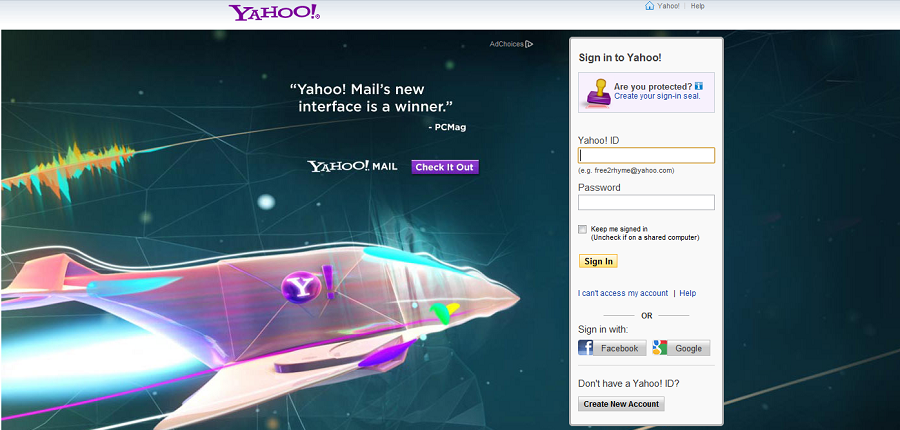
The so-called verification link leads to a webpage hosted on the compromised blog of a user from Malaysia. The cleverly crafter HTML file replicates the Yahoo! Mail login page in hopes that victims will fail to look at the site’s URL and enter their usernames and passwords without giving it too much thought.
The second malicious email is much simpler. It pretends to come from “Yahoo Admin” and it only reads “Click here to update your account.”
The link also points to a compromised site that hosts a webpage carefully planted by the cybercriminals.
Both pages have been removed by the websites’ owners, but the campaigns will most likely continue.
As always, we recommend users to be extra careful when entering their login credentials on a website. Malicious sites can look just as the legitimate ones from a visual standpoint, but there are numerous clues that reveal a scheme’s purpose.
Usually, the quickest way to determine if a site is genuine is by checking its URL. If it doesn’t contain the “https” string or if it looks suspicious, you’re most likely dealing with a scam.