
Search Perform an advanced search query SOFTPEDIA
 
SOFTPEDIA
Updated one minute ago
HomeSubmit a program for being reviewedAdvertise on our websiteGet help on surfing our websitesSend us your feedbackGet information about our XML/RSS backend and how to use itBrowse the news archiveVisit our discussion forumVizitati forumul in limba romana


KLIP
  1. HOME
  2. SCIENCE
  3. TECHNOLOGY
  4. WEBMASTER
  5. SECURITY
  6. MICROSOFT
  7. LINUX
  8. APPLE
  9. GAMES
  10. TELECOMS
  11. REVIEWS
  12. LIFE & STYLE
  13. EDITORIALS
  14. INTERVIEWS
  15. RSS
Welcome!
Hello, Guest

Login if you have a Softpedia.com account.

Otherwise, register for one.

WINDOWS

Windows Vista Ultimate and Enterprise BitLocker Drive Encryption

- Design and Deployment Guides

By: Marius Oiaga, Technology News Editor

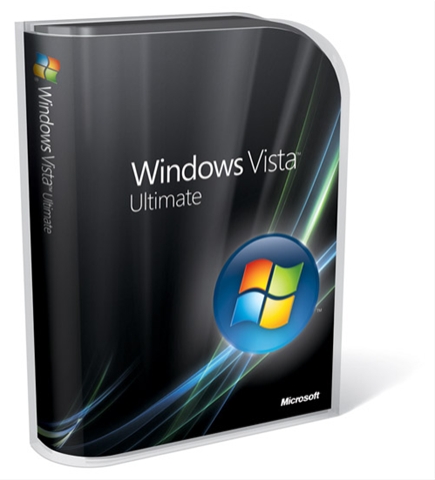
BitLocker Drive Encryption is a new technology introduced into the high-end editions of Microsoft's latest operating system. Windows Vista Enterprise, the platform accessible exclusively to the company's Software Assurance customers via volume licensing, and Windows Vista Ultimate are the two examples of Vista that feature BitLocker Drive Encryption. According to Microsoft, the technology was implemented as a response to customer feedback over the increasing need to secure sensitive data. Following the integration into Vista, BitLocker Drive Encryption is also
featured into Windows Server 2008, formerly codenamed Longhorn.

"BitLocker is a data protection feature available in Windows Vista Enterprise and Windows Vista Ultimate for client computers, and in Windows Server 2008. BitLocker addresses the threats of data theft and of exposure from lost, stolen, or inappropriately decommissioned personal computers by providing a closely integrated solution in Windows Vista," Microsoft revealed.

The Redmond company made available for download the Windows BitLocker Drive Encryption Design and Deployment Guides, a resource delivering two guidelines designed to streamline the deployment of the technology. In this manner, Microsoft supports its corporate customers offering the Windows BitLocker Drive Encryption Design Guide and the Windows BitLocker Drive Encryption Deployment Guide.

Both guides will provide corporate users with details on how to manage the planning and deployment of BitLocker Drive Encryption but also on how to prepare Windows Vista for the technology. Microsoft warned of the fact that knowledge of Trusted Platform Module, Active Directory Domain Services (AD DS) schema extension and Group Policy is a must.

"Data on a lost or stolen computer is vulnerable to unauthorized access, either by running a software attack tool against it or by transferring the computer’s hard disk to a different computer. BitLocker helps mitigate unauthorized data access by enhancing Windows Vista file and system protections. BitLocker also helps render data inaccessible when BitLocker-protected computers are decommissioned or recycled," Microsoft added.

MORE RELATED ARTICLES: Windows Vista Business – Ultimate – Comparison Matrix Free Windows Vista Enterprise - Updated and Available for Download Virtual Hardware Systems Remain Off Limits for Windows Vista Home Editions The Death of Windows Vista Extras Virtualize Up to 4 Copies of Windows Vista Enterprise Introducing... Windows Vista Embedded Microsoft Cancels the Ultimate Wow(!) Windows Vista Video Wallpaper Microsoft Recommends Windows Vista Ultimate and WGA Cracks
 
Comments | Link here | Subscribe
Print | Send to friend
Today's News | Yesterday's News

Search:


6th July 2007, 12:57 GMT | Copyright (c) 2007 Softpedia | Contact:
Read by 1,530 user(s) | Rating: | 6 vote(s) so far | Cast your vote:
Windows Vista Ultimate and Enterprise BitLocker Drive Encryption - USER OPINIONS


We are sorry, there are no opinions available for this article.


SHARE YOUR OPINION ABOUT Windows Vista Ultimate and Enterprise BitLocker Drive Encryption

Since you are not logged on, your comments will have to be approved before being displayed.
Click here to login, or register.
Your Name:
Your Email:
Type in the result:
Your Opinion:


DO YOU WANT TO CONTACT US?  

If you have some comments or you want to send us some information you can send us an email directly to .
You can use the form below for the same purpose.
Your full name: (at least 3 characters)
Your email address: (at least 5 characters)
Message subject: (at least 5 characters)
Message text:
(at least 10 characters)
Type in the result:


© 2001 - 2008 Softpedia. All rights reserved.
Softpedia™ and Softpedia™ logo are registered trademarks of SoftNews NET SRL.
Copyright Information | Privacy Policy | Terms of Use | Contact Softpedia | Update your software | Archive