14 DAY TRIAL //
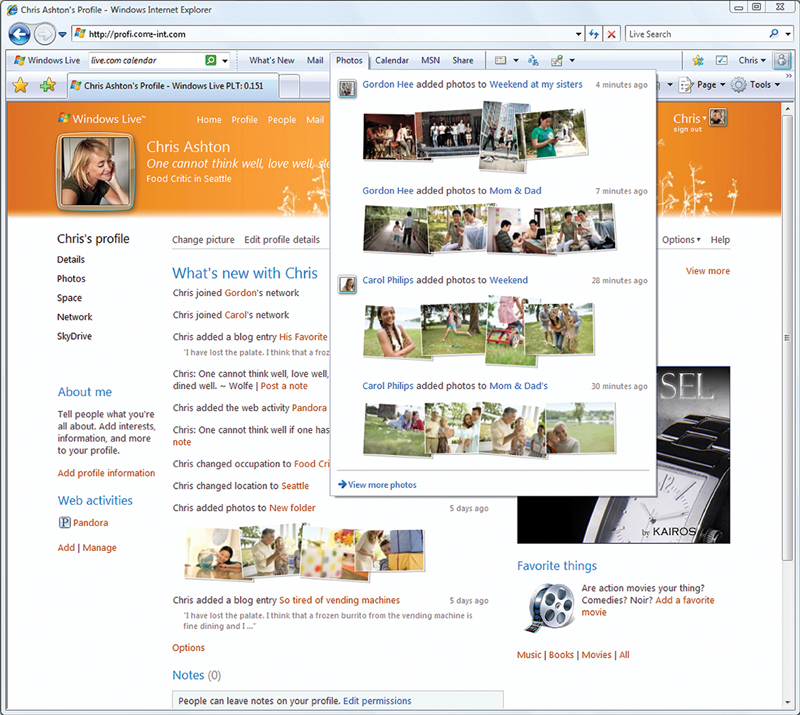
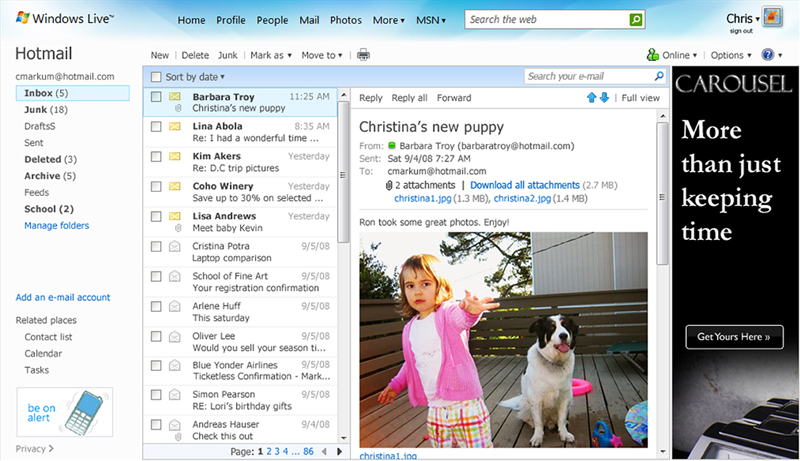
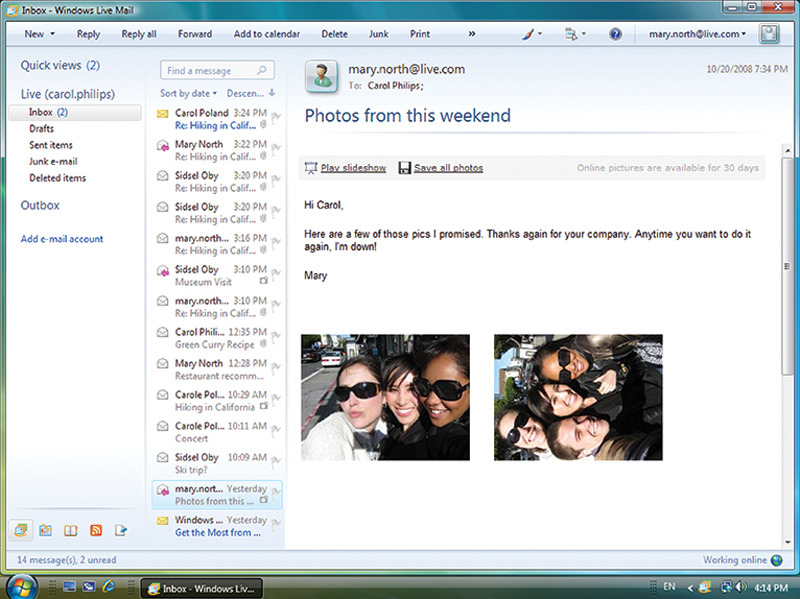
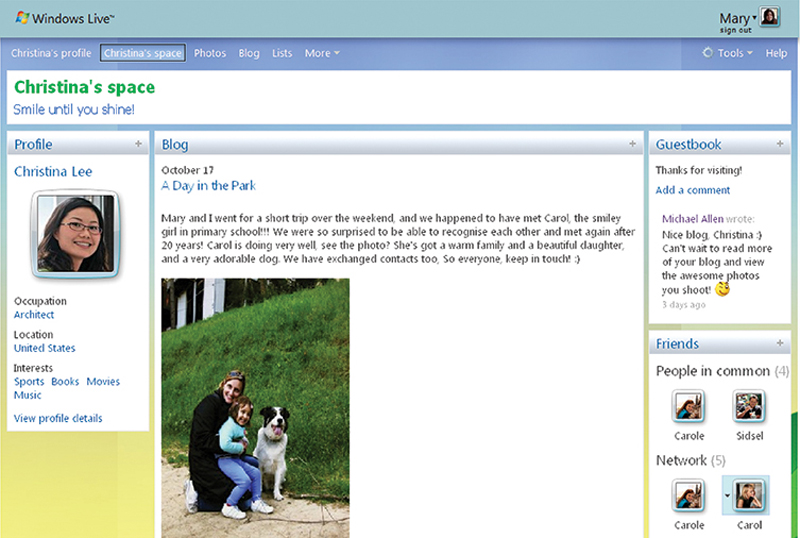
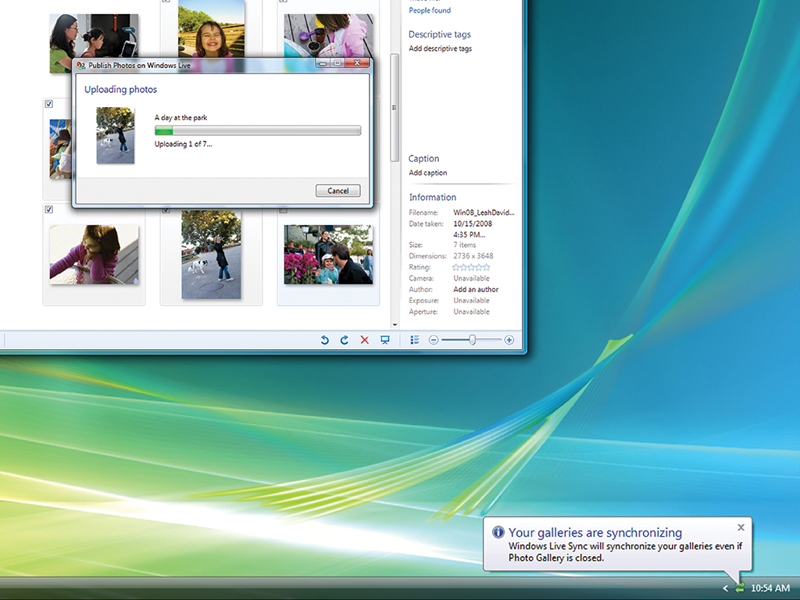
 With the evolution of Windows Live suite of applications and services, Microsoft is introducing not only under-the-hood optimizations, new features and capabilities, but also a design overhaul. The revamping of the visual style ranges from the graphical user interface of the client and Cloud services, to the icons representing the various components of Windows Live Wave 3. As you can see from the images included in this article, the new designs associated with Windows Live Wave 3 deliver a unified style across both the Windows client and the Cloud components.
“Historically, people have had entirely separate e-mail, IM, and sharing solutions – with different contact lists and totally different tools. But we’re now at a point where we can go beyond siloed communication tools that don’t work together – and start to integrate the best of them together with one contact list. In Windows Live, we’ve been working towards this for a while, but with this upcoming release, we’re taking a huge step forward in providing an integrated personal communication service – integrated across Windows Live and across other services on the web,” revealed General Manager for the Windows Live Business Group, Brian Hall.
Starting with the coming weeks and ending in early 2009, Microsoft will introduce Windows Live Wave 3 incrementally around the world, kicking all the applications and services up a notch. The end purpose for Microsoft is to have all Windows Live components, and the digital lives of end users synchronized. At the same time, Microsoft is attempting to increase the social networking capabilities of Windows Live Wave 3 applications and services by connecting users with a range of third-party Internet hotspots, including Flickr, Pandora, Photobucket, Twitter, WordPress and Yelp.
Here is a list of Windows Live Wave 3 items and how they evolved, as described by Microsoft:
Windows Live Calendar:
- improved multiple calendars management, task tracking and sharing capabilities;
- improved sync with Microsoft Office Outlook and Windows Live Mail;
- subscribe to third-party calendars via the open iCalendar standard.
Windows Live Events:
- integration with multiple online calendars;
- integration with the “What’s New” feed in Windows Live Messenger.
Windows Live Groups:
- new online collaborative service with sharing and chatting capabilities.
Windows Live FrameIt:
- a new service which enables users to share content with wireless picture frames.
Windows Live Hotmail:
- redesigned graphical user interface;
- increased performance;
- integration of “What’s New” feed;
- better spam protection;
- POP access and POP aggregation;
- Instant Access;
- Instant messaging in Windows Live Hotmail.
Windows Live Photos:
- People tagging;
- Commenting;
- “What’s New” feed;
- Shared albums.
Windows Live SkyDrive:
- 25GB of free online storage.
Windows Live Profile:
- a new service that integrates Windows Live and 50 partner websites, enabling users to broadcast information about themselves to the world.
Windows Live People:
- a new service designed to store and manage all Windows Live contacts.
Windows Live Spaces:
- fonts will be easier to read;
- improved GUI.
Windows Live Sync (Windows Live FolderShare):
- better integration of a unified sign-on experience across synchronized folders on both Macs and PCs.
Windows Live Essentials:
- a label centralizing the following applications: Windows Live Mail, Windows Live Messenger, Windows Live Movie Maker beta, Windows Live Photo Gallery, Windows Live Toolbar, Windows Live Writer, Windows Live Family Safety.
Windows Live Messenger:
- Personalization;
- Integration of “What’s New” feed;
- Photo sharing;
- Favorites;
- Groups.
Windows Live Photo Gallery:
- Face detection;
- Slide shows;
- Easy photo sharing;
- Edit photos;
- Easy offline printing.
Windows Live for mobile:
- groups together: Windows Live Hotmail for mobile (now with Mail search and rich email), Windows Live Messenger for mobile, Windows Live Photos for mobile, Windows Live Profile for mobile, Windows Live People for mobile, Windows Live Spaces for mobile, and Windows Live Calendar for mobile.