 14 DAY TRIAL //
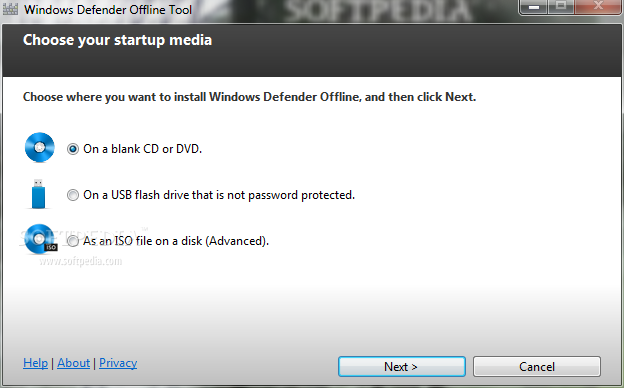
 In an attempt to provide users with increased security option on their computers, Microsoft has rolled out the Windows Defender Offline beta software, which is nothing more than a version of the Windows' anti-spyware feature. The main difference, however, is the fact that users will have to download it in the form of an ISO file that should then be burned on a DVD or USB flash drive.
With this tool at hand, one will be able to eliminate from a PC even malicious software that kicks in before Windows starts, such as rootkits.
“This can happen when you connect to the Internet or install some programs from a CD, DVD, or other media,” Microsoft explains.
“Once on your PC, this software might run immediately, or it might run at unexpected times. Windows Defender Offline Beta can help remove such hard to find malicious and potentially unwanted programs using definitions that recognize threats.”
The company also explains that Windows Defender Offline Beta is capable of detecting malicious software on the PC, along with potentially unwanted software, provided that users will keep its definitions up to date.
Armed with definition files, Windows Defender Offline Beta can detect malicious and potentially unwanted software, and then notify you of the risks.
Here’s what those interested in using the new Windows Defender Offline Beta need to do:
- Download Windows Defender Offline Beta and create a CD, DVD, or USB flash drive (at least 250 MB of free space required). - Restart your PC using the Windows Defender Offline Beta media. - Scan your PC for malicious and other potentially unwanted software. - Remove any malware that is found from your PC.
Using the tool is pretty straightforward, not to mention that it will get users through all of the necessary steps when fired up.
The company also mentions that users should strongly consider downloading and using the Windows Defender Offline Beta tool when Microsoft Security Essentials or Windows Defender prompts them to do so.
You can download Windows Defender Offline Beta from Softpedia today, just follow this link.