 14 DAY TRIAL //
 I have been playing with Windows 8 Developer Preview Build 8102 Milestone 3 (M3) even before it was officially made available for download, and while I fully enjoy the new experiences and innovation from Microsoft, I also see a few aspects of the OS that could be better. Close buttons for Metro apps for example, but I’ve already talked about those, so here’s a new one, a streamlined Windows 8 shut down process.
At this point in the development process shutting down a Windows 8 machine is a tad more complicated than it should be.
Ahead of anything else, I just want to stress that I’m fully aware that Windows 8 is tailored to always-on devices, such as tablets / slates that come with their own sleep / hibernate / shut down / restart button.
I’m sure that said button will be heavily used by all customers running next-generation form factors, as Windows 8’s built-in shut down button will lose all relevance.
I did not miss the shut-down button a single second over the couple of days that I tested the Samsung Windows Developer Preview PC provided by the software giant at BUILD. Not for a moment.
The device came with a power button which shut down the form factor entirely when pressed for a longer period of time, or that just put Windows 8 to sleep (short-press).
However, I have since then installed Windows 8 Build 8102 M3 on more traditional devices, both laptops and desktops, and the way they’re configured now, shutting down is a bit of a pain.
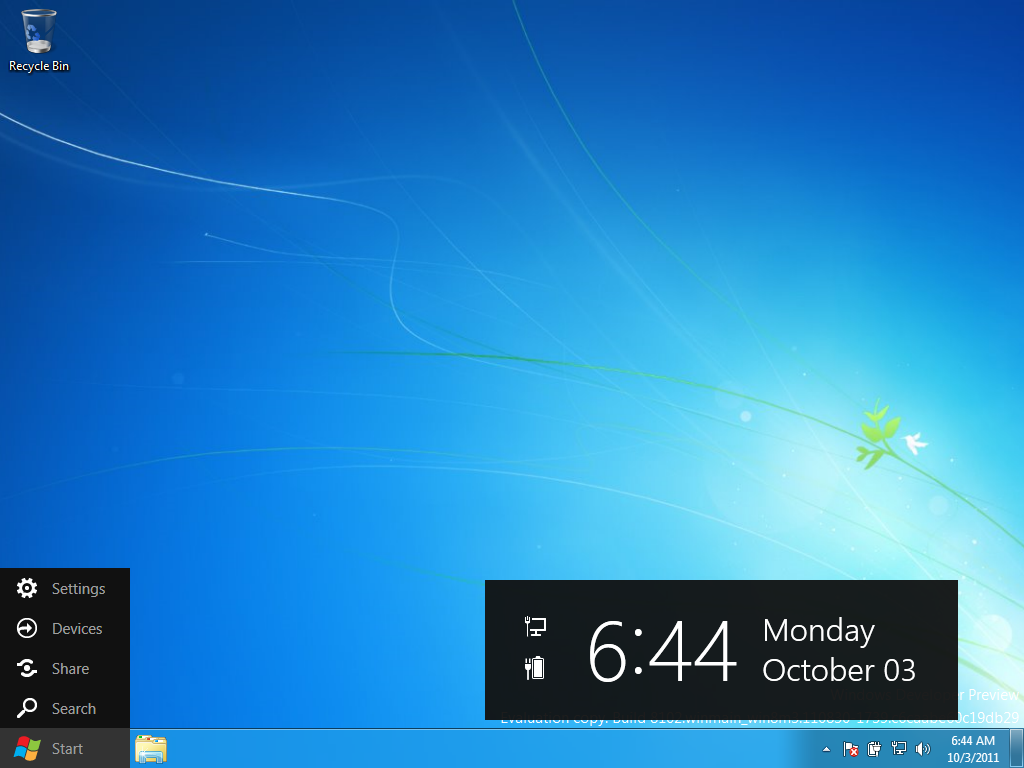
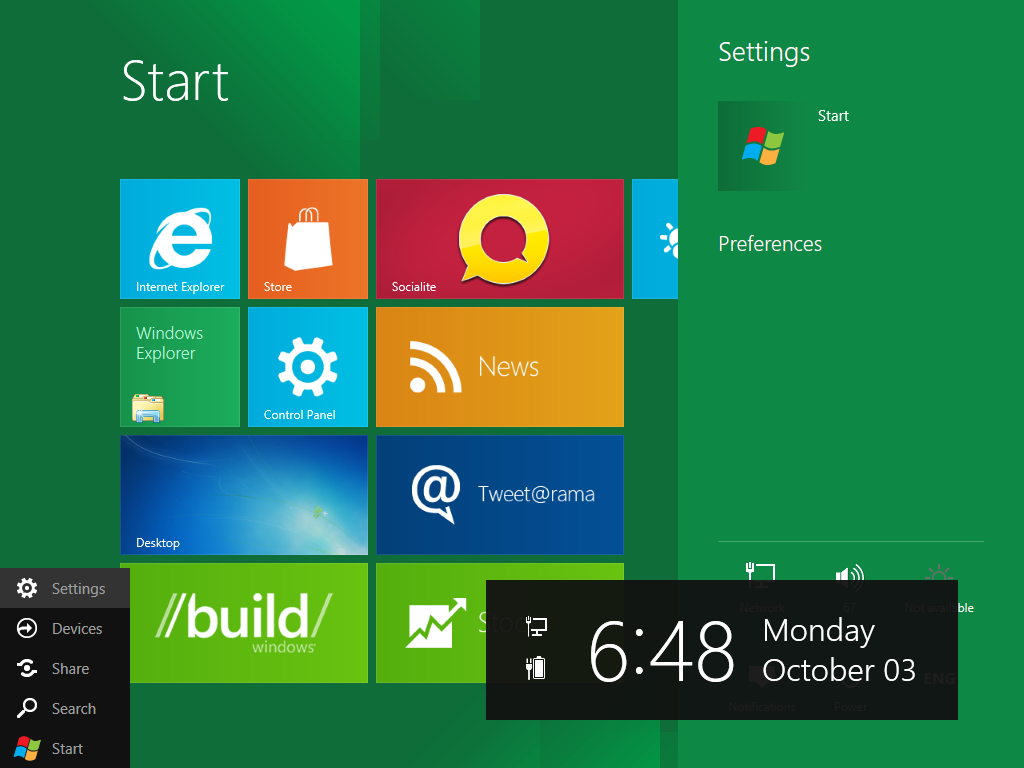
The way it works is that either in Metro or on the classic desktop, users need to hover the mouse over the Windows logo in the bottom left hand side corner of the screen (in Metro just take the mouse cursor there), and the Charms menu will pop up.
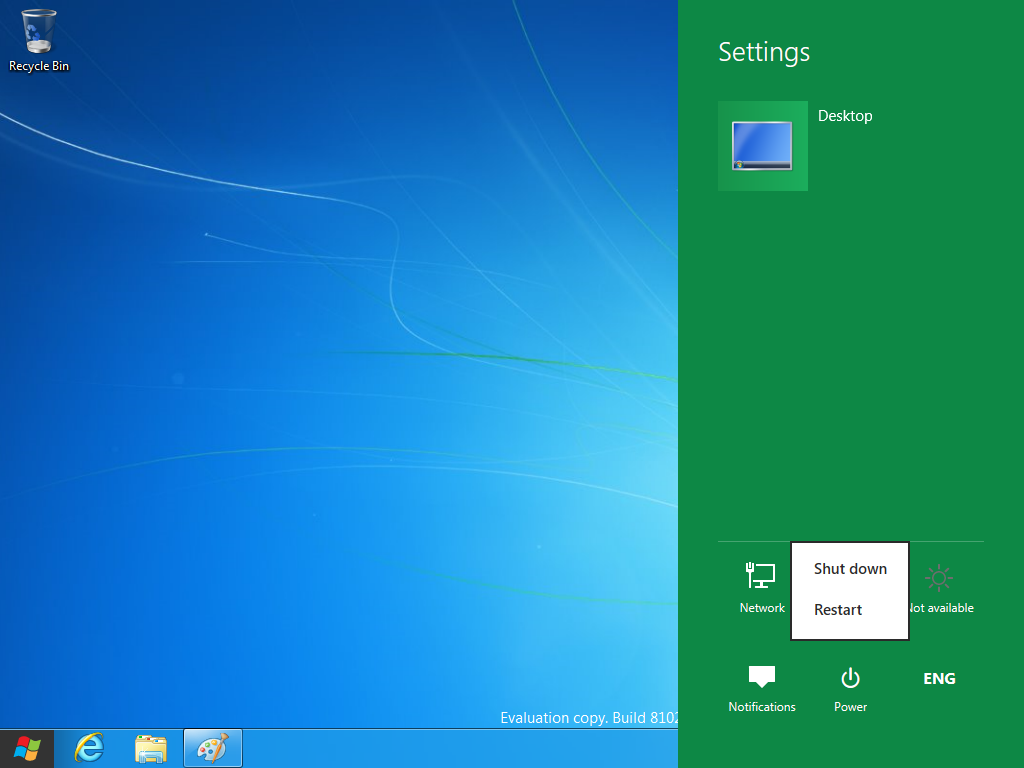
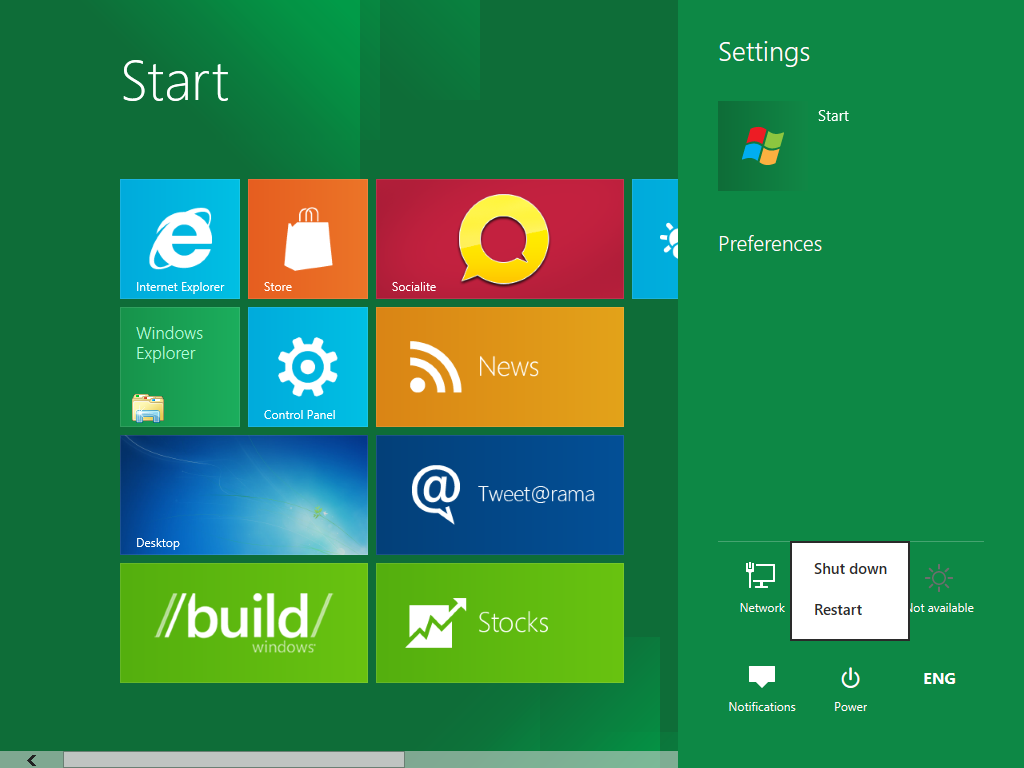
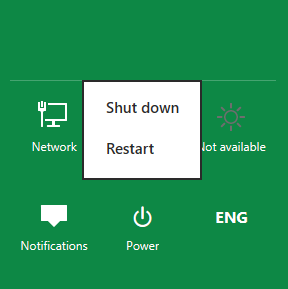
In order to shut down the machine, customers have to click on settings, which brings up the Metro dialog box, even if they’re running in desktop more, and only then, by pressing the Power button will they be able to shut down their computer.
It’s my best guess that the entire process could be a tad simpler and more intuitive. I should also mention the “learning curb” factor.
With the introduction of the Metro UI, Microsoft has scrapped the old Start Menu. There’s a huge problem with this move. The vast majority of Windows users expect the Start Menu to be included in Windows, especially after 15 years of leveraging it.
But in Metro Windows 8 testers now need to use Charms. The Start Menu is also missing from the desktop in Windows 8, where it was also replaced by Charms. Worst yet, pressing the Windows key no longer launches the Start Menu but takes users to the Metro screen.
A friend of mine left some less technical members of his family alone with his desktop PC, on which he’s testing Windows 8 at home. The machine is set in a dual boot configuration, but it was running Windows 8, not Windows 7.
Time came for the PC to be shut down. None of the users that had played with it until then, doing some browsing, managed to figure out how to close it down. They ended up calling my friend on the phone to help them shut down the machine, which he did by guiding them to press CTRL + Alt + Del and select Shut Down from there.
I don’t think that there’s anybody out there that doesn’t agree with me that this process could be less complex and streamlined quite a lot instead.
I for one used a simple “fix.” I made my way to Power Options in Control Panel and set the power button to shut down the Windows 8 machine when pressed. But I doubt the fact that average Windows users will see such a solution as intuitive.
Windows 8 Developer Preview Build 8102 Milestone 3 (M3) is available for download here.