 14 DAY TRIAL //
 One of the features that Windows 8 will arrive on the market with will be the possibility to reset it either to the original settings, or to a previously working configuration.
In other words, users will be able to revert the PC to a factory state, or to go back to a good configuration that worked for them.
Users who will purchase a computer running under Windows 8 right from the start will certainly grow to appreciate both these options, since they are meant to eliminate the need of performing a clean install of the platform.
Of course, tools to enable you to get the PC back to a previous state are already available, though not all of them might be seen as efficient as needed, especially to users who don’t have too much experience in the area.
Desmond Lee, program manager on the Fundamentals team, explains in a blog post that Windows 8 is meant to ease this for users, in a variety of manners. The platform will offer features like: - Provide a consistent experience to get the software on any Windows 8 PC back to a good and predictable state.
- Streamline the process so that getting a PC back to a good state with all the things customers care about can be done quickly instead of taking up the whole day.
- Make sure that customers don’t lose their data in the process.
- Provide a fully customizable approach for technical enthusiasts to do things their own way.
In the upcoming Windows 8 release, users will be able to make their PCs functional again with the simple push of a button, Lee explains.
Resetting and Refreshing your PC
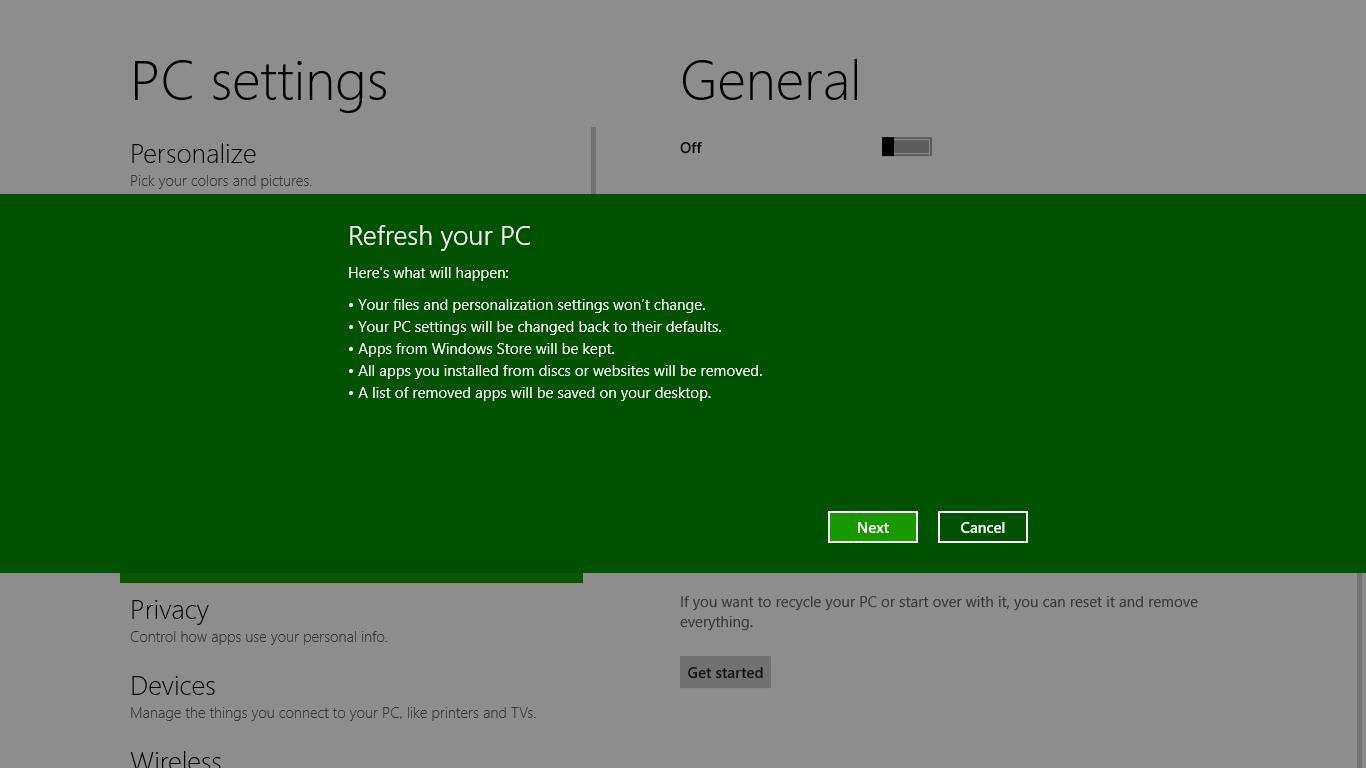
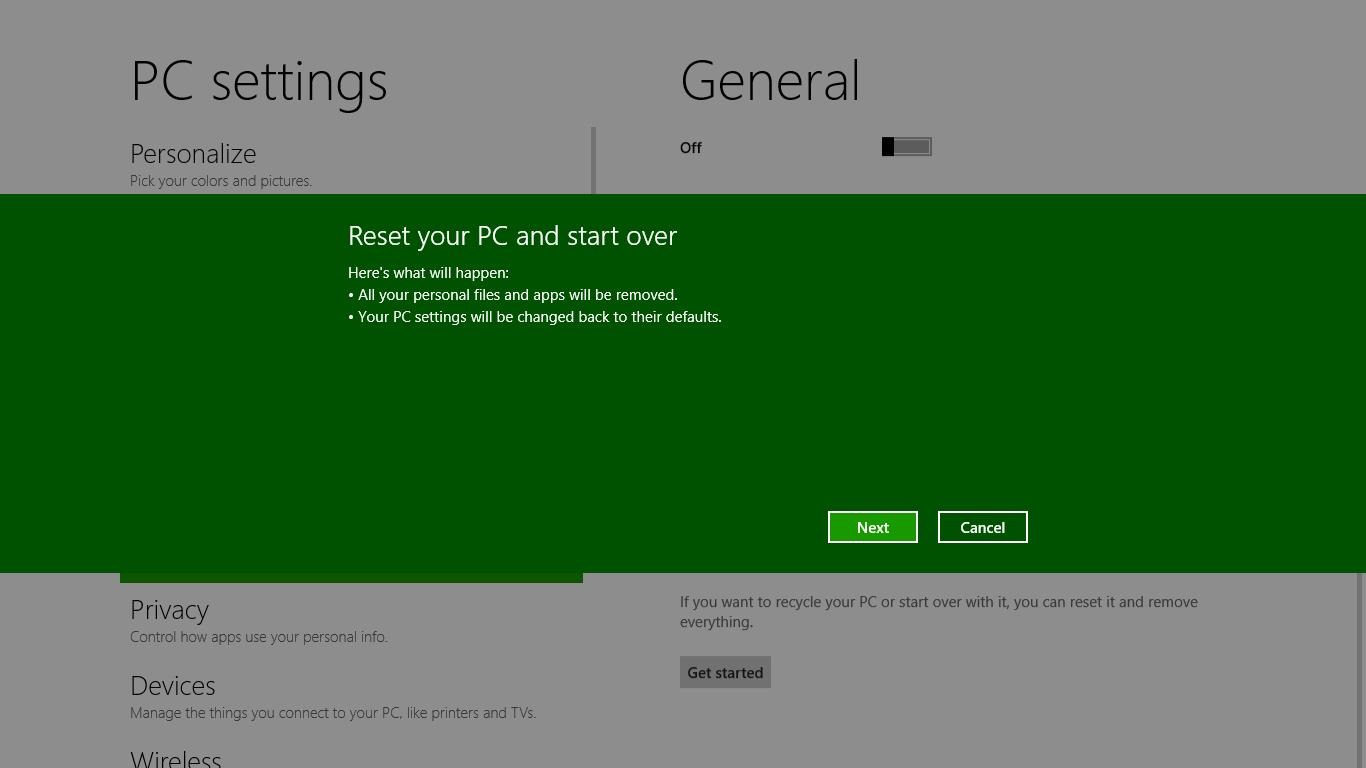
Two features will be available for users, namely Reset your PC and Refresh your PC. The former will remove all personal data, apps, and settings from the PC, and put a fresh copy of Windows on it. The latter will leave personal data, Metro style apps, and important settings intact, while reinstalling Windows.
When you chose the Reset your PC feature, the computer will boot into the Windows Recovery Environment (Windows RE), erase and format all hard drive partitions that have Windows and personal data on them, reinstall the platform, and then restart into the new copy of Windows.
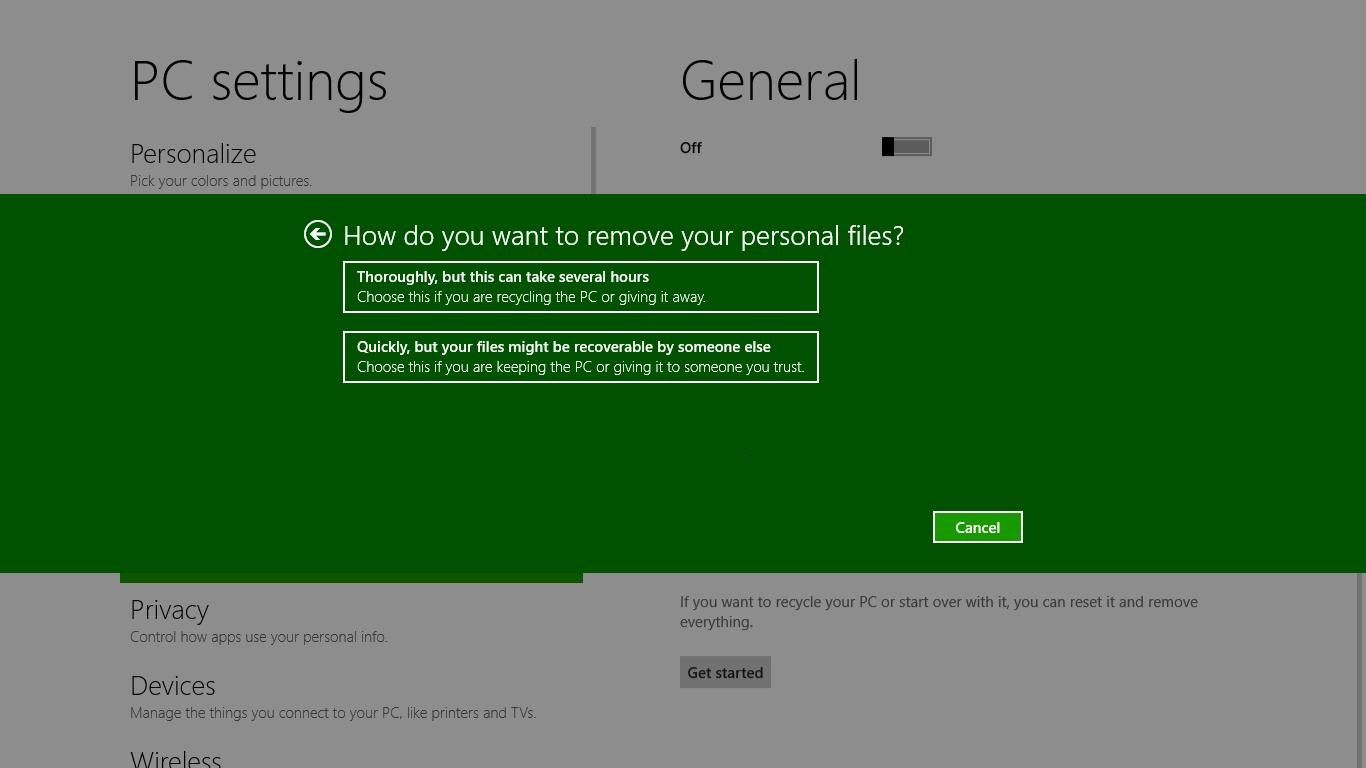
Windows 8 will also come with an option to erase data more thoroughly, so that no sensitive files would be recoverable afterwards. This feature is meant to ensure increased security of users’ data.
If they only want to have Windows installed, while the personal files are left intact, users can choose the Refreshing your PC option.
When opting for this, the PC will boot into Windows RE, which will scan for data, settings, and apps, and put them aside, then will reinstall Windows and restore the saved files and settings. The great part when refreshing the PC is that you will not have to use an external hard drive to back up your data.
“Unlike manually reinstalling Windows, you don’t have to go through the Windows Welcome screens again and reconfigure all the initial settings, as your user accounts and those settings are all preserved,” Lee explains.
“You can sign in with the same account and password, and all of your documents and data are preserved in the same locations they were before.
“To accomplish this, we actually use the same imaging and migration technologies behind Windows Setup. In fact, the underlying setup engine is used to perform both Reset and Refresh, which also benefit from the performance and reliability improvements we added to setup for Windows 8.”
In Windows 8 Beta, these options will look as in the screenshots attached to this article. The OS flavor will be able to preserve settings that include: Wireless network and Mobile broadband connections, BitLocker and BitLocker To Go settings, Drive letter assignments, Personalization settings (lock screen background and desktop wallpaper).
However, File type associations, Display settings and Windows Firewall settings will not be preserved.