14 DAY TRIAL //
 At the start of this week, I posted an article informing users of the fact that Windows 7 RTM was available for download via MSDN Academic Alliance (MSDN AA). Looking at the comments that have been piling up I think that an update is necessary to clarify some aspects. Some users have been complaining that they didn’t see Windows 7 RTM offered for download. The reason is simple enough. Microsoft did offer access to the gold bits of the latest iteration of the Windows client, as well as the activation product keys, as early as August 6th, 2009, through MSDN AA, but only to Academic Alliance Administrators with subscription accounts. It wasn’t until later this week that Windows 7 RTM also went live on ELMS.
“Windows 7 Client Retail Professional Edition English (x86 and x64) and Windows 7 Enterprise Edition English (x86 and x64) are available in MSDN Academic Alliance since August 6th for download by MSDN AA Administrators. On Aug 13, Windows 7 Client Retail Professional Edition English (x86 and x64) are available in ELMS (e-academy License Management System) that distributes the software to students. Enterprise editions of Windows 7 are for lab installs and so are not in ELMS,” explained Gautam Reddy, Microsoft Academic Relations manager.
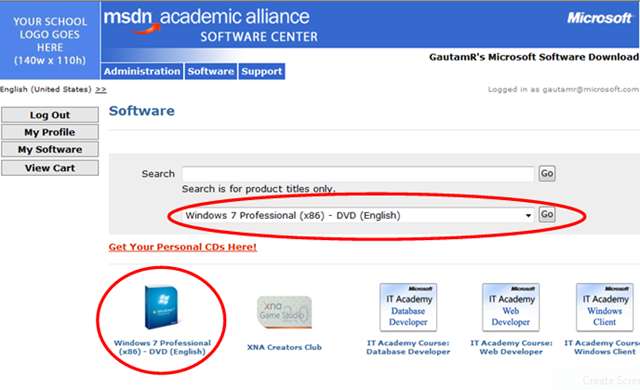
Fact is that, even today, August 14th, 2009, some MSDN AA members might still not be seeing Windows 7 RTM in the ELMS distribution mechanism (“Hosted ELMS”). The reason for this is that MSDN AA Program Administrators that are managing the ELMS website need to first enable Windows 7 downloads.
“The process to enable Windows 7 for ELMS download: your MSDNAA-ELMS Program Administrator logs into the school/department’s ELMS site (example: http://msdn04.e-academy.com/ms_cdhs), clicks on ‘Product Management’, ‘Rapid Setup’ and ‘Configure Hosted ELMS now’, checks the box against Windows 7 Client Retail Professional Edition English x86 and clicks on ‘Enable All’ (or ‘Enable Selected’),” Reddy added.