
NEWS CATEGORIES:


NEWS ARCHIVE >>
SOFTPEDIA REVIEWS >>
MEET THE EDITORS >>
Home / News / Microsoft / Windows

Windows


Windows 7 Beta vs. Windows Vista - System Requirements

Vista users will not need to upgrade

By Marius Oiaga, Technology News Editor

12th of January 2009, 21:01 GMT

Adjust text size:


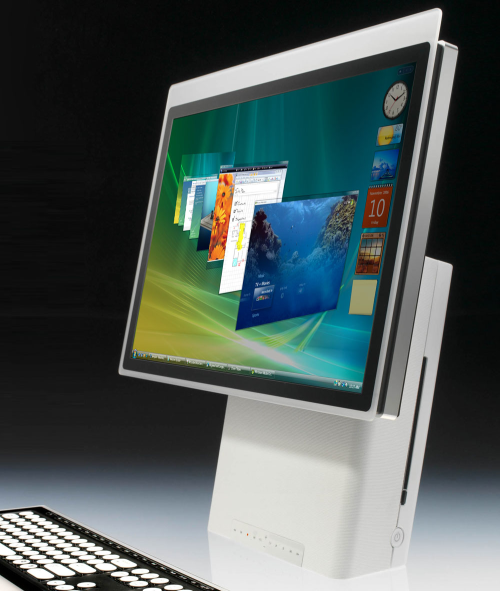
Windows Vista PC concept
Enlarge picture
I did a radio interview a while back for an IT-related show, and one of the questions was generated by user inquiries related to the system requirements for Windows 7. Windows Vista was easily qualified as a resource hog in comparison to its precursor, Windows XP, but judging from the five-year gap separating the two clients, the label doesn't exactly fit. Some users, especially business customers, fear that after coughing up a consistent amount of money and upgrading their computers, or hardware infrastructure in the case of businesses, in order to accommodate Windows Vista, they will have to do it all over again, just a couple of years later, and in the context of a global financial crisis. This will not be the case.

In terms of system requirements, Windows 7 Beta reveals that Vista and its successor are on par. This means that users will not have to pay for a hardware upgrade just to accommodate Windows 7, if they are currently running Windows Vista on their machines. Those who have bought new machines tailored to Vista, beyond the Home Basic SKU, namely Home Premium, Business, or Ultimate editions, will also be able to run Windows 7 without any problems.

According to Microsoft, Windows 7 Beta's “Minimum recommended specs call for: 1 GHz 32-bit or 64-bit processor; 1 GB of system memory (RAM); 16 GB of available disk space; support for DirectX 9 graphics with 128 MB memory (to enable the Aero theme); DVD-R/W Drive; Internet access (to download the Beta and get updates).”

The Redmond company warned that the specifications could be modified during the development process of Windows 7. “These are the Microsoft minimum hardware recommendations for systems that will be running the Windows 7 Beta. These recommendations are specific to the beta release and are subject to change,” the software giant stated.

By comparison, the minimum system requirements for Windows Vista Home Premium / Business / Ultimate are: “1 GHz 32-bit or 64-bit processor; 1 GB of system memory; 16 GB of available disk space; support for DirectX 9 graphics with 128MB memory (in order to enable Aero theme); drive: DVD-R/W drive; Internet connection (to download the Beta and get updates),” Microsoft indicated. Windows Vista Home Basic can go as low as “800 MHz processor and 512 MB of RAM on a 20 GB hard drive with at least 15 GB of available space,” the company claimed, but considering this system the OS would virtually be unusable.

I have been running Windows 7 Beta and pre-Beta on a laptop with under 2GHz processor and with just 1 GB of RAM, and in virtual machines with even less. Moreover, I have also been running Windows 7 Beta and the Milestone releases on a 3GHz Intel Core Duo with 4 GB of DDR3. I found that Windows 7, even if still under development, delivered, on the same machine, a performance superior to Vista's. However, in order to get the best out of Windows 7, users should have computers with at least 2 GHz processors and no less than 2 GB of RAM.

Windows 7 Beta is available for download here.

TAGS:

Windows 7 | Beta | system requirements
Read by 54,999 user(s) | Add comment | Link to this article TWEET THIS


Article rating:
Good (3.5/5) 25 vote(s)    

Subscribe to news | Print article | Send to friend

© Copyright 2001-2009 Softpedia
Contact:


SEARCH THE NEWS ARCHIVE :


Today's News
| Yesterday's News | News Archive


MORE RELATED ARTICLES:


Update Windows 7 Beta and Fix MP3 File Corruption Issues

Unlimited Windows 7 Beta Downloads Get Green Light from Microsoft

Downloading and Installing Windows 7 Beta Build 7000

Microsoft: Download Win 7 Beta Without the Product Keys

Windows 7 Server (Windows Server 2008 R2) Beta Download Links

Microsoft Updates Live Search Mobile for Windows Mobile

Microsoft Research SongSmith for Music via Artificial Intelligence

Just 1 Patch Cooking for Vista SP1 and XP SP3

User opinions:


Comment #1 by: DarkMagician on 22 Jan 2009, 01:09 GMT reply to this comment

Got it to install smoothly on a 1.4ghz Celeron Processor with 512mb RAM. Vista REFUSED to install on this system, but win7 was happy with it.

Also got it to install on a 2.4ghz P4 with 2gig RAM via virtualPC and despite only allocating 1gig of RAM, it was smooth as ever with plenty of applications open.

I didn't like Vista, infact using Win2k on my P4 as primary OS, but if Aero is the way windows is going, I'm glad they went the direction they did with Win7.


Comment #2 by: Kbac on 10 Feb 2009, 20:23 GMT reply to this comment

Windows is looking more and more like the KDE desktop.
"Wow that looks cool! Lets copy that look!"


Comment #3 by: kier on 18 Feb 2009, 04:54 GMT reply to this comment

hi...
im using winxp, with 512mb ram, 3ghz intel pentium 4 processor. can windows 7 run on my computer with the assurance of hardware and software stability?
thnx...

Comment #3.1 by: ieg on 17 Mar 2009, 19:52 GMT

I will most likely do. The thing is that you must have a minimun 128 graphics card to run Aero but that's just a visual element. It's no completely related to the performance


Comment #4 by: Amir on 22 Mar 2009, 00:06 GMT reply to this comment

It's nice to hear that we will not need to upgrade our computers even more for Windows 7. Has anyone tried it,I mean the Beta Version of Windows 7?How does it work,is it any good?I'd like to try it,but if it is worthless I'd really like to know.


Comment #5 by: Thmoas on 23 Mar 2009, 22:35 GMT reply to this comment

I've tried the Windows 7 BETA and Windows Vista (release) and I can tell you without a doubt that Windows 7 is much, much, much better. Windows 7 actually feels like the update of XP that Vista should have been.

Windows 7 adds things that are useful and eliminates things like UAC (It's still there but not implemented in the same annoying way as Vista's.) among others.


I've tried Windows 7 on a P4 2.2 GHZ machine with 512 mb of ram and for everyday browsing, film watching, chatting etc - it worked better than I expected and was far superior to Vista on the same machine. With Vista this particular machine slowed to a crawl in a few minutes being turned on.

Windows 7 feels much more 'light' but at the same time it feels larger in 'features' - but as I said they are not useless fluff unlike most of what was included in Vista.


All in all I was impressed by Windows 7 even though I am a Linux user myself.


Comment #6 by: zenebier on 27 Apr 2009, 00:03 GMT reply to this comment

ive tried windows 7, its like having an XP OS with an enhanced vista look.
plus a lot of useful features(e.g. the little button at the lower right of the screen, beside the time display on the task bar)


Comment #7 by: b doensen on 20 May 2009, 10:01 GMT reply to this comment

Can windows 7 read my tv card as vista refuses to load any software
keeps telling me no tv card (winfast HD tv card)runs OK on XP records in HD and can burn same on disk if need be, I have all 9 digital tv stations. But without media center I can not link my XBOX .
tells me, no tv card
intel pentium 4 CPU 3.00 GHz with 1 Gb of RAM
Microsoft Windows XP version 2002 professional service pack 2


Comment #8 by: jishnu on 27 May 2009, 07:17 GMT reply to this comment

windows 7 req 1 gb of ram...i gt only 512...is it possible to install with may configuration.

Comment #8.1 by: Windows 7 User on 28 Jul 2009, 06:19 GMT

Does 7 run with 512 MB of ram? I can say with confidence, "YES." I'm doing it right now. I have an old computer that a friend wanted completely wiped and in return I get to use it as a toy to try out Windows 7 RC. It installed smoothly and has been running very well on this 6 year old machine. It is a Dell with 512 MB of ram, a 2.8 Ghz P4, and a 128 MB Nvidia FX5200. Not stellar specs by any means but enough to comfortably run windows with Aero turned on and do everyday work. I installed a free antivirus program, have been browsing the web, and doing other relatively low-impact tasks, and I've got over 100 MB of available RAM to spare with almost none in page file. Overall, from playing around with it for a few hours, I'm extremely happy with how well it is performing.


Comment #9 by: You Know Who on 18 Jul 2009, 16:07 GMT reply to this comment

Well, if you ask me of the appearance, well yes its kinda great!!
Overall, itwasn't so good, well atleast the Beta Version. You know it was gettin hanged like hell, and i had to restart about three times eabh time it got hanged!!!!!!
At last got rid of it!!!!!
Anyway, I hope that Windows 7 full version may be good.....
By the way, I realy liked the features and functionalities.....
I hope I get it soon.............


Comment #10 by: fudd on 28 Jul 2009, 04:42 GMT reply to this comment

I was running Windows XP on my old Dell Inspiron 1300 - Intel Celeron M 370 (1.50 GHz/1MB Cache/400MHz FSB)/ 512 megabytes ram. Intel 900 gfx chipset (onboard)...

It was adequate- I ran mostly internet/office apps. I upgraded to Win 7, thinking it was worth a try...I had fooled around with Ubuntu linux distro, which worked much faster than XP...

So Windows 7 installed perfectly!! No hardware issues at all- and the performance was fairly strong, stronger than XP and much more stable...

I upgraded my ram to 2 gigz and the system was running as well as it could; aero did not work, but that was just cosmetic...

all in all a great upgrade.


Comment #11 by: YOGESH on 31 Aug 2009, 14:11 GMT reply to this comment

hey guys in short windows 7 is far better than xp and vista . if you have 1.0 ghz ,512 ram and 20gb harddrive space than go for it .


Comment #12 by: ezast91 on 21 Sep 2009, 06:22 GMT reply to this comment

i agree with all diz post above.i've just converted frm vista ultimate x64 to win7 enterprise.its worth waitin bout nearly an hour to transform my OS,and the result is so GOOD!!!my OS perform better,better and better than using vista,faster access to everything,from folders to folders n surfing internet.im using celeron2.13ghz,128ram of acer integrated graphic n 1gig of ram.its much much betterrrr dan using ultimate dat so heavy..

Share your opinion:

Your Name:
Your Email Address:
(will not be used for commercial purposes)
Solve this to prove you're not a bot: =
Your review/opinion:


Windows tabGames tabDrivers tabMac tabLinux tabScripts tabMobile tabHandheld tabGadgets tabNews tab

SUBMIT PROGRAM   |   ADVERTISE   |   GET HELP   |   SEND US FEEDBACK   |   RSS FEEDS   |   ENTER NEWS SITE   |   ENGLISH BOARD   |   ROMANIAN FORUM