 14 DAY TRIAL //
 Nokia's smartphones offer users the possibility to make and receive video calls, the same as other mobile platforms out there can, and the Finnish mobile phone maker is keen on telling users that.
Video calling has been available on Nokia devices ever since 2004, when the company packed this functionality in its Nokia 6630.
The handset was offering the feature courtesy of its back camera, but that changed one year later, when Nokia launched the Nokia 6680, which made video calling more user friendly.
Users who own a smartphone with a camera on the front are certainly familiar with what the video calling is all about, and Nokia claims that they had it first.
“Almost every Nokia smartphone that succeeded [the Nokia 6680] allowed for video calling through the front camera,” a post on Nokia Conversations reads.
“If you’ve got a Nokia smartphone with a camera on the front then you’ll almost certainly be able to make a video call to virtually anybody, using 3G. And it’s always been this way with Nokia, too.”
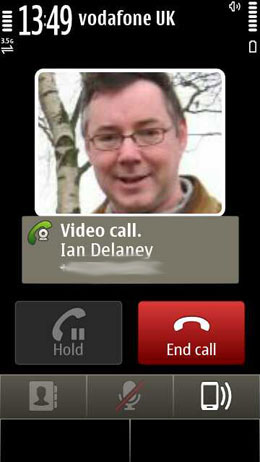
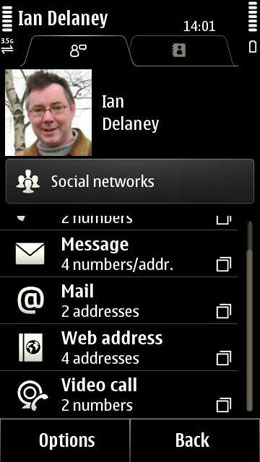
On a Symbian handset from the company, for example, making a video call is simple. Users will have to press on the phone contact card, which will open the calling options, with video call available at the bottom of the list.
When receiving a video call, users will be able to select whether to allow the video image to be sent to caller or not.
“This makes it absolutely clear you’re receiving a video call and not a normal call, so you won’t get caught out and be broadcasting your face without knowing it. You’ll have to press yes if you want the other person to see you, which is kind of the point of video calling,” the said post reads.
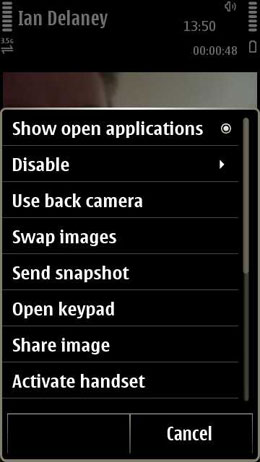
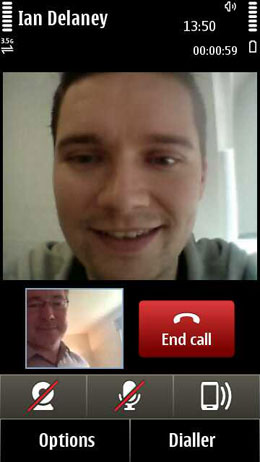
When in a video call, you can kill the video transmission by hitting the on-screen camera button, and you can also turn off audio via the mic icon. You can also route audio to the speaker, which will turn the video call into a normal call, if the camera is also off.
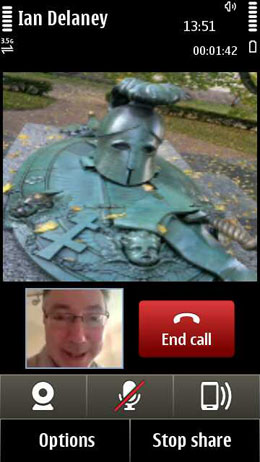
But this is not all. Users can also select a specific image to be broadcast as video, and they can also show photos from their devices to the caller. Not to mention that they can switch the video input to the camera on the back of the phone, so that the other person could see what they see.