
Search Perform an advanced search query SOFTPEDIA
 
SOFTPEDIA
Updated one minute ago
HomeSubmit a program for being reviewedAdvertise on our websiteGet help on surfing our websitesSend us your feedbackGet information about our XML/RSS backend and how to use itBrowse the news archiveVisit our discussion forumVizitati forumul in limba romana


KLIP
  1. HOME
  2. SCIENCE
  3. TECHNOLOGY
  4. WEBMASTER
  5. SECURITY
  6. MICROSOFT
  7. LINUX
  8. APPLE
  9. GAMES
  10. TELECOMS
  11. REVIEWS
  12. LIFE & STYLE
  13. EDITORIALS
  14. INTERVIEWS
  15. RSS
Welcome!
Hello, Guest

Login if you have a Softpedia.com account.

Otherwise, register for one.

MAC

VMware Fusion 2.0 Beta 1 Adds Multiple Display Support. Free Download

- Switching to VMware Fusion is now easier than ever, according to VMware Inc

By: Filip Truta, Apple News Editor

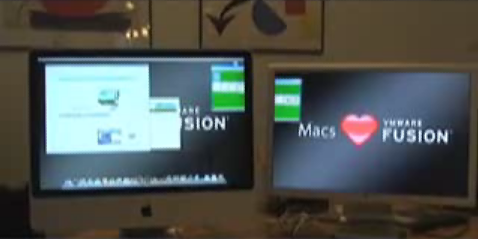
VMware Inc has announced the availability of VMware Fusion 2.0 Beta 1 as a free download. The beta brings support for multiple displays, tools for even easier switching to VMware Fusion, experimental support for DirectX 9.0 Shader Model 2 3D acceleration,
and more!

VMware Fusion is a VMware desktop product for Intel-based Mac users. What it basically does is that it allows such Macs to run x86 operating systems, like Windows, Linux, NetWare and Solaris, in virtual machines, at the same time as Mac OS X. VMware Fusion runs Windows inside a secure and isolated virtual machine, protecting Mac OS X and the Mac hardware in the event that Windows crashes or becomes unstable. VMware Fusion also gives users the ability to suspend and protect their virtual machines.

In order to further enhance the protection of your computer, you can take a Snapshot of your virtual machine, to save a stable state of your PC that you can quickly return to if something goes wrong. Users can also resume where they left off using the Suspend feature in VMware to freeze the exact state of their virtual machine. As such, they can quickly resume work without restarting Windows and opening all their applications.

VMware Fusion also acts as a powerful "negative" influence over PC users, revealing to them "the ways of the Mac" and eventually convincing them to make the switch. To move from a PC to VMware Fusion, use the free VMware Converter Starter Edition to transform your Windows PC into a VMware Fusion-compatible virtual machine, then copy the virtual machine from your PC to your Mac. To move from Parallels Desktop to VMware Fusion, use the free VMware Importer (beta) to move your Parallels Desktop virtual machines into VMware Fusion virtual machines.

VMware Inc notes that the beta software can be prone to instability and bugs. Therefore you should not run beta software in mission-critical environments. VMware Fusion 2.0 will be a free downloadable upgrade for all VMware Fusion 1.x users the moment it is officially released.


MORE RELATED ARTICLES: WMware: Make Video, Nab MacBook Air Developer Drawn to Mac After 18 Years of Using Windows Running Windows on Your Mac? Symantec Wants You Covered Apple Introduces Handwriting Recognition for iPhone Germs Get Rid of Bugs iMedia Browser 1.1 Available. Download Here.
 
Comments | Link here | Subscribe
Print | Send to friend
Today's News | Yesterday's News

Search:


6th May 2008, 09:44 GMT | Copyright (c) 2008 Softpedia | Contact:
Read by 1,209 user(s) | Rating: | 7 vote(s) so far | Cast your vote:
VMware Fusion 2.0 Beta 1 Adds Multiple Display Support. Free Download - USER OPINIONS


We are sorry, there are no opinions available for this article.


SHARE YOUR OPINION ABOUT VMware Fusion 2.0 Beta 1 Adds Multiple Display Support. Free Download

Since you are not logged on, your comments will have to be approved before being displayed.
Click here to login, or register.
Your Name:
Your Email:
Type in the result:
Your Opinion:


DO YOU WANT TO CONTACT US?  

If you have some comments or you want to send us some information you can send us an email directly to .
You can use the form below for the same purpose.
Your full name: (at least 3 characters)
Your email address: (at least 5 characters)
Message subject: (at least 5 characters)
Message text:
(at least 10 characters)
Type in the result:


© 2001 - 2008 Softpedia. All rights reserved.
Softpedia™ and Softpedia™ logo are registered trademarks of SoftNews NET SRL.
Copyright Information | Privacy Policy | Terms of Use | Contact Softpedia | Update your software | Archive