
Search Perform an advanced search query SOFTPEDIA
 
SOFTPEDIA
Updated one minute ago
HomeSubmit a program for being reviewedAdvertise on our websiteGet help on surfing our websitesSend us your feedbackGet information about our XML/RSS backend and how to use itBrowse the news archiveVisit our discussion forumVizitati forumul in limba romana


KLIP
  1. HOME
  2. SCIENCE
  3. TECHNOLOGY
  4. WEBMASTER
  5. SECURITY
  6. MICROSOFT
  7. LINUX
  8. APPLE
  9. GAMES
  10. TELECOMS
  11. REVIEWS
  12. LIFE & STYLE
  13. EDITORIALS
  14. INTERVIEWS
  15. RSS
Welcome!
Hello, Guest

Login if you have a Softpedia.com account.

Otherwise, register for one.

VIRUS ALERTS

Updates and Task Manager Disabled by New Windows XP Worm

- WORM_SILLYFDC.CY spotted in the wild

By: Bogdan Popa, Security and Search Engines Editor

The Windows functions are always under attack because disabling a vital function of the operating system automatically means an open door for the hacker, who would be able to infiltrate into the computer and conduct his malicious activities. Today, a new worm has been spotted in the wild and, according to security company Trend Micro, it affects most flavors of the operating system produced by Microsoft, including Windows 98, ME, NT, 2000, XP and Server 2003.

But what's worse is that WORM_SILLYFDC.CY has a high damage potential
and a high distribution potential, two elements that underline the worm's capability to reach your computer and harm the data stored on it. In case you're curios about how can you get infected, the process is pretty simple: all you need to do is to visit an infected page. However, the worm may also be dropped by another piece of malware, Trend Micro explains.

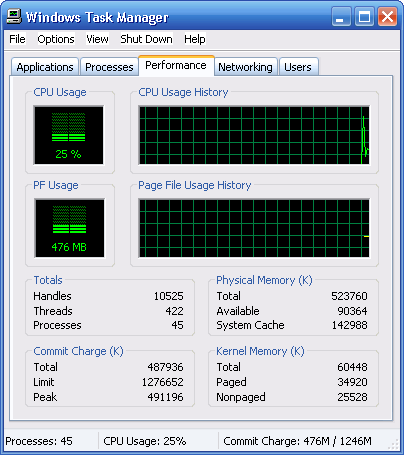
The main targets of the worm are two important Windows functions: the Automatic Windows Update and the Task Manager. Both features of the operating system are disabled, so the users would not be able to update their Windows version or to check the running processes in order to shut down the infection.

Just like many other recent worms, WORM_SILLYFDC.CY spreads itself through the clean removable drives connected to the computer. Every time a removable drive is plugged into the system, the worm copies an Autorun.inf file to execute itself once the device is connect to another PC.

In addition, "it infects files of certain types. It does this by adding an iFrame tag that contains a link to a malicious site. As of this writing, the iFrame tag may contain a malicious URL," Trend Micro explains.

As you know, an up-to-date antivirus is almost a must-have, so hurry up and apply the latest virus definitions in order to keep your computer secure. Also, you should avoid visiting malicious websites that may attempt to drop the worm on your computer.

MORE RELATED ARTICLES: Enable/Disable/Swap the Task Manager in Windows Vista Slow Windows? You May Be Infected with RAM Eater! New Breed of Virus Attacks Windows with Allah's Blessing Windows Task Scheduler under Worm Attacks Toxic Backdoor to Poison Your Computer Exit Windows Explorer in Windows Vista
 
Comments | Link here | Subscribe
Print | Send to friend
Today's News | Yesterday's News

Search:


24th January 2008, 19:16 GMT | Copyright (c) 2008 Softpedia | Contact:
Read by 7,104 user(s) | Rating: | 4 vote(s) so far | Cast your vote:
Updates and Task Manager Disabled by New Windows XP Worm - USER OPINIONS


We are sorry, there are no opinions available for this article.


SHARE YOUR OPINION ABOUT Updates and Task Manager Disabled by New Windows XP Worm

Since you are not logged on, your comments will have to be approved before being displayed.
Click here to login, or register.
Your Name:
Your Email:
Type in the result:
Your Opinion:


DO YOU WANT TO CONTACT US?  

If you have some comments or you want to send us some information you can send us an email directly to .
You can use the form below for the same purpose.
Your full name: (at least 3 characters)
Your email address: (at least 5 characters)
Message subject: (at least 5 characters)
Message text:
(at least 10 characters)
Type in the result:


© 2001 - 2008 Softpedia. All rights reserved.
Softpedia™ and Softpedia™ logo are registered trademarks of SoftNews NET SRL.
Copyright Information | Privacy Policy | Terms of Use | Contact Softpedia | Update your software | Archive