 14 DAY TRIAL //
 From my personal experience with computers, I can say that there is no such thing as too much space on the hard disk drive, users rapidly finding new things to store there, from photos and music file, to games, movies and just about every other thing that can be downloaded, copied or transferred through a network or using other means. So, the hard disk drive is one of the most upgraded components in the entire computer, either by replacing an older disk with a new one, or by simply adding one more drive in order to increase the total storage capacity.
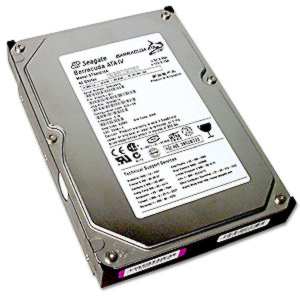
As there are a lot of hard disk drives manufacturer these days, it is important to know that hard drives come in different forms and sizes and their technical specifications vary wildly. Let's go from the inside out. First of all, hard disk drives (HDDs for short) come in two general sizes: the 3.5 inch one suited for desktops and the 2.5 inch one that is aimed at laptops and notebooks, so choose according to your computer platform. One more thing about the external appearance of an HDD (in the sense that this feature can be determined visually) is the interface used. There are two main interfaces in use today: ATA (sometimes called PATA) and SATA (with two subcategories SATA I and SATA II).
Unlike most other hardware components, HDDs are harder to classify performance wise, as they have many parameters that must be taken into account. While there are a few benchmarking systems out there on the Web, it is possible for a hard disk drive to score low on a test and very high on another, so a simple benchmark may not solve your problems. The most important performance metrics of a drive are determined by the following features: read speed, write speed, internal read speed, internal write speed, burst speed, track-to-track seek time, random seek time, rotational latency and access time.
Read Speed is the measure of how fast a certain HDD is able to read the required data and transmit it to the hard disk drive's controller that resides on the motherboard. As the Read Speed can be measured as the time to read from the disk buffer or as the time to read from the data surface, it is important to make the distinction when comparing several HDDs. Write Speed is the exact opposite of the first parameter and it measures the time needed to write a piece of data and it too can be influenced by the buffer. The Internal Read Speed is measuring strictly the time it takes for a certain data to be written on the platter when the disk's buffer is disabled. Most of the time, hard disk drives manufacturers are making available this information in the best case as the "maximum sustained read speed", because the speed drops drastically when reading from the inner tracks.
Internal Write Speed is the opposite of the above metric and again it is usually provided in the form of the "maximum sustained write speed". Both of the internal speeds are good performance indicators when the drive is reading or writing files that are larger than its buffer. The Burst Speed measures how fast a certain piece of data can be transferred from the disk to its buffer memory and it is more a measurement of the interface used, than of the physical hard disk drive. One of the most important metrics that are performance related is the Random Seek Time that measures the average time needed to perform random operation on a certain disk. As lower seek times are always better, this is a specially useful and important parameter.
The Track-to-Track Seek Time is the time needed to move the read/write heads form one track to an adjacent one, being the fastest possible seek time by the way. One of the last metrics is the Rotational Latency which represents the average time needed by the platter to make a full revolution. This time is determined by the rotational speed of the drive and varies slightly across units with the same rotational speeds. The Access Time denotes the average time that is needed for the HDD to act upon receiving a command. This is maybe the most complex parameter as it is in fact the combination of all of the above metrics and it can be simply formalized like "Access Time = Command Overhead + Seek Time + Latency", according to the site TechArp.