 14 DAY TRIAL //
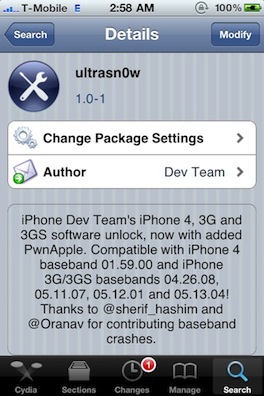
 Undoubtedly, many owners of an Apple iPhone 4 device have been looking forward to hear that the Ultrasn0w unlocking software solution has been updated to include support for their brand new devices, and, starting with today, they do have a reason to rejoice. Straight from the iPhone Dev-Team comes a new version of the app, namely Ultrasn0w 1.0-1, which can be used for unlocking the new iPhone 4.
It's a common fact that the Ultrasn0w solution is one of the most commonly used apps for unlocking Apple's iPhone so that it can be used on other wireless networks than the one the device was initially aimed at. All those who were eagerly waiting for the chance to take advantage of their handset's features on another carrier can do so through installing the app after jailbreaking their iPhone.
The new version of the application comes with support for iPhone 4 baseband 01.59, and for iPhone 3GS/3G basebands 04.26.04, 05.11.07, 05.12.01, and 05.13.04. According to the iPhone Dev-Team, in case ultrasn0w doesn’t show when one searches Cydia, one would have to add repo: repo666.ultrasn0w.com. As soon as Ultrasn0w is installed on the new iPhone 4, users would be able to port it to another network.
As stated above, the new unlocking solution only works on jailbroken devices, something that can be easily done via another solution from the iPhone Dev-Team, namely JailbreakMe 2.0. One thing that should be mentioned here is that this solution enables users jailbreak the iPhone straight from the Safari browser on their devices. JailbreakMe takes advantage of PDF vulnerability present in iOS’ Mobile Safari browser, which is now public, and which can be exploited by hackers to install malicious code in handsets.
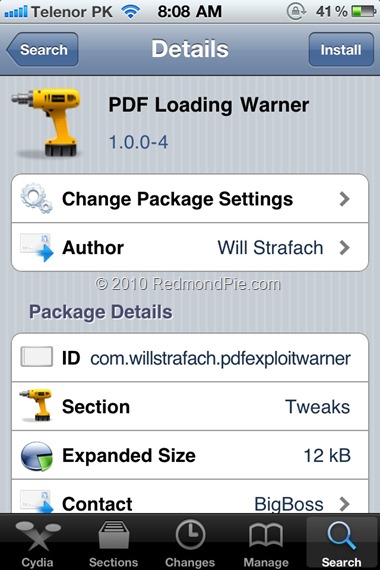
Apple is expected to provide a fix for this issue in the next version of iOS, but, until that happens, a temporary fix is already available, in the form of the “PDF Loading Warner” app from Cydia. All that the software solution does is to warn users whenever a PDF file is downloaded on their devices, enabling them to access, download or open only PDF files from known publishers. Those interested in installing the fix would have to search for “PDF Loading Warner” in Cydia.
Softpedia doesn't encourage jailbreaking / unlocking the iPhone / iPod touch / iPad, or any other device. This article has a purely informational purpose and doesn't, in any way, suggest that you should hack your Apple device. Using hacks may render your device unusable, or may reduce the quality of your experience employing the respective device. If you choose to download and install jailbreak tools, you will do so at your own risk. Unlocking / jailbreaking your iPhone / iPod touch / iPad may violate your warranty or the EULA with Apple and / or your cellular-service provider.