 14 DAY TRIAL //
 Ubuntu GNOME Remix, a GNOME-based distribution built from the Ubuntu repositories, has finally reached version 12.10 with the rest of its older brothers.
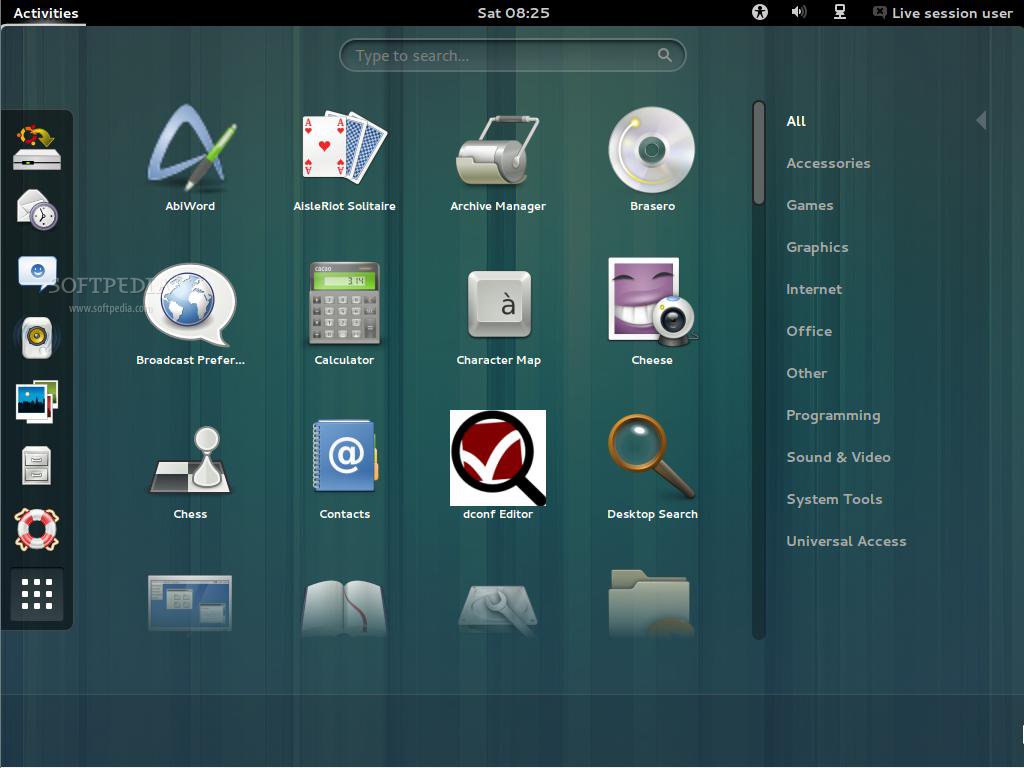
Ubuntu GNOME Remix 12.10 (Quantal Quetzal) is the first stable release under Canonical’s umbrella and includes the most recent Gnome packages, mostly.
In any case, Ubuntu GNOME Remix 12.10 ships with GNOME 3.6, with the exception of a few packages, including Aisleriot, Nautilus, System Settings, and Totem.
Highlights of Ubuntu GNOME Remix 12.10:
• GNOME Shell 3.6.1 and GDM 3.6.1 have been added to the distribution; • The login and lock screen have been redesigned and improved; • Epiphany web browser is now included by default; • Abiword is used for word processing and Gnumeric for spreadsheets; • Evolution is used as the default email client; • Software (gnome-package-kit) has been added, which also includes its own update manager. Users can install updates by opening Software and clicking Check for Updates in the Software app menu; • GNOME Classic (gnome-panel 3) was included, but GNOME Shell is the default session if the user’s hardware supports it; • Tweak Tool and dconf Editor are included by default for customizing advanced settings; • Gwibber has been added to allow users to connect via social media; • The complete GNOME Games collection is present in the distro; • Rhythmbox is the default music player in Ubuntu GNOME Remix 12.10; • Shotwell is the default photo manager.
There are some issues that haven’t been resolved yet. For example, Epiphany doesn’t support Adobe Flash, Boxes is not included, Documents is not included as it currently depends on LibreOffice, Ubuntu One is not included by default, and for GNOME Classic with-effects session to work, users will have to install compiz.
A complete list of changes, new features and issues can be found in the official announcement.
Download Ubuntu GNOME Remix 12.10 (Quantal Quetzal).
Download Ubuntu 12.10 (Quantal Quetzal).
Download Ubuntu Server 12.10 (Quantal Quetzal).
Download Ubuntu ARM 12.10 (Quantal Quetzal).
Download Ubuntu Cloud Server 12.10 (Quantal Quetzal).
Download Ubuntu Netboot 12.10 (Quantal Quetzal).
Download Ubuntu Core 12.10 (Quantal Quetzal).
Download Ubuntu Studio 12.10 (Quantal Quetzal).
Download Kubuntu 12.10 (Quantal Quetzal).
Download Xubuntu 12.10 (Quantal Quetzal).
Download Edubuntu 12.10 (Quantal Quetzal).
Download Lubuntu 12.10 (Quantal Quetzal).