
Softpedia
 

NEWS CATEGORIES:


NEWS ARCHIVE >>
SOFTPEDIA REVIEWS >>
MEET THE EDITORS >>
TRENDING TODAY
Home > News > Linux > Linux Distributions

October 29th, 2009, 13:11 GMT · By

Ubuntu 9.10 Officially Released

SHARE:

Adjust text size:

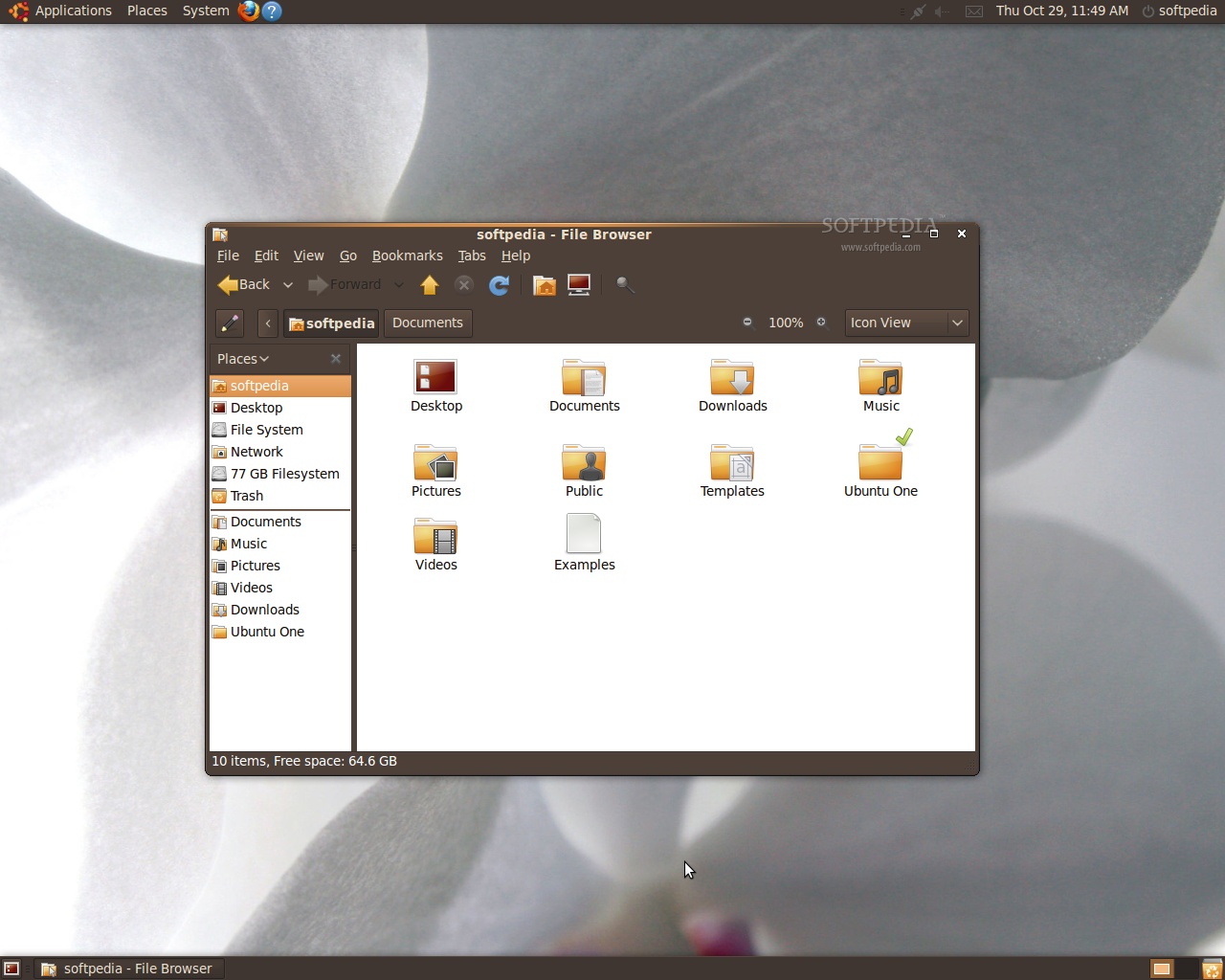
Ubuntu 9.10 (Karmic Koala)
Enlarge picture
After six alphas, a beta version and a release candidate, we are pleased to announce that Ubuntu 9.10 is here, today (October 29th), available on mirrors worldwide (see the download links at the end of the article). It is our greatest pleasure to introduce you guys to the highlights of this new release dubbed Karmic Koala. It all began on February 20th, 2009, when Mark Shuttleworth announced the Karmic Koala operating system, the next major release of the popular Ubuntu Linux operating system. Ubuntu 9.10 is also the eleventh release of the Ubuntu OS and will be supported for 18 months on both servers and desktops.

Under the hood of Ubuntu 9.10 (Karmic Koala):

· GNOME 2.28.1 desktop environment;
· Linux kernel 2.6.31.1;
· EXT4 filesystem;
· X.Org 7.4;
· X.Org server 1.6.4;
· Mesa 3D DRI 7.6;
· Compiz Fusion 0.8.4;
· Xsplash 0.8.4;
· New artwork.

The Ubuntu 9.10 feature tour:

· Improved boot times - Once again, the boot speed has been improved through various modern tweaks;
· New default filesystem - EXT4 is now the default file system for new installations;
· New boot loader - GRUB 2 replaces GRUB Legacy to support EXT4 file systems;
· New boot splash theme - Usplash has been revamped. It is slicker, better looking;
· New X-based splash screen - Called Xsplash, it offers a beautiful, animated splash image before and after the login screen;
· Home encryption - Yes! It's back and improved. It can be found on the installer's "Who are you?" step;
· Revamped login screen - GDM (GNOME Display Manager) has a new skin (in tone with the new Xsplash), and has been greatly improved with lots of features;
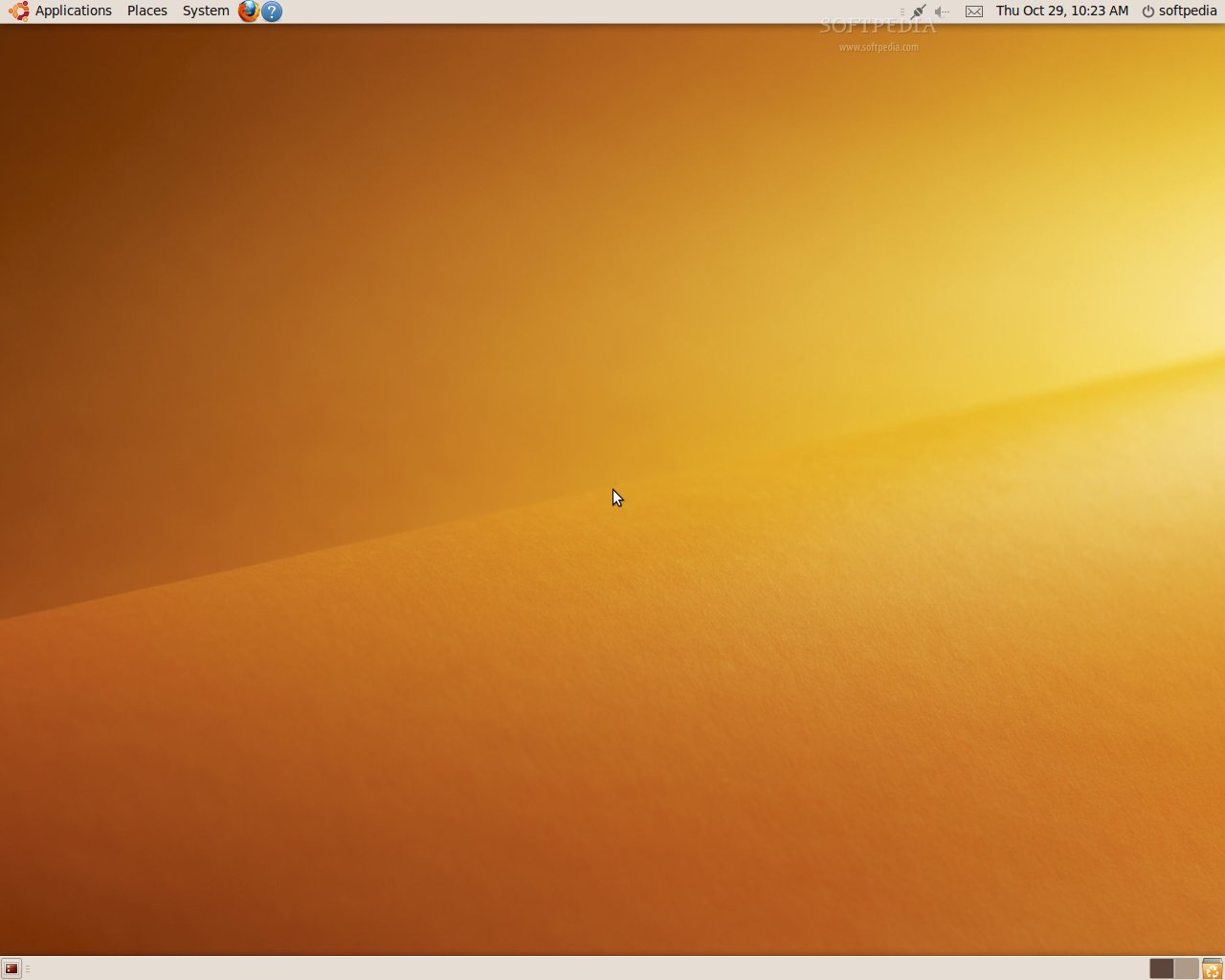
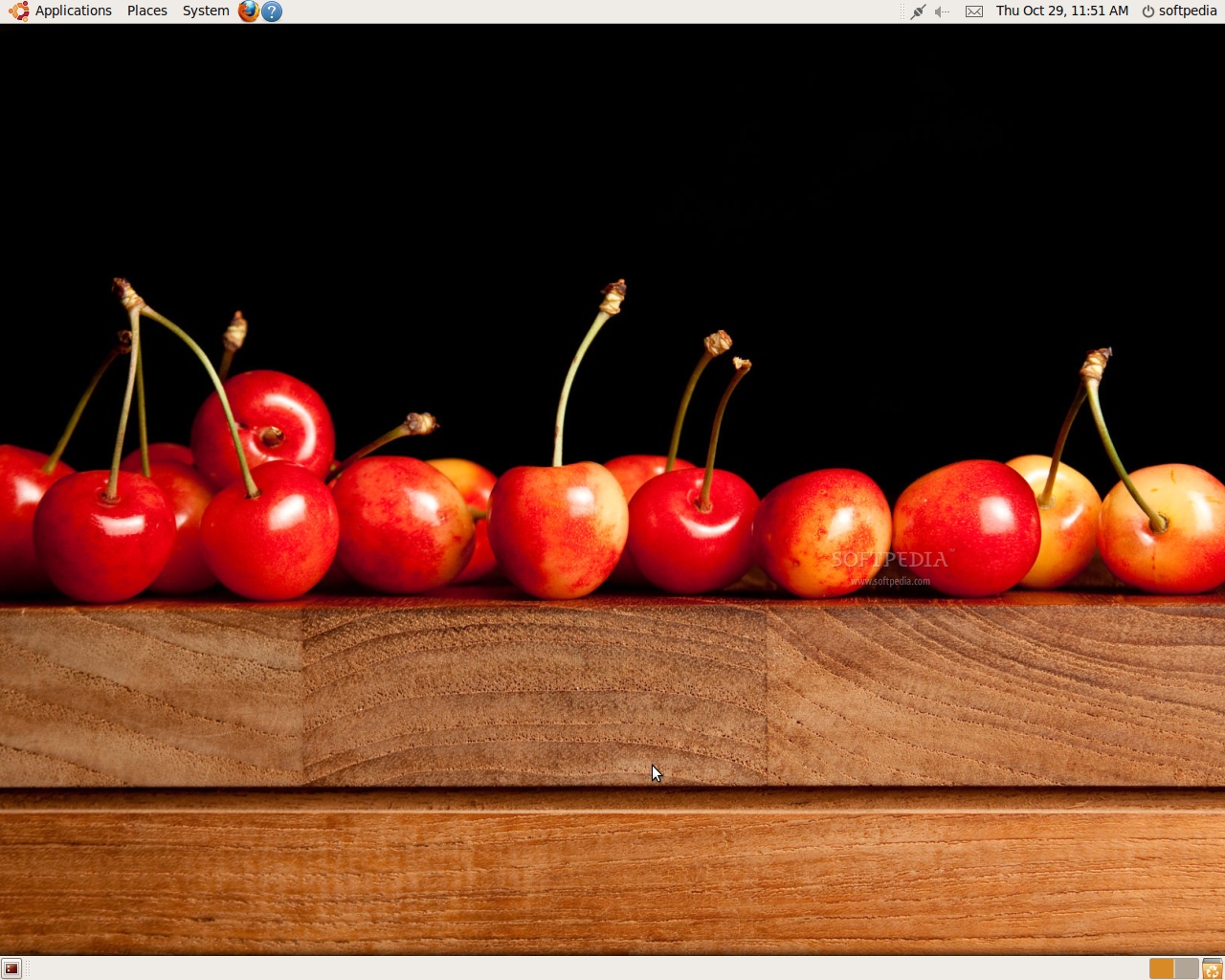
· 20 new wallpapers - from various photographers around the world;
· Cosmos wallpaper slideshow - includes 9 wallpapers with planets and stars that automatically change every 30 minutes;
· Revamped Human theme - the default theme has a new window border and it now includes the Humanity icon set;
· 5 extra GNOME themes and one extra icon theme - Kin, Impression, Night Impression, Hanso and Turrican GTK themes, and the Breathe icon theme are all available from the default software repositories;
· Easy access to numerous GNOME themes, icons, splash screens, login window themes and desktop wallpapers - By clicking the "Get more backgrounds online" and "Get more themes online" in the Appearance Preferences dialog, you will gain access to many wonderful themes for your GNOME desktop environment;
· XZ compression - available in the default software repositories, the brand-new XZ high-compression algorithm offers smaller archives compared with current alternatives. It replaces LZMA;
· Ubuntu One - enables users to store and share their files online. It can also synchronize their Tomboy notes and Evolution contacts;
· Ubuntu Software Center - It replaces Add/Remove in order to make application management more user friendly. It offers better descriptions and screenshots for many programs. Installing applications has never been easier;
· Better Computer Janitor - the system cleaner utility has a new interface and it's smarter when removing the cruft;
· Better 3D desktop effects - Still in charge of the beautiful Ubuntu desktop effects, Compiz Fusion features additional plugins for better desktop usability;
· New Disk Utility - a tool that offers hard drive monitoring, through S.M.A.R.T. It can also be used for disk formatting and partition management;
· Empathy Instant Messenger - It replaces the great and wonderful Pidgin multi-protocol messenger, with a Telepathy-based client for better GNOME integration;
· Improved document viewer - Evince protects your system from malicious PDF files;
· 25 language translations - including Spanish, French, Brazilian Portuguese, Italian, German, Swedish, Hungarian, English, Simplified Chinese, Russian, Japanese, Dutch, Portuguese, Danish, Finnish, Catalan, Czech, Korean, Polish, Bulgarian, Slovenian, Greek, Traditional Chinese, Galician and Basque;
· New software development tool - Quickly is a new piece of software that helps developers easily build and share applications for Ubuntu;
· Better power management - HAL has been finally replaced by udev and other modern technologies for better handling of your laptop's battery, hotkeys and storage devices;
· Better support for Intel graphics cards - The Intel video driver features the new UXA acceleration method and KMS (Kernel Mode Setting), which improves overall performance (including suspend and resume) and reduces display flickering during boot;
· New input method framework - The new IBus tool replaces SCIM to allow greater flexibility. It is designed for the anthy, hangul, chewing, m17n, rawcode, pinyin and large tables input method engines.

Included applications:

Accessories:

· Calculator 5.28.1 (an arithmetic, scientific or financial calculator);
· Character Map 2.28.0 (permits to insert special characters into documents);
· Baobab 2.28.1 (disk usage analyzer);
· Gedit 2.28.0 (a small and lightweight text editor with intuitive spell-checker);
· Seahorse 2.28.1 (passwords and encryption keys manager);
· Gnome Screenshot 2.28.1 (saves images of your desktop or individual windows);
· Gnome Terminal 2.28.1 (allows you to use the command-line);
· Tomboy 1.0.0 (desktop note-taking application).
Review image

Review imageGraphics:

· F-Spot 0.6.1.3 (photo manager);
· The GIMP 2.6.7 (image editor);
· XSane 0.996 (scan, copy and fax images).

Internet tools:

· Empathy 2.28.1 (multi-protocol instant messenger);
· Evolution 2.28.1 (powerful e-mail client);
· Firefox 3.5.3 (the ever-popular web browser);
· Vinagre 2.28.1 (remote desktop viewer);
· Terminal Server Client 0.150 (rdesktop, vncviewer, wfica, xnest frontend);
· Transmission 1.75 (lightweight BitTorrent client);
· Ubuntu One 1.0.2 (online file storage).
Office tools:

· Dictionary 2.28.1 (a tool to search word definitions and spelling in an online dictionary);
· OpenOffice.org Suite 3.1.1 (spreadsheet, presentation, drawing and word processor).

Sound and Video:

· Brasero 2.28.1 (CD/DVD burning application);
· Totem 2.28.1 (DVD-Video, DivX, XviD, WMV, MOV player);
· Rhythmbox 0.12.5 (Last.fm, radio and music player/organizer);
· Sound Recorder 2.28.1 (audio recording tool).

System Administration Utilities:
Review image

· Computer Janitor 1.11 (a tool that removes obsolete files and cleans your system);
· Palimpsest Disk Utility 2.28.0 (disk drive management and configuration utility);
· Ubuntu Software Center 1.0.2 (software installer/updater tool).

...and, as usual, a lot of wonderful games for all ages!

Download Ubuntu 9.10 (Karmic Koala) right now from Softpedia.

Download Ubuntu Server 9.10 (Karmic Koala) right now from Softpedia.

Download Ubuntu Netbook Remix 9.10 (Karmic Koala) right now from Softpedia.

Download Ubuntu Enterprise Cloud 9.10 (Karmic Koala) right now from Softpedia.

Download Kubuntu 9.10 (Karmic Koala) right now from Softpedia.

Download Kubuntu Netbook Remix 9.10 (Karmic Koala) right now from Softpedia.

Download Edubuntu 9.10 (Karmic Koala) right now from Softpedia.

Download Xubuntu 9.10 (Karmic Koala) right now from Softpedia.

Download Ubuntu Studio 9.10 (Karmic Koala) right now from Softpedia.

Download MythBuntu 9.10 (Karmic Koala) right now from Softpedia.


30,885 hits · 25 comments
Link to this article · Print article · Send to friend

MUST-READ RELATED ARTICLES:


Pre-Order Ubuntu 9.10 Free CDs

Happy Birthday, Ubuntu!

Softpedia Linux Weekly, Issue 67

Ubuntu 9.04 Now Available on Dell Computers

The Final Artwork of Ubuntu 9.10

READER COMMENTS:


Comment #1 by: bubuzzz on 29 Oct 2009, 13:29 UTC reply to this comment

Finally, that 's it baby. Being horny now :D


Comment #2 by: bubuzzz on 29 Oct 2009, 14:14 UTC reply to this comment

Hey, is it true ? i just checked the ubuntu home page and it hasn't had any announcement yet. it 's 10:15PM GMT +8 now

Comment #2.1 by: bousozoku on 30 Oct 2009, 05:07 GMT

Maybe, because they're located somewhere that's in GMT - 7?

Comment #2.2 by: bubuzzz on 30 Oct 2009, 09:35 GMT

so that means this news is written before the release lol


Comment #3 by: Ashlee N - SA on 29 Oct 2009, 14:14 UTC reply to this comment

Hi there,

I've been waiting for this the whole day. Why did it take so long to release for download?

Ash


Comment #4 by: Alwan on 29 Oct 2009, 15:29 UTC reply to this comment

nvidia 190 ?

xorg 7.5 ?

Comment #4.1 by: Marius Nestor on 29 Oct 2009, 15:53 GMT

Nvidia 190.42 will be available as an update in a few days. As well as Firefox 3.5.4. But I don't think X.org 7.5 will be available for this release, any time soon...


Comment #5 by: Ray on 29 Oct 2009, 15:49 UTC reply to this comment

Oh, you're makin' mah nipples hard! I've been waiting for this one :-)


Comment #6 by: JeanJean on 29 Oct 2009, 19:11 UTC reply to this comment

happy to see you karmic ! :)


Comment #7 by: Akshar on 30 Oct 2009, 02:10 UTC reply to this comment

Excellent release.

Thanks Softpedia for your server. It made my day.


Comment #8 by: Nick on 30 Oct 2009, 08:39 UTC reply to this comment

I am using this version of ubuntu and lemme tell you that i am completely in love with it. It is so much soothing to the eyes lol. A lot of improvement has been done and it is pretty sleek and sexy to use. Thanks and congratulations to Ubuntu Team. Way to goo!!!


Comment #9 by: blob on 30 Oct 2009, 11:36 UTC reply to this comment

While the new ubuntu looks great, there are several flaws which still exist.

On the 3 (+ an eee) computers I have used it on, there have been many problems with CDs not properly un-mounting when they are ejected from the tray. This occasionally occurs with flash drives too. I'm pretty sure this is down to the "paper cuts" problem where there was an inconstancy with the messages telling you it was safe to remove hardware.

Furthermore, problems still exist with the boot up process where flashes of boot process text can be seen. Things like this need to be covered, unless there is a show stopping error. Power users no where they can find logs to fix minor annoyances in the boot process.

On my eee 901, ubuntu feels slower than the previous 9.04 release, what this is down to, I'm not sure. (clean install, not upgrade)

On one of my other systems, the nvidia drivers failed to install properly, it would have been a minor annoyance was it not for the fact that they changed to GRUB 2 - I didn't have a clue how to boot into recovery mode. (worked it out in the end, hold down "shift" during the boot process)

Last but not least, why is chess not in the logic menu? :P

This release feels rushed to me, there were fairly prominent bugs in the RC, perhaps the devs took on to much at once?

(btw, I am an ubuntu user, I don't use windows, OSX etc.)


Comment #10 by: musaibah on 30 Oct 2009, 13:24 UTC reply to this comment

Appears to be very impressive I'm going to their experience , thanks


Comment #11 by: ubuntu4life on 30 Oct 2009, 15:05 UTC reply to this comment

Ok it's official now...
The future is open.


Comment #12 by: Beerhunter on 31 Oct 2009, 23:12 UTC reply to this comment

Karmic Koala is running great, much faster than Jaunty the Apps are running faster the complete OS is running, Winodws will never run like this ... I love Ubuntu

It^s the OS that ever run^s when M$ Sucks, M$ I only use for playing games...


A Question is the Keyboard Y=Z or is that just a configuration mistake my self ??

Comment #12.1 by: Marius Nestor on 02 Nov 2009, 11:05 GMT

Yes, but you can easily change it from System -> Preferences -> Keyboard -> Layouts tab.... and choose a different keyboard or click the ADD button to add another keyboard layout.


Comment #13 by: Shawn on 01 Nov 2009, 18:58 UTC reply to this comment

this has to be the best version of Ubuntu yet! :-)


Comment #14 by: raidensub on 01 Nov 2009, 19:50 UTC reply to this comment

Any news about Lubuntu?


Comment #15 by: Dot com on 03 Nov 2009, 10:47 UTC reply to this comment

useless because most of the software are not compatible ex. adobe flash, skype, yahoo meeenger... many useful programme.

Comment #15.1 by: Calvin on 03 Nov 2009, 12:37 GMT

Correction: Flash and Skype are offered for Linux as native apps. Skype is not in the repos, but Flash is. YMessenger is replaced by Empathy and Pidgin.


Comment #16 by: DT on 03 Nov 2009, 13:32 UTC reply to this comment

Before everyone gets that space cadet glow you should read the following...
http://www.theregister.co.uk/2009/11/03/karmic_koala_frustration/

I have gone back to 9.04 and except for the issue with Evolution not showing my gmail calendar recurring events it works great!!!


Comment #17 by: shivshakti on 04 Nov 2009, 07:22 UTC reply to this comment

it's great about it .
sir can you sent this latest version of ubuntu to my address.
i will be thank full to you for this kind act.


Comment #18 by: ryan on 05 Nov 2009, 04:06 UTC reply to this comment

i haven't worked with linux since mandrake 7.2 odyssey... i'm no SU yet, though i am frustrated enough with m_krosoft that i'm willing to learn a new language. i was excited to learn years ago, but got sucked back in to M$. most of the people i support still use M$, but it doesn't mean i have to. thanks ubuntu team! and thanks to all of the SUs, i will be reading as many posts as i can.


Comment #19 by: Sanket on 05 Nov 2009, 09:33 UTC reply to this comment

I installed Ubuntu 9.10. it installed without any error. But when I get to desktop, my mouse freezes/hangs. So I wasn't able to run it further. I have USB mouse. I tried both x86 & x64 both had same problem.


Comment #20 by: suresnjain on 22 Nov 2009, 14:25 UTC reply to this comment

I installed 9.10 o.k. But, on booting it hangs at ubuntu name logo screen or immediately after that.Driver is Intel@945G,system is dual boot xp/9.10.Also,tried to change default OS via recommended workout in Grub2 but does not work,and still remains 9.10.this was done via command line.i am unable to get routine desktop and hence unable to set up a start up manager.What to do?

Copyright © 2001-2013 Softpedia. Contact/Tip us at

WindowsGamesDriversMacLinuxScriptsMobileHandheldNews

SUBMIT PROGRAM   |   ADVERTISE   |   GET HELP   |   SEND US FEEDBACK   |   RSS FEEDS   |   UPDATE YOUR SOFTWARE   |   ROMANIAN FORUM