
Softpedia
 

NEWS CATEGORIES:


NEWS ARCHIVE >>
SOFTPEDIA REVIEWS >>
MEET THE EDITORS >>
TRENDING TODAY
Home > News > Linux > Linux Distributions

September 17th, 2009, 19:21 GMT · By

Ubuntu 9.10 Alpha 6 Has Ubuntu Software Store

SHARE:

Adjust text size:

Ubuntu 9.10 (Karmic Koala) Alpha 6
Enlarge picture
A few minutes ago, the Ubuntu development team unleashed the sixth and last alpha version of the upcoming Ubuntu 9.10 (Karmic Koala) operating system, due for release in late October this year.
As usual, we've downloaded a copy of it in order to keep you up-to-date with the latest changes in the Ubuntu 9.10 development.

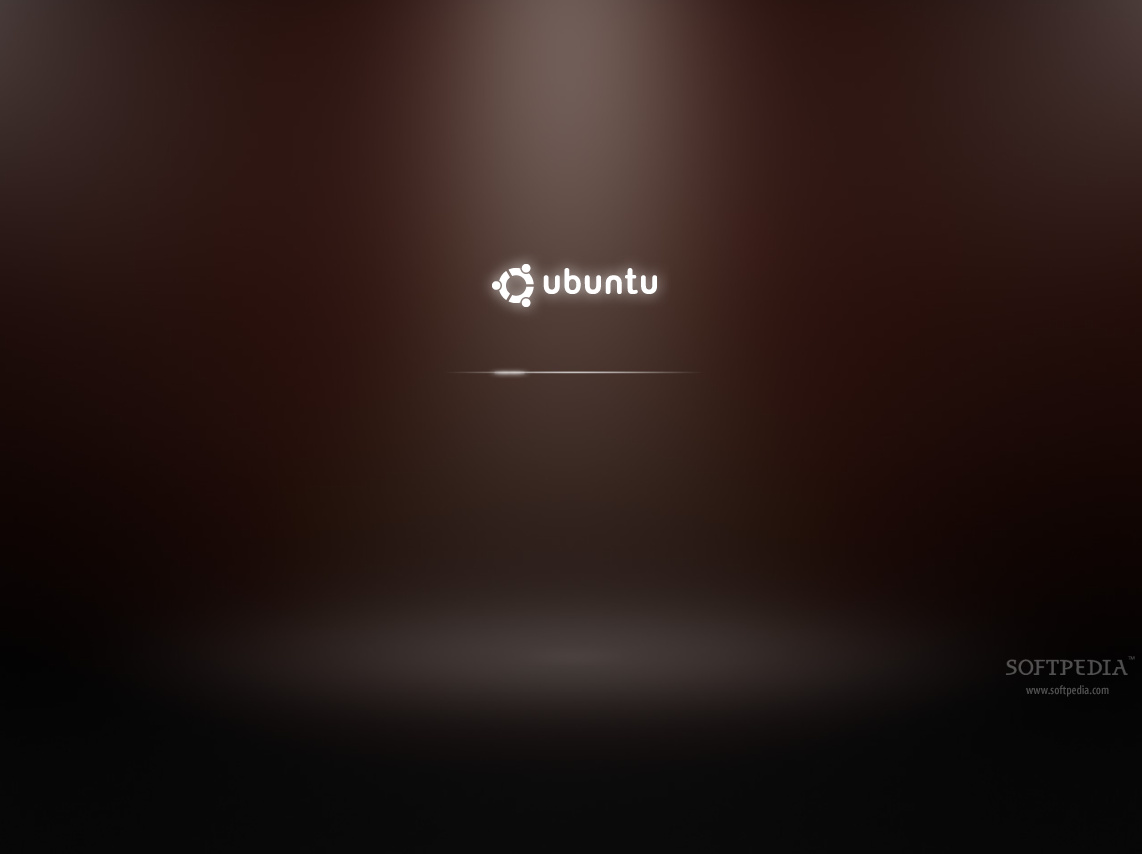
What's new in Ubuntu 9.10 Alpha 6? Well... first of all, there is no more Usplash (the boot splash screen). So it appears the the team has successfully managed to fulfill their initial plans for making a faster startup where a boot screen is no longer necessary. Therefore, when Ubuntu will start, you will see a black screen, after the BIOS POST, followed by the X-based splash screen (xsplash) that we've presented a few weeks ago. If the login manager is enabled, after login... xsplash will appear again (this time, loading the desktop in the background). Here is the new X-based splash screen everyone was waiting for...
Review image
The new X-based splash screen


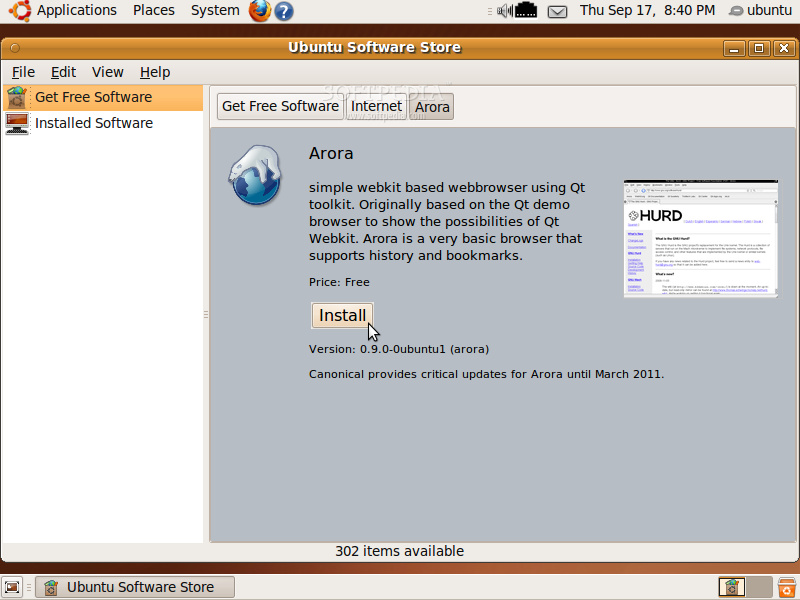
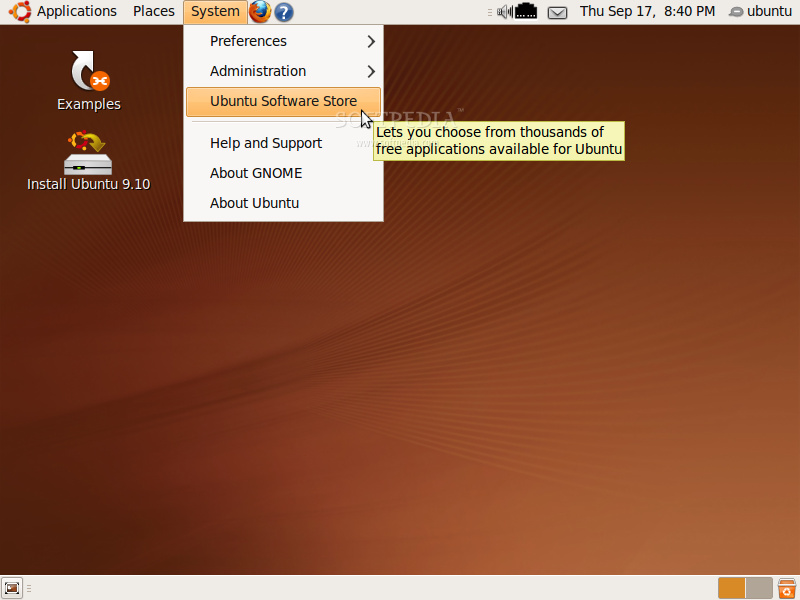
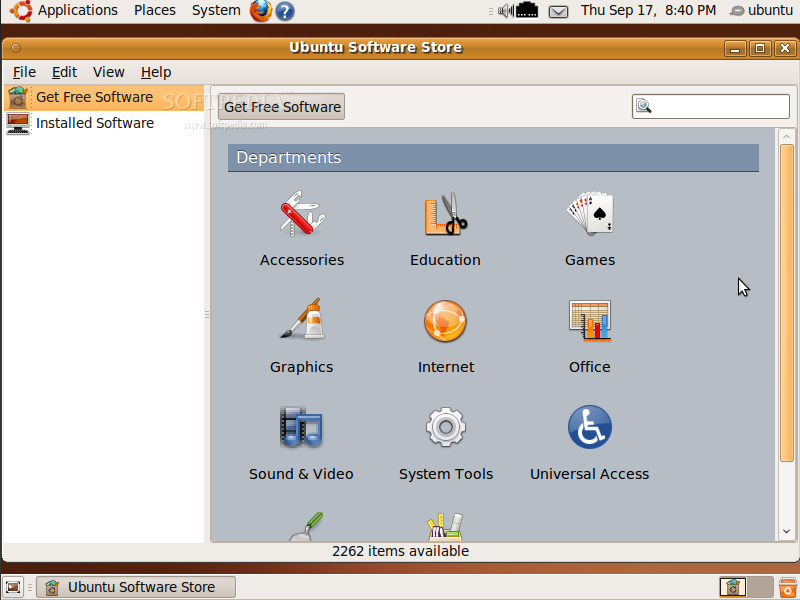
Secondly, the Ubuntu Software Store application is now present and it is available under the System menu. Its appearance has been greatly improved for an easy usage, but the basic software installation, search and removal functions remain. Take a look at the next screenshots to get a better idea...
Review image
Ubuntu Software Store under the System menu


Review image
Ubuntu Software Store's main window


Review image
Ubuntu Software Store - Application overview

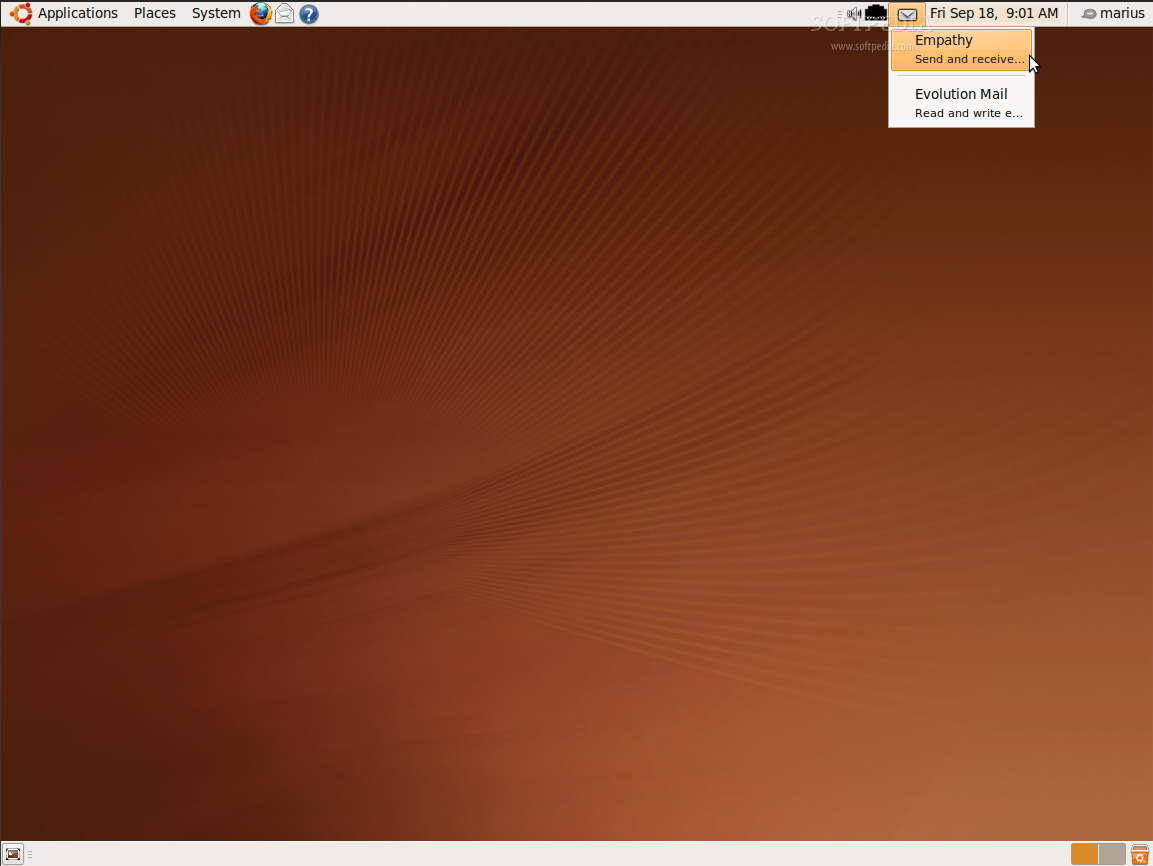
Moreover, the Indicator Applet received two new functions when it is clicked: to open the Empathy Instant Messenger and/or the Evolution Mail client. See the next screenshot for details...

Review image
Indicator applet's new functions

Other than that, the GNOME desktop environment has been updated to version 2.28 RC1 (2.27.92), the Linux kernel packages are now at version 2.6.31-10.34 and they are based on the final version of Linux kernel 2.6.31. AppArmor has also been greatly improved and new profiles are available. UFW (Uncomplicated Firewall) has received egress filtering and support for filtering by interface. And last but not least, Libvirt contains now AppArmor integration when the QEMU or KVM virtualization tools are used.

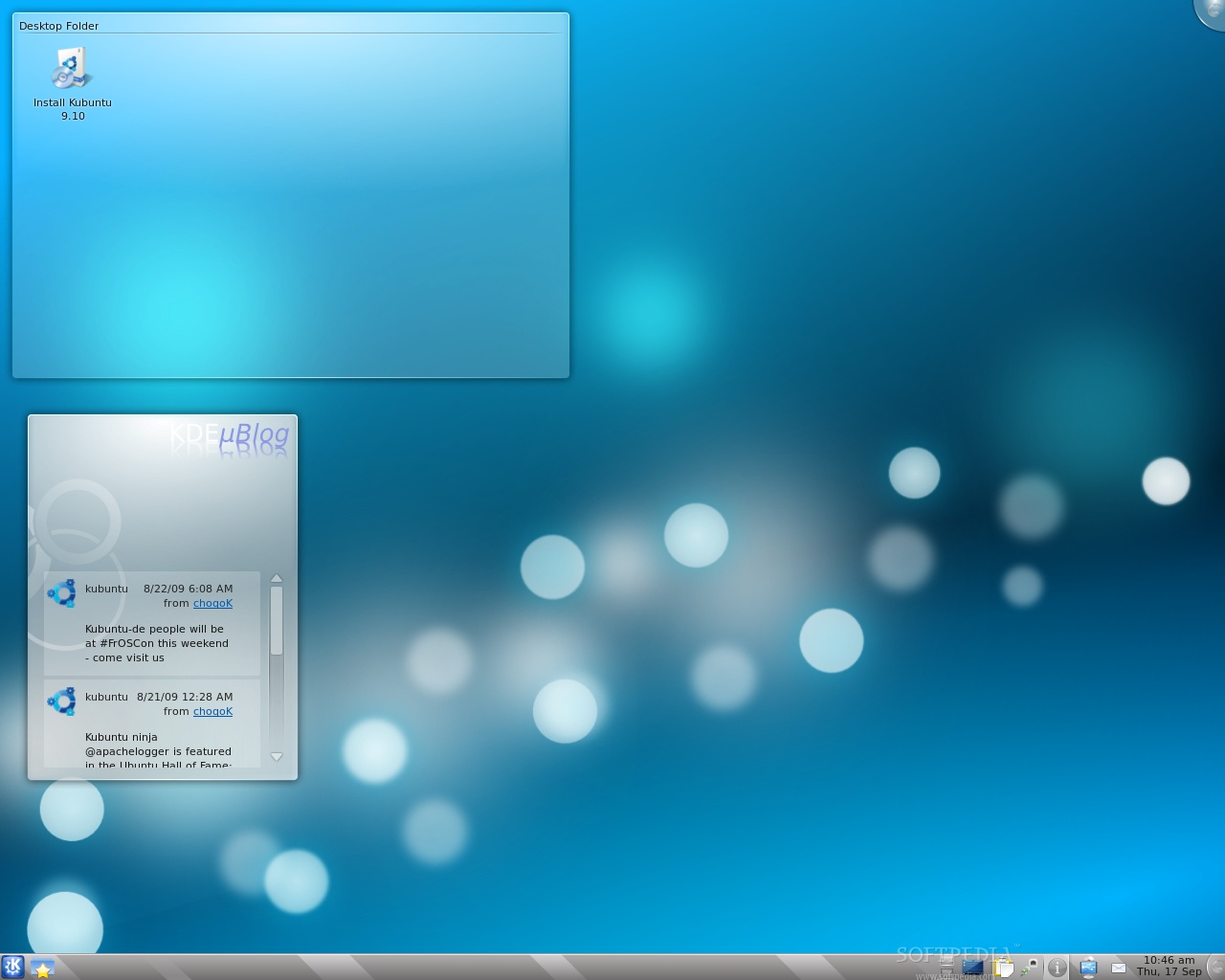
What's new in Kubuntu and Xubuntu 9.10 Alpha 6? Kubuntu 9.10 Alpha 6 contains the newly released KDE 4.3.1 desktop environment and the following applications and features:

· Konqueror Web Browser;
· Amarok 2.1.80;
· KPackageKit 0.4.2;
· K3b 1.66.0 (Alpha 2);
· Userconfig 0.9
· QtCurve 0.68.0;
· kcm-gtk 0.5.2;
· KDE microblogging Plasma widget;
· OpenOffice KDE integration;
· Firefox installer;
· Message Indicator.
Review image
Kubuntu 9.10 Alpha 6

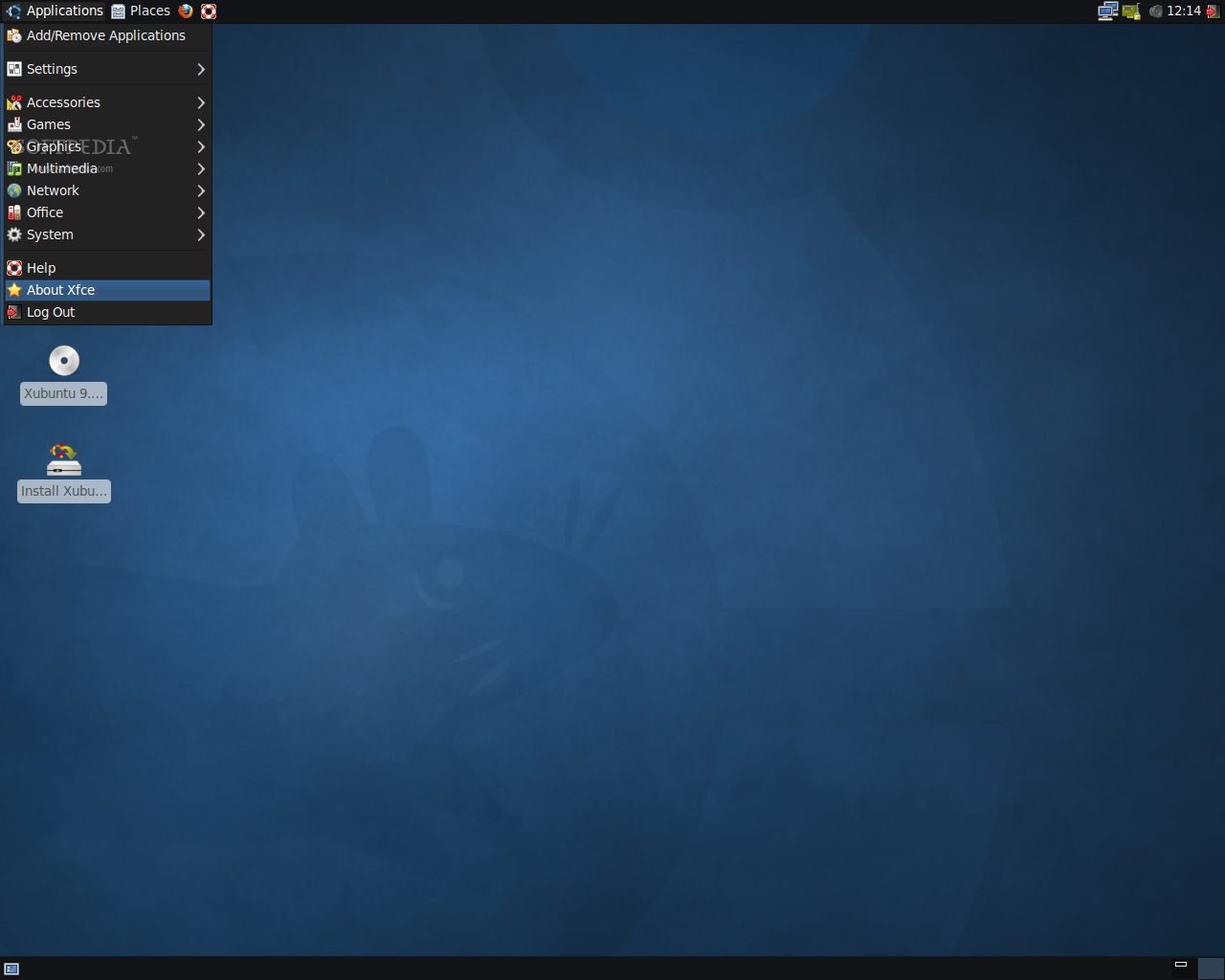
On the other hand, Xubuntu 9.10 Alpha 6 is built on top of the lightweight XFCE 4.6.1 desktop environment and has now new artwork for the panels and menu, with black and blue colors.

Review image
Xubuntu 9.10 Alpha 6

On October 29th, Ubuntu 9.10 (Karmic Koala) will become the eleventh release of the Ubuntu operating system. However, until then, we have another version that should catch our attention and invade our computers, Ubuntu 9.04 (Jaunty Jackalope). See you again in another two weeks (October 1st), for the Beta release of the upcoming Ubuntu 9.10 (Karmic Koala).

The Karmic Koala Release Schedule:

May 14th, 2009 - Alpha 1 release
June 11th, 2009 - Alpha 2 release
July 23rd, 2009 - Alpha 3 release
August 13th, 2009 - Alpha 4 release
September 3rd, 2009 - Alpha 5 release
September 17th, 2009 - Alpha 6 release
October 1st, 2009 - Beta release
October 22nd, 2009 - Release Candidate
October 29th, 2009 - Final release of Ubuntu 9.10

Download Ubuntu 9.10 Alpha 6 (Karmic Koala) right now from Softpedia.

Download Ubuntu Server 9.10 Alpha 6 (Karmic Koala) right now from Softpedia.

Download Ubuntu Enterprise Cloud 9.10 Alpha 6 (Karmic Koala) right now from Softpedia.

Download Ubuntu Netbook Remix 9.10 Alpha 6 (Karmic Koala) right now from Softpedia.

Download Kubuntu 9.10 Alpha 6 (Karmic Koala) right now from Softpedia.

Download Kubuntu Netbook Remix 9.10 Alpha 6 (Karmic Koala) right now from Softpedia.

Download Xubuntu 9.10 Alpha 6 (Karmic Koala) right now from Softpedia.

Download Edubuntu 9.10 Alpha 6 (Karmic Koala) right now from Softpedia.

Download Ubuntu Studio 9.10 Alpha 6 (Karmic Koala) right now from Softpedia.

Download Mythbuntu 9.10 Alpha 6 (Karmic Koala) right now from Softpedia.

Remember that this is an alpha release and it should NOT be installed on production machines. It is intended to be used for testing purposes only. Please report bugs to the Ubuntu Bug Tracker.


68,433 hits · 17 comments
Link to this article · Print article · Send to friend

MUST-READ RELATED ARTICLES:


The New Artwork in Ubuntu 9.10

Ubuntu 9.10 Alpha 5 Has OpenOffice.org 3.1.1

Ubuntu Software Store Will Be Available in Ubuntu 9.10

Ubuntu 9.10's New X Based Boot Splash

New Ubuntu Installer Coming Soon

READER COMMENTS:


Comment #1 by: Anonymous on 17 Sep 2009, 20:20 UTC reply to this comment

Is it just me that is getting the download links to Alpha 5?


Comment #2 by: Trigger on 17 Sep 2009, 22:54 UTC reply to this comment

That xsplash is very sexy. Now they just need to make the default theme a little less 90's and it will be very welcoming!


Comment #3 by: Luke on 17 Sep 2009, 23:44 UTC reply to this comment

its official! the xubuntu default desktop+theme looks better than ubuntu's.
Don't you just love it when style meets speed, it's like a foreign sports car that gets 50mpg!


Comment #4 by: Daniel on 18 Sep 2009, 00:01 UTC reply to this comment

Both kubuntu and xubuntu default themes are a lot prettier than the ugly human theme. I wish they worked on it a bit more.

And what about Lubuntu? will they release it with the other *buntus in october 29th?


Comment #5 by: kiwisoup on 18 Sep 2009, 01:42 UTC reply to this comment

So I guess this confirms they won't be straying from the brown and orange color scheme like they said they would ( big surprise). I guess they consider the more brownish alternate themes as a difference, because the boot screen looks very Dust-ish.

Comment #5.1 by: Dylan on 28 Sep 2009, 19:20 GMT

Hey I'm with you, I was hoping to ditch the muddy-water look too. However, I installed alpha 6 and ran it for 3 days, then ran the software update last night. I had 480 updates and 360mb of downloads. I restarted, and the boot screen has changed? It still has that color, but it did change (progress bar is different, and I think the background is darker), which tells me they may be saving appearences until the very end. I could be dead wrong, but I just wonder how much the system will change before the final release...over a month from now.


Comment #6 by: Gaurish on 18 Sep 2009, 08:29 UTC reply to this comment

Awesome!
the Software store is very nice


Comment #7 by: Unifier on 18 Sep 2009, 13:57 UTC reply to this comment

Hmm i see they still have "Bastard Tetris" in the store, imo this is highly unprofessional as well as potentially offensive to certain people and i sure wouldn't want my children exposed to this game.

Imagine Microsoft had shipped Win 7 with bastard solitaire or * minefield.....................

Comment #7.1 by: worg on 27 Sep 2009, 02:10 GMT

Unifier: Get a life. Find something more urgent to crusade about.

Comment #7.2 by: Proffessor on 30 Sep 2009, 21:39 GMT

On one had I agree about offensive language not appropriate for a serious OS. On the other hand, Ubuntu does not "ship" with it, like you implied. It is simply available in its repositories for installation. You don't want your kids exposed to it, simply don't install it. Since they should not have root access to the system (that includes sudo), they will never know of it's existence. And there are offensive programs you can install for windows. Like Windows, Ubuntu cannot and does not want to control the developers and tell them what they can and cannot create. That can be left to Apple.

Comment #7.3 by: bugga on 16 Oct 2009, 18:11 GMT

"Since they should not have root access to the system (that includes sudo), they will never know of it's existence."

afaik you only need root access to install sw not to browse the software store, anyways I must agree it is a silly name to call a program "bas***d", it really *does* smell of amateurism/immaturity......................


Comment #8 by: Bryan Seigneur on 18 Sep 2009, 23:47 UTC reply to this comment

So, what happens if you have auto-login turned off? Does the login screen almost /instantly/ appear (because it doesn't have to wait for a user's desktop to load)? I never use auto-login. Ok, I use it on a very old tablet in the car I was trying to get up as a car computer. But not generally.


Comment #9 by: Baldur Blöndal on 19 Sep 2009, 12:30 UTC reply to this comment

First I'd just like to say how surprised I was at how mature XFCE, GNOME and KDE all look. It's very interesting to see how three of the most popular DEs are going in different directions and it's very interesting to see how they will turn out in 5 years.

The Ubuntu xsplash looks great, I've seen a lot of ideas for it on the Ubuntu wiki and this choice is very good. The new Software Store/Center also looks great.

It's very exciting to see how this turns out.


Comment #10 by: Vipan on 19 Sep 2009, 21:46 UTC reply to this comment

Personally, i don't really care about the appearance changes they do, since one can modify it easily at several ways. I think performance and usability is more important, also, if they wanted to make things more good looking they should really try harder, because the new themes they just made, are even almost nice. They should try more advanced changes, a theme that makes it all look very hightech, one that makes it look like old OS's, once that gives and asian impression... you name it.


Comment #11 by: ken on 20 Sep 2009, 12:33 UTC reply to this comment

I installed Ubuntu on my IBM X40 with a SSD. After a successful installation ( without any warming), I rebooted the system. It turn out to a flash of GRUB, then a black screen, and never lighting up again.


Comment #12 by: Bright on 22 Sep 2009, 17:31 UTC reply to this comment

Linux is good! Ubuntu gives me on-the-fly access to internet when i connect my nokia phone unlike Windows where i have to install a nokia communicator and all. I have successfully installed Ububtu 9.04 on a Dell, Toshiba and recently a 4gig memory HP laptop. All running smoothly


Comment #13 by: TheDon on 03 Jul 2010, 02:17 UTC reply to this comment

Ubuntu 9.10 has proved to be a stable and effective operating system. There's nothing I can fault as of yet and definately recommend it to any one looking for a reliable system that will teach you something. Brilliant for kids and good learning games comes standard.

10 out of 10

Copyright © 2001-2013 Softpedia. Contact/Tip us at

WindowsGamesDriversMacLinuxScriptsMobileHandheldNews

SUBMIT PROGRAM   |   ADVERTISE   |   GET HELP   |   SEND US FEEDBACK   |   RSS FEEDS   |   UPDATE YOUR SOFTWARE   |   ROMANIAN FORUM