
NEWS CATEGORIES:


NEWS ARCHIVE >>
SOFTPEDIA REVIEWS >>
MEET THE EDITORS >>
Home / News / Linux / Linux Distributions

Linux Distributions


Ubuntu 9.04 Alpha 3 Screenshot Tour

The Jaunty Jackalope Chronicles

By Marius Nestor, Linux Editor

17th of January 2009, 06:35 GMT

Adjust text size:


Ubuntu 9.04 Alpha 3
Enlarge picture
Originally scheduled to be released on January 15th, the third alpha version of the upcoming Ubuntu 9.04 (codename Jaunty Jackalope) was uploaded a few hours ago on the official mirrors. As usual, we've downloaded a copy of it in order to keep you up-to-date with the latest changes in the Ubuntu 9.04 development. To please our readers, starting with this third alpha, we will also list the new features brought by the Kubuntu edition, as well as the screenshot tour.

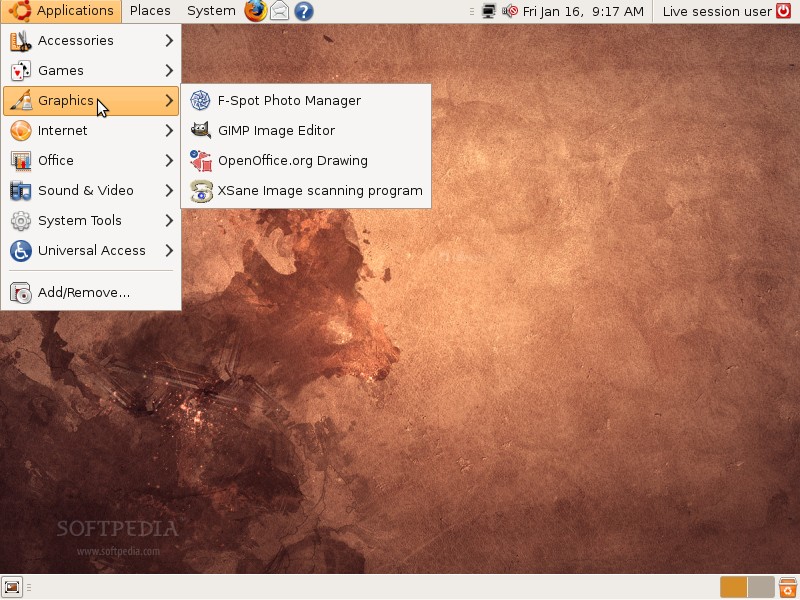
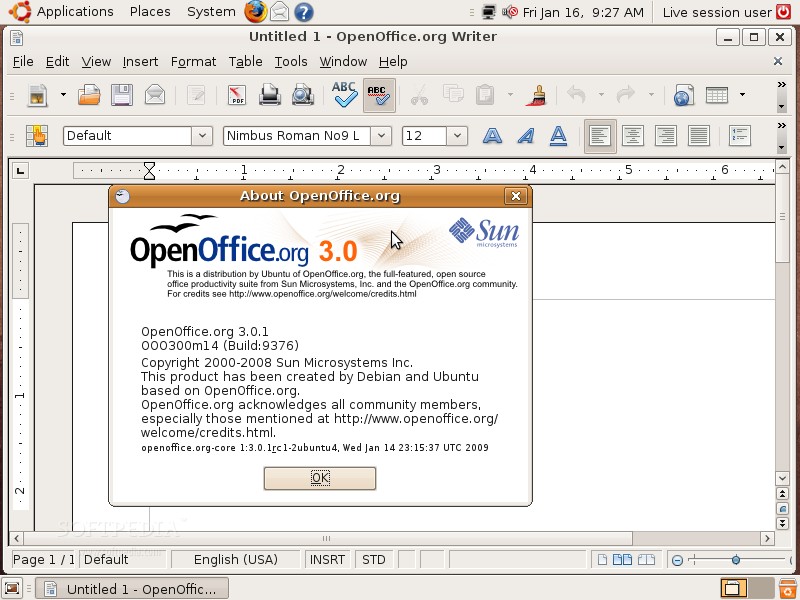
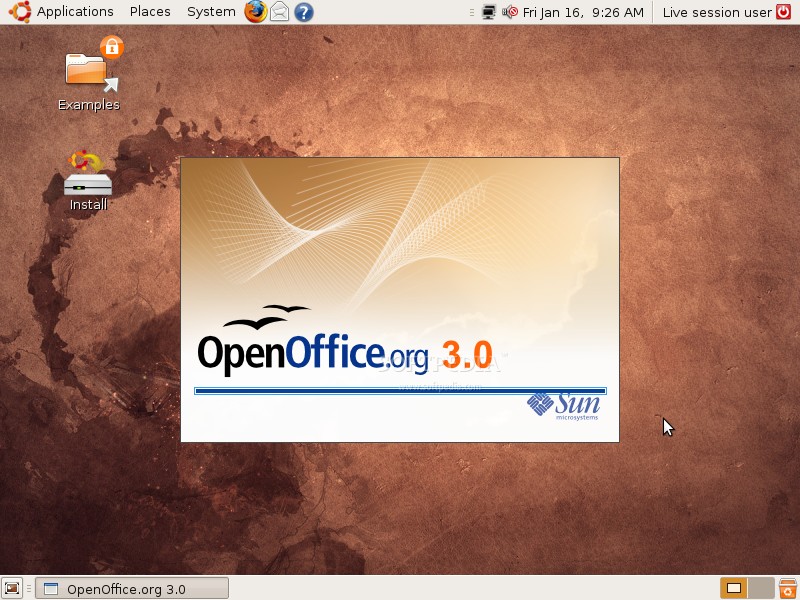
OK, let's cut to the chase, and tell you what's new in Ubuntu 9.04 Alpha 3. Finally... the OpenOffice.org 2.4 packages were replaced with the OpenOffice.org 3.0 ones. Actually, the installed version in Alpha 3 is 3.0.1 RC1 (see screenshots 2 and 3 on the fifth row). In other "good" news, the EXT4 filesystem was implemented in the Ubiquity installer, but it will not be the default filesystem for Ubuntu 9.04, and it's only available if you choose manual partitioning when installing Ubuntu. Using EXT4 as the default filesystem for an Ubuntu installation will reduce the boot times with 20% or even 30% on some systems.

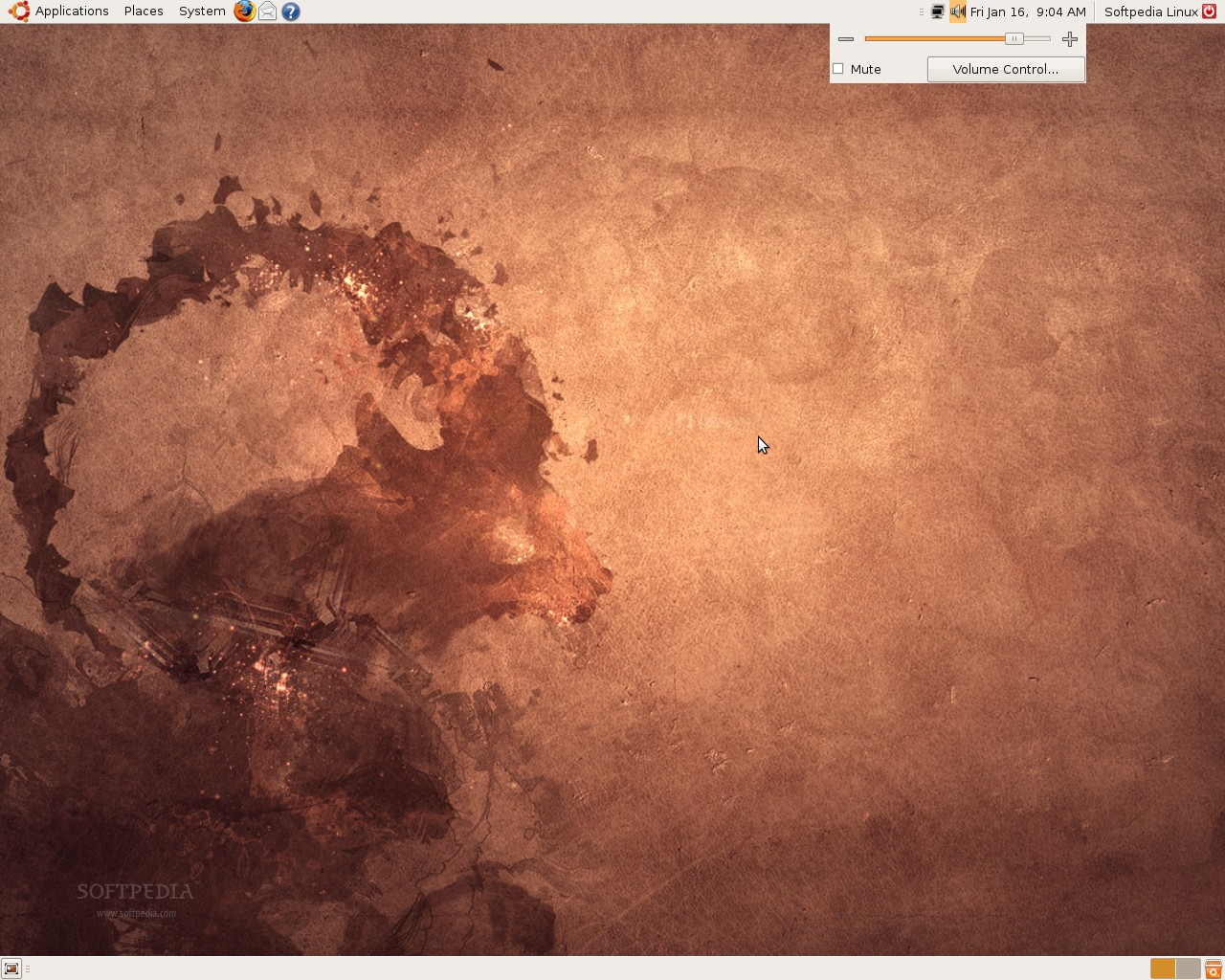
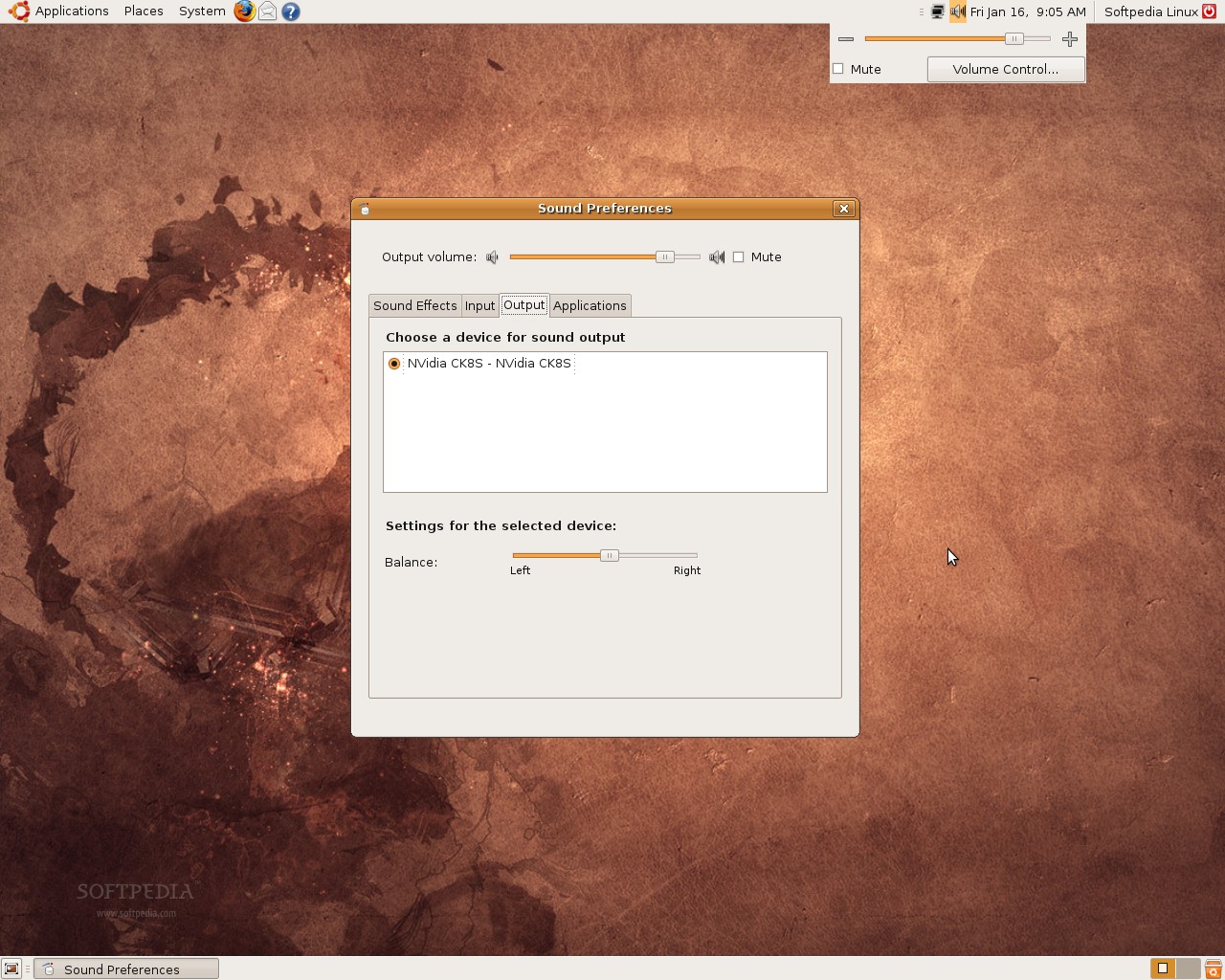
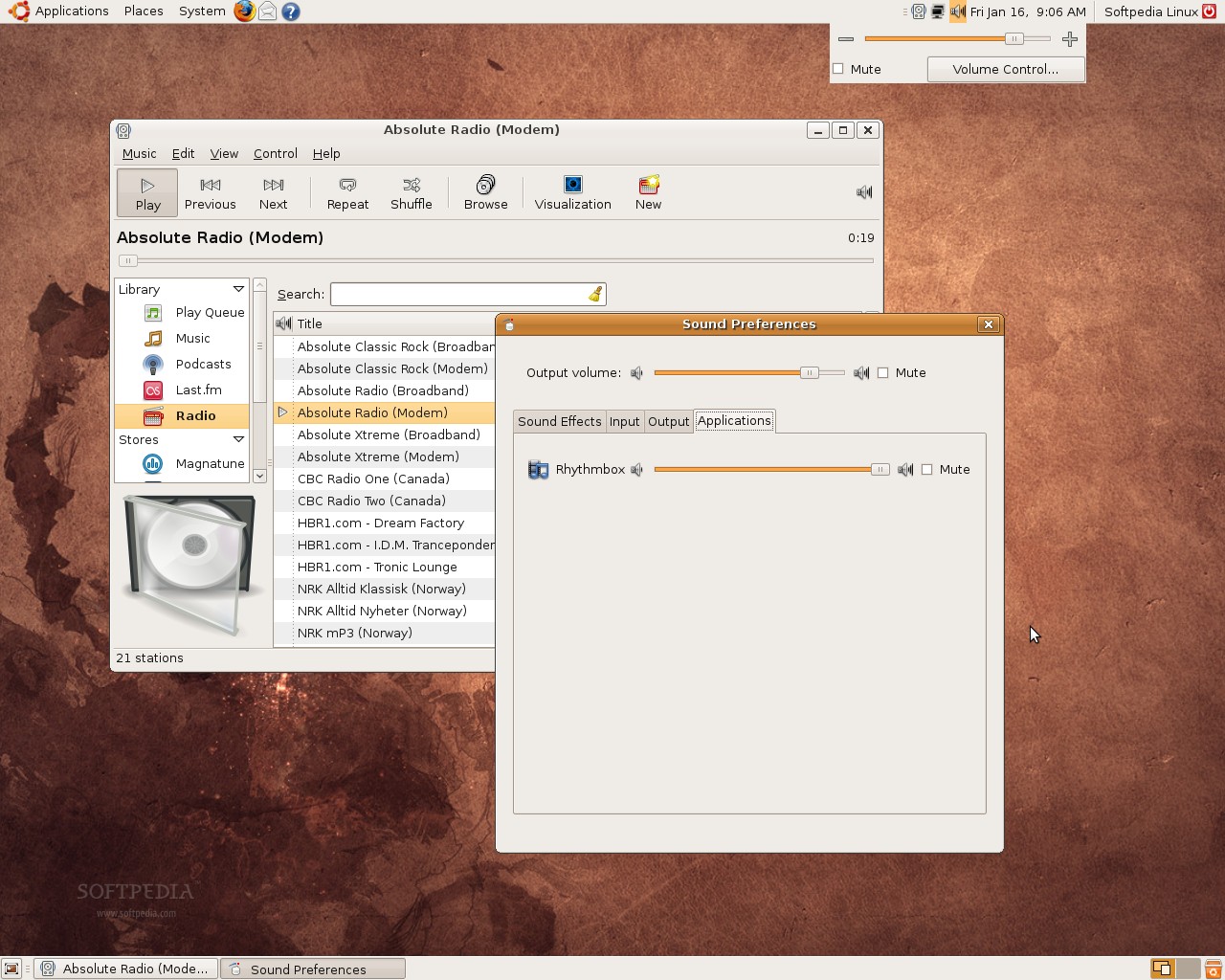
Another interesting thing implemented in the Ubiquity installer is the possibility to choose if you want to encrypt your home folder (see the last screenshot on the fifth row), an option that was already available in the text-mode installer. Other than that, we've observed a new button on the system notifications, called "Don't show this message again" (see the second screenshot on the first row), a new entry in the Main Menu... System Tools -> File Browser and the brand new redesigned volume control (see the second row of screenshots).

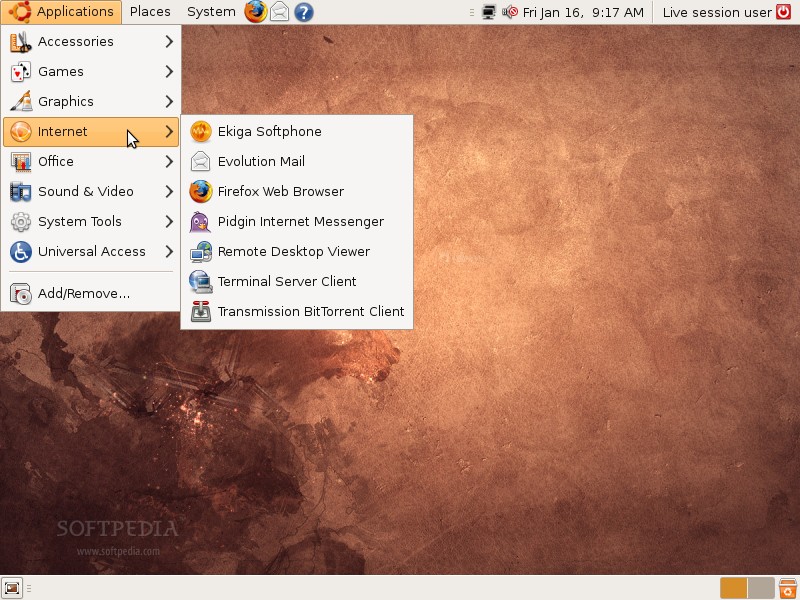
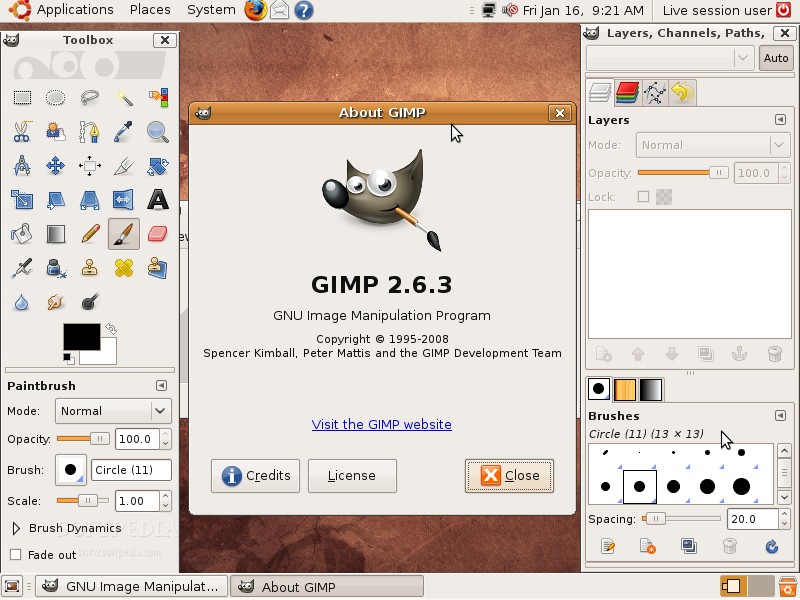
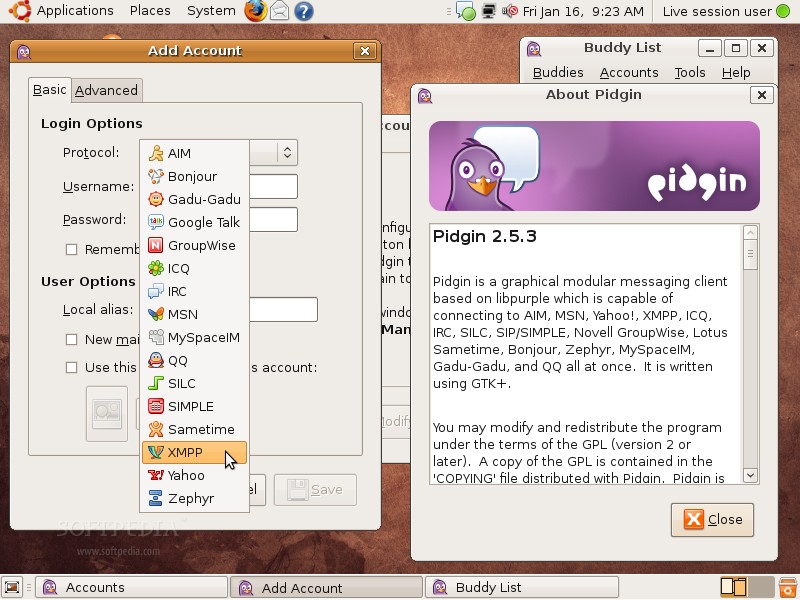
The wallpaper and the theme are unchanged, the GNOME desktop environment has been updated to version 2.25.4 (latest development release), as well as most of its components. Among the applications that were updated in this third alpha of Ubuntu 9.04, we can notice: Pidgin 2.5.3, Brasero 0.9.0, Transmission 1.42, Ekiga 3.0.1, F-Spot 0.5.0.3 and... OpenOffice.org 3.0.1 RC1.

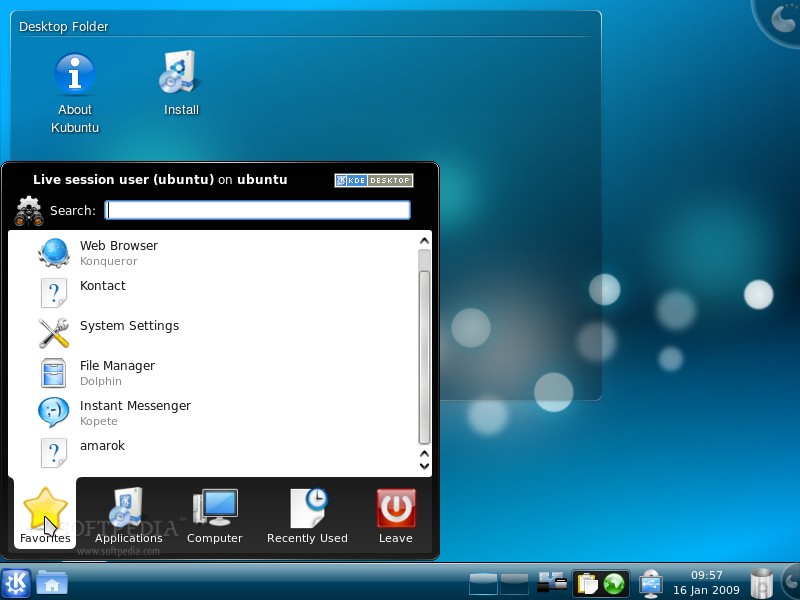
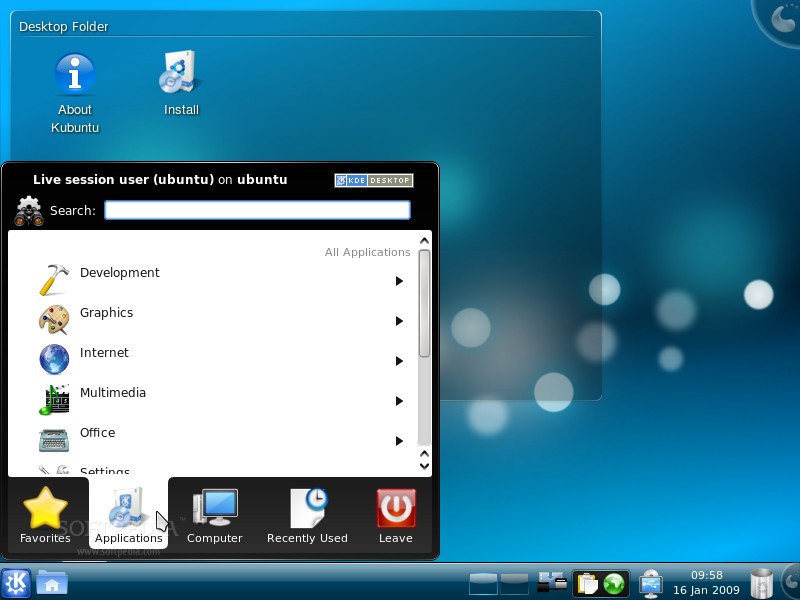
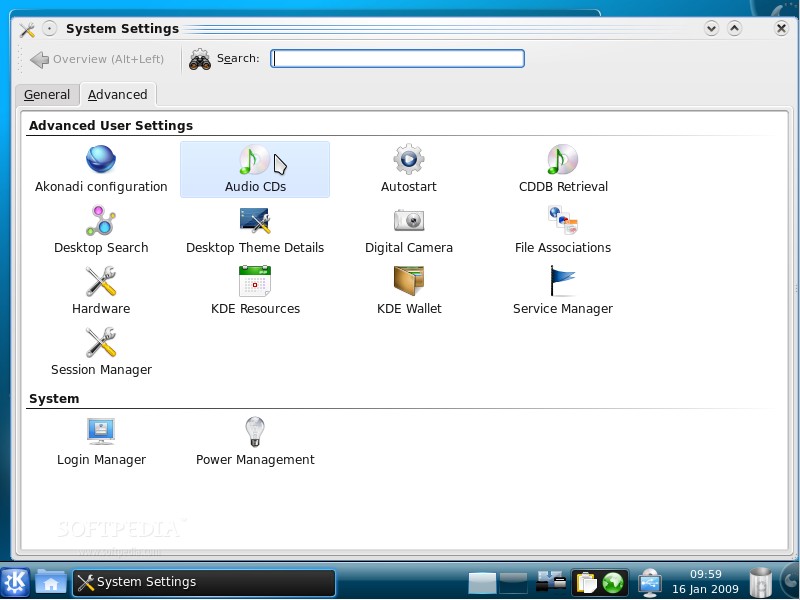
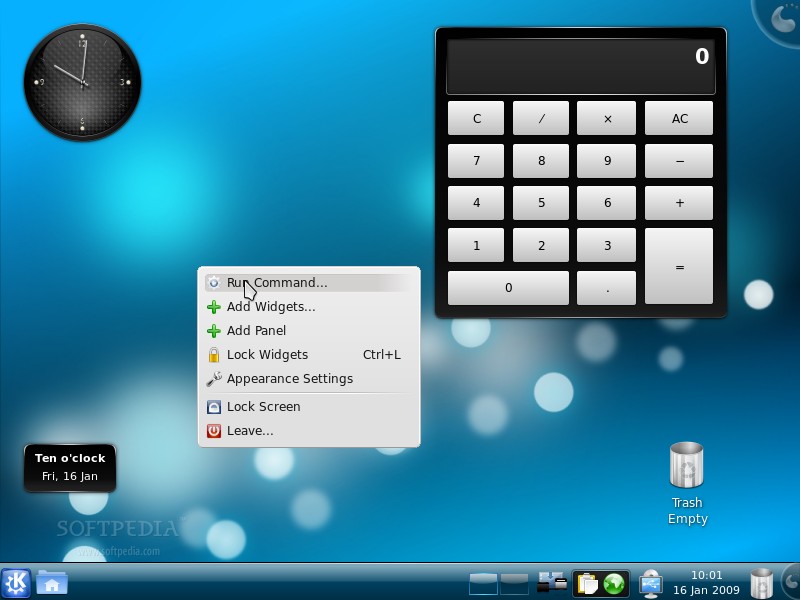
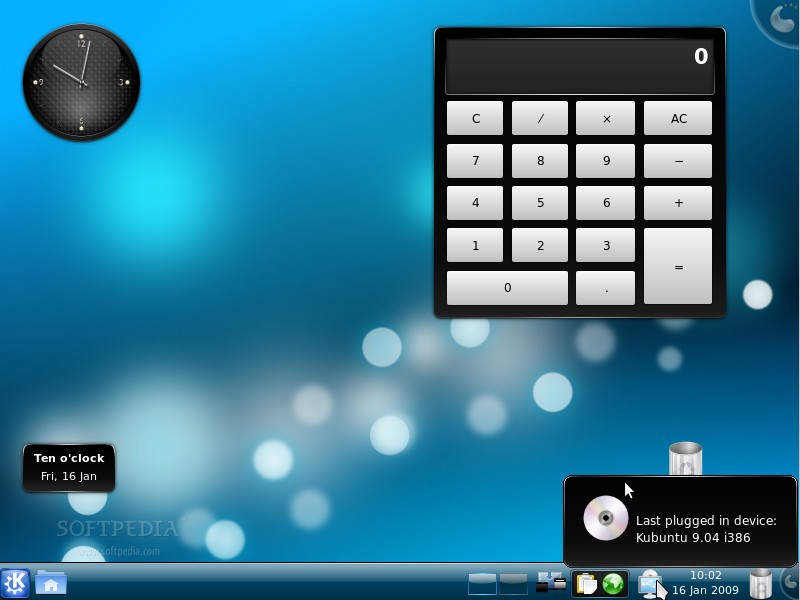
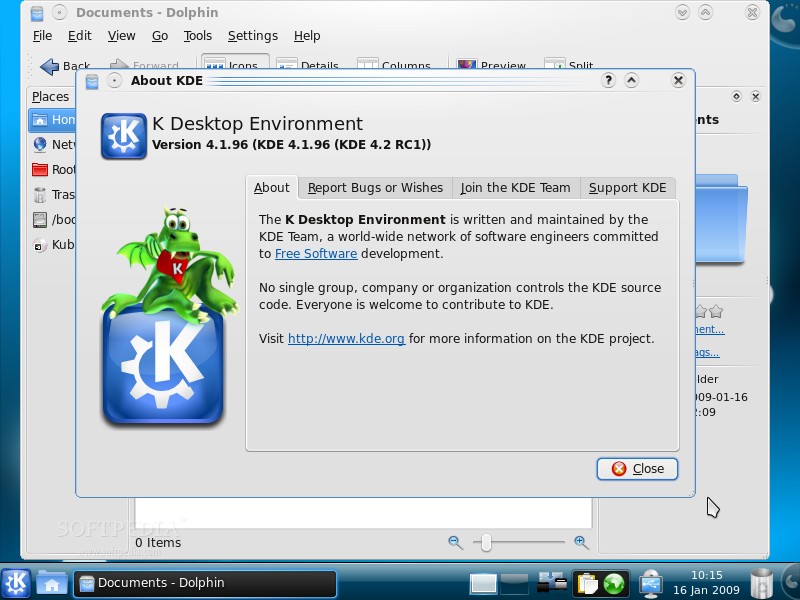
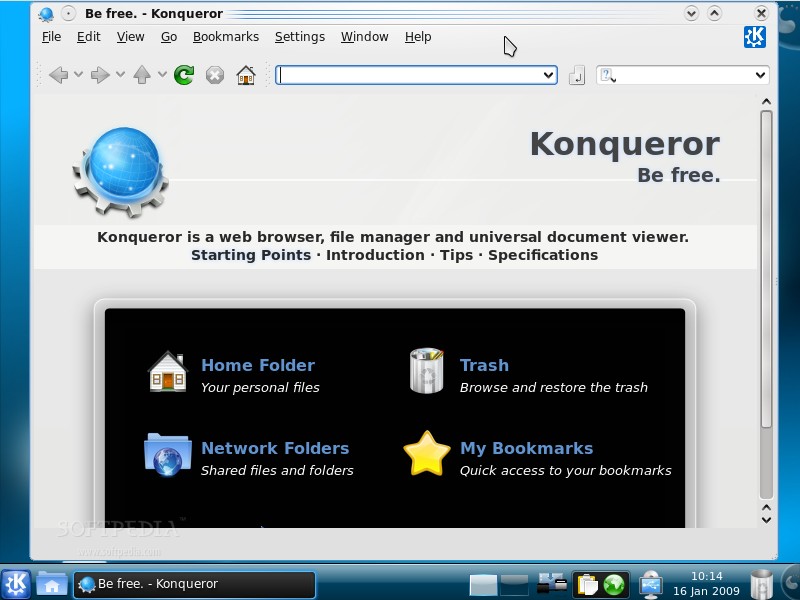
What's new in Kubuntu 9.04 Alpha 3? Well, as the developers said in the release announcement... everything! The third alpha version of Kubuntu 9.04 brings the newly released KDE 4.2 RC desktop environment (see below for screenshots), the latest version of the popular Amarok 2 media player, Quassel as the replacement for Konversation, Digikam 0.10.0 Beta 8, Kipi Plugins 0.2.0 Beta 6 and, last but not least, the developers decided to bring back the Kubuntu documentation. The final version of Kubuntu 9.04 will be powered by the amazing K Desktop Environment 4.2.

Once again, a Live CD is available for everyone who wants to see for themselves what's new in Ubuntu 9.04 Alpha 3 and Kubuntu 9.04 Alpha 3 (see below for download links), without installing anything on the hard drive. Also, with Alpha 3, the server edition of Ubuntu 9.04 is now offered as a separate download, while images for Ubuntu Studio and Edubuntu are available as well.

Ubuntu 9.04 Alpha 3

Ubuntu 9.04 Alpha 3
Enlarge picture
Ubuntu 9.04 Alpha 3
Enlarge picture
Ubuntu 9.04 Alpha 3
Enlarge picture
Ubuntu 9.04 Alpha 3
Enlarge picture
Ubuntu 9.04 Alpha 3
Enlarge picture

Ubuntu 9.04 Alpha 3
Enlarge picture
Ubuntu 9.04 Alpha 3
Enlarge picture
Ubuntu 9.04 Alpha 3
Enlarge picture
Ubuntu 9.04 Alpha 3
Enlarge picture
Ubuntu 9.04 Alpha 3
Enlarge picture

Ubuntu 9.04 Alpha 3
Enlarge picture
Ubuntu 9.04 Alpha 3
Enlarge picture
Ubuntu 9.04 Alpha 3
Enlarge picture
Ubuntu 9.04 Alpha 3
Enlarge picture
Ubuntu 9.04 Alpha 3
Enlarge picture

Ubuntu 9.04 Alpha 3
Enlarge picture
Ubuntu 9.04 Alpha 3
Enlarge picture
Ubuntu 9.04 Alpha 3
Enlarge picture
Ubuntu 9.04 Alpha 3
Enlarge picture
Ubuntu 9.04 Alpha 3
Enlarge picture

Ubuntu 9.04 Alpha 3
Enlarge picture
Ubuntu 9.04 Alpha 3
Enlarge picture
Ubuntu 9.04 Alpha 3
Enlarge picture
Ubuntu 9.04 Alpha 3
Enlarge picture
Ubuntu 9.04 Alpha 3
Enlarge picture


Kubuntu 9.04 Alpha 3

Ubuntu 9.04 Alpha 3
Enlarge picture
Ubuntu 9.04 Alpha 3
Enlarge picture
Ubuntu 9.04 Alpha 3
Enlarge picture
Ubuntu 9.04 Alpha 3
Enlarge picture
Ubuntu 9.04 Alpha 3
Enlarge picture

Ubuntu 9.04 Alpha 3
Enlarge picture
Ubuntu 9.04 Alpha 3
Enlarge picture
Ubuntu 9.04 Alpha 3
Enlarge picture
Ubuntu 9.04 Alpha 3
Enlarge picture
Ubuntu 9.04 Alpha 3
Enlarge picture

Ubuntu 9.04 Alpha 3
Enlarge picture
Ubuntu 9.04 Alpha 3
Enlarge picture
Ubuntu 9.04 Alpha 3
Enlarge picture
Ubuntu 9.04 Alpha 3
Enlarge picture
Ubuntu 9.04 Alpha 3
Enlarge picture


Ubuntu 9.04 or, should I say, "The Jackalope," will be the tenth release of the Ubuntu operating system. Here's the release schedule for Jaunty Jackalope:

November 22th, 2008 - Alpha 1 release
December 19th, 2008 - Alpha 2 release
January 16th, 2009 - Alpha 3 release
February 5th, 2009 - Alpha 4 release
February 26th, 2009 - Alpha 5 release
March 12th, 2009 - Alpha 6 release
March 26th, 2009 - Beta release
April 16th, 2009 - Release Candidate
April 23rd, 2009 - Final release of Ubuntu 9.04

What is Ubuntu? Ubuntu is a Linux distribution for your desktop or server, with a fast and easy install, regular releases, a tight selection of excellent packages installed by default, every other package you can imagine available from the network, and professional technical support from Canonical Ltd and hundreds of other companies around the world.

Download Ubuntu 9.04 Alpha 3 (Jaunty Jackalope) right now from Softpedia.

Download Ubuntu Server 9.04 Alpha 3 (Jaunty Jackalope) right now from Softpedia.

Download Kubuntu 9.04 Alpha 3 (Jaunty Jackalope) right now from Softpedia.

Download Xubuntu 9.04 Alpha 3 (Jaunty Jackalope) right now from Softpedia.

Download Edubuntu 9.04 Alpha 3 (Jaunty Jackalope) right now from Softpedia.

Download Ubuntu Studio 9.04 Alpha 3 (Jaunty Jackalope) right now from Softpedia.

Download Mythbuntu 9.04 Alpha 3 (Jaunty Jackalope) right now from Softpedia.

Remember that this is an alpha release and it should NOT be installed on production machines. It is intended to be used for testing purposes only. Please report bugs to the Ubuntu Bug Tracker.

TAGS:

Ubuntu 9.04 | Ubuntu Linux | screenshot tour | Jaunty Jackalope | Linux distribution
Read by 74,555 user(s) | Add comment | Link to this article TWEET THIS


Article rating:
Excellent (5.0/5) 17 vote(s)    

Subscribe to news | Print article | Send to friend

© Copyright 2001-2009 Softpedia
Contact:


SEARCH THE NEWS ARCHIVE :


Today's News
| Yesterday's News | News Archive


MORE RELATED ARTICLES:


Ubuntu 9.04 Boots in 21.4 Seconds

Ubuntu 9.04 a.k.a. Jaunty Jackalope

Ubuntu 9.04 Release Schedule

Ubuntu 9.04 Alpha 1 Screenshot Tour

Ubuntu 9.04 Alpha 2 Screenshot Tour

Ubuntu 8.10 Desktop Customization Guide

What You Should Expect from GNOME 2.26

Softpedia Linux Weekly, Issue 28

User opinions:


Comment #1 by: Ozbolt on 17 Jan 2009, 20:37 GMT reply to this comment

I miss option "Log in automaticly and then decrypt home folder". And if Gnome would provide possibility to encrypt any folder in home directory.

Comment #1.1 by: John on 21 Apr 2009, 21:52 GMT

Ozbolt, it's not meaningful to setup a system to log in automatically and decrypt your home directory. This provides zero security, because this means the encryption password has to already be sitting there on the hard drive in plain text, which means the directory is not really encrypted.

It'd be like having a lock on your front door, but keeping the key in the lock so you never have to reach into your pocket to get it out. In this case, you don't really have a lock on the front door.


Comment #2 by: Dhimas on 18 Jan 2009, 05:35 GMT reply to this comment

I think it's very cool.. I'm waiting for release..


Comment #3 by: uconnbball on 18 Jan 2009, 06:04 GMT reply to this comment

Wow this looks so much better it is catching up to Apple OS X like Shuttleworth wants. Oh WAIT..... Snore

I like Ubuntu when it was one of the only Distros with

-Live CD
-Easier to Install than the most other Distros
-Stable system
-Not as many dependencies nightmares

And now 3 years later everyone else has caught up :( Wheres the innovation???


Comment #4 by: Felipe Coury on 18 Jan 2009, 16:02 GMT reply to this comment

The only think that keeps me from being amazed from Ubuntu is the default font. I think if that default could get replaced by something that looked a little more professional, that would make the whole look and feel look more appealing.

Besides that, I think Ubuntu is the best Linux distro out there without a doubt.


Comment #5 by: No One on 18 Jan 2009, 16:44 GMT reply to this comment

I know this is alpha but after using Windows 7, Ubuntu has its work cut out for it. W7 can run on netbooks just fine (a guy at work has it on a Dell mini) and it is full of eye candy. Its stable and works well. Linux will always hold on to the geek crowd but if they want to attract more everyday users, they had best do some WOW'ing. And as far as OpenOffice, I think it needs a face lift. Forget about the functions (other then compatablity), just make it look beautiful. Heck, you will get the iWorks users if nothing else because thats all they seem to care about. Then work on making porting over spreadsheets from Excel and you might have a winner.

Just my opinions.

Comment #6 by: stevenjazz on 18 Jan 2009, 19:17 GMT reply to this comment

excellent i like it


Comment #7 by: Well on 20 Jan 2009, 18:19 GMT reply to this comment

Unfortunately I believe its safe to say that most people want the eye candy. Yeah its pretty fun sometimes and makes people go WOW, but the eye candy doesn't get the work done. Also I noticed from a few other people saying they would like to see a lot more themes with UBUNTU 8.10 cause thats what Im showing. They really dont care that its really stable and pretty quick, it kind of turned it into almost a power toy. Personally, from my view point I like UBUNTU 8.10. I also like the fact that it picks up most of my drivers without doing anything. So as far as EYE CANDY goes, why dont they just make it so when its installing its your choice to turn it off or on and just shred it with eye candy. Then maybe people will look at it more as being stable and quick. Just an idea.


Comment #8 by: lancest on 21 Jan 2009, 12:25 GMT reply to this comment

Windows 7 is more resource hungry than Linux for sure. Most people aren't interested in a Vista 2 DRM experience. Apple and Linux are the leaders now. Ubuntu has the edge since it can run on anything.


Comment #9 by: Maetrix66 on 21 Jan 2009, 21:44 GMT reply to this comment

Linux stability is not in question. Claiming more stability or speed as a new feature is going to be seen as an incremental improvement in a current strength.

Eye Candy is great, but complexity for the sake of complexity is not what anyone wants. Areas where Linux fails the average end user is useability touches. People aren't used to having to unmount flash drives to access them the next time they need to access them.

While we all know the reasons for this, people are lazy.


Comment #10 by: titaniumtux on 23 Jan 2009, 02:19 GMT reply to this comment

Don't expect much from a new Ubuntu version considering there's a new one every six months...I love how they make the prefs more relevant and intuitive (except when they moved the layout options from tab to button for keyboard settings back in Hardy...). The default font isn't bad because it's quite neutral (it's easy to change the font anyway). Only one thing about OpenOffice's appearance...should be prettier for one reason: touch screens are the future and OOo should be ready for this! If we ever wanna see FOSS such as OOo embedded in different devices, we should have a slick GUI...even if this means looking like the windeuce ribbon (instead of menus). OOo has the huge challenge of being MS Office's competitor, meaning usability, n00b friendliness and inter-operability are some of the most important feats.

OS X is shameful because Macheads don't seem to make their machines n00b-friendly (Safari doesn't support SSL nor does it have a phishing filter!!). iTunes and QuickTime are a lot of bloat, and I certainly don't trust Apple updates.

windeuce 7 will have one huge problem: it's still windeuce! Silly key combinations for typing accentuated characters, DLL problems, viruses, decentralized updates that break other programs, wizards keeping users stupid, etc.

Jaunty's feats are impressive. The third alpha is always the milestone for introducing new feats, so I'll certainly be looking forward to release.


Comment #11 by: tmsbrdrs on 30 Jan 2009, 04:33 GMT reply to this comment

My only criticism has already been stated many times. OOo needs a facelift. The functionality is there in spades, but it needs to look better and be easier to use for n00bs.


Comment #12 by: javanut on 01 May 2009, 07:54 GMT reply to this comment

There is no doubt which is the better OS when comparing linux/windows. So why does windows trounce linux despite linux being free? The same thing is happening in the java programming world. It seems people would rather be locked into a 'new' proprietary .NET instead of a free, tried and tested java - even though .NET is merely a clone of java. In both instances it's because there is not much attention to clean, sharp design. Not necessarily eye-candy, but you all know what I mean. We lose the kids with good design and geek abilities to windows and retain all the pure-geek-types. While this helps with sheer strength, we need to bring in the design-types to clean things up already

Share your opinion:

Your Name:
Your Email Address:
(will not be used for commercial purposes)
Solve this to prove you're not a bot: =
Your review/opinion:


Windows tabGames tabDrivers tabMac tabLinux tabScripts tabMobile tabHandheld tabGadgets tabNews tab

SUBMIT PROGRAM   |   ADVERTISE   |   GET HELP   |   SEND US FEEDBACK   |   RSS FEEDS   |   ENTER NEWS SITE   |   ENGLISH BOARD   |   ROMANIAN FORUM