 14 DAY TRIAL //
 The sixth alpha release of the upcoming Ubuntu 8.04 (codename Hardy Heron) has been released last night and it comes with new technologies, such as ActiveDirectory integration, iSCSI support, memory protection, a brand-new firewall, the latest and greatest 2.6.24.3 Linux kernel and many many more:"The Ubuntu developers are moving very quickly to bring you the absolute latest and greatest software the Open Source Community has to offer. Hardy Heron Alpha 6 is the sixth and final alpha release of Ubuntu 8.04, and with this new alpha release comes a whole host of excellent new features." The following new components are part of this fifth alpha release of Ubuntu 8.04 LTS:
· Xorg 7.3 · Linux kernel 2.6.24-11.17 (based on the 2.6.24.3 kernel) with brand new features:
- dynticks support for amd64, bringing the same power savings already available on 32-bit systems to 64-bit laptops and desktops; - the "Completely Fair Scheduler", a new process scheduler introduced in Linux 2.6.23 that provides improved interactive performance.
· PulseAudio · PolicyKit · Firefox 3 Beta 3 · GNOME 2.21.4
And introducing, for the first time in Ubuntu (by popular demand), the following applications:
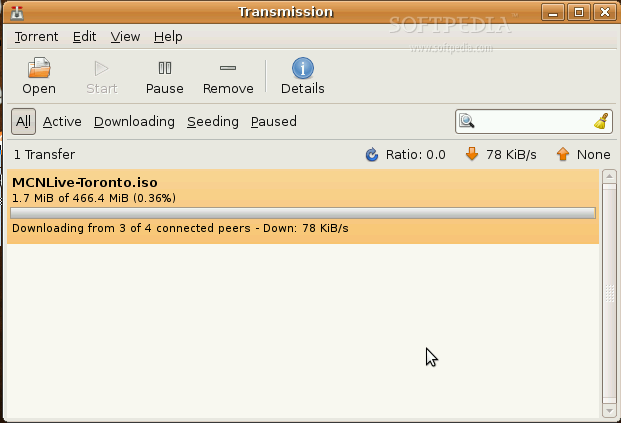
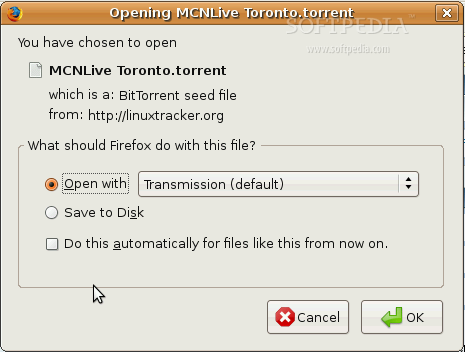
· Transmission - is now the default BitTorrent client in Ubuntu, mostly used by Mac OS X users, and it replaced the old Gnome BitTorrent downloader.
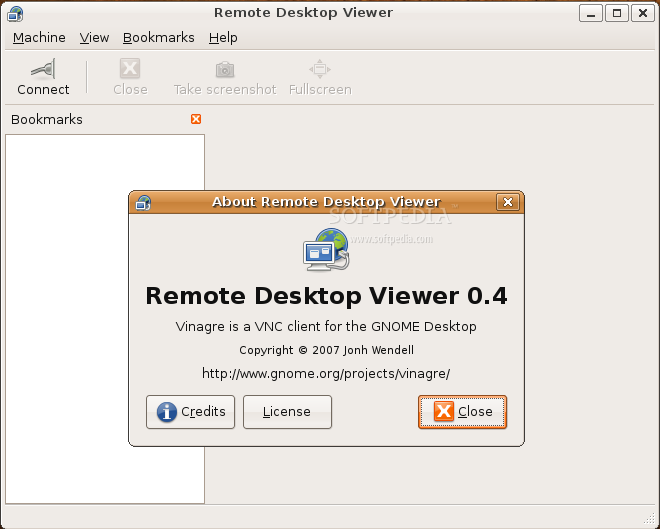
· Vinagre - a brand new default VNC client, set to replace the old xvnc4viewer.
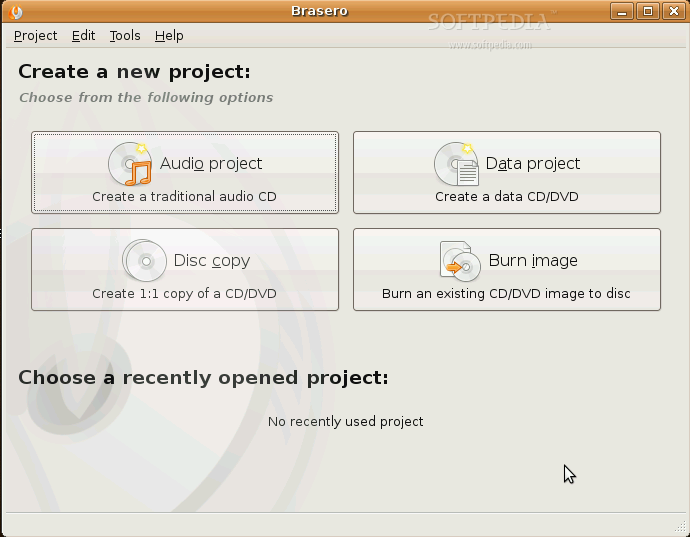
· Brasero - has just replaced Serpentine and it will be the default CD/DVD burning tool in Ubuntu 8.04 LTS!
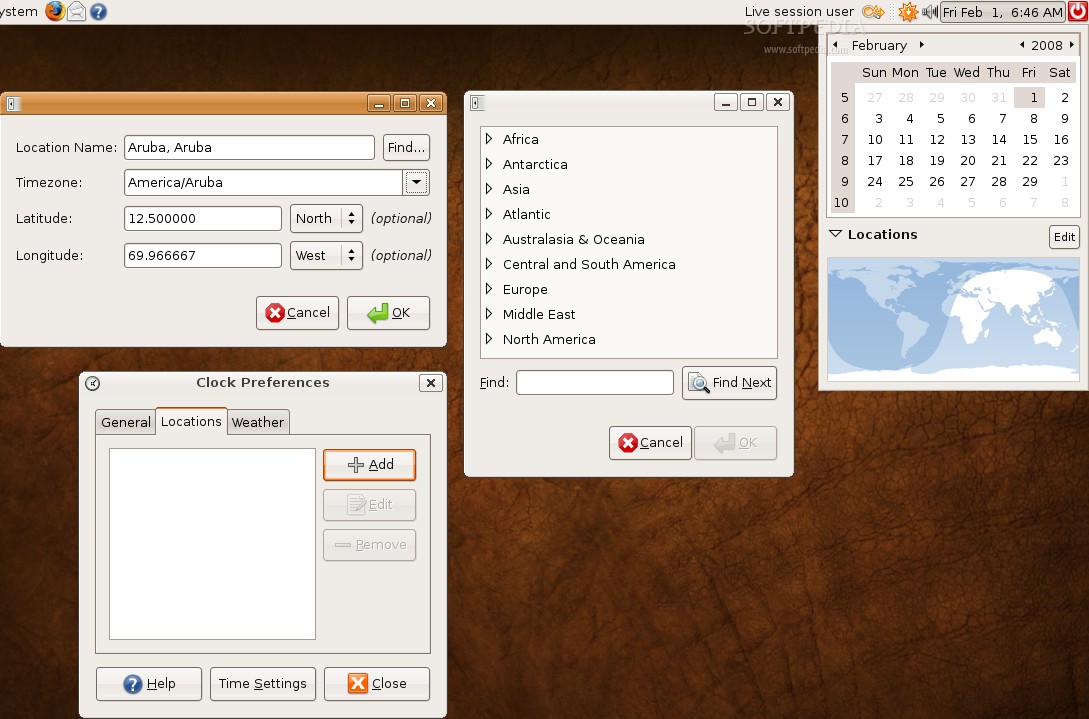
· World Clock and Weather - are the new functions provided by the GNOME panel clock applet in Alpha 5.
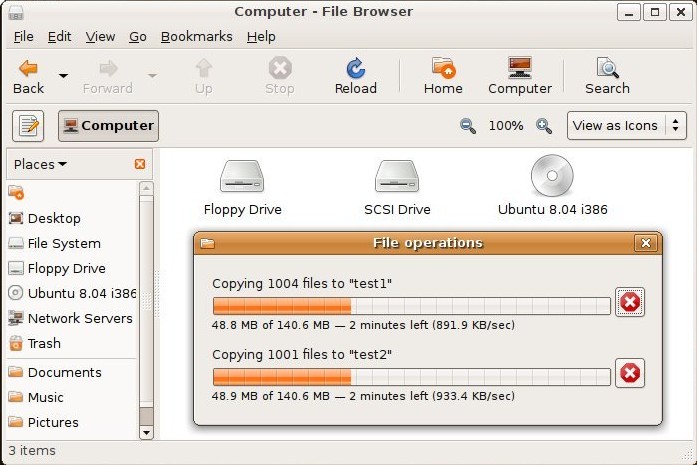
· GVFS - a new virtual filesystem abstraction layer, which has just replaced the old GnomeVFS, is now used by Nautilus as its backend. This is yet another dream that becomes reality, as it will display the amount of data transferred, remaining time and actual data transfer rate, functions that were missing from Ubuntu's file transfer window.
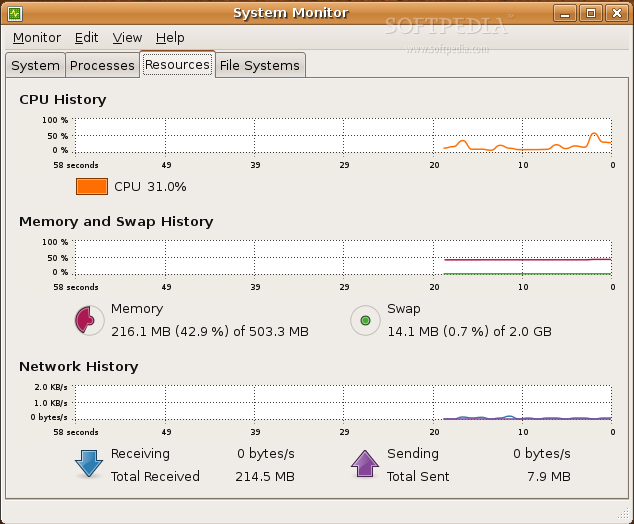
· GNOME System Monitor - has a re-designed "Resources" tab, with Cairo graphs that scale and scroll smoothly, and brand-new widgets.
· KVM - is now officially maintained within in the Ubuntu kernel. Moreover, libvirt and virt-manager have been adapted to Ubuntu, which offer an easy way to create and manage guests out of the box. The kernel also includes the virtio modifications which should greatly improve guest I/O access.
· ActiveDirectory integration - a new technology which enables seamless integration of Ubuntu within an Active Directory network.
· iSCSI support - has been fully integrated in the kernel and it allows one to mount iSCSI targets as a block device.
· Memory Protection - additional access checks have been added so that /dev/mem and /dev/kmem can only be used to access device memory. This will defend your machine against RootKits and other malicious code.
· ufw - a new firewall tool designed to make administering a firewall easier for end-users, while not getting in the way of network administrators. However, ufw is a command-line firewall and we think that it will not be embraced by all users!
· umenu - just replaced WinFOSS and the Windows open source software. umenu is a simple launcher that offers you the following possibilities:
· install Ubuntu from Windows using Wubi; · install Ubuntu on a partition without having to make their CD-ROM the first boot device; · find out more about Ubuntu.
Known issues in Alpha 6:
· The kernel in Alpha 6 is unable to access CD-ROM devices in some configurations, which means some users who were previously able to install Ubuntu will not be able to install this alpha from CD media. As a workaround, users can boot the installer with the additional "all_generic_ide" boot option; · Video problems have been reported with the 64-bit (amd64) version of Edubuntu desktop; As a workaround, users can manually specify a video resolution at the boot menu. · Printing from Firefox beta 3 does not work. A fix will be available in a subsequent version of Firefox; · Installation from the Live CD using the "auto-resize" partitioning option prompts for a password to mount partitions and triggers an error message. Investigation of this issue is ongoing; · Problems running Wubi, the Windows Ubuntu installer, with the 64-bit (amd64) version of Ubuntu, have been reported. As a workaround, users should run Wubi from the i386 CD images; · Suspend (to ram) and hibernation do not work in a Wubi installation. Even if those options are available on the desktop, you should avoid using them; · When running Wubi from a Kubuntu CD, the KDE desktop will crash and the user will be left with just an X cursor, however the install will continue and it will reboot automatically upon completion; · Upgrades from Ubuntu 6.06 LTS currently fail because of problems with python-central; · The "do not use" method in the installer's partitioner cannot be selected; this will be fixed in the next build. If you need this, run chmod +x /lib/partman/choose_method/70dont_use/choices from a root shell beforehand; · XFS cannot be selected in the alternate and server installer's partitioner; this will be fixed in the next build. If you need this, run chmod +x /lib/partman/finish.d/70aptinstall_xfs /lib/partman/valid_filesystems/25xfs from a root shell beforehand. The desktop installer is not affected; · Attempting to configure software RAID in the installer's partitioner causes a fatal error. This will be fixed in the next build. We apologize for the inconvenience.
Remember that this is an alpha release and it should NOT be installed on production machines. It is intended to be used for testing purposes only. Be sure to read all the above issues and report new ones to the Ubuntu Bug Tracker
Ubuntu 8.04 LTS Release Schedule:
30 November 2007 - Alpha 1 release
21 December 2007 - Alpha 2 release
10 January 2008 - Alpha 3 release
2 February 2008 - Alpha 4 release
23 February 2008 - Alpha 5 release
6 March 2008 - Alpha 6 release
27 March 2008 - Beta release
17 April 2008 - Release Candidate
24 April 2008 - Final release of Ubuntu 8.04 LTS
About Ubuntu:
Ubuntu is a Linux distribution for your desktop or server, with a fast and easy install, regular releases, a tight selection of excellent packages installed by default, every other package you can imagine available from the network and professional technical support from Canonical Ltd and hundreds of other companies around the world.
Download Ubuntu 8.04 LTS Hardy Heron Alpha 6 right now from Softpedia.
Download Kubuntu 8.04 LTS Hardy Heron Alpha 6 right now from Softpedia.
Download Ubuntu 7.10 Gutsy Gibbon right now from Softpedia.
Download Kubuntu 7.10 Gutsy Gibbon right now from Softpedia.
Download Xubuntu 7.10 Gutsy Gibbon right now from Softpedia.
Download Edubuntu 7.10 Gutsy Gibbon right now from Softpedia.
Download Fluxbuntu 7.10 Gutsy Gibbon right now from Softpedia.