
Search Perform an advanced search query SOFTPEDIA
 
SOFTPEDIA
Updated one minute ago
HomeSubmit a program for being reviewedAdvertise on our websiteGet help on surfing our websitesSend us your feedbackGet information about our XML/RSS backend and how to use itBrowse the news archiveVisit our discussion forumVizitati forumul in limba romana


KLIP
  1. HOME
  2. SCIENCE
  3. TECHNOLOGY
  4. WEBMASTER
  5. SECURITY
  6. MICROSOFT
  7. LINUX
  8. APPLE
  9. GAMES
  10. TELECOMS
  11. REVIEWS
  12. LIFE & STYLE
  13. EDITORIALS
  14. INTERVIEWS
  15. RSS
Welcome!
Hello, Guest

Login if you have a Softpedia.com account.

Otherwise, register for one.

UBUNTU TIPS AND TRICKS

Ubuntu 7.10 on PS3

- Installation guide and first impressions

By: Marius Nestor, Linux Editor

Today, you will learn how to install Ubuntu Gutsy (as a second operating system) on your PlayStation 3 gaming console. For those of you who think for a second (and who are scared) that this will replace their PS3 operating system, well you guys are wrong, because this will NOT erase your PlayStation 3 native operating system (called XMB) and it will run as an alternative OS on your PS3 console. Ready? Are you excited? Let's go!

Things needed:

1. An USB flash drive or a Memory Card (PS3 can read only SD/miniSD Memory Card, Memory Stick PRO (Duo) and CompactFlash). Or, as an alternative, you can use a portable hard disk with FAT32 filesystem on it.

2. An USB keyboard and mouse attached to your PS3.

3. Ubuntu 7.10 (Gutsy Gibbon) PS3 ISO image, which you can always download from Softpedia. You will need to burn this ISO image on a blank CD with your favorite CD/DVD burning tool.

Prepare your PlayStation 3 for Ubuntu:

You will need to partition the PS3 hard drive, otherwise you will not be able to install Ubuntu. Power on your PS3, Log in and go to "Settings -> System Settings", scroll down until you find the "Format Utility", press X on it and go to "Format Hard Disk" (last option). You'll be asked if you want to format your hard disk, so press "Yes" and then you must choose a partition setting for the hard drive. Select the "Custom" option, then select "Allot 10GB to the Other OS" entry and do a "Quick Format". When it's done, reboot your PS3.

The KBoot installation:

As I don't have an USB flash drive, I've used an external hard drive for this operation, and it worked like a charm. Create a folder, on your USB stick (drive),
called PS3, and inside this folder create another one called OTHEROS. Put the otheros.bld (otheros.bld for PlayStation 3) file in the OTHEROS folder. Now, go to "Settings -> System Settings -> Install Other Os" and hit X to detect and install KBoot.

Boot and install the Ubuntu PS3 Live CD

Are you wondering how to access what you've just installed above? Go to "Settings -> System Settings -> Default System" (press X) and select "Other OS". You'll be asked if you want to quit your PS3 system and start the other OS (of course you do), so choose "Yes" and wait for the PS3 to reboot. You should attach the USB keyboard and mouse to the PS3. In a few seconds, you will see "Ubuntu PS3 KBoot Loader" text on the top of your screen. Insert the Ubuntu PS3 Live CD in your PS3, type install and wait for the Live CD to load.

In a few seconds, you will see that sexy wallpaper of Ubuntu Gutsy and the installation wizard will appear. Follow the installation steps from here if you don't know what to do.

Go back to the PS3 OS

To get back to your PS3 OS, restart Ubuntu and, at the KBoot prompt, type:

boot-game-os

and hit enter. Wait for the PS3 to reboot and you'll see the XMB (PlayStation 3 operating system).

Conclusions

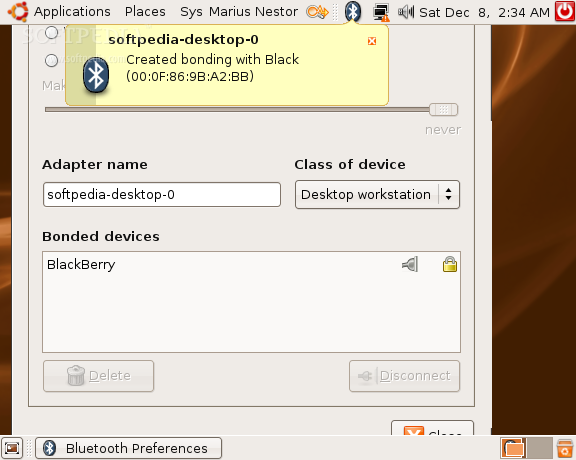
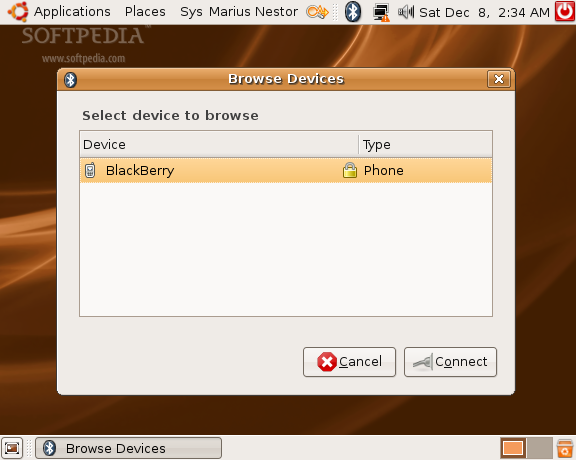
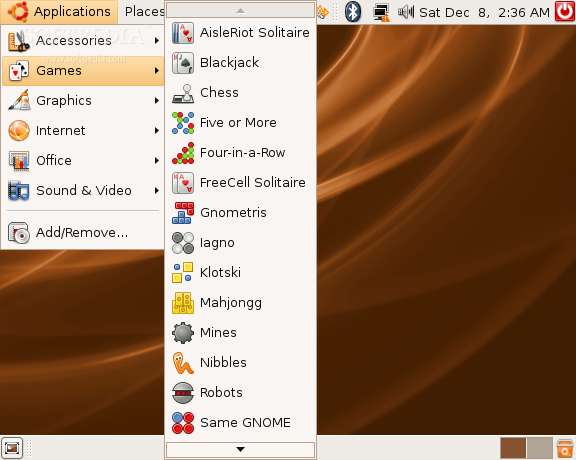
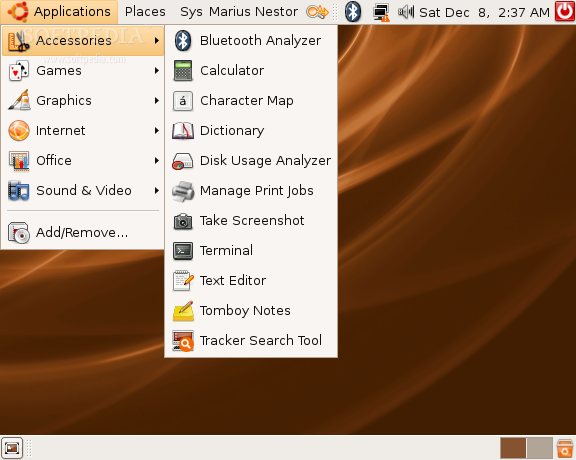
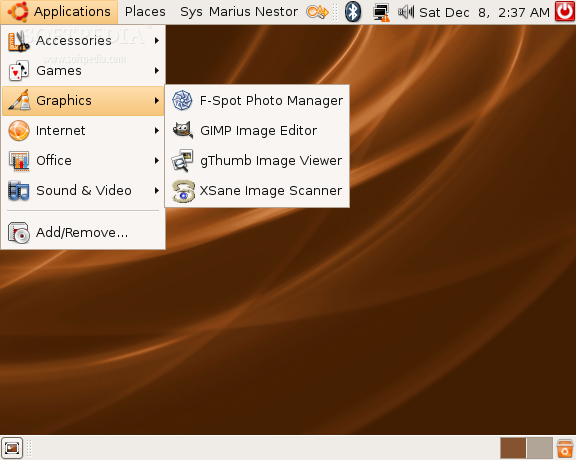
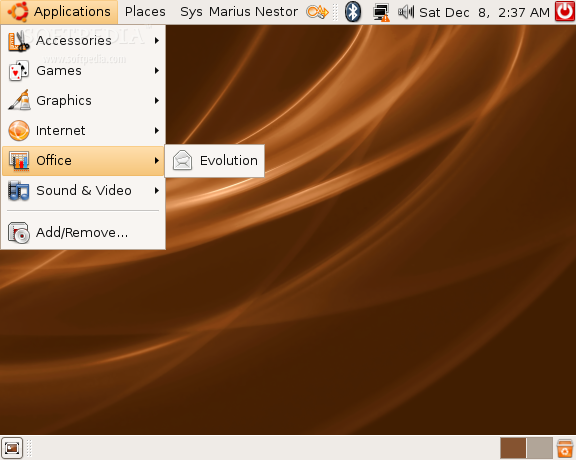
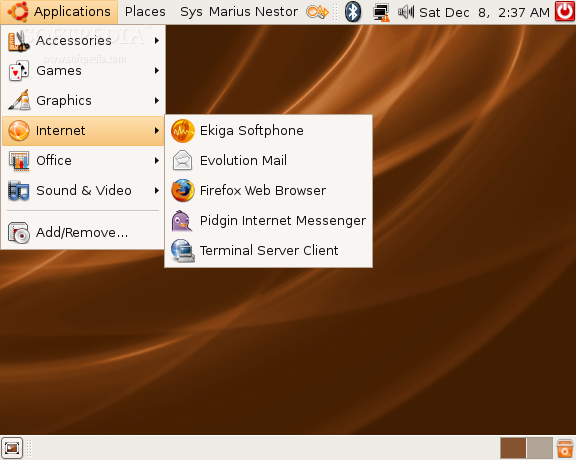
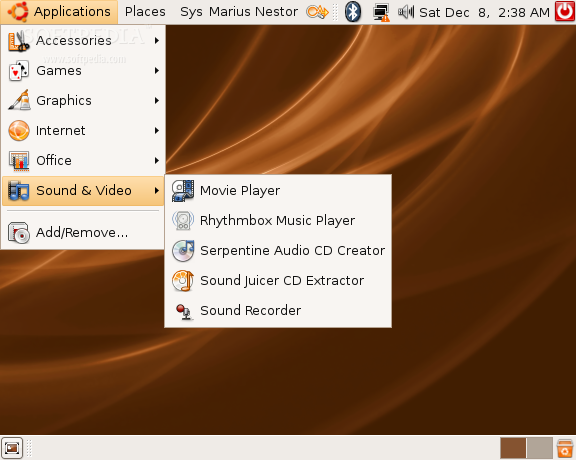
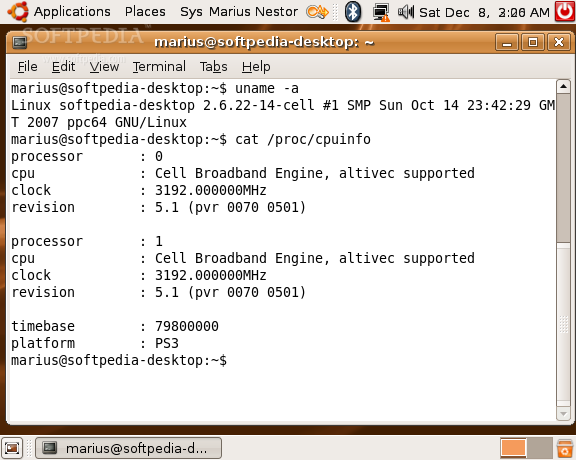
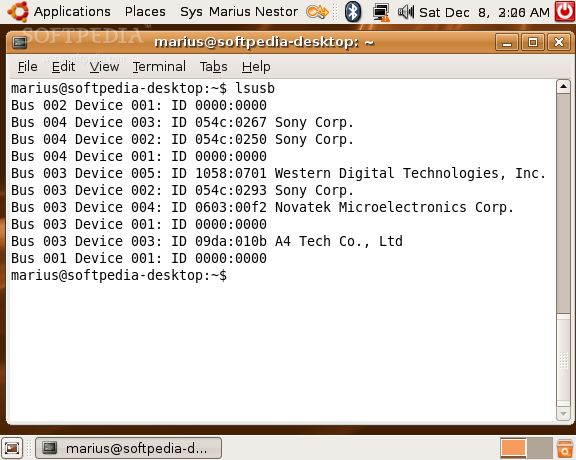
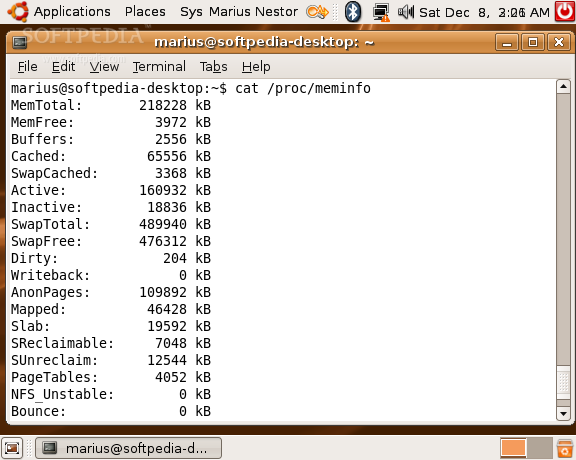
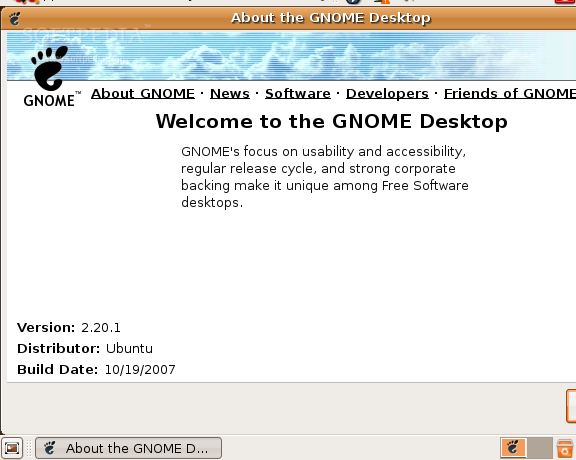
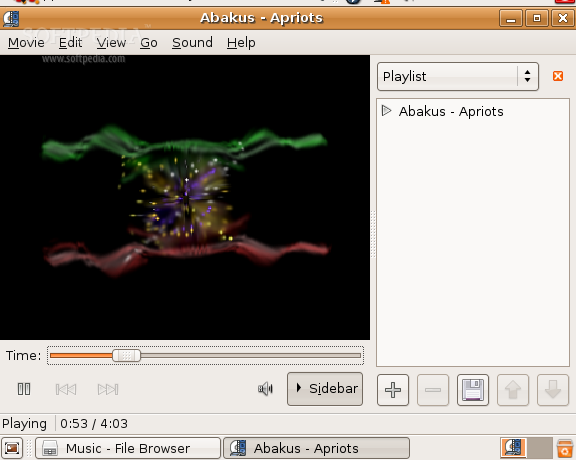
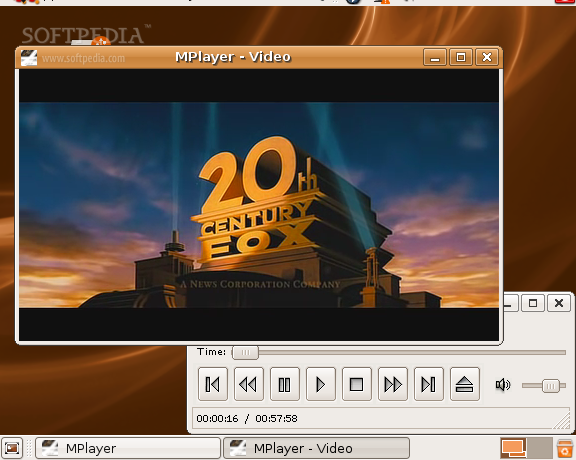
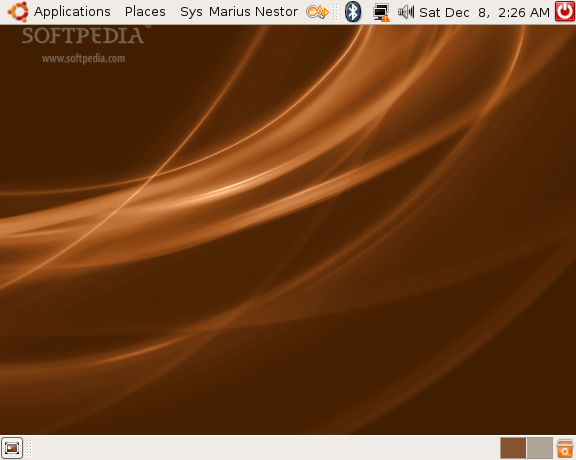
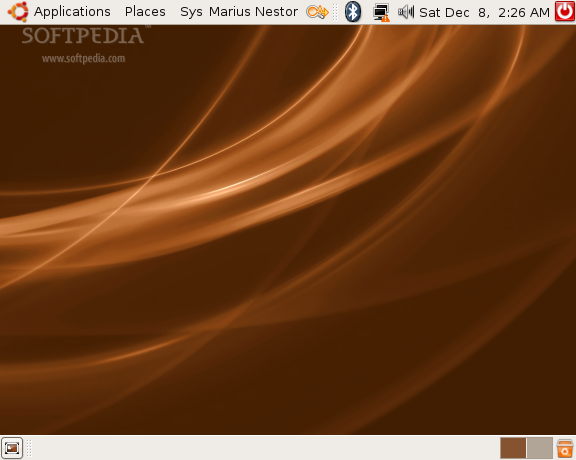
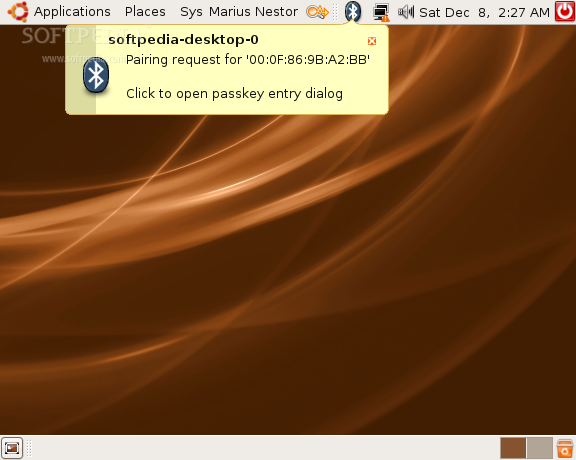
Ubuntu Gutsy Gibbon has greatly been improved for the PS3 hardware. It can now recognize all the components of your PS3 console, like the Blu-ray unit, the Gelic network card, USB and Bluetooth ports, and the sound system! Even if the installation part takes around 40 minutes (four times longer than on a regular PC), Ubuntu proved to be quite fast on the PS3 console. From the screenshots below, you will see that I can listen to music, watch movies and even transfer files from my BlackBerry, via Bluetooth. However, as I don't have a HD Ready TV, I can't really enjoy Ubuntu on my PS3, that's why the screenshots are so small!

Pros:

- It will recognize all the hardware components of your PS3 console.
- It runs quite fast.
- Easy to install.

Cons:

- The installation takes too long. About four times longer than a normal PC installation!
- When you want to reboot Ubuntu, it will actually shut down. I don't know why it does this, maybe it's a problem that happened only to me.
- You must have an HD Ready TV in order to do something useful in Ubuntu. With regular TVs you will have a 576x460 resolution and you will not see the entire window of most applications!
Review imageReview imageReview imageReview image

Review imageReview imageReview imageReview image

Review imageReview imageReview imageReview image

Review imageReview imageReview imageReview image

MORE RELATED ARTICLES: Ubuntu 7.04 on PS3 Ubuntu Is Enterprise Friendly Ubuntu 8.04 Is an LTS Release Canonical Looking For Contracts Ubuntu JeOS 7.10 Started Shipping Ubuntu 8.04 a.k.a. Hardy Heron Ubuntu says NO to Microsoft Order Ubuntu 7.10 Now! Dell Will Sell More Linux Computers Students in Macedonia to Use Ubuntu
 
Comments | Link here | Subscribe
Print | Send to friend
Today's News | Yesterday's News

Search:


8th December 2007, 12:10 GMT | Copyright (c) 2007 Softpedia | Contact:
Read by 125,573 user(s) | Rating: | 13 vote(s) so far | Cast your vote:
Ubuntu 7.10 on PS3 - USER OPINIONS

Comment #1 by Dave on 2007-12-09, 09:29 GMT reply to this comment 
Installation is around 30 minutes for Ubuntu on my laptop, so I wouldn't say 40-minute install is bad at all.

Comment #2 by Alex on 2007-12-09, 10:38 GMT reply to this comment 
40 minutes is an average Ubuntu install with default options. My install takes a little over an hour and a quarter because of the slew of programs I use on a regular basis.

Comment #3 by mike on 2007-12-09, 10:41 GMT reply to this comment 
why would anyone buy a ps3 without and hdtv? a wii i could understand

Reply #3.1 by dopple on 2007-12-23, 09:40 GMT
Perhaps cash flow problems? It's surely not that hard to grasp the concept of not having enough money? Well for some people maybe it is...

Comment #4 by Brandon on 2007-12-09, 12:45 GMT reply to this comment 
You let me know when I can run Mac OS X on a PS3, and I'll go out and buy one of those $500 systems immedeately.

Comment #5 by Boning Chen on 2007-12-09, 15:07 GMT reply to this comment 
"- You must have a HD Ready TV in order to do something useful in Ubuntu. With regular TVs you will have a 576x460 resolution and you will not see the entire window of most applications!"

Actually... my HD Ready TV is giving me that resolution... and i cant fix it.

Comment #6 by me on 2007-12-09, 15:58 GMT reply to this comment 
Can't see the whole application window? Press Alt and then click-drag anywhere on the application window. With Ubuntu (GNU/Linux), the window sticks with the mouse so you can see everything and still be functional at low resolutions.

Comment #7 by Jeff on 2007-12-09, 18:13 GMT reply to this comment 
Is there any way to add compiz to this version of ubuntu on the ps3? I would LOVE to have a 3D desktop on my HDTV.

Comment #8 by Xbehave on 2007-12-09, 19:24 GMT reply to this comment 
Brandon let me know when mac os X has drivers for anything usefull otherthan and ill consider buying one of those $300 operating systems.

if you just want a mac os x experience on a ps3 then simply install avant with 3d dock under kubuntu and select mac like programs!
9/10 mac users dont 'understand' the difference :P

Comment #9 by madjr on 2007-12-09, 21:40 GMT reply to this comment 
thanks for the article i know what to buy this xmas now :)

ill just plug in my widescreen lcd monitor. It's cheaper than an hdtv anyway and you can always convert your monitor to a tv with some cheap tv converter devices.

Comment #10 by madjr on 2007-12-09, 21:42 GMT reply to this comment 
"You let me know when I can run Mac OS X on a PS3, and I'll go out and buy one of those $500 systems immedeately."

@brandon

lol, i think you will have to wait for the "ibox" or "istation" then new consoles from apple hehe

Comment #11 by joost on 2007-12-10, 09:19 GMT reply to this comment 
any information on why I would want to have ubuntu on a gaming console?

Comment #12 by Sixback on 2007-12-10, 14:46 GMT reply to this comment 
Anyone running Myth Frontend 20.2 + Gutsy 7.10 on the PS3 ?

Comment #13 by Harry on 2007-12-10, 15:12 GMT reply to this comment 
I don't know about Gutsy but video playback was really poor on Feisty. Smaller videos such as that in the final screenshot above might be OK, but higher quality stuff was choppy as hell. Sony doesn't open up it's graphics cards to 3rd party OSes for acceleration from my understanding- has something changed in Gutsy? Seems unlikely.

I was jazzed at the idea of using my PS3 as a media box, but this route was a dead end. In brighter news, though, Sony has said they'd include Divx (and presumably xvid) support in a future firmware update.

Comment #14 by TK on 2007-12-10, 15:15 GMT reply to this comment 
@joost

"any information on why I would want to have ubuntu on a gaming console?"

Because you can!!

AAaaaahahahaha!! It's ah-liiiiive!!

Comment #15 by Mike on 2007-12-11, 03:53 GMT reply to this comment 
I get an error message at the end of my install :

something along the lines of: "The servermirror is not available or does not have a valid 'Release'-file. Try another servermirror"

the installation will not proceed under any circumstance. I think it might have to do with my internet connection? I have a static IP adres, the internetconnection is NOT wireless.

Since i'm new to this I've been googling about but I can't find a decent answer. Lil help ? thanks!

Reply #15.1 by marius.nestor on 2007-12-11, 04:07 GMT
Hi! Choose another country (close to you or not) at the beginning of the installation wizard. It seams that there is a problem with the server from the country you've chosen.

Comment #16 by Chris on 2007-12-11, 05:12 GMT reply to this comment 
Great Guide!

But I've got a small question. What about updates? Because this is an optimized version do I have to install the OS everytime again when there is a update or will they be pushed through the update manager in ubuntu?

Yeah Compiz Fusion would be great :) But access to the 3D functionality of the PS3 is still in it's ealry stages... but there has been some recent progressions... so maybe in the future...

Reply #16.1 by marius.nestor on 2007-12-11, 05:57 GMT
Hi! Thank you!

I don't know if you can upgrade to a newer version of Ubuntu... But we will know in April, when Ubuntu 8.04 will be available ;)

Comment #17 by Yeo SB on 2007-12-11, 05:19 GMT reply to this comment 
can this be done on a PS2?

Reply #17.1 by marius.nestor on 2007-12-11, 05:55 GMT
No! Sorry...

Comment #18 by Andrés on 2007-12-11, 07:58 GMT reply to this comment 
@joost

With Ubuntu in your PS3 you can play movies (regardless of codec/format), music (with a good player that shows covers, lyrics, wikipedia pages...), surf the web (with a good browser), watch pictures, write texts... All that you can do with a computer (with Ubuntu)

Anyway, in my opinion, if you don't know why you would want Ubuntu in your PS3, then you don't want it

Comment #19 by youdiejoe on 2007-12-13, 01:56 GMT reply to this comment 
even with HDTV, still have a locked rez of 576x460 with HDMI, anyone else having this problem?

Reply #19.1 by Jim Bob on 2008-04-16, 22:46 GMT
Yeah I am, my res sucks ass, found a way to change it but it wont stick. type in ps3videomode -h for instructions

Comment #20 by MadScientist on 2007-12-15, 05:39 GMT reply to this comment 
This is really great!!!

BTW, i am havin trouble running Wine(its a windows shell) on da PS3. It works well with most windows programs but whenever i try to run pc games like NFS ProStreet or FIFA 08, my hdtv(which was workin perfectly), suddenly switches to 576X460 reso. when i shut down da game, it reverts. anyone else with this problem???

Comment #21 by Spooner on 2007-12-16, 19:55 GMT reply to this comment 
Do I need a USB keyboard? or can I use a bluetooth one?

Reply #21.1 by marius.nestor on 2007-12-17, 00:06 GMT
For the installation process you need a USB one... and I think you can easily use a bluetooth keyboard when the system is up and running.

Comment #22 by berenger on 2007-12-17, 08:39 GMT reply to this comment 
I had a problem in 7.04, the instalation kept crashing at 15% on my PS3

Anyone know if this has been fixed in 7.10?

Reply #22.1 by marius.nestor on 2007-12-17, 08:46 GMT
No problems here... with the installation. You should give it a try ;)

Comment #23 by berenger on 2007-12-17, 09:59 GMT reply to this comment 
ok, good news..it installed with no problems..

The bad news...I cant change the resolution?? I have a full 1080P LCD (1920x1080) but for some reason it is stuck in 576? also it would seem that the wireless doesnt work either.. I can use ethernet so i'm not fussed with that, i just want to change the resolution?

Any help would be great.

Reply #23.1 by GRiTy on 2008-02-22, 17:31 GMT
Hi you have probably sorted this by now but to change the screen res you need to stop the Gooey (GUI) and make your changes then start it back up again, you need to edit a file to make the changes permenant. I installed mine with the command
"install video=ps3fb:mode:x" replaceing "x" with the supported resoultion 3 = YUV 60hz 720p and 35 = RGB 60hz 720p. etc.

Comment #24 by trsn on 2007-12-17, 17:47 GMT reply to this comment 
the main reason that I wanted to install Ubuntu is to use the Internet. But Wi-Fi won't work! Disappointed.

Comment #25 by ImardBruceLee on 2007-12-19, 05:49 GMT reply to this comment 
I can't change the resolution on my 1080i TV either. Looks like it a "design feature" which makes it pretty much useless. Shame. Hope this is fixed soon

Comment #26 by Ole on 2007-12-19, 17:55 GMT reply to this comment 
Help!! I did as it said in the guide, but never see "Ubuntu PS3 KBoot Loader" text on the top of the screen. And now I cant start the normal ps3 system. What do I do?


Reply #26.1 by marius.nestor on 2007-12-19, 23:48 GMT
What do you see?

Comment #27 by Rory on 2007-12-21, 10:12 GMT reply to this comment 
A couple quick comments:

1. The 2.00+ firmware on ps3 breaks the wifi with ubuntu - this can be fixed by upgrading the kernel (a bit complicated, but something that comes with the territory when using linux)

2. screen resolution is not locked at 576x480 by any means - but it is a bit cumbersome to change. i found instructions over on psubuntu.com

Comment #28 by Nathan on 2008-01-05, 12:04 GMT reply to this comment 
Can someone help

Can't watch films(MP4) or play music (MP3) without installing a codec first

can't install the codec without internet.....

No Wifi cappabilities

starting to see my problem ?

cheers

Comment #29 by Josh on 2008-01-08, 00:24 GMT reply to this comment 
I need help. I cant even install this. I get to the propt screen and an error comes up something about not detecting a roof. And I push enter and it just boot: and i keep doing it and nothing. And I type install and it says Invalid. Please HELP!

Reply #29.1 by marius.nestor on 2008-01-08, 01:37 GMT
Hi Josh!

Can you please post here a photo of the error?

Comment #30 by on 2008-01-08, 12:45 GMT reply to this comment 
Hey guys i have a quick question.
so when i am partitioning the HD (for installing ubuntu on ps3) whihc option should i choose.
"manual", or "guided- use entire disk /dev/ps3da -10.7 GB unknown."

Using "guided- use entire disk /dev/ps3da -10.7 GB" will it uninstall the old OS (ie the ps3 OS)?

Thanks in advace

Reply #30.1 by marius.nestor on 2008-01-08, 13:41 GMT
Hi!

Use guided - use entire disk! Don't worry, it's not the whole hard disk... it's the 10 GB partition only ;)

The XMB (PS3 OS) is not installed on the hard drive guys! So don't worry so much... the PS3 hard drive is used only for storage (game saves, game demos, game backups, pictures, movies, wallpapers....etc) NOT THE XMB

Comment #31 by MARIA on 2008-01-14, 17:20 GMT reply to this comment 
I HAVE AN EXTERNAL USB HDD WITH 40GB ON IT...CAN I INSTALL LINUX FOR MY PS3 ON IT?
JUST SAY YES OR NO...

Comment #32 by Kyre on 2008-01-15, 00:55 GMT reply to this comment 
Anyone know if I can run MAME on this? I know there's a MAME coded specifically for Linux (advanceMAME I think), but will it work on this version?

Comment #33 by chris wen on 2008-01-20, 05:31 GMT reply to this comment 
i think this os is great. but my only concern is whether i can run some software like virtual box on it.

Reply #33.1 by marius.nestor on 2008-01-20, 06:12 GMT
I think VirtualBox will work on Ubuntu 7.10 under PS3 if you install it from sources.

Comment #34 by shawn on 2008-01-24, 16:57 GMT reply to this comment 
When I try to install the Ubuntu PS3 Live CD, and type "install" This error will come up:
/init eval: l: install: not found

Comment #35 by dan on 2008-01-25, 08:45 GMT reply to this comment 
Does everything on your PS3 hard drive get deleted when you do this install? I know the XMB OS does not, but all my downloaded content, online games, pictures, music, game saves may well go missing.

Reply #35.1 by marius.nestor on 2008-01-25, 08:54 GMT
Yes! Backup everything (saves, photos, demos, music..) before you start with the Ubuntu installation.

Comment #36 by shawn on 2008-01-25, 13:33 GMT reply to this comment 
How long is it supposed to take to Boot and install the Ubuntu PS3 Live CD, because mine been loading for an hour now. Should I Turn it off and reboot.

Reply #36.1 by marius.nestor on 2008-01-25, 14:02 GMT
Hi Shawn,

it should take about 1 minute to boot.... and the installation will take about 40-45 minutes.

Comment #37 by shawn on 2008-01-25, 17:32 GMT reply to this comment 
When I Press enter a the kboot: It goes to a screen that says Buffer I/O error: on Device sr0. Is it my disc, because i don't know what to do

Reply #37.1 by marius.nestor on 2008-01-25, 20:34 GMT
And it stops? If so...it could be a problem with the disc... try to burn another one...

Comment #38 by Matt on 2008-01-28, 19:53 GMT reply to this comment 
I wondered if any1 could tell me what a terminal window was. I want to install wine. And i found this info.

"There are two methods to installing Wine in Ubuntu 7.10 Gutsy Gibbon

1. Install Wine from Ubuntu's own repository, older but offically supported version.
In a terminal type:
sudo apt-get install wine

2. Add Wine's own repository and download the lastest bleeding edge version.
In a terminal type:
sudo wget http://wine.budgetdedicated.com/apt/sources.list.d/gutsy.list -O /etc/apt/sources.list.d/winehq.list"

But i dont no what it means???

Any help would be appretiated cheers.

Comment #39 by Raihan on 2008-02-07, 04:55 GMT reply to this comment 
The latest firmware update for the PS3 (v2.0) for some reason removes wireless configuration from your PSUbuntu Network Manager.

The solution is to upgrade your kernel using the linux-kernel-2.6.23-rc7_tools package.

Here’s how to do it:

Get the tar file and copy it to your PSUbuntu Desktop (use a usb-stick or other media)
Extract the files and run the .deb files linux-headers.., linux-image.., and wifi-radar (wifi-radar not necessary?)
Reboot, and your wireless network shold be available again.
If anyone has any idea as to why this happened, or if there are other ways to get Wifi back, let us know!


Raihan.

Reply #39.1 by Russ on 2008-03-06, 05:47 GMT
that just made it freeze on my ps3

Comment #40 by kyle on 2008-02-07, 22:03 GMT reply to this comment 
i think i would be great to run linux on my ps3... too bad i dont have a disk burner

Comment #41 by papaboo on 2008-02-13, 09:09 GMT reply to this comment 
When I try to install the Ubuntu PS3 Live CD, and type "install" This error will come up:
/init eval: l: install: not found

Comment #42 by papaboo on 2008-02-13, 09:10 GMT reply to this comment 
pls help me!!!!!

Reply #42.1 by GRiTy on 2008-02-22, 17:13 GMT
Hi it sounds like a problem with the disk you have created or the version of Ubuntu. It must be the Power PC / PS3 version. If you definately have the correct version then it could be corrupted. I downloaded this iso "tinyurl.com/yotq3g" (you may need to disale search from the address bar, or type the HTTP:// first). The KBoot loader i got here and used a pen drive for "tinyurl.com/2eupvt". The ISO can be burned with a double click with Nero 7. Hopefully this will help.

Comment #43 by fern@nd on 2008-02-21, 00:28 GMT reply to this comment 
Somebody knows why the keyboard does not work when I put the word ins tall in ps3 60gb, v2.10.(keyboard is new and test in ps3 before the try install ubuntu)

Reply #43.1 by REGZA on 2008-03-27, 17:07 GMT
the same thing is happenig to me!!!!!plz somebody Help! I BEG YOU!!! :-(

Comment #44 by Russ on 2008-03-06, 04:16 GMT reply to this comment 
hey btw you have to put it on a DVD not CD well thats they way i got it to work

Comment #45 by Duner on 2008-03-11, 10:05 GMT reply to this comment 
hey...i just installed the KBoot file and when i went to Boot other OS it restarted and now my tv is black and my ps3 shuts off after like 15 secondes...and it stays black it doesnt show a message or anything....PLEASE HELP ME ASAP!!!!

Comment #46 by George on 2008-03-22, 17:54 GMT reply to this comment 
I used the guide from https://help.ubuntu.com/community/PlayStation_3 to install Ubuntu, I burned a cd with the second cd image (http://cdimage.ubuntu.com/ports/releases/7.10/release/ubuntu-7.10-desktop-powerpc+ps3.iso) and it's working ok. No need for a usb stick.

If you're having a HDTV see this link to set your resolution during install https://help.ubuntu.com/community/PlayStation_3#head-95ccefd88716c577bee34d178624c6a073e73444 .

The video card is "locked" on PS3, linux can access it through an abstraction layer that removes most advanced features of the video card, this means no 3d (compiz included) and also there is choppy playback of movies because most players used a feature from the video card to resize the movie but as they don't have access to it, it's done software. There are some workarounds for the playback performance in work now but I don't think we'll see a stable version if repositories too soon.

Comment #47 by REGZA on 2008-03-27, 17:14 GMT reply to this comment 
sorry, but i cant write anything when i have to write" install "......anyone???? PLZ

Comment #48 by Jake on 2008-03-31, 16:18 GMT reply to this comment 
I installed on my new 40GB UK ps3 using guides on the net. My install took about an hour, and then upgrading the system took another 90 minutes. Seems incredibly slow really. Also my wired network didn't come up by itself (was greyed out), which may well be the problem Mike had in comment #15. To get it up, I have to manually type in a terminal (go to applications menu, accessories and choose terminal (for matt comment #38)) and type:-

sudo dhclient eth0

which seems to then work fine.
Haven't decided what to do with it yet, I'm one of those without an HDTV (yet). I actually bought my TV just before the standard fully got started, so it has a DVI port and is a high res LCD, but has none of the horrible HDMI decryption chips, so HDMI to DVI adaptor doesn't work.

Since the new 40GB PS3 doesn't have PS2 compatibility I'm going to try the PS2 emulation software under Linux, but I don't hold up too much hope of getting any decent results (due to Sony not allowing Linux proper access to the hardware)

Comment #49 by Sean on 2008-04-05, 20:39 GMT reply to this comment 
Can someone help me with this? A few days ago I installed this from another website ( http://psubuntu.com/wiki/SetupPS3 )

It was the same instruction, I downloaded all the necessary files, I put the ISO on the CD-ROM and the file (otheros.bld on PlayStation3) on a USB stick. I did the system settings part, created the extra 10GB slot, put the cd ina nd installed in like 5 seconds. I can't remember if it booted after that but then I went back to settings and ran the Other OS. It rebooted, then a black screen came up and said:

This is an Ubuntu Live CDROM

If in doubt, just press Enter.

kboot: _

I put the CD-ROM in with the iso file and hit enter, and nothing happened. I also hit every button on my SIXAXIS controller but the lights would just keep blinking red. I rebooted about 10-15 more times and kept trying but nothing ever happened. What am I doing wrong? Any help please...

Reply #49.1 by Marius Nestor on 2008-04-06, 01:34 GMT
Hi,

I think you use a normal Ubuntu CD... You must download the special version for PS3.... here -> http://cdimage.ubuntulinux.org/ports/releases/7.10/release/ubuntu-7.10-desktop-powerpc+ps3.iso

Download it, burn it on a black CD, insert it on your PS3 and it should definitely boot.

BTW, the PS3 controller dosen't work when you are on the Other OS... You must attach an USB mouse and keyboard!

If you want to return to the XMB (PS3's operating system), type:

boot-game-os

and hit Enter.

Comment #50 by patrick on 2008-04-24, 08:48 GMT reply to this comment 
I tryed fedora 7 on the play station 3 and gnome was just to slow. The ps3 just doesn't have the ram to run it, though I did try xfce4 and that ran a hell of alot better and the response time much improved and made it useable

Comment #51 by inshtain on 2008-04-26, 06:09 GMT reply to this comment 
f**k..... i have the same problems !!

Comment #52 by nas on 2008-05-12, 09:22 GMT reply to this comment 
hey...i just installed the KBoot file and when i went to Boot other OS it restarted and now my tv is black and my ps3 shuts off after like 15 secondes...and it stays black it doesnt show a message or anything....PLEASE HELP ME ASAP!!!!

me tooooooo......please help


go to top


SHARE YOUR OPINION ABOUT Ubuntu 7.10 on PS3

Since you are not logged on, your comments will have to be approved before being displayed.
Click here to login, or register.
Your Name:
Your Email:
Type in the result:
Your Opinion:


DO YOU WANT TO CONTACT US?  

If you have some comments or you want to send us some information you can send us an email directly to .
You can use the form below for the same purpose.
Your full name: (at least 3 characters)
Your email address: (at least 5 characters)
Message subject: (at least 5 characters)
Message text:
(at least 10 characters)
Type in the result:


© 2001 - 2008 Softpedia. All rights reserved.
Softpedia™ and Softpedia™ logo are registered trademarks of SoftNews NET SRL.
Copyright Information | Privacy Policy | Terms of Use | Contact Softpedia | Update your software | Archive