
Softpedia
 

NEWS CATEGORIES:


NEWS ARCHIVE >>
SOFTPEDIA REVIEWS >>
MEET THE EDITORS >>
Home > News > Linux

August 17th, 2011, 19:01 GMT · By

Ubuntu 11.10 Features Improved Unity Interface

SHARE:

Adjust text size:


Ubuntu 11.10 Unity interface
Enlarge picture
Mark Shuttleworth proudly announced last evening on his blog that the Unity interface introduced in the Ubuntu 11.04 (Natty Narwhal) release, will be much improved for the upcoming Ubuntu 11.10 (Oneiric Ocelot) operating system.

Even if many Ubuntu users hate the new Ubuntu interface, Canonical's goal for the Unity shell is to make it easy to use, great looking and blazing fast.

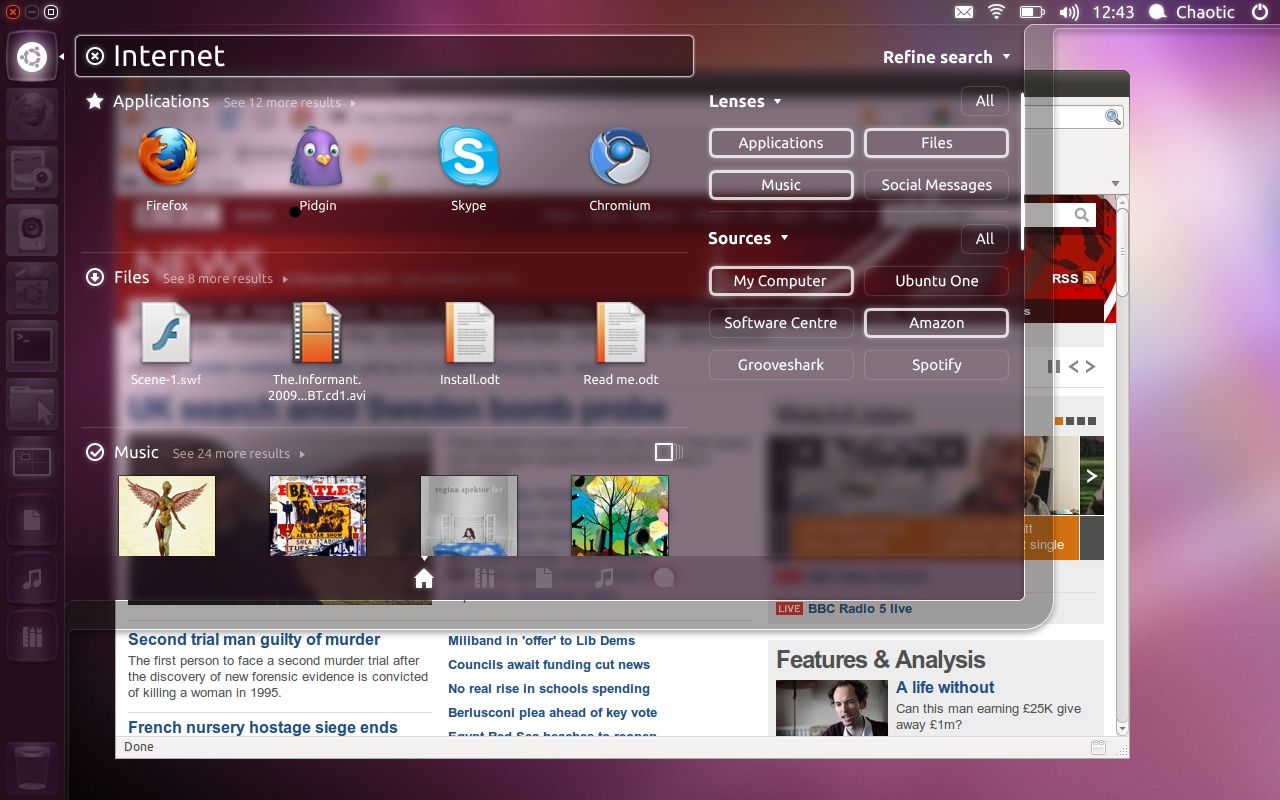
The improved Unity interface that will be introduced with the Ubuntu 11.10 (Oneiric Ocelot) release on October 13th, features a richer set of "Scopes and Lenses," instead of the old "Places" function.

"Scopes are data sources, and can tap into any online or offline data set as long as they can generate categorised results for a search, describe a set of filters and support some standard interfaces. Lenses are various ways to present the data that come from Scopes." - says Mark Shuttleworth.

With the new "Scopes" feature, users will have access to lots of filtering options on their searches, such as ratings (e.g.: display all the 5 star applications in Ubuntu Software Center) and categories (e.g: display only in media or games).

Mark Shuttleworth promises that in time, both Scopes and Lenses will be greatly improved, giving users a professional search system, keeping it visual and immediate.
Review image
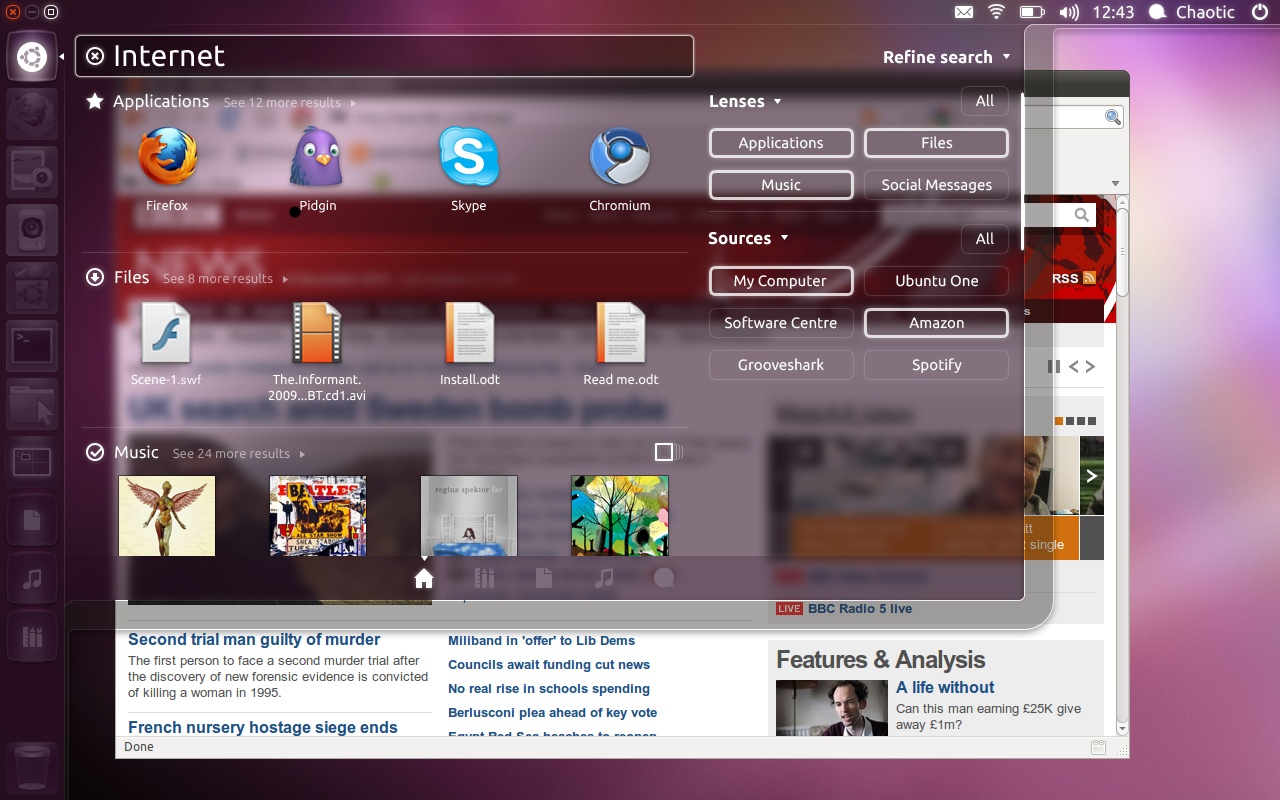
The improved Dash and Unity panel/launcher of Ubuntu 11.10

The Unity panel has been also improved for the Ubuntu 11.10 release, by integrating the Dash into the Unity launcher to preserve the top left corner for closing/maximizing/minimizing windows.

"It’s taken several releases of careful iteration to get to this point. Even though we had a good idea where we were headed, each step needed to be taken one release at a time."

"Perhaps this might make a little clearer the reasons for the move of window controls to the left – it was the only place where we could ultimately keep them consistent all the way up to a maximised window with the title bar integrated into the panel. I’m confident this part will all be settled by 12.04." - said Mark Shuttleworth on his blog post.

Last but not least, the Dash will be colored based on desktop wallpaper. The same will happen to the login screen (e.g.: when choosing a user, the login screen will be colored based on the user's wallpaper and palette).

Review image
The new LightDM login manager of Ubuntu 11.10

"We’ve also integrated the panel and the dash, so indicators are rendered in a more holographic fashion inside the dash. Together with efforts to mute the contrast of Launcher icons the result is a more striking dash altogether: content is presented more dramatically." - says Mark Shuttleworth.

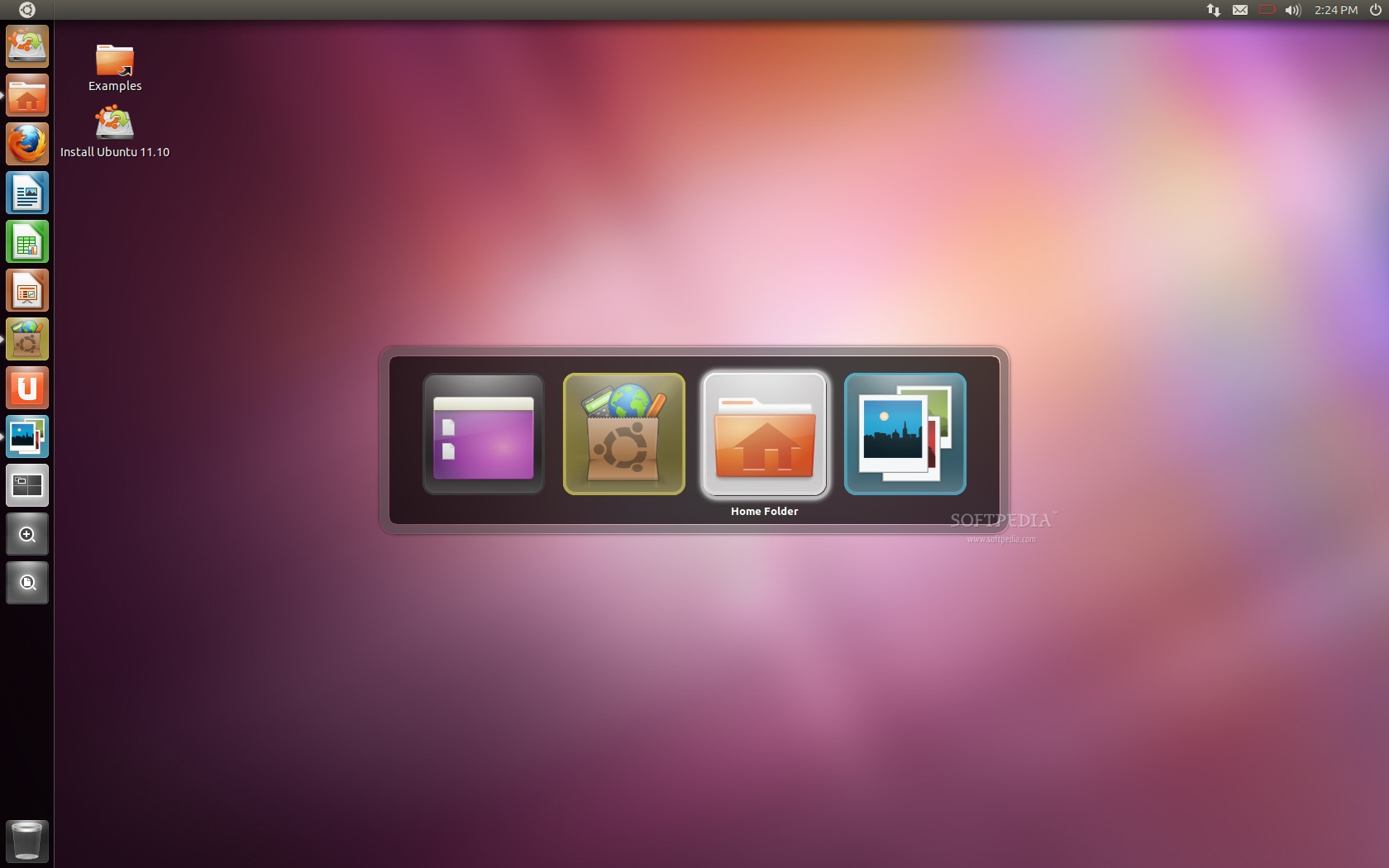
For the Ubuntu 11.10 (Oneiric Ocelot) release, the developers will also prepare other nice features, such as the new ALT+Tab functionality.
Review image
New look for the ALT+Tab feature

Ubuntu 11.10 (Oneiric Ocelot) will be the 15th release of the Ubuntu operating system. Don't forget to visit our website on September 1st for an in-depth article about the Ubuntu 11.10 Beta release, where we will unveil more of Oneiric's features.

TELL US WHAT YOU THINK:

13,526 hits · 15 comments · Link to this article · Print article · Send to friend · Subscribe to news

MUST-READ RELATED ARTICLES:


Softpedia Linux Weekly, Issue 160

Ubuntu 11.10 Has a New Login Manager

Ubuntu 11.10 Will Use Thunderbird as Default Mail Client

Top 5 Ubuntu Alternatives

Ubuntu 11.10 Alpha 3 Has Firefox 6 and Thunderbird 6

READER COMMENTS:


Comment #1 by: abby on 17 Aug 2011, 20:57 UTC reply to this comment

That interface is absolutely gorgeous...


Comment #2 by: Fabio on 17 Aug 2011, 22:12 UTC reply to this comment

I like this ubuntu 11.10 gnome 3

Comment #2.1 by: zeusz4u on 18 Aug 2011, 06:54 GMT

Actually this is still the GNOME 2.x branch, enhanced with Unity , it's not GNOME 3.

Gnome 3 is available as an unsupported update, and it will disable/break Unity.

Comment #2.2 by: Marius Nestor on 18 Aug 2011, 07:42 GMT

@zeusz4u: Actually is GNOME 3.1.5. Check before commenting...

Comment #2.3 by: bhptechgeek on 18 Aug 2011, 08:21 GMT

dude it runs gnome 3 with unity not gnome 2.x....


Comment #3 by: zidane on 18 Aug 2011, 00:56 UTC reply to this comment

I love the top left corner for closing/maximizing/minimizing .


Comment #4 by: Ravi on 18 Aug 2011, 06:32 UTC reply to this comment

The Ubuntu 11.10 interface and features are excellent. Love Ubuntu! Unity is not bad at all. But GNOME 3 is awesome!!!


Comment #5 by: sm on 18 Aug 2011, 13:18 UTC reply to this comment

Excuse me where can I find minimized applications in 11.04? Please don't make snazzy themes which look good but make it difficult to carry on day to day work.

Comment #5.1 by: ryan_46 on 18 Aug 2011, 19:19 GMT

You can find them in the Unity launcher of course.


Comment #6 by: malek_casa on 24 Aug 2011, 13:07 UTC reply to this comment

I need more than a visual approvement, I miss my applets, I miss my old gnome, the Holly 2.xx


Comment #7 by: whatever on 05 Sep 2011, 03:21 UTC reply to this comment

If Canonical does not provide an easy way to use a pulldown menu, they will probably loose me as a user.


Comment #8 by: Mikey on 17 Oct 2011, 16:12 UTC reply to this comment

(caution - long rant) I thoroughly dislike Unity. It's non-intuitive, slow, does things I don't want it to do and hides functions that I do want. Scopes and Lenses? Whoever came up with those names needs to get out more. The worse part is that Canonical has done a very Microsoft-like, very unLinux-like thing and provided no alternative to Unity in Ubuntu 11.10. Even Shuttleworth says this interface won't be ready until 12.04. The Launcher is especially bothersome if you don't have a 16x9 monitor (mine's 4x3). If you run full screen you're going to have the Launcher popping up every time you cursor touches the left edge of the screen, covering up your Close and Minimize buttons.
If Unity was a human personal assistant, I'd fire them for running around doing things I didn't ask them to do, while only reluctantly doing the things I actually want them to do. Very good looking and stylish, but completely out of control and indifferent to the user.


Comment #9 by: Unix Guy on 19 Oct 2011, 10:02 UTC reply to this comment

I hate the new UI. If I wanted an OS to hide everything like WINDOWS does it, I'd use WINDOWS!

I've been using Linux since it started, and Ubuntu for years. This UI sucks.


Comment #10 by: RJ on 20 Oct 2011, 07:25 UTC reply to this comment

The Unity interface is very candy-like. I don't want that in a UI. In fact, it slows down the interface so much that I am having trouble typing this message due to the lag. I really think that the direction of Ubuntu is getting more Mac/Windows like as they move forward. If people like Unity, fine; just please leave the Gnome option VISIBLE as a login option. Unity is not friendly to everyone and I don't understand why a little consideration can't be afforded to those people that actually want to get work done.


Comment #11 by: comicalEngineer on 04 Dec 2011, 21:13 UTC reply to this comment

Having tried it for a week or so, I truly hate the new Unity interface. It is a total disaster on anything less than a 19" screen. Too many functions are buried in unexpected places, moving the window controls to top left is a nuisance and the integration of Firefox and the menu bar fixed to the top of the screen are a total disaster as far as I personally am concerned.

Looks to me like Ubuntu are having a Microsoft Office 2007 moment with this and alienating lots of loyal users.

Copyright © 2001-2012 Softpedia. Contact/Tip us at

WindowsGamesDriversMacLinuxScriptsMobileHandheldNews

SUBMIT PROGRAM   |   ADVERTISE   |   GET HELP   |   SEND US FEEDBACK   |   RSS FEEDS   |   UPDATE YOUR SOFTWARE   |   ROMANIAN FORUM