
Softpedia
 

NEWS CATEGORIES:


NEWS ARCHIVE >>
SOFTPEDIA REVIEWS >>
MEET THE EDITORS >>
Home > News > Linux > Linux Distributions

April 28th, 2011, 09:30 GMT · By

Ubuntu 11.04 Officially Released

SHARE:

Adjust text size:


Ubuntu 11.04
Enlarge picture
Ladies and gentlemen, dear Ubuntu users, after three alphas and two beta releases, we are pleased to announce that Ubuntu 11.04 is here, today (April 28th), available on mirrors worldwide (see the download links at the end of the article).

It is our greatest pleasure to introduce you guys to the highlights of Ubuntu 11.04, dubbed Natty Narwhal. It all began on August 17th, 2010, when Mark Shuttleworth announced the Natty Narwhal operating system, the next major release of the popular Ubuntu OS.

Ubuntu 11.04 is also the 14th release of the Ubuntu OS and it will be supported for 18 months on both desktops and servers.

Under the hood of Ubuntu 11.04 (Natty Narwhal):

· Unity interface;
· GNOME 2.32.1;
· Linux kernel 2.6.38.3;
· X.Org 7.6;
· Xorg Server 1.10.1;
· Compiz Fusion 0.9.4;
· New artwork.

The Ubuntu 11.04 feature tour:

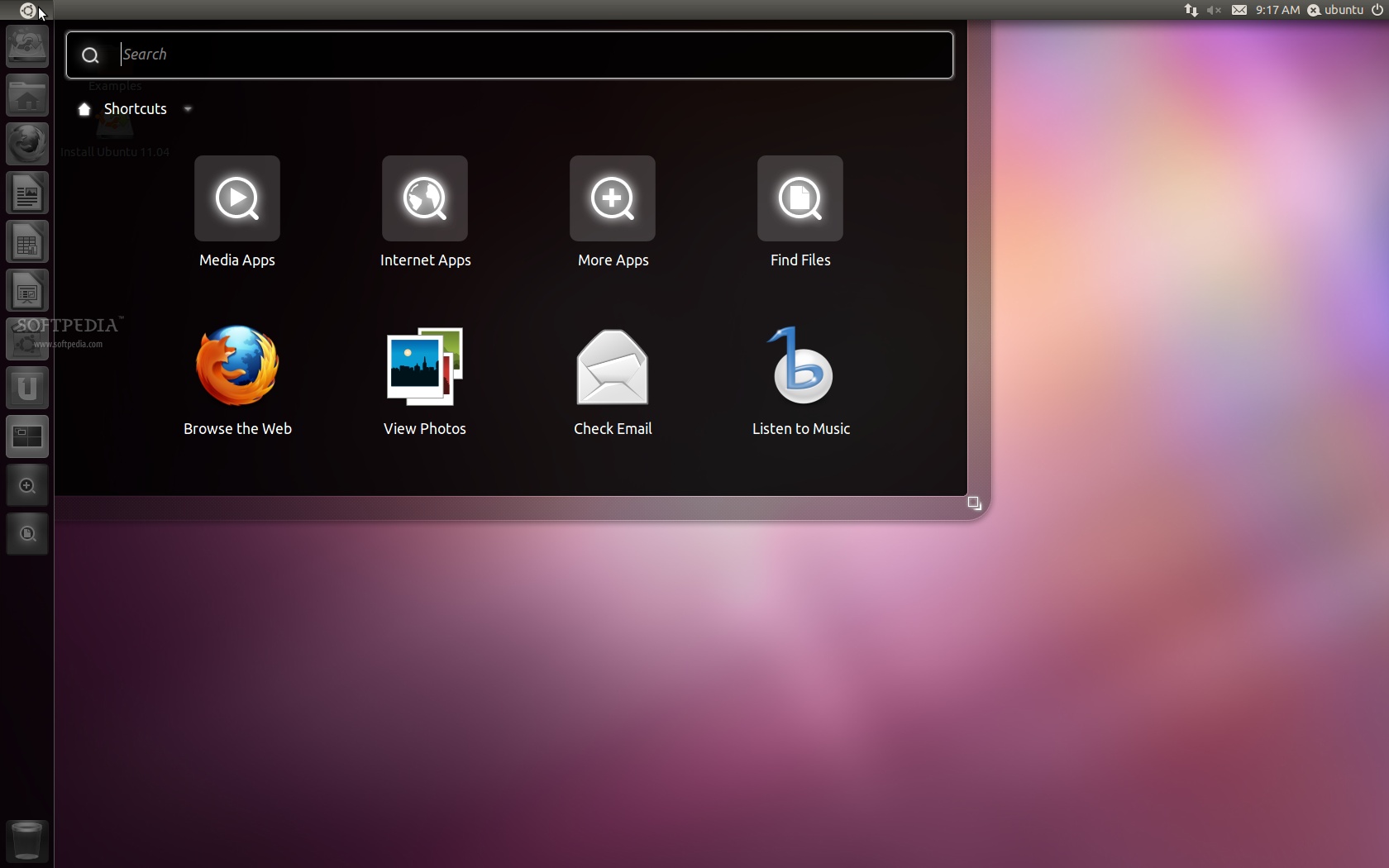
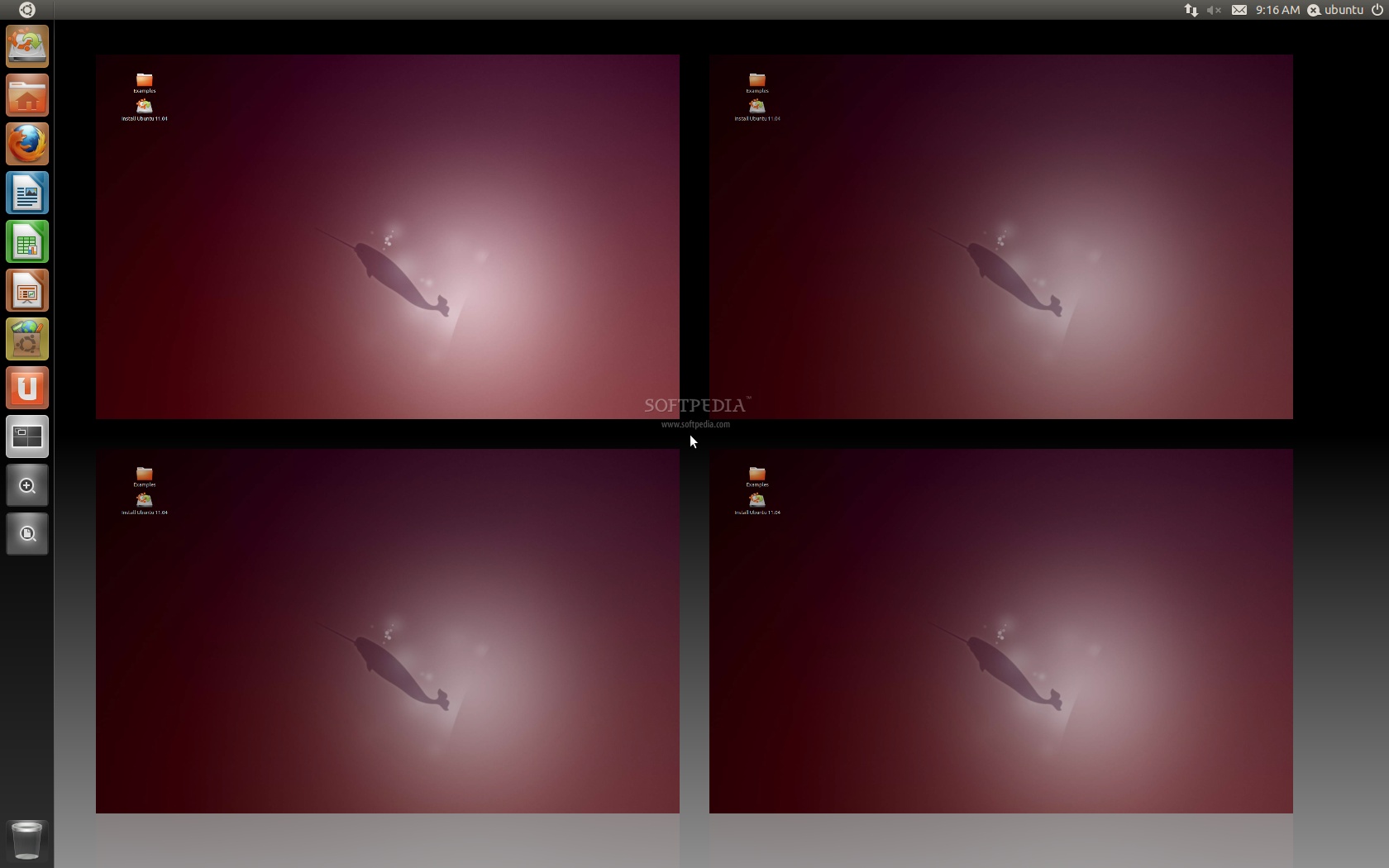
· Totally revamped desktop - much easier to use, with dock, powered by Unity;
· 17 new wallpapers - from various photographers around the world;
· Improved default theme - the default Ambiance theme has been once again improved;
· Reinvented scrollbar - No more scrollbars! A handle is displayed now, on mouse over, for the file manager;
· New office suite - LibreOffice replaced the old OpenOffice.org as the default office suite;
· New audio player - Banshee Media Player replaced Rhythmbox and it is now the default application for audio playback;
· Revamped Ubuntu Software Center - offers user reviews, better support to buy apps, and other enhancements;
· Revamped Indicator Applet - Volume control applet supports Banshee now, weather is now integrated, and much more;
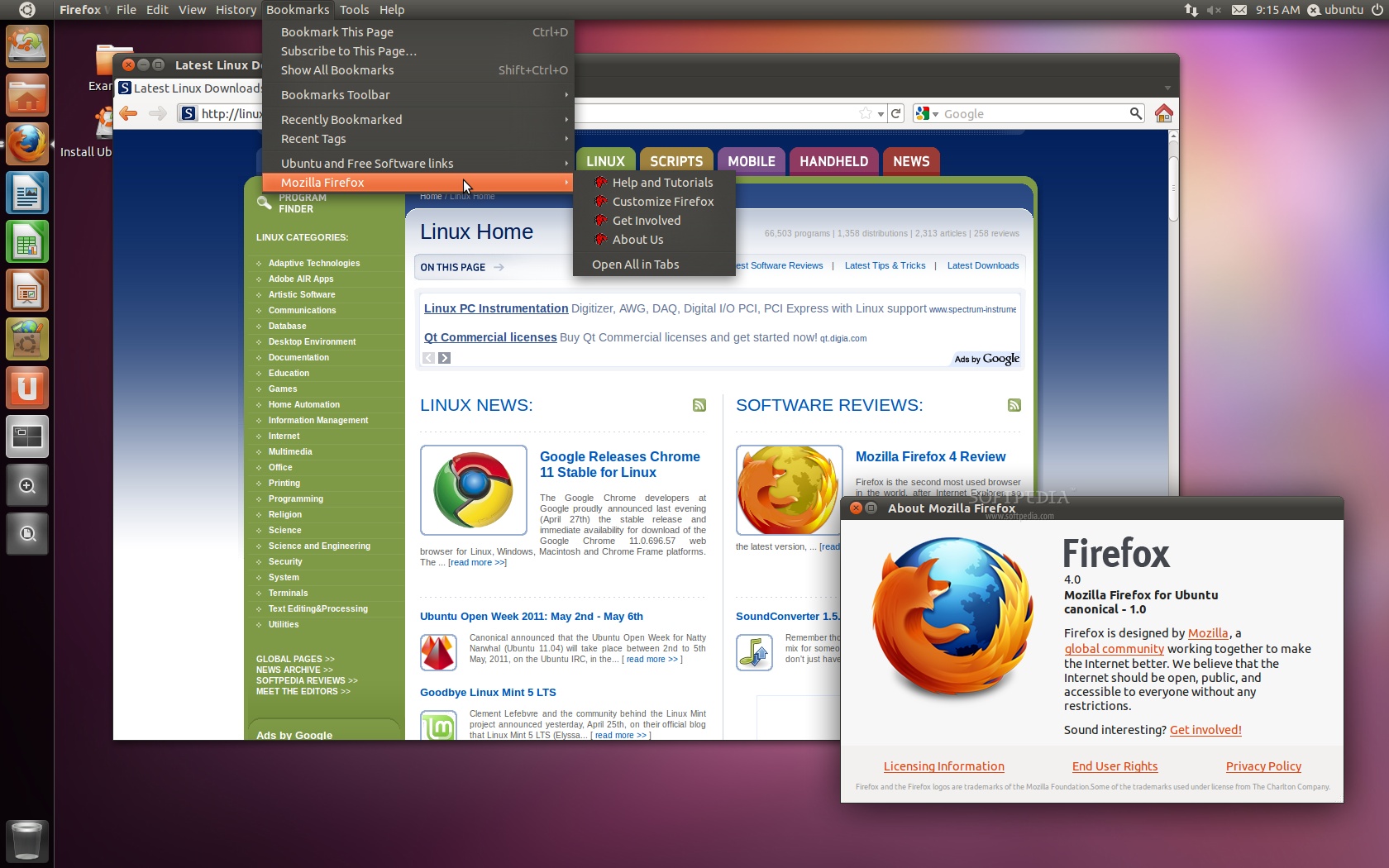
· Next-gen web browser - Mozilla Firefox 4.0 is the default web browser and does a wonderful job;
· Built-in support for installing proprietary software - automatically, straight from the file manager;
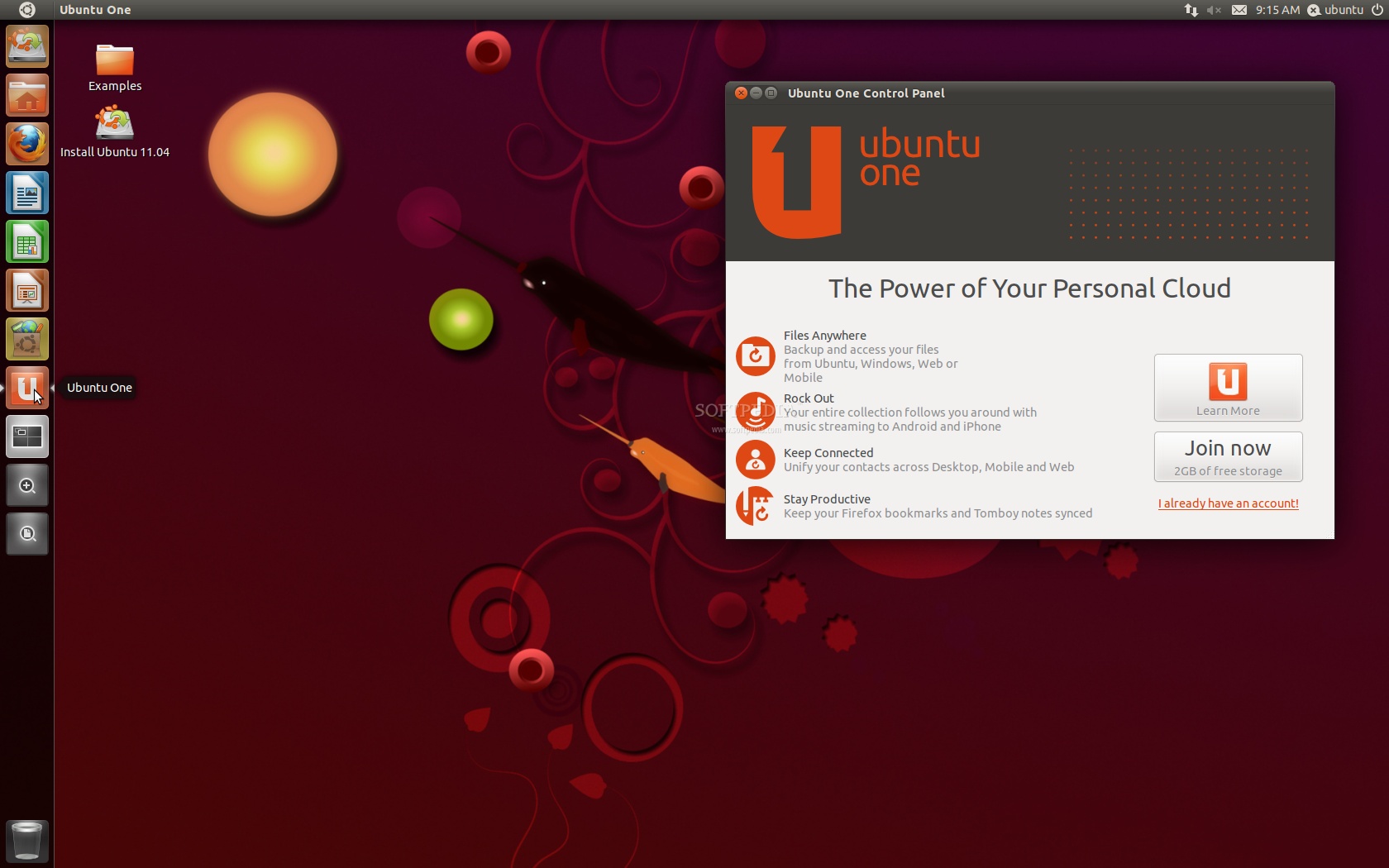
· Ubuntu One Control Panel - integrated into Unity, the new Control Panel for Ubuntu One offers users a great control over their cloud account;
· Improved installer - allows users to upgrade their existing Ubuntu installation;
· Better support for iPhone - users can mount the iPhone's documents directory now;
· Support for multiarch - to install library packages of different architectures;
·  ...and many more features for you to discover!

Included applications:

Accessories:

· Calculator 6.0.1 (an arithmetic, scientific or financial calculator);
· Character Map 2.32.1 (permits to insert special characters into documents);
· Baobab 2.32.0 (disk usage analyzer);
· Search for Files (default system search application);
· Gnome Screenshot 2.32.1 (saves images of your desktop or individual windows);
· Gnome Terminal 2.32.1 (allows you to use the command-line);
· Gedit 2.32.1 (a small and lightweight text editor with intuitive spell-checker);
· Tomboy 1.6.0 (desktop note-taking application).
Review image
Review imageGraphics:

· Shotwell 0.9.2 (photo manager, RAW importer and editor);
· LibreOffice Drawing 3.3.2 (drawings, logos, flow charts creator and editor);
· Simple Scan 2.32.0.1 (scan, copy and fax images).

Internet tools:

· Empathy 2.34.0 (multi-protocol instant messenger);
· Evolution Mail 2.32.2 (powerful e-mail client);
· Firefox 4.0 (the ever-popular web browser);
· Gwibber 3.0.0.1 (a microblogging client);
· Vinagre 2.30.3 (remote desktop viewer);
· Terminal Server Client 0.150 (rdesktop, vncviewer, wfica, xnest frontend);
· Transmission 2.13 (lightweight BitTorrent client).

Office tools:

· Dictionary 2.32.0 (a tool to search word definitions and spelling in an online dictionary);
· Evolution Mail and Calendar 2.32.2 (powerful e-mail client);
· LibreOffice Office Suite 3.3.2 (spreadsheet, presentation and word processor).

Sound and Video:

· Brasero 2.32.1 (CD/DVD burning application);
· Totem 2.32.0 (DVD-Video, DivX, XviD, WMV, MOV player);
· PiTiVi 0.13.5 (movie creator and editor);
· Banshee 2.0.0 (Last.fm, radio and music player/organizer);
· Sound Recorder 2.32.0 (audio recording tool).

System Administration Utilities:
Review image

· Computer Janitor 2.1.0 (a tool that removes obsolete files and cleans your system);
· Palimpsest Disk Utility 2.32.1 (disk drive management and configuration utility);
· Synaptic Package Manager 0.75.1 (install, remove and upgrade software packages);
· Ubuntu Software Center 4.0 (software installer/updater tool).

...and six entertaining games for all ages!

Download Ubuntu 11.04 (Natty Narwhal) right now from Softpedia.

Download Ubuntu Server 11.04 (Natty Narwhal) right now from Softpedia.

Download Ubuntu Enterprise Cloud 11.04 (Natty Narwhal) right now from Softpedia.

Download Ubuntu Studio 11.04 (Natty Narwhal) right now from Softpedia.

Download Kubuntu 11.04 (Natty Narwhal) right now from Softpedia.

Download Xubuntu 11.04 (Natty Narwhal) right now from Softpedia.

Download Edubuntu 11.04 (Natty Narwhal) right now from Softpedia.

Download Mythbuntu 11.04 (Natty Narwhal) right now from Softpedia.

TELL US WHAT YOU THINK:

18,264 hits · 27 comments · Link to this article · Print article · Send to friend · Subscribe to news

MUST-READ RELATED ARTICLES:


Goodbye Ubuntu 6.06 LTS Server Edition

Goodbye Ubuntu 8.04 LTS

How to Install GNOME 3 on Ubuntu 11.04

KDE SC 4.6.2 Is Available for Ubuntu and Fedora Users

Goodbye Linux Mint 5 LTS

READER COMMENTS:


Comment #1 by: Hutagalung on 28 Apr 2011, 09:59 UTC reply to this comment

Great.. finally.


Comment #2 by: Ajeet Raina on 28 Apr 2011, 10:34 UTC reply to this comment

Its not yet announced guys !! ISOs are available on daily basis. So lets wait for few more hours to get it announced


Comment #3 by: Gašper on 28 Apr 2011, 10:55 UTC reply to this comment

* , the new desktop Unity is a complete disaster. Even worse than GNOME 3 I've been checking out on Fedora betas. Looks like I'll leave Ubuntu for the first time and switch to something else, probably some distribution with KDE, which looks extremely slick and powerful these days.


Comment #4 by: RSW on 28 Apr 2011, 11:09 UTC reply to this comment

How do I upgrade from the 11.04 beta?

Comment #4.1 by: ants on 28 Apr 2011, 17:19 GMT

You don't need to. your daily updates have been rolling (assuming you've been doing daily updates via apt-get or Update Manager.


Comment #5 by: aceh on 28 Apr 2011, 11:52 UTC reply to this comment

It is a tradition for me every six months to get a brand new Ubuntu.
Like it!


Comment #6 by: samiii7 on 28 Apr 2011, 12:35 UTC reply to this comment

great


Comment #7 by: fati12 on 28 Apr 2011, 12:38 UTC reply to this comment

great work .............


Comment #8 by: dumitru on 28 Apr 2011, 13:00 UTC reply to this comment

using it since beta 1 and not a single * problem ! good job canonical


Comment #9 by: itchy on 28 Apr 2011, 13:33 UTC reply to this comment

ubuntu is a permanent revolution


Comment #10 by: JKoder on 28 Apr 2011, 15:47 UTC reply to this comment

finally !!!


Comment #11 by: Behzad on 28 Apr 2011, 18:57 UTC reply to this comment

I love it.


Comment #12 by: sami1986 on 28 Apr 2011, 22:02 UTC reply to this comment

very great


Comment #13 by: Marius on 28 Apr 2011, 22:04 UTC reply to this comment

Any way to disable unity and get the old ubuntu 9-10 look?

Comment #13.1 by: Marius Nestor on 29 Apr 2011, 09:04 GMT

Yeah! At the login screen, choose your name (do not enter the password) and select Ubuntu Classic from the sessions drop-down list at the bottom. Enter your password and login. Voila! :)

Comment #13.2 by: crispy critter on 30 Apr 2011, 15:38 GMT

Thanks for the heads up in "Ubuntu Classic", I didn't like the unity desktop, but I can give it some time to percolate now.


Comment #14 by: agus on 29 Apr 2011, 01:51 UTC reply to this comment

agus say's : greattttttttttttttt....
zzzzzzzzzzzzzzzzzzz


Comment #15 by: deepak on 29 Apr 2011, 02:52 UTC reply to this comment

i cant able to install my compaq CQ450 notebook


Comment #16 by: andre on 29 Apr 2011, 04:12 UTC reply to this comment

At first didn't like much the idea
but now after using a bit more i see
it has very good improvements
love it!


Comment #17 by: unknown on 29 Apr 2011, 04:25 UTC reply to this comment

Just switched to Debian Squeeze Xfce to avoid the "permanent revolution".


Comment #18 by: digim0nk on 29 Apr 2011, 08:56 UTC reply to this comment

The Unity interface looks like crap .. if there is no way to enable stock Gnome 3 and turn off that crappy OSX menu copy .. its bye bye Ubuntu for me and whoever I introduce Linux to.

Comment #18.1 by: Marius Nestor on 29 Apr 2011, 09:05 GMT

Like I said above... change the session at the login screen... choose "Ubuntu Classic" :)

Comment #18.2 by: dave on 29 Apr 2011, 13:35 GMT

i'm using 11.04 with gnome3 - it works fine.


Comment #19 by: nf3 on 29 Apr 2011, 13:42 UTC reply to this comment

good work canonical ;-)


Comment #20 by: konqueror on 29 Apr 2011, 15:30 UTC reply to this comment

i got a panical error on my laptop (HP Pavilion dv3) , can't install it :-(


Comment #21 by: Nasty Whale on 30 Apr 2011, 01:38 UTC reply to this comment

Switching to Linux Mint 10 - Unity launcher should have an auto hide button; launcher creates at least three additional steps to locate programs that don't fit on launcher. I encountered problems rebooting ubuntu 11.04 - sometimes works, sometimes not. Pass on this release until they fix it.


Comment #22 by: Freak7427 on 30 Apr 2011, 07:38 UTC reply to this comment

nice work in thinkpad....great job

Copyright © 2001-2012 Softpedia. Contact/Tip us at

WindowsGamesDriversMacLinuxScriptsMobileHandheldNews

SUBMIT PROGRAM   |   ADVERTISE   |   GET HELP   |   SEND US FEEDBACK   |   RSS FEEDS   |   UPDATE YOUR SOFTWARE   |   ROMANIAN FORUM