Softpedia
 

NEWS CATEGORIES:


NEWS ARCHIVE >>
SOFTPEDIA REVIEWS >>
MEET THE EDITORS >>
TRENDING TODAY
Home > News > Linux > Linux Distributions

April 22nd, 2010, 14:01 GMT · By

Ubuntu 10.04 LTS Release Candidate Out Now

SHARE:

Adjust text size:

Ubuntu 10.04 LTS Release Candidate
Enlarge picture
A few minutes ago,
the Ubuntu development team unleashed the Release Candidate (RC) version of the upcoming Ubuntu 10.04 LTS (Lucid Lynx) operating system, due for launch at the end of this month. As usual, we've downloaded a copy of it in order to keep you up-to-date with the latest changes in the Ubuntu 10.04 LTS development.

What's new in Ubuntu 10.04 LTS RC? Well, there's not much to talk about this release, except that Ubuntu 10.04 LTS RC is now powered by Linux kernel 2.6.32.11. You already know from our previous articles what new features will be included in the final release, expected next Thursday.

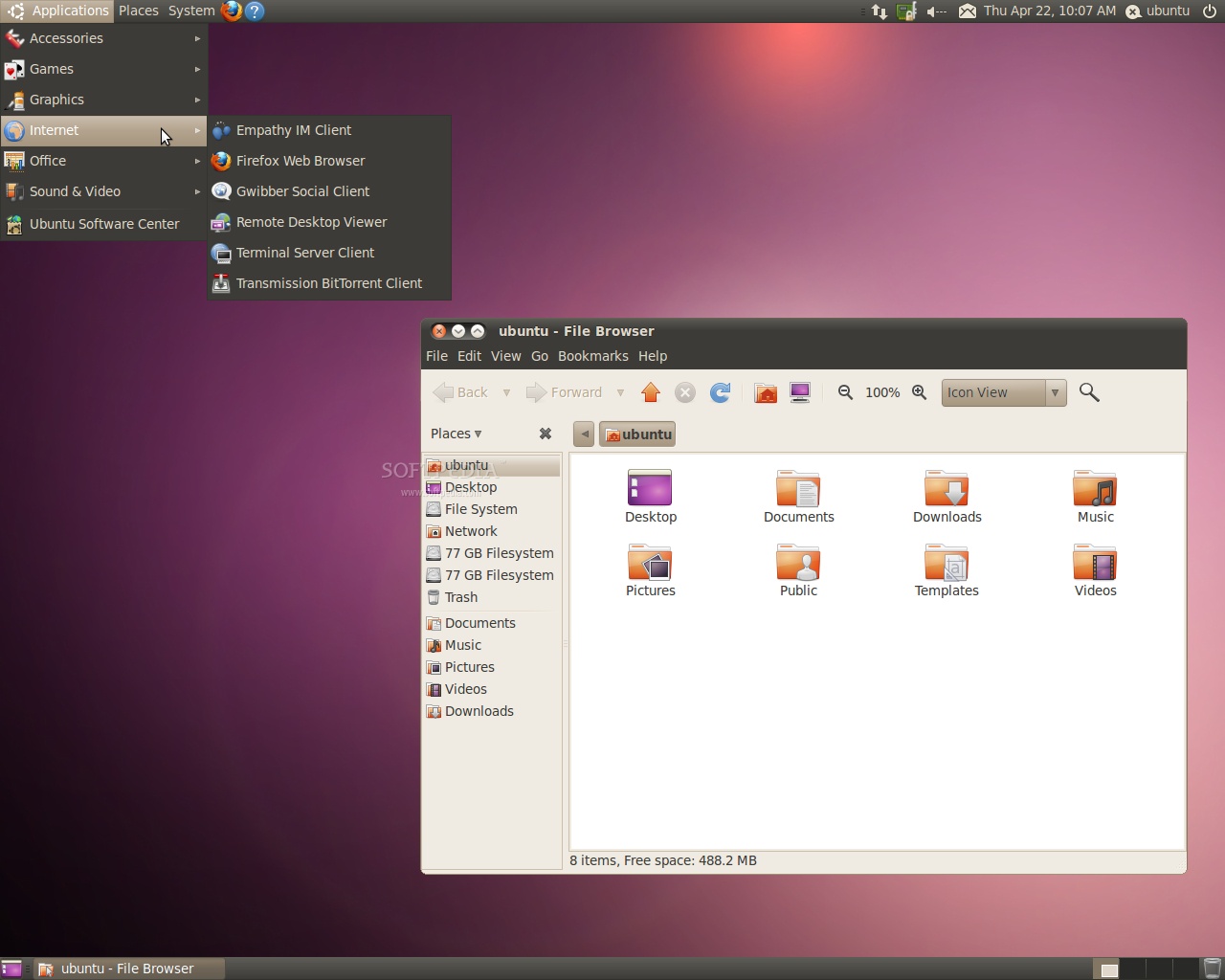
The Release Candidate is pretty stable and can be used as a daily operating system. Below, you can see how Ubuntu 10.04 LTS looks like and this is how it will look 7 days from now. We can definitely say that this is the first release with a black theme and Mac-style titlebar buttons!
Review image
Ubuntu 10.04 LTS Release Candidate

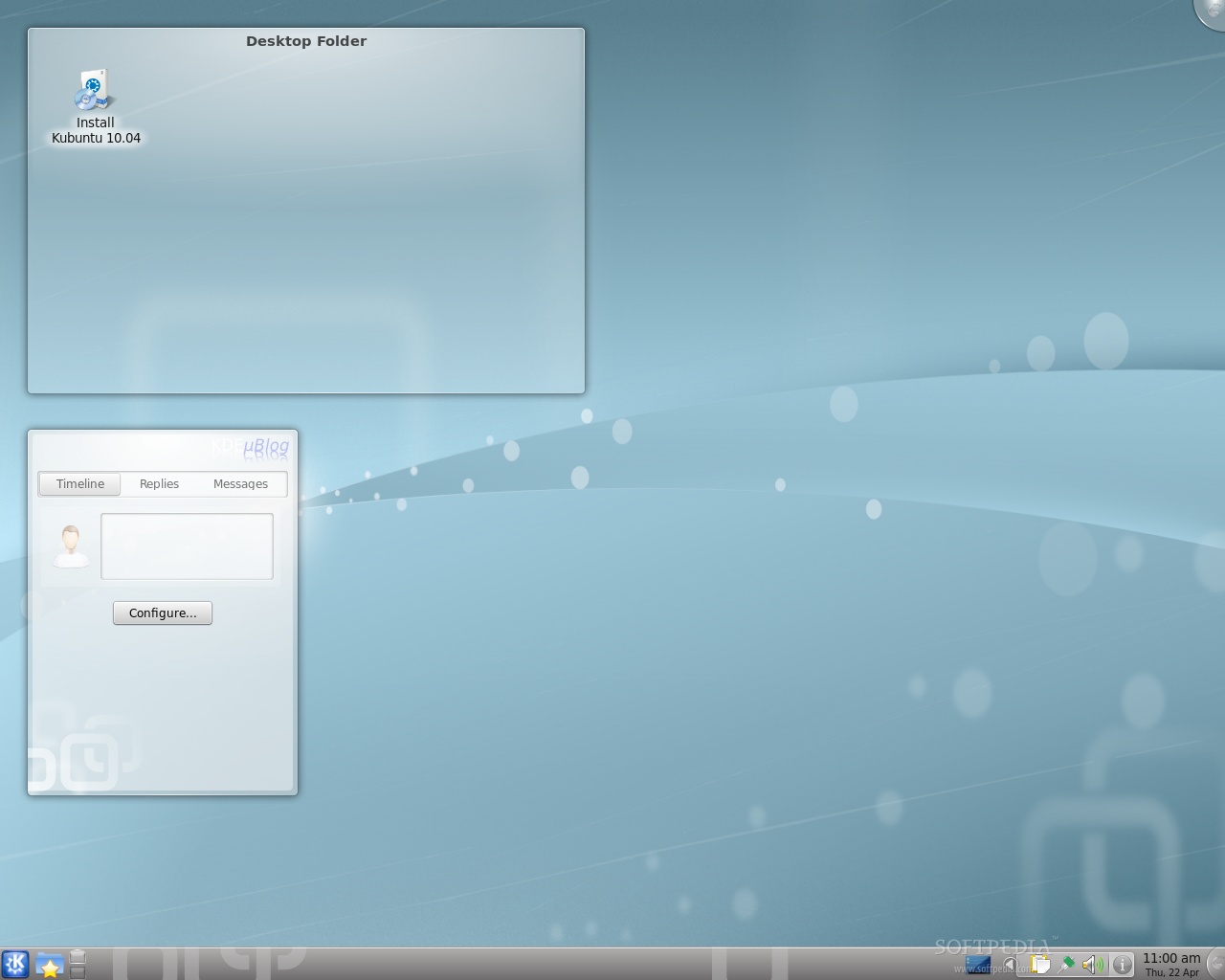
What's new in Kubuntu 10.04 LTS RC? The Release Candidate version of the upcoming Kubuntu 10.04 LTS operating system is built on top of the KDE Software Compilation 4.4.2 and includes the Amarok 2.3.0 music player, a polished system tray notification, better integration for Mozilla Firefox, Touchpad configuration support in System Settings, integration of GNOME apps in systray, and a good-looking installer!

Review image
Kubuntu 10.04 LTS Release Candidate
Review image
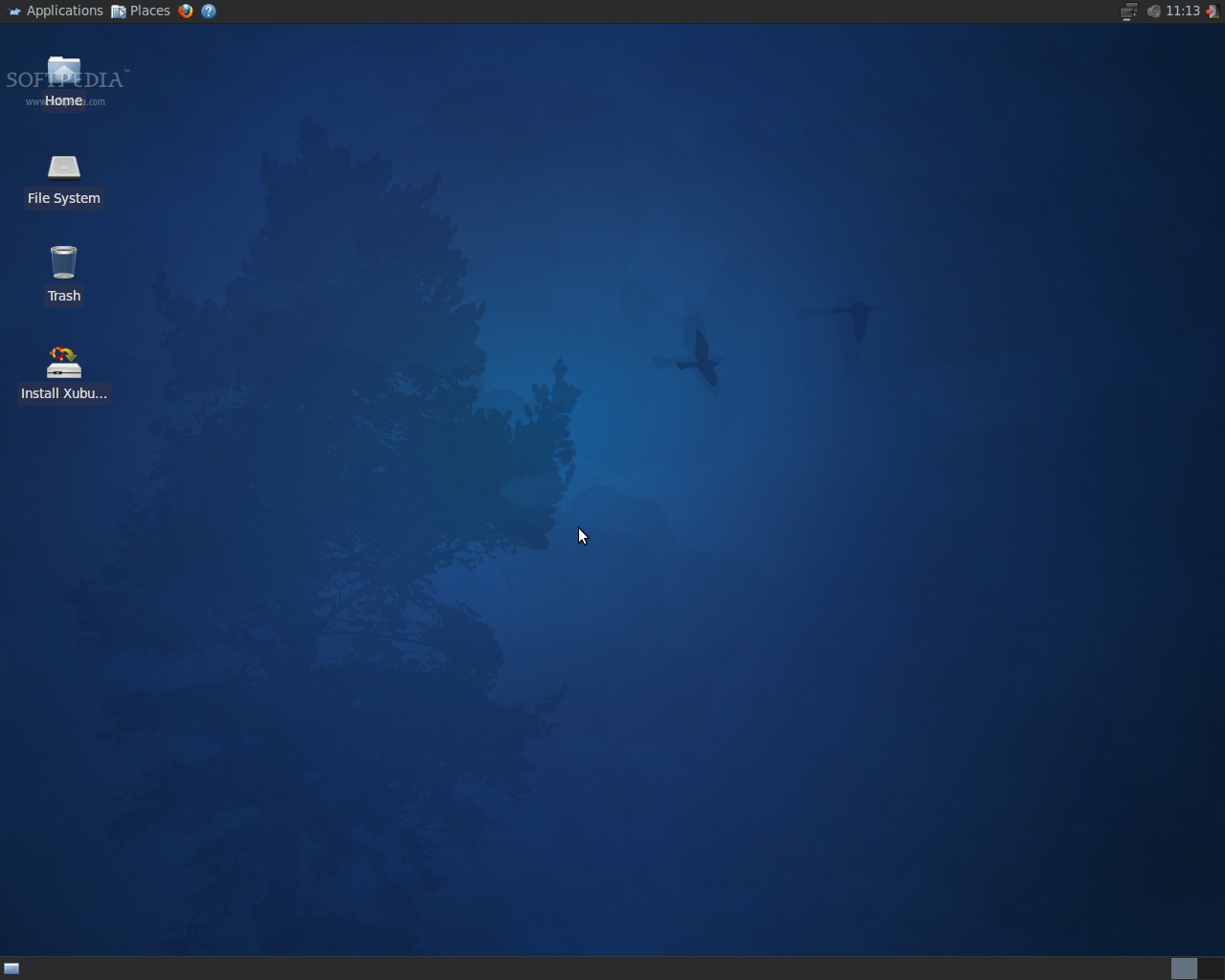
Xubuntu 10.04 Release Candidate

On April 29th, 2010, Ubuntu 10.04 LTS (Lucid Lynx) will become the twelfth release of the Ubuntu operating system. See you again in exactly 7 days, for the final release! We will also prepare an in-depth review of Ubuntu 10.04 LTS (Lucid Lynx) in the upcoming weeks.

The Lucid Lynx Release Schedule:

December 10th, 2009 - Alpha 1 release;
January 14th, 2010 - Alpha 2 release;
February 25th, 2010 - Alpha 3 release;
March 18th, 2010 - Beta 1 release;
April 8th, 2010 - Beta 2 release;
April 22nd, 2010 - Release Candidate;
April 29th, 2010 - Final release of Ubuntu 10.04 LTS.

Download Ubuntu 10.04 LTS RC (Lucid Lynx) right now from Softpedia.

Download Ubuntu Netbook Remix 10.04 LTS RC (Lucid Lynx) right now from Softpedia.

Download Ubuntu Server 10.04 LTS RC (Lucid Lynx) right now from Softpedia.

Download Ubuntu Enterprise Cloud 10.04 LTS RC (Lucid Lynx) right now from Softpedia.

Download Ubuntu Studio 10.04 RC (Lucid Lynx) right now from Softpedia.

Download Kubuntu 10.04 LTS RC (Lucid Lynx) right now from Softpedia.

Download Kubuntu Netbook Remix 10.04 LTS RC (Lucid Lynx) right now from Softpedia.

Download Xubuntu 10.04 RC (Lucid Lynx) right now from Softpedia.

Download Edubuntu 10.04 RC (Lucid Lynx) right now from Softpedia.

Download Mythbuntu 10.04 RC (Lucid Lynx) right now from Softpedia.

Remember that this is a development release and it should NOT be installed on production machines. It is intended to be used for testing purposes only. Please report bugs to the Ubuntu Bug Tracker.


22,156 hits · 15 comments
Link to this article · Print article · Send to friend

MUST-READ RELATED ARTICLES:


Softpedia Linux Weekly, Issue 93

The New Wallpapers of Ubuntu 10.04 LTS

Ubuntu 10.04 LTS Beta 2 Has GNOME 2.30 and Revamped Installer

Ubuntu 10.10 Release Schedule

Ubuntu 10.10 a.k.a. Maverick Meerkat

READER COMMENTS:


Comment #1 by: Don on 22 Apr 2010, 18:27 UTC reply to this comment

Have you heard of any updates on the Phoronix story "Ubuntu 10.04 Is Hit By Major X.Org Memory Leak"?


Comment #2 by: Bruce Wagner on 22 Apr 2010, 18:35 UTC reply to this comment

The ubuntu-10.04-rc-desktop-i386.iso file has the EXACT same byte count as lucid-desktop-i386-04-22-2010.iso

( 694.2 MB (727932928 bytes) )

Does that mean there have been no changes made to it for the past several days...?

Since 4.19....?


Comment #3 by: Elderlbloke on 22 Apr 2010, 23:34 UTC reply to this comment

I have read the instructions and I will wait patiently until the final version next week.
I may even delay for a while and see if any problems are reported.

Did try to run 9.10 , but it would not connect to the Internet.
Used 4 different disks- 32 and 64 bit but no go!


Comment #4 by: Bob Smith on 23 Apr 2010, 01:34 UTC reply to this comment

Make another account to see the changes. Also download lubuntu to see stuff.


Comment #5 by: JustMarius on 23 Apr 2010, 07:31 UTC reply to this comment

if u ask me i tink the ubuntu team made a huge mistake moving the butons close maximize minimize etc from their normal place giving it a Mac stile the rest sems ok for now


Comment #6 by: nf3 on 23 Apr 2010, 09:49 UTC reply to this comment

I like the moving of the buttons to the left .


Comment #7 by: blucat on 23 Apr 2010, 14:36 UTC reply to this comment

It looks nice, but I still don't like the buttons being on the left. I'll try to get used to it. If I can't I'll either use gconf-editor to put them back on the right or try out another distro.

Comment #7.1 by: rv65 on 24 Apr 2010, 09:34 GMT

blucat,

I was able to move it back to the right by going into System > Preferences > Appearance and you should just reapply your theme as it will move the buttons back to the right.


Comment #8 by: JustMarius on 24 Apr 2010, 19:54 UTC reply to this comment

"blucat"

It looks nice, but I still don't like the buttons being on the left. I'll try to get used to it. If I can't I'll either use gconf-editor to put them back on the right or try out another distro.

Can i ask how to do that?


Comment #9 by: Beerhunter on 25 Apr 2010, 11:08 UTC reply to this comment

I am using LL right now, and I must say that it feels very stable, and so far i have no problems.

In my opinion the Buttons should be changed back to the right side. What i dont like so much is the Purple Bootscreen, but anyway I must see that thing for 10s or something like that, so i can accept this.

I am testing the ATI drivers ... so lets see what will happen.


So far I love LL, itll become my Primary OS, and windows will be kicked.


Comment #10 by: flavio on 25 Apr 2010, 13:54 UTC reply to this comment

Well, it seems they want to kill Ubuntu, putting the buttons on the left. I bet people will get frustrated for being deceived and confused everytime they search for the buttons. There is no way to get used to it when you use MS-Windows at work.

Comment #10.1 by: Linux-user on 28 Apr 2010, 17:39 GMT

Kill Ubuntu? Only by switching those buttons from the right to the left side? For me switching those buttons to the left side is a very good choice. Having those buttons on the right is very unlogical. Almost everything is on the left side:
- The menu Applications, Places and System is on the left;
- The icon of Firefox and other items you place next to the above mentioned menu are on the left;
- Menu bars and toolbars start on the left side and because they only use about half of the screen almost all of the menus and almost all of the buttons on the toolbars are on the left side of the screen;
- Buttons in the windo list start on the left side and there are only buttons on the right side when a lot of applications are opened.

Everything is on the left side, so it's completely unlogical to go to the far top-right corner everytime you want to close a window and then go back to the far top-left corner to start a new application. I already discovered this about two years ago, so I've been running Ubuntu with those buttons on the left side for two years now and I don't want to go back.

You said:
"I bet people will get frustrated for being deceived and confused everytime they search for the buttons. There is no way to get used to it when you use MS-Windows at work."

Where does Mac OS X have these buttons? Right, they've always been on the left. Have you ever heard someone complain about these buttons being on the left side?

I've worked at a company which used Windows machines and then started to make a switch to Mac OS X. People didn't have their own computer, so when the first MacBooks an iMacs arrived, people were switching between both operating systems. They were working on a Windows PC, the next day they were working on a Mac and on the third day they were working on a Windows PC and a few days later they were working on a Mac. Hundreds of people who were switching between both operating systems, but never has someone complained about the buttons being on the left side in Mac OS X. I've even seen a lot of people using Mac OS X for the first time and no one has ever asked me: "Where's the button to close my window?" They've got eyes, so they'll see the buttons are on the left side.

Another story:
My sister had never used a system running Mac OS X, but a while ago, my sister wanted to show me a video on Youtube. So, she showed me the video and what did she do when the video finished playing? She closed the window of Safari and while it was the first time she ever used a system running Mac OS X, she immediately went to the left side of the screen, because she had already seen the buttons were on the left while the video was still playing.

Besides that:
Where does Windows have it's menu where you can start applications? Yes, it's on the bottom of the screen. Where is this menu found in Ubuntu? On the top of the screen. Should this menu be on the bottom of the screen in Ubuntu, because Windows has it on the bottom of the screen? I bet people will get frustrated for being deceived and confused everytime they search for the menu to start an application. There is no way to get used to it when you use MS-Windows at work.

Surprise, people aren't that dumb. They're still able to find this menu in Ubuntu, even when they're running Windows at work. If people get used to having the menu on the bottom in Windows, while having the menu on the top in Ubuntu, they can also get used to having those buttons on the right in Windows and having them on the left in Ubuntu. Mac OS X is the evidence: Mac OS X has a market share of about 10% and in some countries even 14%, so a lot of people are running Mac OS X. Do you really think all of those people never use anything else? All of those people are used to having those buttons on the left in Mac OS X and having them on the right in Windows.

If having those buttons on the right side would be that important, no one would be running Mac OS X. But guess what? Mac OS X is way more poplulair than Linux. Linux isn't even close to having a market share of 10%.


Comment #11 by: Will on 27 Apr 2010, 13:12 UTC reply to this comment

I think that they are leaning towards a Snow Leopard style layout. I believe this is gonna be the new Ubuntu Mac :)


Comment #12 by: Bill Melater on 29 Apr 2010, 00:55 UTC reply to this comment

10.04 looks great and runs well when you skin it to look and behave like windows 7. The only reason I'm using it is because I needed an OS for a computer whose HD died and didn't have a license sticker anymore. I will say that tablecloth wine stain and black is a better color scheme than soiled diapers and fastfood wrappers from the 70's. The turd theme looked like a Burger King uniform from 1979.


Comment #13 by: Beerhunter on 29 Apr 2010, 14:40 UTC reply to this comment

I think that the style and look of ubuntu, is a point you have different opinions about, but what do I say: No risk no fun. ;-)

At that point I want so say thanks to all the developers, Translaters and and and.

Good work.


mfg

Copyright © 2001-2013 Softpedia. Contact/Tip us at

WindowsGamesDriversMacLinuxScriptsMobileHandheldNews

SUBMIT PROGRAM   |   ADVERTISE   |   GET HELP   |   SEND US FEEDBACK   |   RSS FEEDS   |   UPDATE YOUR SOFTWARE   |   ROMANIAN FORUM