 14 DAY TRIAL //
 Typinator 3.1, by Ergonis Software, is now out with an HTML snippets set, improved compatibility with Coda, VMWare Fusion, Butler, Zend Studio etc., while the menu bar icon can now be set to match the style of Apple's menu extras.
The application is a very useful tool for auto-typing text and auto-correcting typos across all Mac OS X applications that use text and / or images. Typinator helps you quickly insert phrases or pictures into any type of document. It eliminates errors by automating the process of inserting frequently used text and graphics and auto-correcting typing errors, boosting your productivity.
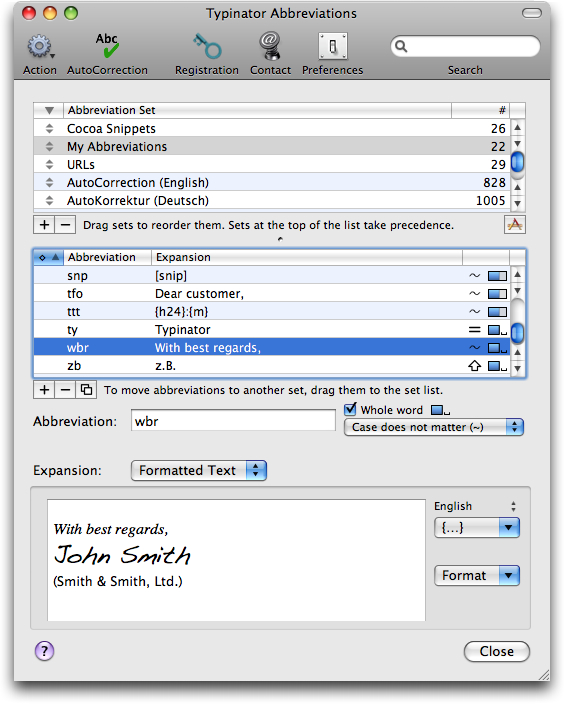
To use Typinator, define an abbreviation along with its replacement text or picture. Whenever you type one of your abbreviations in any application, Typinator inserts the corresponding replacement. The app sports thousands of pre-defined corrections for common typos and misspelled words for English, German and French.
When Typinator 3.0 was released, the developers added two important features (aside smaller enhancements). Typinator is no longer a regular application visible in the dock and the application switcher, since the 3.0 update, but rather a dockless background-only application. A small icon in the menu bar still allows users to access Typinator's main window just as easily. Also, a new search feature now lets you instantly view only snippets that contain a specified search string.
With the latest release (version 3.1) Typinator adds the following enhancements:
- The HTML Snippets set is now included in Typinator. - The Typinator menu bar icon can be turned off. - Simplified menu bar icon better matches the style of Apple's menu extras. - New expansion template for the day of the year. - Improved handling of expansions in Java applications (in particular, Zend Studio). - Improved wording of some user interface elements avoids common misunderstandings. - Improved messages when a license key needs a license renewal.
Dozens of fixes are also included with Typinator 3.1. You can have a look at the full changelog HERE, as well as download a demo version of the application to see how it works for you.