
Softpedia
 

NEWS CATEGORIES:


NEWS ARCHIVE >>
SOFTPEDIA REVIEWS >>
MEET THE EDITORS >>
TRENDING TODAY
Home > News > Linux > Linux & Opensource Blog

January 21st, 2013, 09:22 GMT · By

BLOG

Turn Your Ubuntu into a Mac OS with Gnome Cupertino 2.1.2 Theme

SHARE:

Adjust text size:


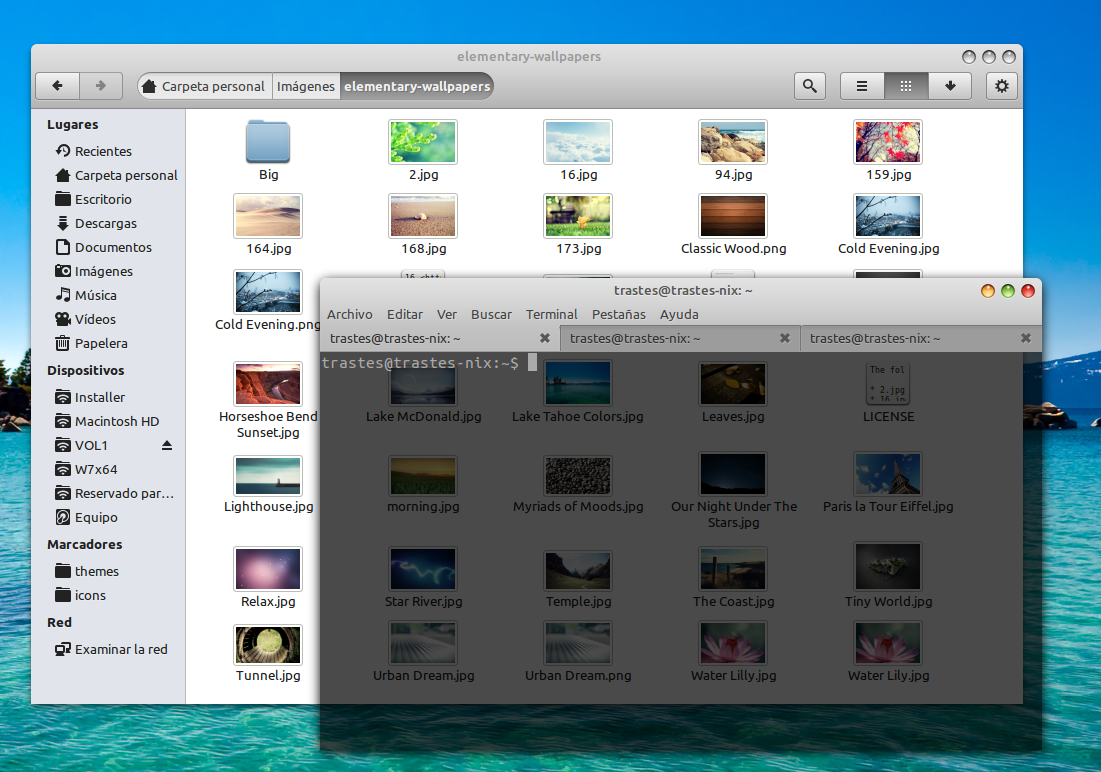
Gnome Cupertino theme Enlarge picture - Gnome Cupertino theme
Gnome Cupertino, a theme designed for Gnome 3.6.x that tries to capture the feel and look of the Mac OS, has just reached version 2.1.2.

The Gnome Cupertino theme has been quickly promoted to version 2.1.2. It’s capable of running under the Gnome 3.6.x branch and, more importantly, it doesn't use the adwaita-engine.

The developer recommends that Faience-Azur or Faenza Cupertino icon themes be used with Gnome Cupertino.

This is just a maintenance release and the even so, not everyone will need to install this update as it concerns only a small number of users.

Highlights of Gnome Cupertino 2.1.2:

• The theme has been adjusted with the new Nemo pathbar;
• The Rhythmbox (music player) sidebar color has been corrected;
• The Level-bar widget has been fixed.

A complete list of new features can be found on the changelog.

Download Gnome Cupertino 2.1.2 right now from Softpedia.

TELL US WHAT YOU THINK:

1,952 hits · Link to this article · Print article · Send to friend · Subscribe to news

MUST-READ RELATED ARTICLES:


AmaroK 2.7.0 “A Minor Tune” Music Player Is Available for Download

Gnome 3.7.4 Officially Launched, Features Search Anywhere Function

SecureCRT 7.0.3 Released With Major Changes

KDE 4.10 RC3 Is Available for Testing, Download Now

TurnKey Core Live CD 13.0 RC Is Available for Download

READER COMMENTS:


No user comments yet.
Be the first to express your opinion!
Copyright © 2001-2013 Softpedia. Contact/Tip us at

WindowsGamesDriversMacLinuxScriptsMobileHandheldNews

SUBMIT PROGRAM   |   ADVERTISE   |   GET HELP   |   SEND US FEEDBACK   |   RSS FEEDS   |   UPDATE YOUR SOFTWARE   |   ROMANIAN FORUM