 14 DAY TRIAL //
 Everyone loves using wireless peripherals with their desktop Mac. They’re much more practical than wired ones, but not if they don’t pair. And that’s a problem we’ve all had with our mice and keyboards at least once.
For Apple fans, wireless is the de-facto specification with every new iMac sold since 2009.
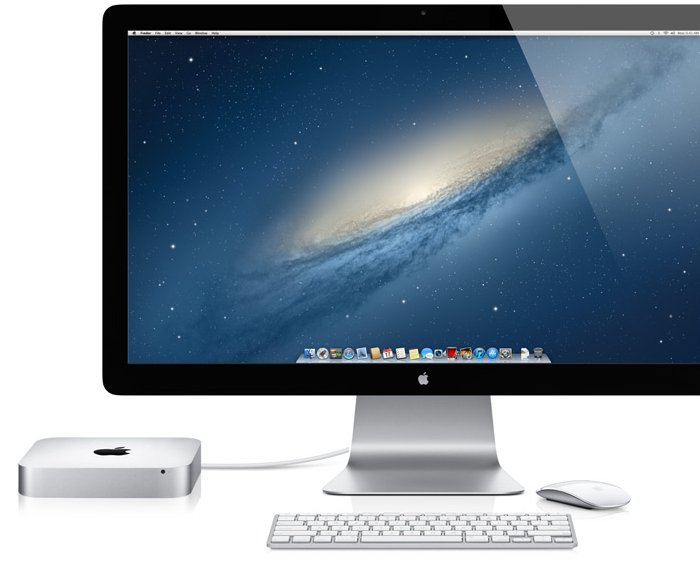
When buying a Mac Pro, customers can throw in with their order a Wireless Apple Keyboard, a Magic Mouse and / or a Magic Trackpad from Apple. Or they can choose third-party input devices from the likes of Microsoft and Logitech. And the same goes for Mac mini customers.
The diminutive desktop Mac has recently gotten a speed bump that makes the $599 / €468 base configuration almost as powerful as a 2010 Mac Pro workstation.
For this amount of cash, you only get the computer itself. The monitor and the peripherals are your problem once you leave the Apple store. Of course, you can also pick those up at Apple.
If you’re using Setup Assistant to configure your Mac mini for the first time and the Bluetooth keyboard is having difficulty pairing, there are some quick fixes for that.
The fastest way to get there is to rummage through your drawers (or disturb a neighbor) to find a wired keyboard and use that to configure the Mac mini with the Setup Assistant.
If a wired keyboard isn’t within reach, you still have a chance. Apple says to follow the steps outlined below.
1. Press and hold the Power button until the Mac mini turns off. 2. Press the Power button to start the Mac mini. 3. When a language selection appears, press and hold the power key on the Bluetooth keyboard so that the green light is flashing (discoverable mode). 4. Use the mouse to click the language you would like. 5. A code should appear on the screen. Enter the code on the Bluetooth keyboard and press Return.
At this point, your Wireless Apple Keyboard should be paired with the Mac mini.
The steps enumerated above apply to Mac mini (Late 2012), Mac mini (Mid 2011), Mac mini Server (Late 2012), and Mac mini Server (Mid 2011).