14 DAY TRIAL //
 Sporty people that wish to record their achievements when they're enjoying cycling, mountain biking, skiing, running or hiking have one easy-to-use alternative - GPS Sport Tracker. Developed by Stanislav Truntaev, the software is free and fully compatible with Windows Mobile 6.0 devices featuring at least QVGA display (VGA preferred). Your gadget needs to include a built-in GPS receiver or you can attach an external one. Furthermore, GPS Sport Tracker requires that your Pocket PC has Microsoft's .net compact framework 3.5 installed. The application can be installed over the air or by synchronization with a PC.
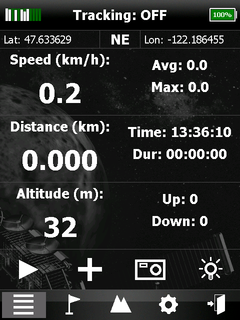
Basically, GPS Sport Tracker will provide users real-time statistics related to the sports they are practicing, which I have mentioned above. Users will be able to check out information like: current speed, altitude, distance, time, elapsed time. All the data is recorded and can be analyzed by using a PC later on.
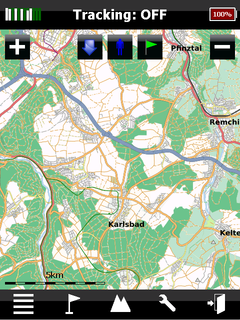
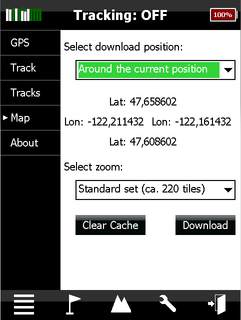
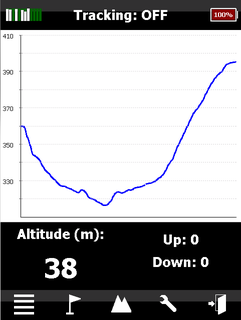
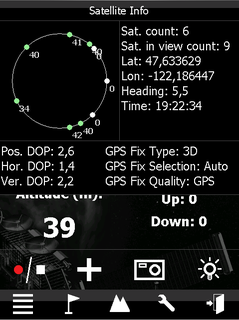
Other highlights of the application include: Heading, Metric and imperial units, Track view with zoom in, zoom out, center start position, center current position, Offline maps, different renders available, Elevation profile, GPS signal availability, satellite info, settings for accuracy, Simple waypoints, waypoints with a photo, latitude and longitude can be printed on the picture, Save track in GPX format, Loading saved tracks, using saved tracks as a backgorund track, Extended power management, Customizable UI fonts (in case your device has non-standard DPI value). GPS Sport Tracker enables you to download maps using three options: 1) Download around the current position. If GPS signal is not available, the last known position will be taken and coordinates are marked blue. 2) Download around the current track. You can also choose a saved track (coordinates marked blue). 3) Download around the download point. The download point can be set on map view. The application needs to be installed on a flash card, as the maps are pretty high on size. All in all, it is a clean and easy-to-use piece of software that also benefits from great support from the developer.Note: You can easily follow my guides by subscribing to the RSS feed.