
Softpedia
 

NEWS CATEGORIES:


NEWS ARCHIVE >>
SOFTPEDIA REVIEWS >>
MEET THE EDITORS >>
TRENDING TODAY
Home > News > Microsoft > Security

November 21st, 2012, 17:41 GMT · By

Third-Party Anti-Virus Software Blocks Windows 8 Modern Apps

SHARE:

Adjust text size:

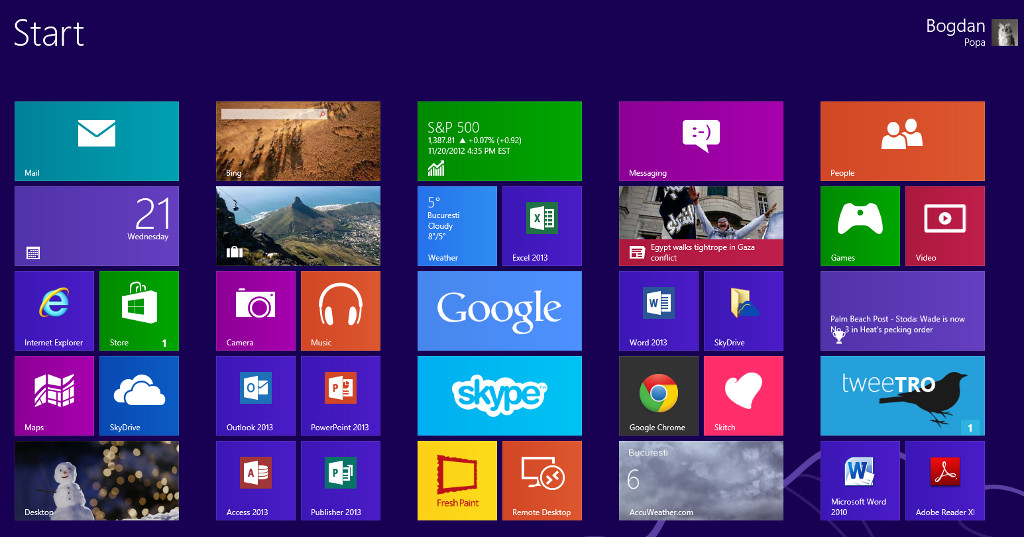
Modern apps cannot be launched due to anti-virus software
Enlarge picture
Another day, another Windows 8 issue. This time, Microsoft users complain that Windows 8 Modern apps do not launch at all after upgrading from Windows 7.

While this could sound like a pretty serious bug, it’s actually caused by third-party anti-virus software that blocks the launch of Modern apps.

Surprisingly, most anti-virus products have already been updated to work with Microsoft’s latest operating system, but according to a lengthy thread on the Microsoft Support forums, the problem appears regardless of the installed anti-virus tool.

Kaspersky anti-virus, Avast and AVG Internet Security 2012 are some of the security tools that could block Modern apps on specific Windows 8 machines, according to users’ reports.

“After a lot of installing & uninstalling I decided to uninstall AVG internet security 2012, this cured my problem. I installed AVG free Antivirus 2013 which works fine. My 2012 Internet Security still has 10 months to run, if AVG come up with a solution for 2012 then I will reinstall,” one of the users wrote.

“After much frustration, I uninstalled my virus scan software and it worked! I was using McAfee VirusScan 8.8 with Patch 1. When I tried reinstalling it didn't even work, so I moved to the McAfee EPO agent and that seems to work fine. I wish the compatibility check would of caught this when upgrading,” another one added.

While compatibility issues are most likely at fault for the issue, many anti-virus products have already been updated to work on Windows 8.

On the other hand, Windows 8 also comes with its very own security product called Windows Defender, a previous anti-spyware product now capable of providing real-time protection against a wide array of threats.

Microsoft claims that Windows Defender is automatically disabled once the user deploys a third-party anti-virus product, but the built-in app cannot be completely removed from a Windows 8 machine.


5,520 hits · 2 comments
Link to this article · Print article · Send to friend

MUST-READ RELATED ARTICLES:


Early Windows 8 Mockups Reveal a Less “Confusing” Interface

Vimeo for Windows 8 Released for Download

The Complete List of Windows 8 Shortcuts

Microsoft Working on 7-Inch Gaming Tablet Called Xbox Surface

Microsoft Showcases the Windows 8 Live Tiles in Real Life – Video

READER COMMENTS:


Comment #1 by: Badruzeus on 22 Nov 2012, 04:37 UTC reply to this comment

[SOLVED] I've got same problem after installation of avast! Internet Security on Windows 8 x86: after System rebooted Modern UI won't load followed by Black Screen after Welcome message appear.
Then, I click Ctrl+Alt+Del to open Task Manager. On Process Menu, I open avast! Antiviruse's File Location and lauch it.
Go to Real-Time Shield on left Sidebar of avast! UI and click Expert Setting. Uncheck -Monitor the system for unauthorized modification- OK, close avast! UI.
On Task Manager; open File - Run new task - type logoff and hit Enter to sign out from System. Sign in again and this issue fixed. Then, I disabled the Built in Windows Firewall Service and Windows Defender from Control Panel since avast! Internet Security has these features too.
After rebooting the System; Modern UI will appear with no problem and everything going well for now.


Comment #2 by: Khalid on 17 Jan 2013, 03:21 UTC reply to this comment

Yeah,i've got the problem with windows 8,after installing Avast AV my screen goes black with movable cursor,but after removing Avast my machine works fine

Copyright © 2001-2013 Softpedia. Contact/Tip us at

WindowsGamesDriversMacLinuxScriptsMobileHandheldNews

SUBMIT PROGRAM   |   ADVERTISE   |   GET HELP   |   SEND US FEEDBACK   |   RSS FEEDS   |   UPDATE YOUR SOFTWARE   |   ROMANIAN FORUM