 14 DAY TRIAL //
 Sensing that customers will need to fully understand how its new charger operates in order to make good use of the device, Apple has posted a knowledge base article on the Support area of its web site where it explains which types of batteries are supported, what the indicator lights mean, and offers tips for optimal usage.
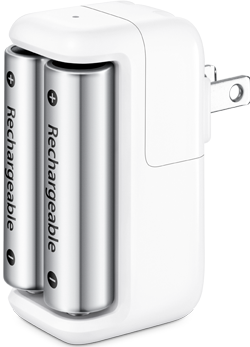
Apple starts off with a small description of the new product, saying, “Apple Battery Charger is designed to efficiently charge your rechargeable batteries for use in your Apple wireless devices. Apple Battery Charger supports charging two AA (double-A) size nickel metal hydride (NiMH) low self-discharge batteries. You can use either the batteries that come with Apple Battery Charger or your own batteries.”
The company proceeds to include usage tips, saying, “It's important to make sure Apple Battery Charger is fully assembled (including the batteries) before plugging it into a power outlet. Apple Battery charger may become warm after routine use; this is normal. It may take up to five hours to fully charge the batteries.”
According to the Cupertino-based Mac maker, some wireless input devices released earlier than Magic Trackpad may appear to have slightly less than 100% charge, when the available battery life is viewed in the Bluetooth menu bar in Mac OS X. This is not abnormal behavior either, Apple says, and “does not necessarily indicate that the batteries were not fully charged,” it adds. Finally, the company then provides the meaning of signals put out by the Status Indicator Light, as shown below.
Amber: The batteries are charging.
Green: The batteries are charged and ready to use.
Flashing Amber: This may indicate any of the following conditions: 1. The batteries have not been properly installed. 2. An unsupported type of battery is in the charger. 3. The batteries may be faulty or damaged and should be replaced.
No Light: May indicate either of the following conditions: 1. The batteries are charged and ready to use, but more than six hours has elapsed. 2. The inserted batteries are too fully discharged to be detected immediately by Apple Battery Charger.
When to Unplug Apple Battery Charger
You should unplug Apple Battery Charger from the power outlet if any of the following conditions exist: 1. The charger plug, the adaptor itself, or the charging case is damaged. 2. The charger is exposed to rain, liquid, or excessive moisture. 3. You suspect the charger needs service or repair. 4. The AC power cord has become frayed or damaged. 5. You suspect a battery is damaged.
In usual Apple manner, Support document HT4275 includes additional information, with Apple noting that alkaline or lithium batteries are not supported by the Apple Battery Charger. If the user attempts to charge such batteries with the device, a flashing amber indicator light will appear, as described above. Apple also notes that the charger automatically turns off the green indicator light after six hours of battery charging completion.