 14 DAY TRIAL //
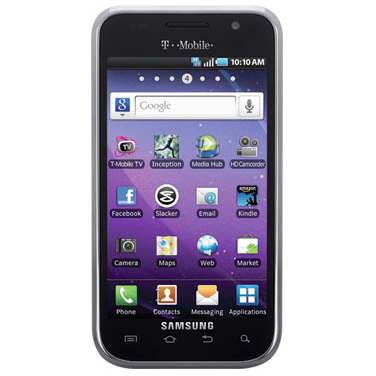
 It took Samsung almost a year to develop the Gingerbread software update for T-Mobile USA's Samsung Galaxy S 4G, which was released back in February.
Well, it looks like the long-awaited Android 2.3 Gingerbread update has finally arrived and is now available for download.
However, T-Mobile informs Samsung Galaxy S 4G owners that this upgrade will not be sent to devices OTA (over the air), instead they should download and install the latest version of Samsung Kies desktop software and connect their smartphones to the PC.
The update is available starting today and is meant to upgrade all Samsung Galaxy S 4G devices to Android 2.3 Gingerbread, software version T959VUVKJ6.
Although the carrier does not offer more details on the rest of the improvements and new features included with the update, it confirms that Galaxy S 4G owners who upgrade their devices will benefit from Google Security Patch, Camera enhancements, as well as Wi-Fi enhancements.
In addition, based on customer feedback more improvements will be available as soon as the Android 2.3 Gingerbread update is installed.
T-Mobile USA also mentions that Samsung Galaxy S 4G owners who do no want to upgrade to the latest Android 2.3 Gingerbread operating system may continue using software version T959VUVKD1.
This is probably the reason why the carrier does not push the upgrade OTA (over the air), so users can decide if they want to upgrade to Gingerbread or not.
A few steps are needed in order to prepare the Samsung Galaxy S 4G for the upgrade. Make sure the USB Debugging option is enabled by going to Menu / Settings / Applications / Development / USB Debugging.
Then, open Samsung Kies Mini and connect the Galaxy S 4G to the PC. As soon as the phone is recognized, Kies Mini should indicate that a software update is available for download.
Simply follow the steps recommended by the application and the Samsung Galaxy 4G will automatically download and install the Gingerbread update.