14 DAY TRIAL //
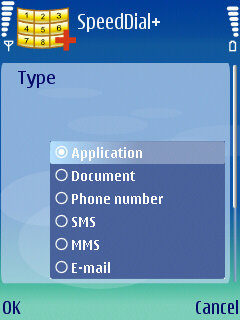
 The SymbianGuru mobile software developer comes in full force on the market with a new application, SpeedDial+, that promises users an unlimited number of key combinations and a wide range of functions. If you think that SpeedDial+ is just a simple speed dialer, you are so wrong. The software can act like a complex application launcher, offering shorcuts to the most used features of the phone. Besides being able to set speed-dial numbers for your favorite contacts, the application will enable you to change the Bluetooth status, create a shortcut with a single combination key, send a message, change the phone settings, open a webpage, open contact information or a document (Word, Sheet, etc.) All these operations can be done using a combination of keys that you previously defined.
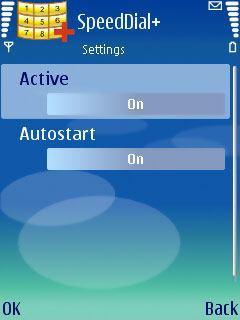
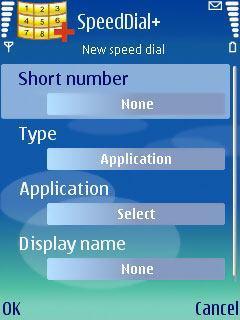
SpeedDial+ is fully compatible with Series 60 3rd and 5th Edition Symbian smartphones, which makes it very useful for the latest handsets launched on the market. After downloading and installing the application, you will be prompted with the option to set SpeedDial+ to autostart as soon as you open the phone. This setting can be also set from the application's menu anytime, if you decide that you do not want the application to automatically run from the start. The next empty window that will appear will invite you to add a new key combination, the type of function the key combination will launch and the name of the combination (usually that of the operation that it runs). You will be able to change these fields afterwards by using the Edit command that you can access by clicking the left soft key of the main screen.
More importantly, SpeedDial+ can be used anywhere in the phone, all you need to do is enter the right key combination and click the Dial button. The trial version of the software is limited to ten days. During these ten days, you can test the application with full features. After ten days, you will not be able to launch the application, unless registered. The full version of it can be acquired for a cheap price of $9.9. Note: You can easily follow my guides by subscribing to the RSS feed.