 14 DAY TRIAL //
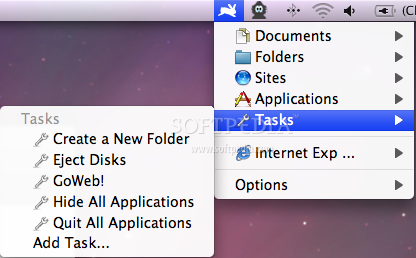
 Altomac has released a truly useful Mac app for Mac OS X 10.4.11 and later, which allows its users to automatically access their favorite/most used apps, folders, web sites and more. As if it wasn't enough, Speedy Mac also allows users to activate tasks with a click of a button and, best of all, create their own tasks.
Speedy Mac enables you to quickly open everything you need for your everyday work, whether it's a specific folder or a document, an application or a website. Everything is up there in the menubar safe and ready to be launched with a click. As noted above, Speedy Mac also features an edited "Task" menu that lets you hide or quit all running applications at once, create a folder establishing its name and location before you create it, eject all removable and external disks at once (there's standalone software for this, you know) or even open a web page regardless of the incredible number of other windows covering your first web browser window.
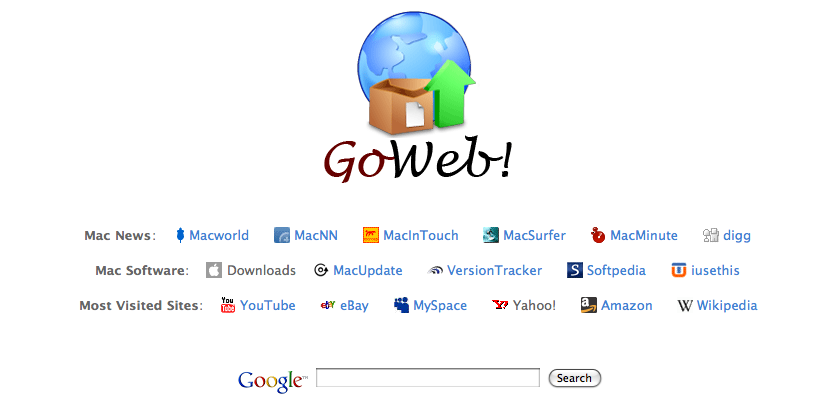
By default, the app lets you add your favorite folders, apps and sites. However, you'll find Altomac's "GoWeb" particularly interesting. The instant you hit GoWeb you get one click access to Mac press, Mac software and the most popular web sites, like YouTube, eBay and Wikipedia, all from the same page / window. Have a look.
Better yet, why don't you download the 30-day trial and see everything for yourself.
There's even more to Altomac's useful application (can you believe this thing is just 2.46 MB in size?). If you need even more automation, as far as tasks go, you can create your own using Automator or AppleScript Editor. User-created tasks are already up for grabs on Altomac's web site.
The full version of Altomac's utility app costs $27. Luckily, everyone can decide whether they want to buy it or not by downloading the 30-day trial version. System requirements call for Mac OS X 10.4.1.11 or later. Use it and tell us what you think.