
Softpedia
 

NEWS CATEGORIES:


NEWS ARCHIVE >>
SOFTPEDIA REVIEWS >>
MEET THE EDITORS >>
Home > News > Editor Blogs > Software

December 1st, 2011, 03:30 GMT · By

BLOG

Software Licensing Management Tool Options

SHARE:

Adjust text size:

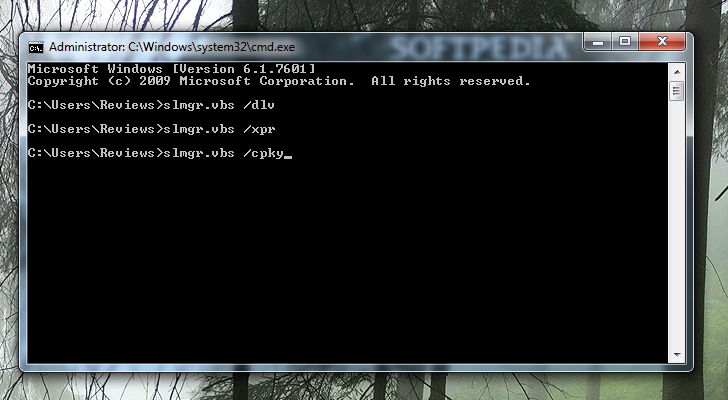
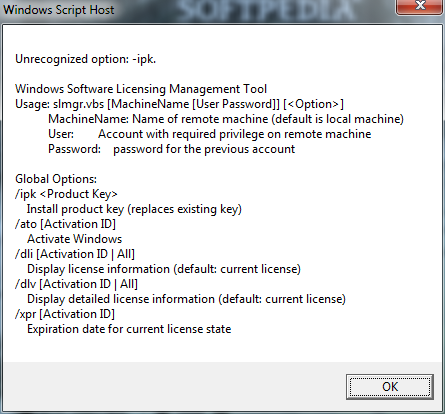
Command-line management of all licensing information Enlarge picture - Command-line management of all licensing information
Many users appeal to the Software Licensing Management Tool only to reset the evaluation period of an unregistered copy of Windows. Most of us know it by its shortened name, slmgr, and it can do much more.

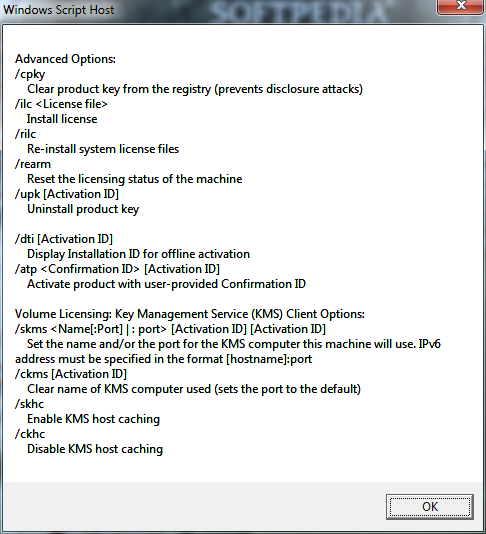
As its name clearly states, it can handle any operation related to licensing the operating system, from changing the product key and activating it to deleting the serial number from the registry as a precaution against disclosure attacks. Moreover, its advanced options allow you to uninstall the product key or reinstall the license file.

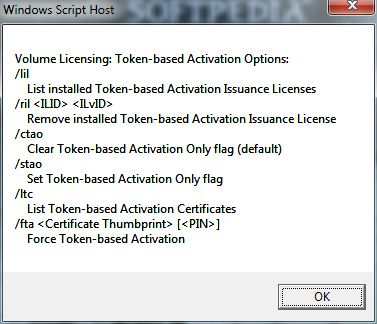
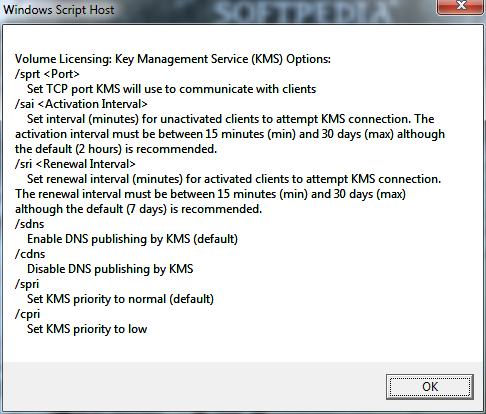
Volume licensing and KMS host configuration can also be handled through the set of options available for slmgr.vbs. Although not all commands are aimed at home users, they can use slmgr.vbs to learn the activation expiration date for the product or check the details about the licensing.

Check out the gallery below for a set of commands that can be used with slmgr.vbs.
SLMGR OPTIONS - PHOTO GALLERY:

TELL US WHAT YOU THINK:

1,370 hits · Link to this article · Print article · Send to friend · Subscribe to news

MUST-READ RELATED ARTICLES:


Inno Script Studio Simplifies the Creation of Windows Installers

Explore Windows Restore Points

Ultimate Windows Customizer

Yahoo! Messenger 11.5.0.152 Adds Tabbed IMs

CCleaner 3.13 with Internet Explorer Add-on Manager

READER COMMENTS:


No user comments yet.
Be the first to express your opinion!
Copyright © 2001-2012 Softpedia. Contact/Tip us at

WindowsGamesDriversMacLinuxScriptsMobileHandheldNews

SUBMIT PROGRAM   |   ADVERTISE   |   GET HELP   |   SEND US FEEDBACK   |   RSS FEEDS   |   UPDATE YOUR SOFTWARE   |   ROMANIAN FORUM