 14 DAY TRIAL //
 The following Linux-based operating systems have been announced last week: Ubuntu 12.04 LTS Beta 2. In other news: The final version of XBMC 11.0 was released and it brings support for iOS devices; Opera Software announced the Opera 11.62 web browser; the GNOME Project unleashed the final and stable GNOME 3.4 desktop environment; Google release the Google Chrome 18 web browser. Softpedia Linux Blog news includes articles about Parted Magic 2012_3_24, Evolution 3.4.0, Pidgin 2.10.3, Linux kernel 3.2.13, Empathy 3.4.0, GNOME Shell 3.4, Vala 0.16.0, GTK+ 3.4.0, Webconverger 12.0, Shotwell 0.12.0, Clonezilla Live 1.2.12-37, DoudouLinux 2012-03, AriOS 4.0 Beta, AMD Catalyst 12.3, Chrome OS Linux 1.9.1077, Calibre 0.8.45, Proxmox VE 2.0, Wine 1.5.1, and much more. For this week we've also prepared a nice tutorial about how to change the login screen wallpaper on Ubuntu 11.10. The weekly ends with the video clip of the week, the updated Linux distributions and the development releases.
 Summary:
 On March 29th, Canonical announced the second and last Beta release of the upcoming Ubuntu 12.04 LTS (Precise Pangolin) operating system. Ubuntu 12.04 LTS Beta 2 is powered by Linux kernel 3.2.12. There aren't many changes since the first Beta release, only a few updated apps like LibreOffice 3.5.1, Unity 5.8, which brings lots of improvements, and various GNOME 3.3.x components (no GNOME 3.4 packages, yet).
As a last addition, there's now a new entry in the System Setting panel, called "Management Service". When clicked it will install Canonical's Landscape client, to help system administrators to easily manage and monitor multiple machines.
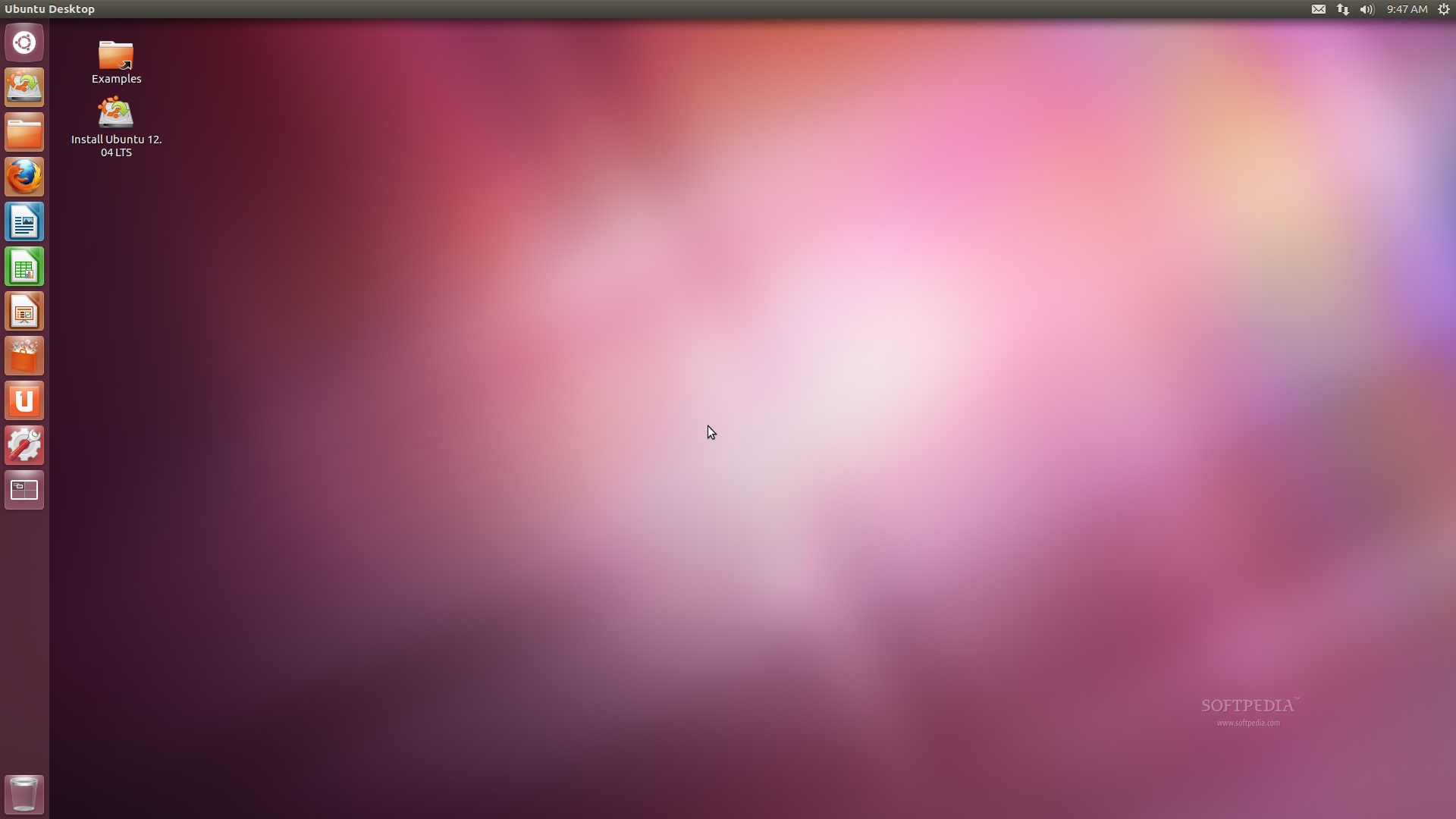
Download Ubuntu 12.04 LTS Beta 2 now from Softpedia. Remember that this is a beta release and it should NOT be installed on production machines. It is intended to be used for testing purposes only.

· On March 24th, Nate Thomas from the XBMC development team proudly announced that the XBMC media center project has reached final 11.0 version. Dubbed Eden, the XBMC 11.0 release has been expected by users for many months now, especially for the highly expected features that were added. We can mention that it comes with the Rollbacks add-on, it brings improvements to the Confluence skin, incorporates a new JPEG decoder and Dirty-region rendering to provide speed improvements, as well as movie set scraping, better networking support, and better handling of unencrypted BluRay structures and content. Read more about it here.
· On March 27th, Opera Software proudly announced the immediate availability for download of the Opera 11.62 web browser for Linux, and Macintosh, and Windows. As it brings lots of fixes in many areas (mail, news, chat, network, user interface, security) and various stability and security improvements, Opera 11.62 is a recommended update for all Opera users. Moreover, a multi-byte encoding improvement in the Presto 2.10 rendering engine was added, as well as six security improvements. Read more about it here.
· On March 28th, GNOME 3.4, the next major update of the GNOME 3 desktop environment, has been released by the hard working people behind the GNOME Project. GNOME 3.4 comes after another six months of development, bringing lots of improvements in various areas, as well as new features and updated translations. The major goals for GNOME 3.4 was to implement Application menus and Actions, to improve the Wacom and Network panels, to re-add the High Contrast and HighContrastInverse accessibility themes, ability to change brightness and contrast as you like, add GNOME Shell Keyring and Zoom Options dialogs, and to improve the Documents app. Read more about it here.
· On March 28th, Google announced that they've released the stable and final version of the Google Chrome 18 web browser for Linux, Macintosh, Windows and Chrome Frame platforms. Google Chrome 18 (the actual version is 18.0.1025.142) includes a handful of bugfixes and a few new features including fancier and faster graphics. The Google Chrome 18 web browser also brings numerous bugfixes, as we've stated in the beginning of the article. To see what exactly was fixed, please take a look at the official release notes. Read more about it here.

· Parted Magic 2012_3_24 Has Linux Kernel 3.2.13 · Evolution 3.4.0 Available for Download · Pidgin 2.10.3 Fixes MSN Bug · Linux Kernel 3.2.13 Is Available for Download · Empathy 3.4.0 Fixes Lot of Bugs · KDE Deploys New Mirror Network · Snuggle Truck Game Added to Humble Bundle for Linux · Raspberry PI to Undergo CE Compliance Testing · GNOME Shell 3.4 Final Is Available for Download · Vala 0.16.0 Introduces udisks2 Bindings · GTK+ 3.4.0 Available for Download · Five Linux Kernel Vulnerabilities Fixed for Three Ubuntu OSes · New Kernel Vulnerabilities Affect Ubuntu 11.10 · Mark Shuttleworth Explains Smarter Notifications for Ubuntu · The Third Batch of Results From The Ubuntu User Survey 2012 · ownCloud Launches Partner Program · Upcoming Features of GNOME 3.6 · Webconverger 12.0 is Now Maintained Under GIT · Xubuntu Project Leader Resigns · Shotwell 0.12.0 Brings Better Android Support · Clonezilla Live 1.2.12-37 Has Linux Kernel 3.2.12 · DoudouLinux 2012-03 Has New Applications and Games · AriOS 4.0 Beta Has Linux Kernel 3.2.0 · Download AMD Catalyst 12.3 Video Driver for Linux · Chrome OS Linux 1.9.1077 Comes with Linux Kernel 3.3 · Ubuntu 12.04 LTS Beta 2 Screenshot Tour · Kubuntu 12.04 LTS Beta 2 Screenshot Tour · Xubuntu 12.04 Beta 2 Screenshot Tour · Calibre 0.8.45 Fixes Last Read Position · Lubuntu 12.04 Beta 2 Screenshot Tour · Raspberry Pi Delayed Due to CE Certification · The Fourth Batch of Results From The Ubuntu User Survey 2012 · Proxmox VE 2.0 Available for Download · Wine 1.5.1 Uses JavaScript Over Gecko · Raspberry Pi Gets ZX Spectrum Emulator · Introducing Ubuntu Full Text Search Lens for Unity
 Tutorial of the Week: How To Change the Login Screen Wallpaper on Ubuntu 11.10
· The following tutorial will teach Ubuntu 11.10 users how to make their favorite wallpaper appear at the login screen. As you all know, Unity Greeter is now the default login manager in Ubuntu 11.10 (Oneiric Ocelot), and it will still be available in the upcoming Ubuntu 12.04 LTS (Precise Pangolin), due for release next month, on April 26th.
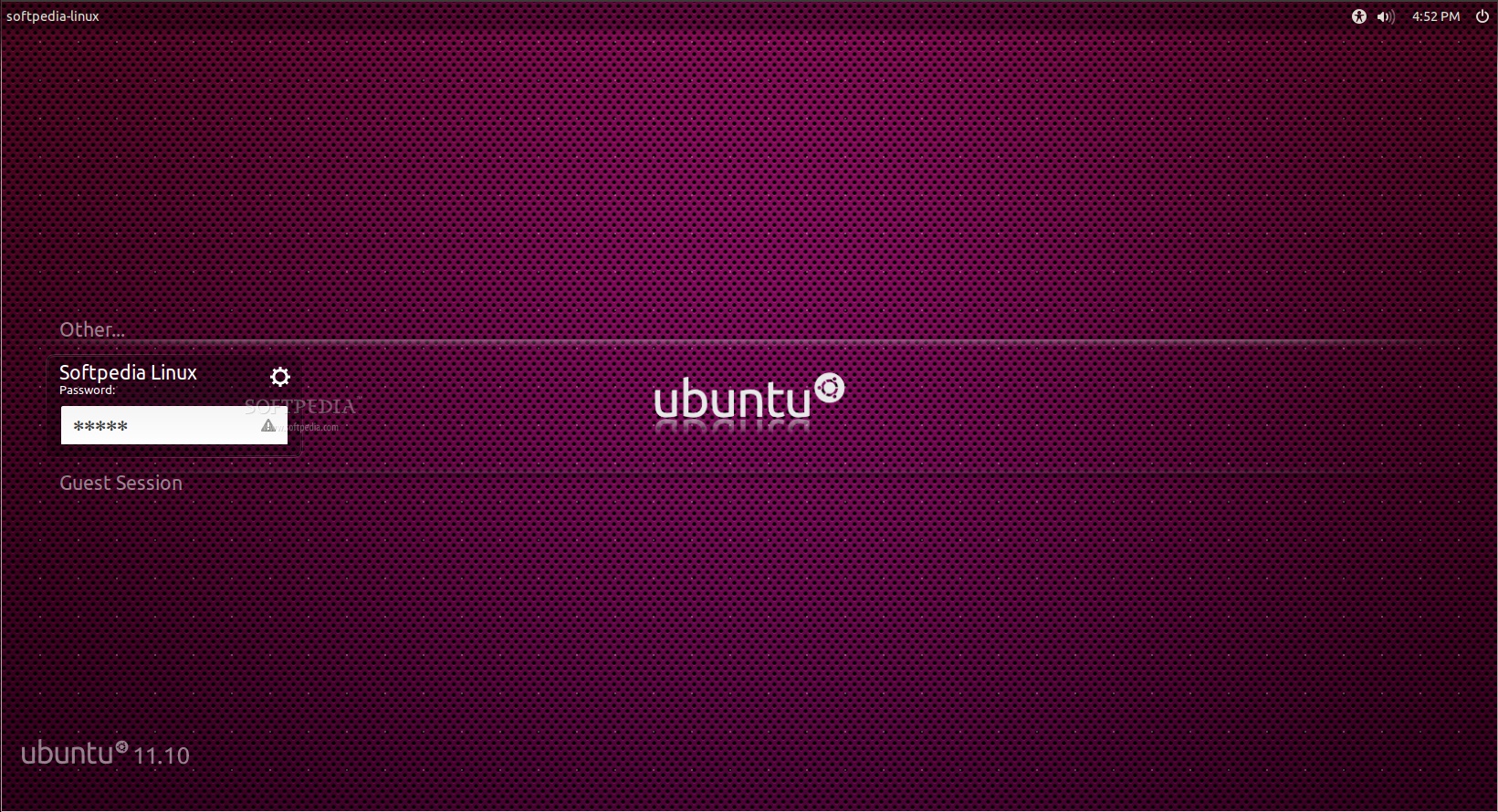
Now, there's a problem with that, as it is limited to only the default Ubuntu wallpaper pack offered by Canonical. Yes, you can add you own wallpapers, but there is now normal way to make them appear on the login screen, as it will display the default Ubuntu wallpaper. How do we resolve this issue? Well, this is why we've created this short tutorial. To teach you guys how to make that beautiful desktop background you love so much, appear at the login prompt.
Read the complete tutorial here.
 Review of the Week: Zen Bound 2
· Zen Bound 2 is a game that is hard to explain to other people. You can’t really describe the gameplay mechanism without sounding a little sadistic. Nevertheless, Zen Bound 2 is one of the most interesting games to be found on the Linux platform and probably on any other platform, for that matter.
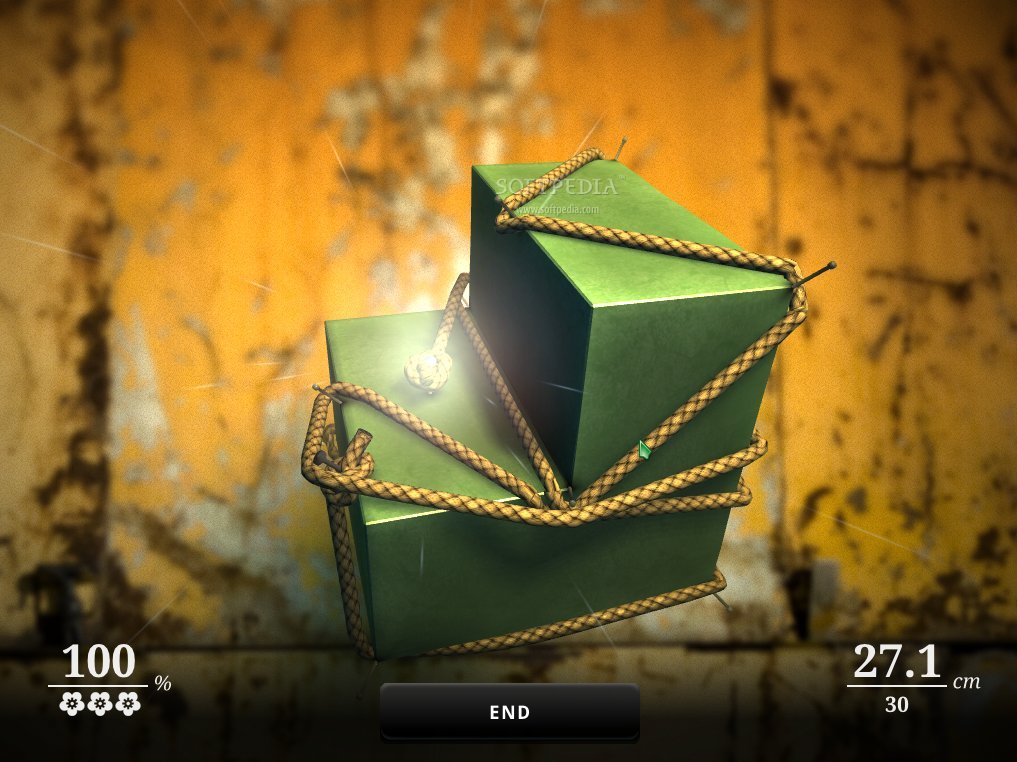
The principle is simple. The player must rap around a wooden piece with a small rope, in certain conditions. The rope will color the wooden piece, to a certain degree and the final object of a level is to pass a certain percentage of the piece covered. There are some requirements though. Firstly, the rope has a finite length, so the players must use what is available wisely and not squander it with complicated contortions and strategies. The simpler the binding, the better it will be.
Read the entire review here.
 Video Clip of the Week: Ubuntu 12.04 Beta 2: New Features
· For this week we've posted a 1080p HD video clip that showcases the new features of the Ubuntu 12.04 LTS Beta 2 operating system. The video has 9 minutes and 18 seconds, and it was posted by midfingr.
 Distributions Updated Last Week:
· Parted Magic 2012_3_24 · PCLinuxOS MiniME 2012.02 · OpenXange 2012.04 · TurnKey OTRS Live CD 11.3-lucid-x86 · Clonezilla LiveCD 1.2.12-37 · DoudouLinux 2012-03 · Chrome OS 1.9.1077 · m23 12.2 · Proxmox VE 2.0 · Webconverger 12.1
· AriOS 4.0 Beta · Ubuntu Server 12.04 LTS Beta 2 · Kubuntu 12.04 LTS Beta 2 · Ubuntu Cloud Server 12.04 LTS Beta 2 · Edubuntu 12.04 LTS Beta 2 · Lubuntu 12.04 LTS Beta 2 · Ubuntu DVD 12.04 LTS Beta 2 · Ubuntu Core 12.04 LTS Beta 2 · Ubuntu Studio 12.04 Beta 2 · Xubuntu 12.04 LTS Beta 2 · Ubuntu Netboot 12.04 LTS Beta 2 · Mythbuntu 12.04 LTS Beta 2
See you again at the end of next week for another issue of Softpedia Linux Weekly.