

Softpedia
 

NEWS CATEGORIES:


NEWS ARCHIVE >>
SOFTPEDIA REVIEWS >>
MEET THE EDITORS >>
TRENDING TODAY
Home > News > Microsoft > Windows Software

December 18th, 2011, 14:01 GMT · By

Softpedia Campaign December 2011: Unlimited Downloads for Ashampoo WinOptimizer 7

SHARE:

Adjust text size:

Maintenance and optimization suite for Windows operation systems
Enlarge picture
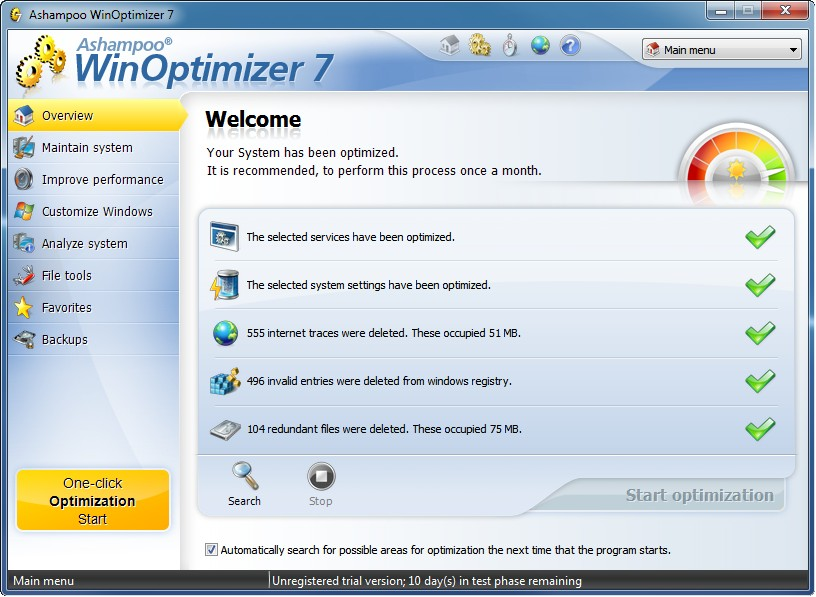
Ashampoo WinOptimizer is an all-inclusive package for maintaining your computer running at peak performance. Today we’re offering the full version of WinOptimizer 7 for free download for a 24-hour period.


The full, unrestricted copy of the suite is available from our servers,  for free . Simply head to the download page, get the bundle, install it on your computer and start improving the performance of the system.

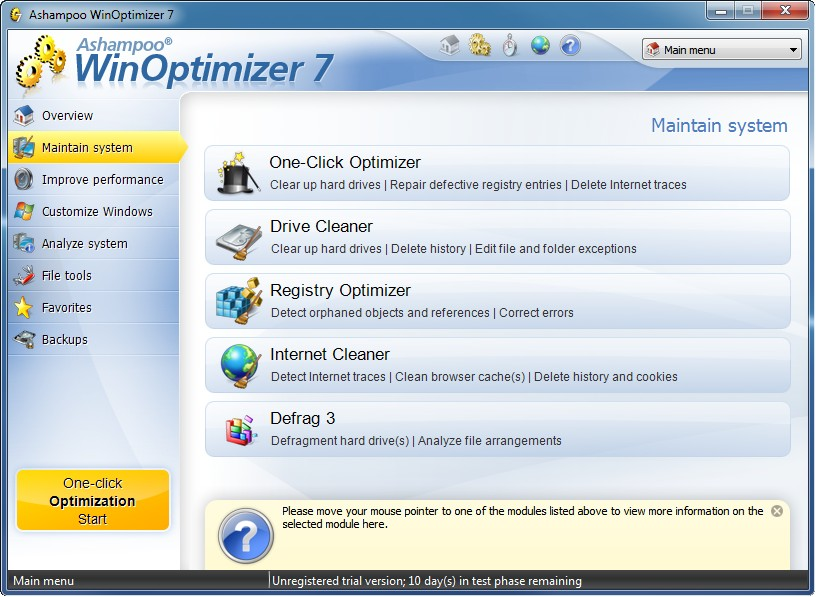
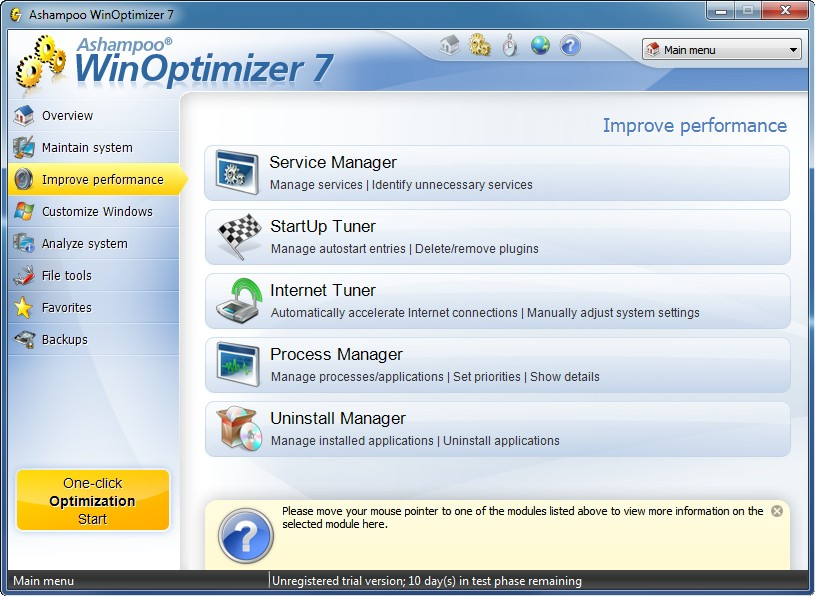
WinOptimizer 7 from Ashampoo (version 8 reviewed here) offers a great combination of modules ready to clean the registry of invalid entries, perform file defragmentation, remove unnecessary data from the system as well as manage processes that start with Windows, running processes and uninstall programs.

The bundle also brings to the table the possibility to adjust various Windows settings in order to benefit from a more responsive operating system. Furthermore, it can analyze partitions and return information about the items taking up most space.

Included in the bunch is a system information tool, which can show details about hardware components, installed software or drivers available on the system.


Enlarge picture

Enlarge picture

Enlarge picture

Enlarge picture

Enlarge picture

If you want to see how your system ranks against other configurations you can run System Benchmark component, which analyzes the hardware components available and compares them online with results from other users. It will measure integer performance (Dhrystones), FPU performance (Whetstones) and RAM performance (RAMPerf).

Apart from improving the performance of your computer, WinOptimizer also includes a set of file management tools. The module encompasses instruments that help you securely delete data, recover deleted or lost files, encrypt files for safe keeping or sending them online or decrypt files them.

Included in the bundle is the possibility to split files in multiple pieces for easier sending over email. Gluing them together is also on the list.

Note: the giveaway is available for 24 hours and you have to download the installer from Softpedia.

8,123 hits · 15 comments
Link to this article · Print article · Send to friend

MUST-READ RELATED ARTICLES:


Softpedia Campaign December 2011: 50 Licenses for StepShot

Softpedia Campaign December 2011: 50 Licenses for DisplayFusion Pro

Softpedia Giveaways 2011: 20 Licenses for EaseUS Data Recovery Wizard

Softpedia Campaign December 2011: $10 for System Mechanic

Softpedia Campaign December 2011: $10 for All My Books

READER COMMENTS:


Comment #1 by: dimebar on 18 Dec 2011, 14:32 UTC reply to this comment

Thanks softpedia, hope you have a happy Christmas and an excellent 2012


Comment #2 by: omidreza on 18 Dec 2011, 15:57 UTC reply to this comment

good optimizer for windows
thanks softpedia


Comment #3 by: amm_magra@yahoo.com on 18 Dec 2011, 17:11 UTC reply to this comment

it is great tool to check up and maintenance the computer
thanks Softpedia


Comment #4 by: ahmed magra on 18 Dec 2011, 17:16 UTC reply to this comment

it is great tool to check up and maintenance the computer
Thanks softpedia .. happy new year


Comment #5 by: mihaita on 18 Dec 2011, 17:39 UTC reply to this comment

thanks for this awesome gift


Comment #6 by: Mr.Dave on 18 Dec 2011, 17:54 UTC reply to this comment

I've been using Version 6, very happy to upgrade to 7. Thank you!
I like the internet performance tuner, and some of the other optimizations. For disk cleaning I use Ccleaner so never tried this function. File Split/Join would be more useful if the person receiving split files could rejoin them without this program. Disk Space explorer is helpful (especially the "File Formats" option) and easy to use but slow on my system - I have too many files!


Comment #7 by: si54l2e on 18 Dec 2011, 18:12 UTC reply to this comment

It still asks me for an activation code. What else am I supposed to do?


Comment #8 by: chetan barsopiya on 18 Dec 2011, 18:50 UTC reply to this comment

it's showing me 10 days trail period , how to activate it to a full version ?


Comment #9 by: kta0563 on 18 Dec 2011, 19:29 UTC reply to this comment

hello
i followed link for download of full version but only got the trial version key-?
thank you anyway


Comment #10 by: giovanni on 18 Dec 2011, 20:32 UTC reply to this comment

Your download link leads to Winoptimizer 8....LOL...I believe you missed the right link.

Comment #10.1 by: Ionut Ilascu on 19 Dec 2011, 08:02 GMT

The link for WinOptimizer 7 was in the download list. However, we changed the link in the article to point to version 7 only.


Comment #11 by: budin on 19 Dec 2011, 00:23 UTC reply to this comment

thank you softpedia


Comment #12 by: Sean on 19 Dec 2011, 06:40 UTC reply to this comment

Great software for the benefits of all. Thank you.


Comment #13 by: Koushik on 19 Dec 2011, 07:35 UTC reply to this comment

oh !!!!!!! thanx a lot for this giveaway !!! btw a have tune up utilities 2011 installed on my system...... is Win Optimizer 7 better than Tune-up ???? Plaese reply

Comment #13.1 by: Ionut Ilascu on 19 Dec 2011, 08:04 GMT

Each optimization suite is built to achieve the same result: improved system performance. The methods used for this may vary, just like the set of tools available in each bundle.

Copyright © 2001-2013 Softpedia. Contact/Tip us at

WindowsGamesDriversMacLinuxScriptsMobileHandheldNews

SUBMIT PROGRAM   |   ADVERTISE   |   GET HELP   |   SEND US FEEDBACK   |   RSS FEEDS   |   UPDATE YOUR SOFTWARE   |   ROMANIAN FORUM