
|
|
|
|
December 21st, 2011, 13:01 GMT · By Ionut Arghire
Softpedia Campaign December 2011: 50 Licenses for PowerISO [Ended] |
|
|
|
|
SHARE:
Adjust text size: 
|
|
|
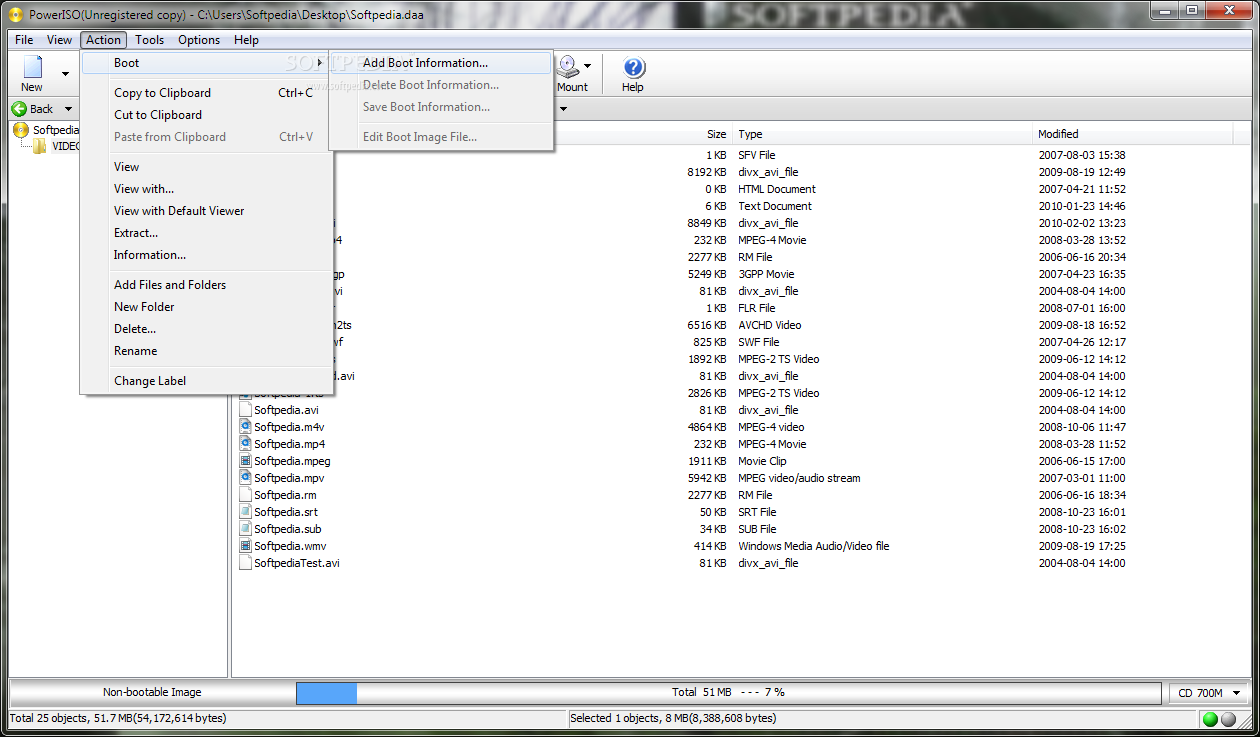
When it comes to processing ISO images in any way, including creating new ones or burning them to a CD or DVD, or converting and adjusting them, PowerISO can easily prove a great option. As part of our December campaign, we are giving away no less than 50 licenses for the software.
All you have to do to get one is drop a comment below. Make sure that it is an original one, so that you have more chances to win the free code. As part of our Softpedia 10 Year Anniversary campaign that ran back in October, 50 users got a free PowerISO license. Those who didn’t get one at that time can get another shot at it now. Usually, PowerISO comes with a price tag of $29.95 (€23.22), but those who already have some experience with it know that it is worth every penny. It can offer a multitude of options when it comes to processing ISO files, starting with the possibility to build them from the ground up, edit them whenever needed, or easily burn them to CDs/DVDs or Blu-ray discs. PowerISO also enables users to convert ISO files into other image formats very easily. But there’s more to it, as the program offers the possibility to make the ISO image bootable, and can even create bootable USB drives for various versions of Windows, including XP, Vista and Windows 7. Active promotions are available at this address Note: The winners will be picked from the comments section of this article, and will be contacted in 5 days after the giveaway expires. They will have to provide their full name in private (when required) in order to collect their prize. No other information except for your comment and the alias / nickname you provide will appear online. We urge you not to double post and, most importantly, be original because pasting from different sources on the Internet will get you kicked from the giveaway campaign.
Promotion no longer available
|
|
|
|
TELL US WHAT YOU THINK:
|
2,567 hits
· 104 comments
· Link to this article
· Print article
· Send to friend
· Subscribe to news
|
MUST-READ RELATED ARTICLES:
READER COMMENTS: |
| Comment #1 by: Superb_user on 21 Dec 2011, 13:07 UTC | reply to this comment | currently i am only one so i think i am winner of price |
| Comment #2 by: dotDotdot on 21 Dec 2011, 13:09 UTC | reply to this comment | Poweriso is really good program, and softpedia is doing great work :) |
| Comment #3 by: Subho on 21 Dec 2011, 13:16 UTC | reply to this comment | Hope this Christmas santa brings me this gift |
| Comment #4 by: Iprashant on 21 Dec 2011, 13:17 UTC | reply to this comment | Let me have one , i'm commenting from last year |
| Comment #5 by: saurabh on 21 Dec 2011, 13:23 UTC | reply to this comment | Hope i win because i used poweriso trial version which is excellent..
it has all features i want...hope i win...
Softpedia is going great job proving giveaways..
Thank you |
| Comment #6 by: Mr. Tea on 21 Dec 2011, 13:30 UTC | reply to this comment | I mainly use CDBurnerXP for burning ISO files, and it can also create them. Also PowerISO is very similar to UltraISO and MagicISO, because all of them pretty much does the same thing. The only limitation of the trial version is that you only can create 300MB images, but you can burn without limitations. I love the feature that tells you if the ISO is bootable or not. Also it can save files in DAA which is their own proprietary file format and the only application that can create them is PowerISO. It runs on both 32 and 64bit operating systems so it's good for everybody, and it has low system requirements. Thanks for the opportunity for letting us win a license key to this application. Please count me in, and good luck to everybody.
Merry Christmas and Happy Holidays! |
| Comment #7 by: silviuk on 21 Dec 2011, 13:43 UTC | reply to this comment | Hey Softpedia,
Thanks for another excellent campaign. You are simply extraordinary!
Have a Merry Christmas and a very good New Year! |
| Comment #7.1 by: Softpedia Team on 21 Dec 2011, 16:52 GMT | Hi Silviu, thanks for the nice words and best wishes. Sarbatori fericite si tie! :) |
| Comment #8 by: joby_toss on 21 Dec 2011, 13:48 UTC | reply to this comment | Hello!
I tried PowerISO and I am very pleased with its features and performance on my 64 bit Windows 7. I would like to benefit the features of the full version of the program.
Thanks! |
| Comment #9 by: Wasi on 21 Dec 2011, 13:49 UTC | reply to this comment | The Power ISO is the one of the very small in size very use full create bootable iso burn cds or dvds with checking option before burning cd or dvds
little but more powerful so thats why many people likes it more then Nero. Nero is good burning soft but its take large space in HDD and Power ISO not takes more space in HDD
Thanks |
| Comment #10 by: woomera on 21 Dec 2011, 13:52 UTC | reply to this comment | ive been using the free version and this is one impressive piece of software.
thanks for the giveaway, im in. |
| Comment #11 by: Rishabh on 21 Dec 2011, 13:58 UTC | reply to this comment | As said in the review this is a great tool which handles CD/DVD images and is worth every penny. Whether you want to make bootable CD/DVDs, this tool makes even this a breeze. The tool is a great companion for enthusiasts who have to handle ISO images. I have been using PowerISO v4.7 for quite a while and it gives a pretty stiff competition to UltraISO. This newer version comes with new features like windows 7 taskbar progress bar and it supplements the features given in major revision 4.8. Merry Christmas and a very thank you Softpedia for this giveaway. |
| Comment #12 by: rishabh on 21 Dec 2011, 14:11 UTC | reply to this comment | What can i say about this utility? It is just outstanding, the way it handles the iso images and makes bootable CD/DVDs. This utility has been pretty helpful to me when i needed to handle CD/DVD images of games, softwares, recovery tools. I used version 4.7 for my tasks. PowerISO v4.8 was a major revision adding features like bootable USB making, Bluray support. v4.9 supplements this by windows 7 taskbar progress bar. As the review said this utility is worth every penny. Thanks Softpedia for such a marvelous giveaway and Merry Christmas to all. |
| Comment #13 by: smaragdus on 21 Dec 2011, 14:11 UTC | reply to this comment | PowerISO is a complete disk image utility that offers lots of options for converting between disk images, extracting files from images, creating images from files and CDs/DVDs, making bootable disks, burning image files, mounting images, etc. It has a clean interface, it is small in size and is extremely easy to use. Overall, a great tool for any kind of disk image manipulations. |
| Comment #14 by: saad on 21 Dec 2011, 14:16 UTC | reply to this comment | Nice giveaway! A good program of its kind. |
| Comment #15 by: Manide on 21 Dec 2011, 14:21 UTC | reply to this comment | PowerISO was the first software I used for managing ISO. And has remained my favourite. Is so simple to use, intuitive, small in size and requires very little resources. |
| Comment #16 by: Rishabh on 21 Dec 2011, 14:26 UTC | reply to this comment | What can i say about this? This is a great giveaway (PowerISO). This utility as the review said is worth every penny. It handles ISO images quite well and gives a stiff competition to UltraISO. I used version 4.7 which was pretty useful to me which gave me the ability to handle the ISO images of games and softwares pretty easily. Then the version 4.8 came which was a major improvement by including features like making Bootable USBs, Blueray support. v4.9 supplements this by adding features like Windows7 taskbar progress bar. Thanks Softpedia for this great giveaway and Merry Christmas to all. |
| Comment #17 by: Rishabh on 21 Dec 2011, 14:28 UTC | reply to this comment | What can i say about this? This is a great giveaway (PowerISO). This utility as the review said is worth every penny. It handles ISO images quite well and gives a stiff competition to UltraISO. I used version 4.7 which was pretty useful to me which gave me the ability to handle the ISO images of games and softwares pretty easily. Then the version 4.8 came which was a major improvement by including features like making Bootable USBs, Blueray support. v4.9 supplements this by adding features like Windows7 taskbar progress bar. Thanks Softpedia for this great giveaway and Merry Christmas to all. |
| Comment #18 by: Valentino Ashi on 21 Dec 2011, 14:47 UTC | reply to this comment | PowerISO is the most simple, intuitive, user-friendly yet amazingly powerful disc image creation, mounting & management utility. It has a very small footprint and makes the tasks of image creation, image editing, image mounting and burning so easy that even a little kid can perform it with absolute ease. The two features which, in my opinion, really make PowerISO the champion in the game are: 1) Support for almost every image format, and 2) Absolutely tiny footprint. No doubt PowerISO is the most preferred disc image utility in the world! |
| Comment #19 by: MerleOne on 21 Dec 2011, 15:21 UTC | reply to this comment | Hi,
With the high capacity of HDD nowadays, it does make sense to store more and more CD/DVD in .iso format. It is also very useful to turn bootable CD into bootable flashkeys.
Count me in for the draw. Thanks ! |
| Comment #21 by: Mahafuz on 21 Dec 2011, 15:31 UTC | reply to this comment | If I win this, it will really help me to extract ISO files. |
| Comment #22 by: Asriel on 21 Dec 2011, 15:41 UTC | reply to this comment | Please count me in Dear Admin. I really need a pro tool for managing all the ISO files I have. It's to bad to entrust the managing process to the Free Version of the similar tool.
Hope to win This One! |
| Comment #24 by: Michał on 21 Dec 2011, 16:00 UTC | reply to this comment | PowerISO is a tool designed to perform a series of operations (create, encrypt, edit, extract, compress and convert) the images of CD / DVD / BD.
The program supports 20 popular file formats, among which are the images ISO, BIN, NRG, CDI, DAA, MDF, IMG, etc., including virtual disk files created by programs Virtual PC (VHD), VMware (VMDK) and VirtualBox (VDI). The big advantage of application is the ability to convert almost any video file format to ISO, BIN and DAA (advanced options).
You can use PowerISO, you can also mount disc images in a virtual drive, create ISO files samostartujące and USB bootable, burn compilations prepared and much more. Additionally, the application allows the integration of the coating system, the context menu supports copying and pasting data from the system clipboard and drag data for the main program window.
List of supported file formats of media images: ISO, DAA, BIN, CUE, MDF, MDS, ASHDISC, BWI, B5I, LCD, IMG, CDI, CIF, P01, PDI, NRG, NCD, PXI, GI, FCD, VCD, C2D, DMG, BIF, IMA, FLP, IMG, UIF, WIM, VMDF, VHD, VDI. |
| Comment #25 by: Franck on 21 Dec 2011, 16:03 UTC | reply to this comment | I'm a registered user of the competition, ultraiso which works good but is not that user friendly.
I'd be curious to check how poweriso is doing better... |
| Comment #26 by: Dulanga on 21 Dec 2011, 16:15 UTC | reply to this comment | PowerISO is a tool designed to perform a series of operations (create, encrypt, edit, extract, compress and convert) the images of CD / DVD. The program supports 20 popular file formats, among which are the images ISO, BIN, NRG, CDI, DAA, MDF, IMG, etc., including virtual disk files created by programs Virtual PC (VHD), VMware (VMDK) and VirtualBox (VDI). The big advantage of application is the ability to convert almost any video file format to ISO, BIN and DAA (advanced options). You can use PowerISO, you can also mount disc images in a virtual drive, samostartujące create ISO files, burn compilations prepared and much more. Additionally, the application allows the integration of the coating system, the context menu supports copying and pasting data from the system clipboard and drag data for the main program window.
List of supported file formats of media images: ISO, DAA, BIN, CUE, MDF, MDS, ASHDISC, BWI, B5I, LCD, IMG, CDI, CIF, P01, PDI, NRG, NCD, PXI, GI, FCD, VCD, C2D, DMG, BIF, IMA, FLP, IMG, UIF, WIM, VMDF, VHD, VDI.
Finally Thanks for this opportunity and Love to win this contest.
Cheers..!! |
| Comment #27 by: derekuda on 21 Dec 2011, 16:37 UTC | reply to this comment | Would be great to be able to edit an ISO I constantly end up recreating them. To have such power over them instead of me would be great. |
| Comment #28 by: InFive on 21 Dec 2011, 16:54 UTC | reply to this comment | the BEST competitor for UltraISO, with it also GiveAway ... without PowerISO anywhere, especially when comes to me a lot of work to iso-images of Linux systems ... so I'll just be happy if I get a license from ... You for this GiveAway my Respect ... |
| Comment #29 by: guardone on 21 Dec 2011, 16:59 UTC | reply to this comment | Looking fwd to try this out, used to use nero but this semms much easier to use and master. thanks for the chance to try it.
guardone |
| Comment #30 by: qoolman21 on 21 Dec 2011, 17:22 UTC | reply to this comment | This is something that I really need. As far as I know there's no free alternatives, so it's very valuable. Many thanks to Softpedia and Power ISO for such action. |
| Comment #32 by: walang_sangit on 21 Dec 2011, 17:41 UTC | reply to this comment | This is like de Javu, because at the last giveaway I missed a golden opportunity to get what I want now I feel like a wife who was waiting for her husband who went to Iraq, then given the news that her husband will be home soon |
| Comment #33 by: pito on 21 Dec 2011, 17:44 UTC | reply to this comment | Fantastic giveaway, count me in, thanks |
| Comment #34 by: jelson on 21 Dec 2011, 17:44 UTC | reply to this comment | I've been interested in PowerISO because right now I'm stuck with using UltraISO... HELP! |
| Comment #35 by: pommee on 21 Dec 2011, 17:58 UTC | reply to this comment | Well, it`s a very good app, comparable to UltraISO. It deserves more than 28 comments during 4 hours. |
| Comment #36 by: ramesh on 21 Dec 2011, 18:02 UTC | reply to this comment | thanks softpedia for this campaign. |
| Comment #38 by: shubham on 21 Dec 2011, 18:17 UTC | reply to this comment | poweriso is a great software as we could create, edit, extract, convert, compress, encrypt, mount CD/DVD image file and is very user friendly
Great giveaway by Softpedia !
thanks! |
| Comment #39 by: monish sharma on 21 Dec 2011, 18:20 UTC | reply to this comment | it is good and best power iso |
| Comment #40 by: Have on 21 Dec 2011, 18:53 UTC | reply to this comment | Hi! I have to work with the images for these purposes, I use all kinds of freeware programs, but knowing that I can get PowerISO (especially since I could not get it in the previous giveaway) I hope I'm lucky this time.
Best regards! |
| Comment #42 by: efox on 21 Dec 2011, 19:31 UTC | reply to this comment | It's really hard to be original when you need to be! Just pretend I've said something hilarious and brilliant which has won you over.
Good luck to all and a Merry Christmas to the excellent Softpedia. |
| Comment #43 by: taton on 21 Dec 2011, 19:49 UTC | reply to this comment | Thank You Softpedia for this amazing campaign!!! |
| Comment #44 by: alfredp625 on 21 Dec 2011, 20:40 UTC | reply to this comment | PowerIso is the king of ISO programs. A license would be a great Christmas surprise. Thank you Softpedia for a chance to win. |
| Comment #45 by: sysabi on 21 Dec 2011, 20:48 UTC | reply to this comment | There are a lot of software like PowerISO but PowerISO is the best one. Most important for me - lifetime license - I love it. Thanks for Softpedia ones again. Never ending stoooryy ... |
| Comment #48 by: _stranger_ on 21 Dec 2011, 21:45 UTC | reply to this comment | I will tell you meaning of life if you give me license for PowerISO :) |
| Comment #49 by: TBuck on 21 Dec 2011, 21:50 UTC | reply to this comment | This app has the Power I So need to edit DVD disc images..... (hah, that is lame, but someone had to post it)
Happy Christmas |
| Comment #50 by: alec on 21 Dec 2011, 23:42 UTC | reply to this comment | A great software to create custom cd. I hope to win |
| Comment #52 by: Ray on 22 Dec 2011, 00:07 UTC | reply to this comment | Software that does not take up much space on your hard drive, the more specific functions, simple and easy to use, make a bootable usb, handles all my ISO files, it's very cool. exactly as I need.
I want a license. |
| Comment #53 by: HubeX on 22 Dec 2011, 00:49 UTC | reply to this comment | I win a PowerISO, because it's a good program to creating bootable images. The main advantages is fast! |
| Comment #54 by: sirshamp on 22 Dec 2011, 01:26 UTC | reply to this comment | whenever a software offered a service for any particular system for a price/fee, they must have the thorough expertise in personally knowing that they can compete within their class. PowerISO is certainly one program that can step up to the plate. "Flexibility" is the way to put a smile on a customer's face, and PowerISO is no exception when it comes to flexibility. Very good software. A must have. ***** |
| Comment #55 by: Sam on 22 Dec 2011, 03:30 UTC | reply to this comment | I wish there were more licenses to giveaway, then I could have won one, lol :D |
| Comment #56 by: Kid Comodo on 22 Dec 2011, 04:23 UTC | reply to this comment | Power ISO is one of the best if not THE Best ISO Software around. Would love to have!!!! |
| Comment #57 by: Mayur on 22 Dec 2011, 06:12 UTC | reply to this comment | Nice Giveaway, Please Count me in...
I am using older version & need to upgrade.
Thanks For Giveaway |
| Comment #58 by: Shashi on 22 Dec 2011, 06:43 UTC | reply to this comment | Power ISO , The Best in Class Bootable media Creator Software, Use it For You Own Customized OS Bootable DVDs for WindOws and Linux Both. It Also Support USB boot media creation for Windows XP and Windows 7 and quite better Performance than Other free Boot media Creator Products. |
| Comment #61 by: Serge on 22 Dec 2011, 08:38 UTC | reply to this comment | PowerISO - a great program for creating and editing images of many formats!
User-friendly, quick and easy.
I am pleased to receive a license.
Happy holidays! |
| Comment #62 by: Craig on 22 Dec 2011, 09:11 UTC | reply to this comment | Power ISO a great product. It gives great satifaction to know that your computer is protected against HDD mistamenas (?) let downs. It brings a smile to the owners face to know that your essential items can return through the backup and restore properties of POWER IS, Its like when Captain America was reformated and returned with real value. The Shield (Power ISO) a sure guard against data loss. When Captain America throse his mighty shield, Power ISO is there with him in defense of the computer realm. :-) Cheers Craig |
| Comment #63 by: funkydansky on 22 Dec 2011, 09:16 UTC | reply to this comment | Power Iso best iso software i would like to use... |
| Comment #64 by: iPrism on 22 Dec 2011, 09:33 UTC | reply to this comment | Once again Thanks a lot Softpedia and PowerISO Computing Inc for bring the amazing PowerISO giveaway.PowerISO is a really very good ISO file burner which I use to transfer burned images to removable medias.Personally I like the its ability to convert ISO files into other image formats like BIN, NRG, IMG, etc.
Best Regards |
| Comment #66 by: mak on 22 Dec 2011, 10:09 UTC | reply to this comment | the power ISO is more powerful then ultra ISO and power ISO is user friendly software |
| Comment #67 by: smud on 22 Dec 2011, 10:27 UTC | reply to this comment | Sounds interesting. When I have to make an ISO disk, it has always been a pain in the you know what. PowerISO looks like it would make the job much easier. I would be a proud owner if I'm selected. |
| Comment #68 by: jittu on 22 Dec 2011, 10:28 UTC | reply to this comment | Power ISO a great product. It gives great satifaction to know that your computer is protected against HDD mistamenas (?) let downs. It brings a smile to the owners face to know that your essential items can return through the backup and restore properties of POWER IS, Its like when Captain America was reformated and returned with real value. The Shield (Power ISO) a sure guard against data loss. When Captain America throse his mighty shield, Power ISO is there with him in defense of the computer realm. :-) |
| Comment #69 by: ArunJ on 22 Dec 2011, 10:51 UTC | reply to this comment | I use Daemon tools lite on my net-book which do not have a cd/dvd bay. I would definitely like to try Power ISO on it as I heard it is a good program. |
| Comment #71 by: kelly on 22 Dec 2011, 13:30 UTC | reply to this comment | I need PowerISO's powerful features to create & work with ISO files for my personal usage. Thanks. |
| Comment #72 by: yashiscool on 22 Dec 2011, 13:49 UTC | reply to this comment | Hi, Please please please.. count me in for this giveaway. I would love to use it. |
| Comment #73 by: geekcoder on 22 Dec 2011, 15:20 UTC | reply to this comment | Many times I have had the need for such a utility! The ability to create and edit ISOs (esp. edit) is huge! Converting from ISOs is a plus and being able to create/edit Bluray images is awesome! I hope to receive a license from this giveaway because I know I will put the software to great use! Thank you Softpedia for your contributions to the digital community and for all of your hard work in bringing us useful information on all things tech! |
| Comment #74 by: Chantrea on 22 Dec 2011, 15:45 UTC | reply to this comment | Power ISO is my favorite tool for mounting ISO images and I usually compress iso format daa for best radio. I hope to get one license of those giveaway. |
| Comment #75 by: irom on 22 Dec 2011, 16:20 UTC | reply to this comment | Looked at their site and couldn't find anything about checksumming. :-? |
| Comment #76 by: Jhony on 22 Dec 2011, 18:29 UTC | reply to this comment | This is a great giveaway.Softpedia is doing a great job by offering paid softwares to those who cannot afford to buy them.Power ISO is a nice software.But i never used it after the trial period because of the cost.Please count me in.Thanks in advance.
Merry Christmas |
| Comment #77 by: David on 22 Dec 2011, 18:44 UTC | reply to this comment | This is excellent, thanks for the chance! |
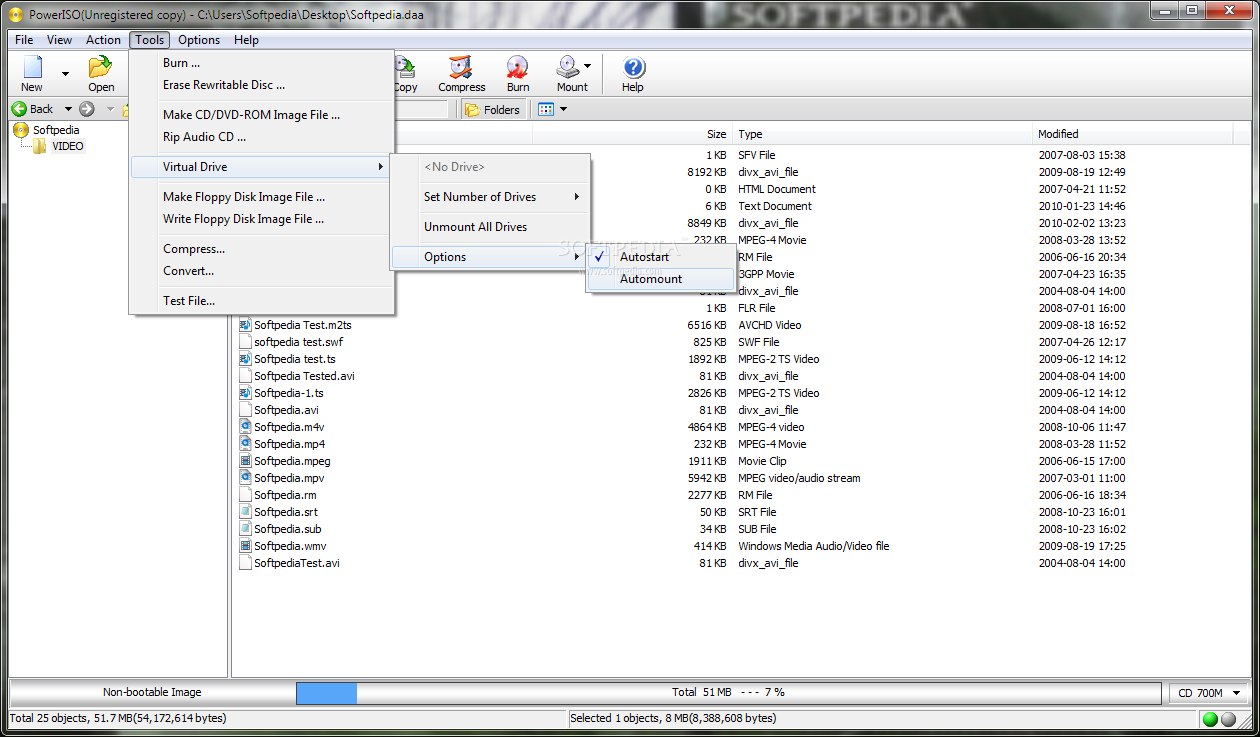
| Comment #78 by: ha14 on 22 Dec 2011, 19:09 UTC | reply to this comment | PowerIso is a master in handling ISO images plus the capacity to compress the big ISO files to .daa thus reducing size and making easier to upload saving bandwidth and time. PowerISO allows to create, edit, compress, encrypt, open, extract, split and convert ISO files, and mount these files with internal virtual disk. It can process almost all CD-ROM image files including ISO and BIN. If you want PowerISO simulate one or more CD or DVD drive when Windows starts, click Autostart and select the number of CD / DVD wanted. File sharing can be protected add the files in a folder ask PowerIso to make ISO and set a password then mail it. All can be done from Windows Explorer COntext Menu. Simple and Efficient PowerIso. Will be happy to win a license, thanks. |
| Comment #79 by: John D on 22 Dec 2011, 21:54 UTC | reply to this comment | thanks,
I could never make a bootable disk/ISO image.
I will be very happy to win this and also enjoy the virtual drive feature provided.
Please count me in, and Xmas wishes!
john d |
| Comment #80 by: MIKERAY on 22 Dec 2011, 23:45 UTC | reply to this comment | The veritable GRANDMASTER in the realm of ISO progs/apps |
| Comment #81 by: kwyau on 23 Dec 2011, 02:42 UTC | reply to this comment | I want this software because it has the peculiar feature of editing the contents of ISO image directly which doesn't exist in most other similar software. Besides ability of creation of images for floppy disk and USB drive are welcome surprise. |
| Comment #83 by: Bionic on 23 Dec 2011, 13:07 UTC | reply to this comment | ❅❅❅❅❅❅❅❅❅❅❅❅❅❅❅❅❅❅❅❅❅
Thank you Power Software Ltd and Softpedia.
What a finale this year, so much pleasant software and many great campaigns.
I wish you Merry Christmas & Happy New Year - A holiday of joy for everyone.
http://twitter.com/Bionic_/status/150194890792370177
❅❅❅❅❅❅❅❅❅❅❅❅❅❅❅❅❅❅❅❅❅ |
| Comment #84 by: Stefan Julian on 23 Dec 2011, 14:47 UTC | reply to this comment | Few word's using PowerISO:
SIMPLE
POWERFULL
FRIENDLY
i love it |
| Comment #85 by: nizxb on 23 Dec 2011, 14:52 UTC | reply to this comment | I am currently using free Iso burner for burning Iso files.But it fails some times to burn the Iso properly and due to this i have to suffer loss because the cd becomes unusable.That's why i want PowerIso.It is one of the most Stable and most versatile Iso burner.Inspite of burning Iso, it can also mount the Iso files and also edit the Iso with a few clicks.Please count me in.Hope i win this Awesome product.
Merry Christmas to you. |
| Comment #86 by: Olsen on 23 Dec 2011, 16:20 UTC | reply to this comment | PowerIso is a powerfull software to work with CD/DVD images. You can make new images, add or delete files from images, burn images on CD/DVD. I think it's a very good program and hope to win a licence ;p |
| Comment #87 by: Peter123 on 23 Dec 2011, 18:47 UTC | reply to this comment | Hello!
PowerISO is a very good software; it supports multiple languages and even
if it has a .chm help file in English only, it is really easy to use.
For example, if you want to convert a CD or DVD to an .iso file, you just
have to click Copy, then choose "Make CD/DVD/BD Image File" and select
.iso file (or .bin or .daa) and OK. Less than half an hour later, the conversion
will have been done !
If you want to mount an .iso file, just click "Mount Image to drive", select one
drive and Automount and that's it ! Once it is done, you are able to enter the ISO
file and change its content as you want!
You also can turn a normal USB drive into a bootable one; in fact, it has so many
features and with advanced choices for each of them !
Moreover everything is so simple that even a basic user can use PowerISO easily.
Thanks to Softpedia for that great giveaway ! |
| Comment #88 by: mohsen on 24 Dec 2011, 00:10 UTC | reply to this comment | when it comes to create or edit an iso file there is not any program better than power iso,it just does your job and every thing in it's place. i like to win one ,please count me in. |
| Comment #89 by: DS on 24 Dec 2011, 00:22 UTC | reply to this comment | Used this a long time ago, loved it but i only had it as a trial. i would love to have it, its the best tool for playing with iso files |
| Comment #90 by: dhaval on 24 Dec 2011, 00:59 UTC | reply to this comment | PowerISO is an amazing utility. i have tried PowerISO for virtual drive. after install windows i am using poweriso to install drivers and soft-wares from my hdd it is very convenient and useful. no need to have cd/dvd. also it is very helpful for converting cd/dvd to iso format and save to hdd.also great for cd/dvd buring. Thanks softpedia for this opportunity. I like to win a license for PowerISO. |
| Comment #91 by: luong.apl on 24 Dec 2011, 01:31 UTC | reply to this comment | Best software for manage the virtual drive. I think everyone like to become a winner. So do I. I want to get a license. |
| Comment #92 by: SamChan on 24 Dec 2011, 07:25 UTC | reply to this comment | Power Iso is an excellent and powerful iso software like its' name. I hope to win one of the licenses of the best iso program.
Thanks Softpedia for the great giveaway!
Happy Christmas and Happy New Year!! ^_^ ^_^ |
| Comment #93 by: chandrasekar on 24 Dec 2011, 23:27 UTC | reply to this comment | Merry christmas,
Thank u softpedia for providing a great givewaway. i work with a lot of image files like daa,iso,nrg etc and have wasted a lot of cds and dvds without this wonderful software. I know that this softawre giveaway will hep me to view and extract files from image and also mount disks |
| Comment #94 by: MAASHASA on 25 Dec 2011, 09:21 UTC | reply to this comment | I had an older version of PowerISO and at that time it was quite good and did the job. Regrettably, it is out of date now. I liked PowerISO very much and I have looked at the new features that the latest version has and they are excellent such as creating bootable USB drives. I thank Softpedia for such good giveaway and I hope that I will one of the winners of a PowerISO license. Thanks |
| Comment #95 by: evilmateo on 25 Dec 2011, 11:29 UTC | reply to this comment | Best ISO tool in the World! Thanks, Softpedia & Power Software, and Merry Christmas! |
| Comment #96 by: kk on 25 Dec 2011, 15:28 UTC | reply to this comment | i used trial version of this software and it was very nice exprience.... this is the another chance to win it .... ofcource i am in..... thanks for this fiveaway.... |
| Comment #98 by: antonytony on 25 Dec 2011, 17:49 UTC | reply to this comment | One of the best virtual drive and burning solution that i have used that has better functionality than the costlier and bulkier ones.
Being very small in size it has all the features necessary for handling a variety of disk image formats including iso,daa,nrg,img,bin,mdf,mds,vcd etc. It can be used for creating images in various formats and allows conversion between them. It also allows us to add, edit and remove files from images.
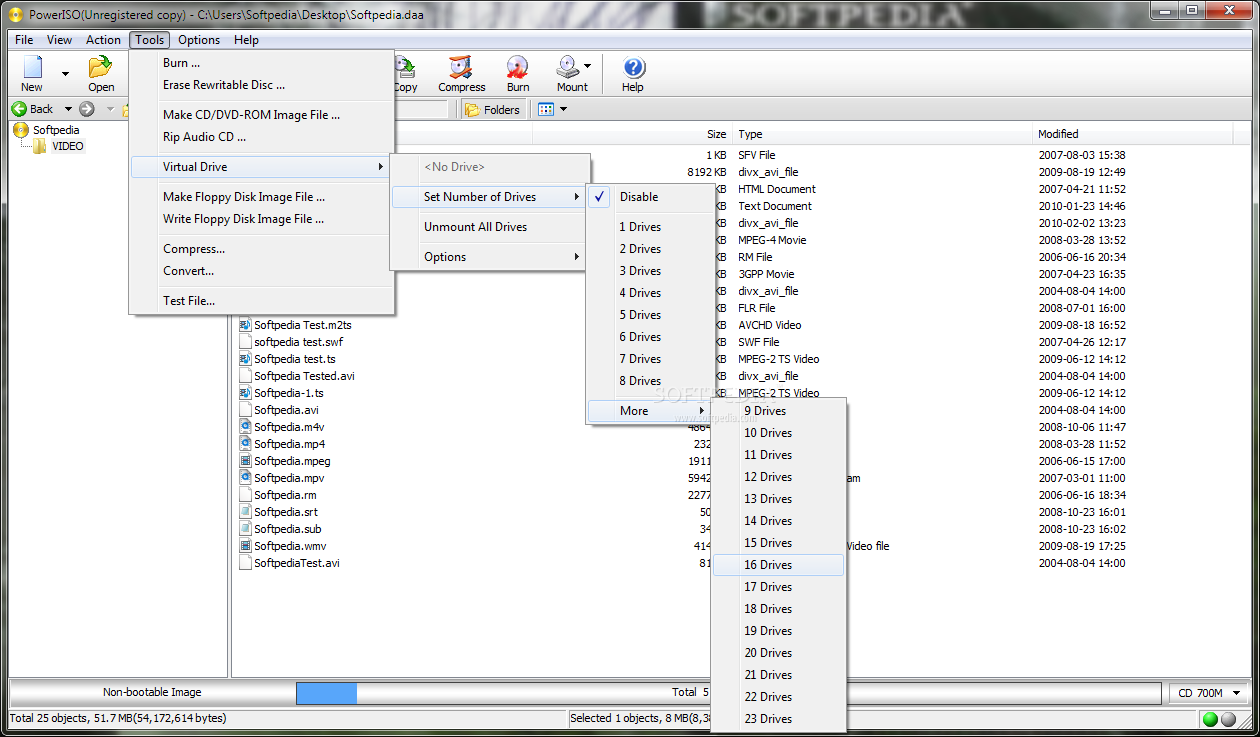
Its powerful image mounting feature allows us to mount any image and fool the system as if it is a real cd/dvd. It is having auto start and mount capability as well. It allows us to have 24 drives which is more than enough.
It also allows us to burn images. It also allows us to create bootable disk including usb drives.
In short it is a powerful program with a relatively small size. Thanks softpedia.... |
| Comment #99 by: rover3500 on 26 Dec 2011, 08:06 UTC | reply to this comment | One of my 2 favourite ISO programs,didn't get it last time so having another go.I prefer this over Ultra ISO as it has a nicer interface and seems to work better overall,is much better than the free alternatives that I've tried.I would use the virtual disk facility for mounting ISO images to install programs quicker than DVD drive.The main reason I need a licence is the 300mb limit on images which makes the trial version pretty useless to be honest.Have a great Xmas and New Year,I really hope I win this one,Thanx |
| Comment #100 by: vhick on 27 Dec 2011, 13:40 UTC | reply to this comment | PowerISO is one of the best ISO editor. You can modify and edit your iso depends on your needs. You can make a bootable iso at no time. |
| Comment #101 by: iPrism on 27 Dec 2011, 21:55 UTC | reply to this comment | PowerISO is simply amazing program to have as its very simple and easy to use for burning bootable images which can be stored in different formats on systems as well as in CD's/DVD's and USB's,etc.Thanks for the giveaway. |
| Comment #103 by: kewyne swayb on 27 Mar 2012, 08:58 UTC | reply to this comment | wow fantastic article no wonder i desperately need this software | |
Copyright © 2001-2012 Softpedia. Contact/Tip us at 
|
|