|
|
|
|
December 17th, 2011, 13:01 GMT · By Ionut Ilascu
Softpedia Campaign December 2011: 50 Licenses for DisplayFusion Pro |
|
|
|
|
SHARE:
Adjust text size: 
|
|
|
Starting today, we’re kicking off a new campaign for the month of December, and offer a limited number of license keys for free, for top quality software. First on the list is DisplayFusion Pro, for which we lay on the line no less than 50 licenses.
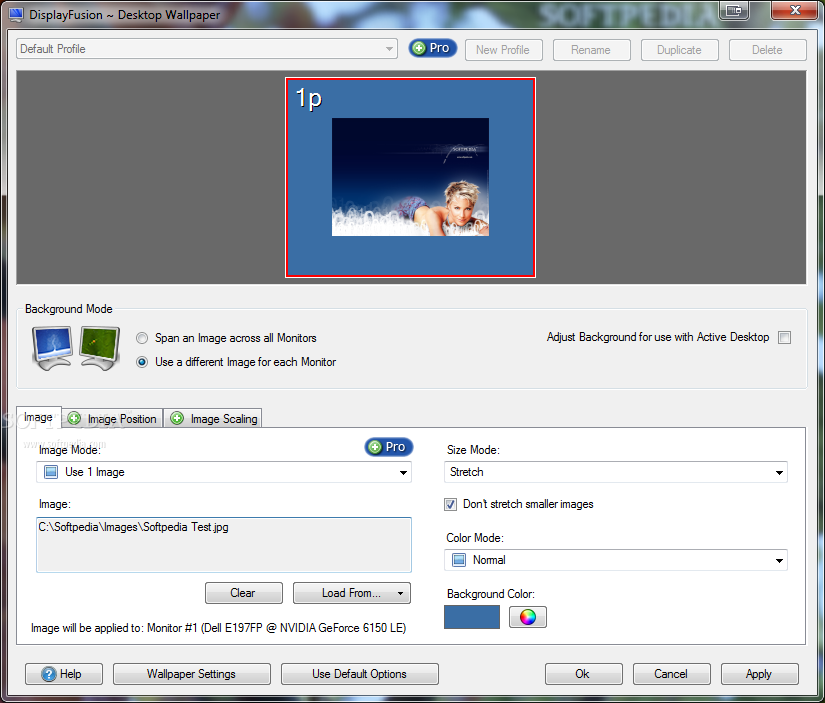
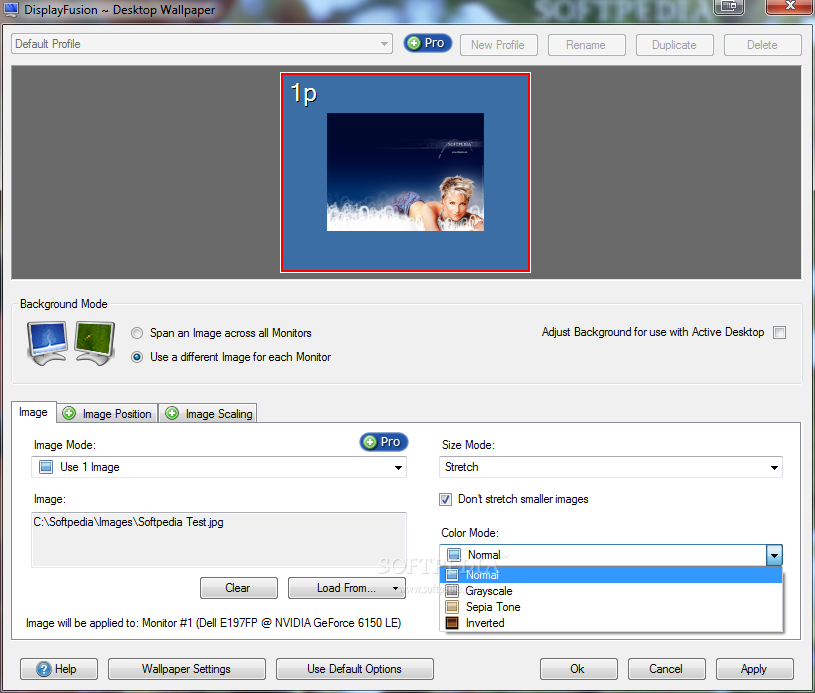
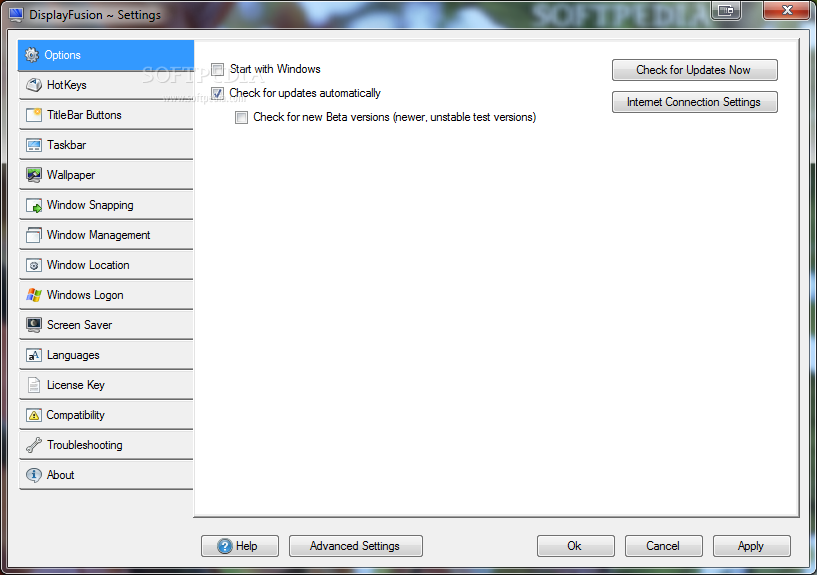
In order to get your hands on one of the free codes you have to drop a comment below this article. We’re not imposing any restrictions on the subject of the post, but we’ve always rewarded creativity and originality; jocose lines have been equally appreciated. For those unfamiliar with the application, DisplyFusion Pro is designed for those users working in a multi-monitor environment. It offers an easy way to manage multiple monitors. The features available in the program include multi-monitor taskbar, which practically adds the Windows taskbar on each of the monitors. You can use button grouping, auto-hide, window previews, shortcuts and even a Start Button. The program is versatile enough to let you use different wallpapers for each of the displays; while hotkeys (over 30 of them are preconfigured) help you move around and make modifications such as changing window opacity. “Window Snapping” feature included in the bundle permits you to line-up your windows along the monitor edges. And if you want to move them to a different screen all you have to do is just drag them to the new location. Having multiple screen savers is also possible with DisplayFusion Pro. Furthermore, the program can set the same animation on all the monitors. Moreover, resolution, color depth, refresh rate and orientation are all subject to customization, for each individual display. Note: The winners will be picked from the comments section of this article, and will be contacted in 5 days after the giveaway expires. They will have to provide their full name in private (when required) in order to collect their prize. No other information except for your comment and the alias / nickname you provide will appear online. We urge you not to double post and, most importantly, be original because pasting from different sources on the Internet will get you kicked from the giveaway campaign.
|
|
|
|
TELL US WHAT YOU THINK:
|
4,079 hits
· 54 comments
· Link to this article
· Print article
· Send to friend
· Subscribe to news
|
MUST-READ RELATED ARTICLES:
READER COMMENTS: |
| Comment #2 by: TheUser on 17 Dec 2011, 15:17 UTC | reply to this comment | Multiple screensavers on different monitors, now that is what I need! |
| Comment #3 by: Sudip Kumar Das on 17 Dec 2011, 15:32 UTC | reply to this comment | I am using dual monitors and the free version of this excellent software. Whereas it provides good enough features for a free software, the pro version is simply amazing. Multi-Monitor Taskbar itself is worth the price IMO. Moreover, it also supports Windows 7 visual style and thumbnail previews. Other feature absent in free version which I find will be very handy is saving of monitor profiles which would make changing monitors and configuration a cakewalk. All in all don't want to miss on these. Please count me in for the license. I need one, badly. |
| Comment #4 by: Network22 on 17 Dec 2011, 15:35 UTC | reply to this comment | it´s fine different wallpapers for each of dislpays..and more |
| Comment #5 by: qoolman21 on 17 Dec 2011, 16:06 UTC | reply to this comment | Great application! If there's a chance to get a license I'm in! |
| Comment #6 by: Cool on 17 Dec 2011, 17:40 UTC | reply to this comment | Thank for this awesome giveaway! This sofware really look very promising and would like to grab a copy for myself to get a hands on their features. Preety amazed with their Multi-Monitor feature could come in very handy for my dad shop that have multi monitor (on extra monitor for customer preview screen). Thank a ton to the organizer of this giveaway and would like to wish all the participant a good luck.
Cheer and best regard. |
| Comment #7 by: Ng on 17 Dec 2011, 17:48 UTC | reply to this comment | Great giveaway never heard of such software before to be frank. This is indeed very interesting would be very useful to me as I have an extra monitor available could use this software to play around with it. If it able to let me use two monitor access will be awesome with its Multiple Monitor taskbar because since I am a student I used to write and edit article a lot and it is a pain to keep minimizing and switching between window browser and words. Thank again for this giveaway really nice. Merry Christmas guy! |
| Comment #8 by: talkman on 17 Dec 2011, 17:49 UTC | reply to this comment | I sincerely do not know , if i ever need this software..
But for future..no one knows..
Hope I get it.. |
| Comment #9 by: vassil on 17 Dec 2011, 18:45 UTC | reply to this comment | Very useful program, especially for DTP, Design or even games.
Hope this time I'll be lucky. |
| Comment #10 by: paddy on 17 Dec 2011, 18:58 UTC | reply to this comment | G'Day,
Wow this comes at a great time as i am getting a second monitor for Christmas and will be looking for software to help manage multiple screens, this certainly fits the bill and more, with some very handy options. If i were to win a licence i would be able to have more spare time to play with dual monitor setups, rather than looking for software to do the job, anyway cheers for Christmas.
Good Luck to All. |
| Comment #11 by: chetan on 17 Dec 2011, 19:22 UTC | reply to this comment | wow.....wonderful software....on net never found such a great utility..... |
| Comment #12 by: pr3y on 17 Dec 2011, 19:24 UTC | reply to this comment | Hi, this software seem like what Ive been looking for. Currently I had 2 monitors which I connect my laptop two. The task bar only appears on 1 but having the option to place the taskbar in different position on the second monitor is really useful especially when testing designs of website so that i can launch a app to only appear on the second monitor. Also its window management and ability to change the resolution on 1 of the monitor is handy.
Please count me in for a license, display fusion seems like a wonderful application.
Thanks |
| Comment #13 by: NtkitA on 17 Dec 2011, 19:53 UTC | reply to this comment | DisplayFusion Pro Great program to decorate your desktop
If you can give me a license key
Thanks to your site |
| Comment #14 by: eko wahyudi on 17 Dec 2011, 21:36 UTC | reply to this comment | im a newbie ill try it first, thanks for the chance... |
| Comment #15 by: Art Clarke on 17 Dec 2011, 22:09 UTC | reply to this comment | Ionut & Softpedia,
Thank you for holding this contest. One of my biggest complaints about using multiple monitors is that the taskbar appears only on the primary display. Sounds like Displayfusion Pro would allow me to enjoy most of the Windows 7 taskbar features, but to do so on more than one monitor. If it could give me a taskbar and individual wallpaper on each monitor, it would certainly be a keeper.
Thank you,
Art |
| Comment #17 by: Int Protocol on 18 Dec 2011, 02:33 UTC | reply to this comment | I have two monitors separated by time and space. DisplayFusion Pro will allow me to unite my universe of images with a Big Bang. |
| Comment #18 by: ramesh on 18 Dec 2011, 02:35 UTC | reply to this comment | Thanks Softpedia giveaway for Home user. |
| Comment #19 by: bphlpt on 18 Dec 2011, 03:50 UTC | reply to this comment | DisplayFusion Pro looks like a very useful app. Multiple monitors are getting more and more common, while the software I've tried to use before to manage them has not been up to the task. This will be especially helpful as the rest of the computer's parts have advanced to be able to do more and more at the same time, but, especially if you're using a laptop, you just run out of space to display all the information created. I'm looking forward to receiving a free license. |
| Comment #21 by: kiranpatel on 18 Dec 2011, 05:10 UTC | reply to this comment | wow its owesome to grab this software.... thanks softpedia for this giveaway... count me in..... |
| Comment #24 by: kyt on 18 Dec 2011, 06:08 UTC | reply to this comment | idea of sharing the software and helping to all |
| Comment #25 by: raffy on 18 Dec 2011, 09:09 UTC | reply to this comment | DisplayFusion Pro Great program to decorate your desktop! Good Luck to All |
| Comment #26 by: Metro on 18 Dec 2011, 09:10 UTC | reply to this comment | Thank you so much Softpedia.com for this Ultimate Giveaway.Display fusion is an awesome product for those who have multi monitors.I really like this Product.We can add "Taskbar" to Multiple Moniter's windows and can manage them easily.We can configure monitors very easily using Display Fusion.Windows Snapping is another very powerful feature of this Product as We can easily line up windows with each other.
This product is really very cool and i want it.hope i win.
Regards,
Metro |
| Comment #27 by: tihamer on 18 Dec 2011, 12:09 UTC | reply to this comment | The software I use for managing dual monitors is MultiMonitor v2.1 Free version. The only downside is that it's only working on Windows XP, so I'm still forced to use that one. I've heard of other similar softwares like UltraMon but it's too expensive. Also UltraMon seems to be difficult to understand for novice users, and I don't like the UI. Unfortunately I didn't heard of DisplayFusion yet, so I checked it out and they offer a free version too. I'm really happy now, I can move another monitor to my Windows 7 machine. The UI is well organised in a logical way, and not scattered around. It seems to be fairly cheaper than UltraMon, so it's a great alternative and it even works with Windows 7 too, not to mention the new Windows 8 Developer Preview. The only downside is that the Pro version offers a lot more features that would be nice to be included in the Free version, like some of the Taskbar features. I would like to apply to this giveaway if it's still available, because this is an amazing piece of software. Thank you very much for the awesome giveaways, I visit Softpedia daily, because of the quality reviews, news and other goodies. |
| Comment #28 by: Bionic on 18 Dec 2011, 12:58 UTC | reply to this comment | ThanQ Binary Fortress & Softpedia, Merry Xmas to you.
Great deal.. If I won Softpedia would appear in dual x2 twice useful.
I'll partake :)
---
Impressive -> http://www.displayfusion.com/ChangeLog/ |
| Comment #30 by: Geoff on 18 Dec 2011, 13:38 UTC | reply to this comment | Nice program tried it a while ago but couldn't afford to buy it. |
| Comment #31 by: jjarro on 18 Dec 2011, 14:20 UTC | reply to this comment | When I started working with multiple monitors often had problems with the proper placement of windows, finding the cursor, the efficient management of work ... Long sought a way to improvement of work productivity and ergonomics. With the DisplayFusion Pro job has become much simpler. |
| Comment #32 by: sysabi on 18 Dec 2011, 14:36 UTC | reply to this comment | Great software. Thanks for Softpedia and all the best for Christmas for all! |
| Comment #33 by: tyty on 18 Dec 2011, 16:44 UTC | reply to this comment | DisplayFusion is a great application that can make your dual monitor (or triple monitor or more) life much, much easier!
From allowing you to use a different wallpaper on each monitor, to integrating with Flickr for image searching, to providing hotkeys for managing your application windows.
This software works best with multiple screens, but you can also use it with just one. |
| Comment #35 by: southtownguy on 19 Dec 2011, 03:27 UTC | reply to this comment | I would love to win a copy. I am going to be working from home and need to hook up my monitor for a second monitor to work on and this will come in handy |
| Comment #36 by: BlogWurm on 19 Dec 2011, 03:38 UTC | reply to this comment | ______________________________________________________________________________________
DisplayFusion Pro - the solution to manage your multi monitor environment the easy way
______________________________________________________________________________________
People with multi monitor environment know what it means,
to juggle with so many screens.
In this situation DisplayFusion Pro comes into play,
cause with it you manage your monitors the easy way.
Besides of individual wallpapers and screensavers for each screen can be defined,
many other useful functions for a good workflow are there behind.
Move your application-windows like playballs from monitor to monitor around,
they aren't to only one taskbar at first monitor fixed bound.
To all your monitors taskbars can be appended
so your disorganization is finally ended.
Customize taskbar until it fits,
you need for that only some clicks.
Showing only relevant taskbar buttons gives you more clarity
and also a boost in your continuous workflow stability.
You can use thumbnail previews and button grouping mode
in case of taskbar overload.
Place applications side by side,
with window snapping feature this can easily be applied.
Furthermore you can use titlebar buttons or hotkeys to perform additional window action,
choose the one which gets your attraction.
"Always on top" is a feature you won't forget
and also window transparency could be set.
For all monitor settings profiles can be stored for a later re-use
this will lead to time reduce.
One of the best & powerful features is the so called "Window Location",
which forces your selected application,
to open at specific monitor location,
after some short preparation.
In conclusion
DisplayFusion
is a solution
to begin multi monitor evolution.
So if I would win, it would be great,
and a very nice day to celebrate.
______________________________________________________________________________________
Thanks Softpedia and Binary Fortress Software for this giveaway.
______________________________________________________________________________________
00000000000000000000000000000000000000000000000000000000000000000000000000000000000000
00000000000000000000000000000000000000000000000000000000000000000000000000000000000000
______________________________________________________________________________________
________0__________0______________________________________________0__________0________
_______000________000____________________________________________000________000_______
______00000______00000____________HAPPY__4th_SUNDAY____________00000______00000______
_______000________000_________________IN_ADVENT_________________000________000_______
_____0000000____0000000________________________________________0000000____0000000_____
_____0000000____0000000___________________&____________________0000000____0000000_____
_____0000000____0000000________________________________________0000000____0000000_____
_____0000000____0000000_____________MANY,_MANY_THX____________0000000____0000000_____
_____0000000____0000000___________FOR_ALL_YOUR_OTHER__________0000000____0000000_____
_____0000000____0000000_______________GIVEAWAYS_______________0000000____0000000_____
_____0000000____0000000________________________________________0000000____0000000_____
00________________________0000000000000000000000000000000000________________________00
00000000000000000000000000000000000000000000000000000000000000000000000000000000000000
______________________________________________________________________________________ |
| Comment #37 by: Gopal on 19 Dec 2011, 07:15 UTC | reply to this comment | DisplayFusion Pro turns mono monitor into unlimited monitor,It gives new born to the unlimited virtual monitors,Thanks to SOFTPEDIA for this wonderful Giveaway. |
| Comment #38 by: bhanvra on 19 Dec 2011, 09:32 UTC | reply to this comment | i would love to try out the full version of this software.Hoping to get a key!!! |
| Comment #39 by: ramesh on 19 Dec 2011, 16:00 UTC | reply to this comment | Just try And then say something about this software. |
| Comment #40 by: Grimdari on 19 Dec 2011, 23:38 UTC | reply to this comment | Absolutely essential on three+ monitors. I run three monitors on my home machine and I see that this would solve a lot of the headaches I deal with each day. |
| Comment #41 by: jms101 on 21 Dec 2011, 23:00 UTC | reply to this comment | A chance for a free licence to this great piece of software? Count me in!
After using the free version on my triple monitor setup, I'm never going back. The snap to edge and maximised window dragging features are particularly useful! |
| Comment #42 by: kelly on 22 Dec 2011, 13:40 UTC | reply to this comment | I want to manage my monitors with DisplayFusion Pro's productivity features. Thanks. |
| Comment #44 by: SamChan on 24 Dec 2011, 06:34 UTC | reply to this comment | Honestly, this is the first time I've heard this software, it seems an amazing program. Personally I often change my laptop 's wallpapers and screensavers, so I love to use DisplayFusion Pro with its full version.
Thanks Softpedia for the nice giveaway! |
| Comment #45 by: adasdasva on 24 Dec 2011, 12:13 UTC | reply to this comment | thanks to Softpedia to give this Software please count me in thank you |
| Comment #46 by: chandrasekar on 24 Dec 2011, 23:18 UTC | reply to this comment | Merry Christmas softpedia,
I generally like the software which helps us to work on multiple monitors,As i like to teach others and help them to view on multiple
computers i kindly request you to grant me license |
| Comment #47 by: y2kusuma on 25 Dec 2011, 04:02 UTC | reply to this comment | This is a great software, a must have. I'm using a free version on dual LCD & DRT monitors. Working great. |
| Comment #48 by: antonytony on 25 Dec 2011, 18:14 UTC | reply to this comment | I have always wanted to try gaming in multiple monitors as my friend does. It was really surprising when the game was spread across multiple monitors. He had 4 and all were aligned up well to form one big screen neglecting the screen border.
Now i know that programs like these make it possible. And with high quality softwares like these it would make us believe that the picture jumps from one monitor to another.
This program boasts of being able to provide customized taskbars to each monitor, and allowing which task to run on which monitor. The program can control the display properties of all monitors like the opacity, refresh rate,resolution. It can also provide extensive abilities for handling wallpapers and screensavers in the monitors.
It also gives us the ability to simply drag any image/window across as if it were a single monitor. It is a unique program and surely would like to try it. Thanks softpedia. |
| Comment #50 by: Danielu on 28 Dec 2011, 20:46 UTC | reply to this comment | I don't need it, but I like it... :) If I'll one of the winners I'll donate it. Good luck! |
| Comment #51 by: RGG SOFT on 30 Dec 2011, 10:08 UTC | reply to this comment | multimonitor management much easier with displyfusion pro. i can set different wallpaper for each monitor screen. Provide options fro window logon, win management, taskbar etc.
DEFINITELY COUNT ME IN FOR THIS ONE.
THANKS SOFTPEDIA FOR GIVEAWAY |
| Comment #52 by: Rajesh Ghadye on 31 Dec 2011, 08:16 UTC | reply to this comment | great desktop tool, provide the multi desktop. screensaver setting for diff desk, taskbar funactions etc.
count me for this SOFTPEDIA |
| Comment #53 by: Informant Guy on 01 Jan 2012, 22:22 UTC | reply to this comment | This is exactly the application I've been looking for. I currently own two 23" monitors and my laptop monitor (all connected). Having multiple monitors allows me to become more efficient with my tasks an saves me tons of wasted time. With DisplayFusion Pro I will be able to have the taskbar appear on all 3 monitors at once making it more convenient to use. Looking forward to receiving a free license and making the most from this amazing software. | |
Copyright © 2001-2012 Softpedia. Contact/Tip us at 
|
|