 14 DAY TRIAL //
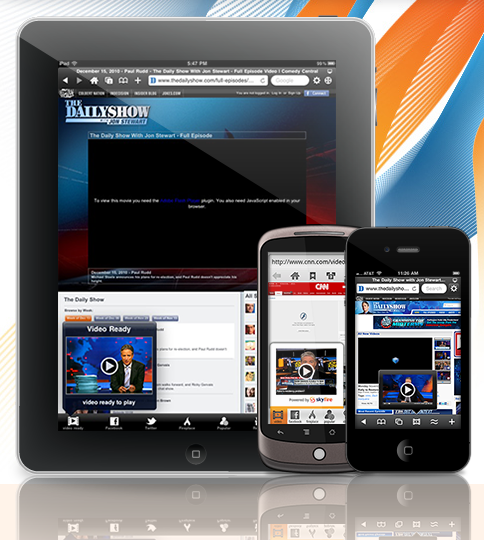
 The Skyfire web browser developed by the company with the same name is now available for iPad. Skyfire not only allows users to view Flash videos on iOS devices, but also provides integration with popular social features for a better internet experience, according to the developers.
Skyfire Labs’ technology enables Flash video for mobile users, including iPhone and iPod touch owners.
The app, a web browser that talks to the Skyfire Labs servers whenever the user accesses a Flash video, is finally available on the iPad.
“Our cloud-computing platform translates videos from Flash into an iOS-friendly format,” Skyfire Labs says.
“We unlock millions of videos that otherwise would not play on your iPad. It’s a bit of engineering magic. Over 100,000 web sites presently supported, with more added every day.”
According to the developer, key features of Skyfire for iOS include:
• Play millions of Flash videos – everyday, with no limits! • All-new ‘Skybar’ toolbar gives one-click access to video and related content • Stay in touch: Unique Facebook and Twitter 'Quickview' allows you to see your wall and feeds with one click. • Universal ‘Like’: Like ANY page on the internet, with one click. • Fireplace: See only the links shared by Friends. Why? Filter what friends did from what friends shared (which is a great starting point for browsing) • Popular: See what Friends and the Facebook community have to say about the site you are currently exploring • Be informed: Quick access to GReader feeds • Be social: Share via Facebook and Twitter • Share to more services including GReader, Instapaper, Pinboard and Read It Later • Standard browser elements: Tabs, search, sharing, bookmarks, history, etc. • Full screen option for maximum use of screen real-estate – with scroll to top • ‘Desktop’ option loads pages as on a desktop browser, giving more flexibility in accessing web sites • Private Browsing option: Browse with no history and cookies left behind
Skyfire supports Flash videos, but not games and apps. Also, the app does not support all web sites that use Flash Video.
“We are working hard at it, with millions of videos already supported. But we cannot guarantee that your favorite site is already on the list,” Skyfire Labs pledges.
For users and sites outside the US, TV website may not work in Skyfire as some sites do not stream to the company’s US-based servers.
Hulu is not supported either, in case you were planning on downloading the app to use the video service.
However, Skyfire assures customers that “scores of other premium sites are available.”
Also worth noting is that videos may sometimes take 15-30 seconds to load.