
NEWS CATEGORIES:


NEWS ARCHIVE >>
SOFTPEDIA REVIEWS >>
MEET THE EDITORS >>
Home / News / Microsoft / Windows

Windows


Since 64-bit Windows XP Is Not Getting Service Pack 3

Here is an admin pack to play with instead

By Marius Oiaga, Technology News Editor

16th of January 2008, 12:43 GMT

Adjust text size:


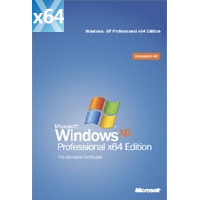
Windows XP Professional x64 Edition
Enlarge picture
The 64-bit version of Windows XP will not be getting Service Pack 3 by mid 2008. The third and final service pack for Windows XP will be made available exclusively for the 32-bit versions of the operating system.

Windows XP Professional x64 Edition was released on April 2005, while the x86 variant of the platform dropped in 2001, with SP2 following in August 2004. Just the fact that the 64-bit version was made available after SP2 for the 32-bit XP meant that Microsoft only launched SP2 for XP Professional x64 and Windows Server 2003 all the way in 2007. In fact, Windows Server 2003 SP2 services not only Windows Server 2003, but also Windows XP
Professional x64.

Now, Microsoft is also delivering the Administration Tools Pack enabling users to remotely administer machines running XP and Windows Server 2003, as well as Windows 2000. "The Administration Tools Pack allows administrators to install the Windows Server 2003 SP2 management tools onto a computer running Windows XP Professional or a Windows Server 2003 family operating system to perform remote server management functions. This is the final version of the Administration Tools Pack; you must uninstall all previous versions before installing this version," reads an excerpt of the overview of the tool.

Although the tool will install on all the editions of Windows Server 2003 as well as XP Professional x64 and x86, users will only be able to remotely manage Windows Server 2003. I'll admit that, in this context, Windows Server 2003 Service Pack 2 Administration Tools Pack fails to fill the gap left by the absence of SP3, but since users of x64 XP have already had the chance to play with Windows Server 2003 last year, I am sure that they will welcome the breather. Especially system administrators.

"Install and use graphical administrative tools that are packaged in the Administration Tools Pack to remotely administer computers that are running Windows Server 2003, Windows XP, or Windows 2000. Where interoperability problems exist between operating systems, perform administrative tasks on the console of the target computer or on a computer that is running the same operating system as the computer that is being remotely administered," Microsoft added.

Windows Server 2003 Service Pack 2 Administration Tools Pack for x86 editions and x64 editions is available for download here.

TAGS:

Windows XP Professional x64 Edition | Windows Server 2003 | Windows Server 2003 Service Pack 2 Administration Tools Pack
Read by 22,935 user(s) | Add comment | Link to this article TWEET THIS


Article rating:
Good (3.6/5) 9 vote(s)    

Subscribe to news | Print article | Send to friend

© Copyright 2001-2009 Softpedia
Contact:


SEARCH THE NEWS ARCHIVE :


Today's News
| Yesterday's News | News Archive


MORE RELATED ARTICLES:


CES 2008: Windows Home Server Power Pack 1 to Play Well with 64-bit Vista SP1

Download Windows XP Service Pack 3 Build 3264- Right Here!

Windows XP SP3 Not Even out the Door and Already in Need of Fixing?

Office 2003 SP3 Disables Legacy File Formats

Microsoft Confirms: Windows Vista SP1 RTM Is Almost Here!

Microsoft Updates the Official Release Notes for Windows XP SP3 RC

Vista SP1 and XP SP3 Will Not Be Joined by Windows Home Server

The Evolution of the Windows XP SP3 Activation Architecture

User opinions:


Comment #1 by: Yuvensius Reginald on 08 Dec 2008, 09:40 GMT reply to this comment

Omy Gosh ! thats the really annoying things i am facing right now ! i have 6Gb of Ram but i think it is better to enhance it with SP3, so i bought the SP3, do you think my 6Gb will be Read with my XP sp3 ?


Comment #2 by: paul on 15 Jan 2009, 20:04 GMT reply to this comment

yes your RAM will be read proper...

IF you have the 64 bt edition of XP....

if not, yer outta luck. It's been that way forever. 64 bit rules.


Comment #3 by: stephan on 01 Jun 2009, 21:03 GMT reply to this comment

I had XP 64 bit installed on my computer an dnow I cannot get my Microsoft RAW image viewer anymore, I am a photogrpaher and need to use raw viewer for my editing and filing of my Canon raw photo files, is this becasue of teh gap between SP 2 and no SP#? HELP ! I am tearingmy hair out!


Comment #4 by: Santosh on 04 Sep 2009, 05:18 GMT reply to this comment

I have solution for u.actually ur cannon printer driver is made for 32 bit os.so it is not working properly in 64 bit.it is better to use 32 bit os.

Share your opinion:

Your Name:
Your Email Address:
(will not be used for commercial purposes)
Solve this to prove you're not a bot: =
Your review/opinion:


Windows tabGames tabDrivers tabMac tabLinux tabScripts tabMobile tabHandheld tabGadgets tabNews tab

SUBMIT PROGRAM   |   ADVERTISE   |   GET HELP   |   SEND US FEEDBACK   |   RSS FEEDS   |   ENTER NEWS SITE   |   ENGLISH BOARD   |   ROMANIAN FORUM