
Softpedia
 

NEWS CATEGORIES:


NEWS ARCHIVE >>
SOFTPEDIA REVIEWS >>
MEET THE EDITORS >>
TRENDING TODAY
Home > News > Telecoms > Mobile Blog

November 21st, 2012, 21:41 GMT · By

BLOG

Setting Up Google as Default Search on Lumia 920 / Lumia 820 Is Easy

SHARE:

Adjust text size:


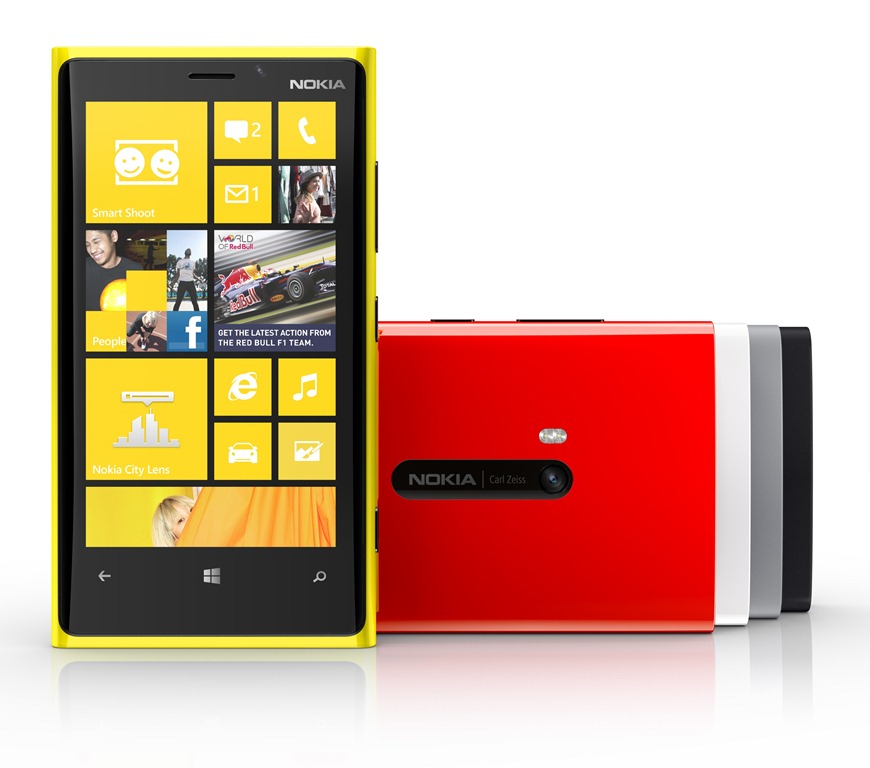
Nokia Lumia 920 Enlarge picture - Nokia Lumia 920
Nokia’s Lumia 920 and Lumia 820, the company’s Windows Phone 8 devices, arrive on shelves with Bing set as the default search engine, the same as other Windows Phone devices do.

However, it seems that it is not that difficult to change the search provider to Google, should anyone want to do so.

Of course, the process involves making a series of small changes in Internet Explorer 10 but, provided that users indeed prefer Google over Bing, that should not be too much of a problem, that’s for sure.

According to MyNokiaBlog, all that one would need to do is to go to Settings > Advanced Settings, and find the Default Search provider field.

There, simply select Google instead of Bing, and you should be good to go. This has been done for a Lumia device, but it should work just the same on other handsets too.

TELL US WHAT YOU THINK:

14,280 hits · 11 comments · Link to this article · Print article · Send to friend · Subscribe to news

MUST-READ RELATED ARTICLES:


Nokia and Deadmau5 Prep Special Event for November 28

Nokia’s NFC-Based YouSendIt App Arrives on Windows Phone 8

Microsoft Kicks Off “Meet Your Match” Windows Phone Campaign

Nokia Explains Lumia 920’s Screen Resolution

Nokia and HTC Are Investigating Windows Phone 8 Issues

READER COMMENTS:


Comment #1 by: dave_k on 26 Nov 2012, 03:02 UTC reply to this comment

This article explains how to change the search provider in Internet Explorer in the OS and NOT for the phone itself. The "search" button still opens Bing.


Comment #2 by: spl on 03 Dec 2012, 17:53 UTC reply to this comment

I changed "search language" in regional settings to Russian and search button opens google in browser now, and obviously one can search in English there.

Comment #2.1 by: ez on 02 Jan 2013, 13:28 GMT

I cant believe it, but this actually worked. (lumia 920)

Comment #2.2 by: new windows phone on 11 Jan 2013, 02:46 GMT

It is True. Tried. It is also worked to my Lumia 820. However, you need to change setting=> language =>search language to russian and reboot the phone. It will change to google russian after the rebooting. But if you change the search language back to English, the BING will come up again.

Comment #2.3 by: Jewels on 22 Mar 2013, 20:32 GMT

Works for Lumia 920. Thanks!


Comment #3 by: LoneDog on 13 Dec 2012, 15:29 UTC reply to this comment

How do you change the Search Button to not have Bing but google on the phone next to the home button?

Comment #3.1 by: crazybill on 17 Jan 2013, 11:43 GMT

Setting the browser language to Bashkir makes the search button open google in English


Comment #4 by: .( on 21 Feb 2013, 10:45 UTC reply to this comment

does not work in 610 :(


Comment #5 by: cgluch on 24 Feb 2013, 08:46 UTC reply to this comment

Totally works! (Lumia 920) Something else I found out, when you hit the search button and google pops up, it has a link near the bottom that says something along the lines of "How do I change my default language?". Click the link, you can log into your google account, and your account setting should come up. Obviously your default language will be English, so close out of that window, and next time you hit the search button it'll be English!


Comment #6 by: Ivy on 27 Feb 2013, 14:01 UTC reply to this comment

Is there a way to disable "Search" Capacitive Button? The pad of my thumb hits the Search button in the bottom right corner every time I reach for something on the screen


Comment #7 by: mojo on 04 Mar 2013, 17:55 UTC reply to this comment

Do you know how to do that on a Windows phone 8s by htc because I can't find it anywhere but I have been told it can be done?

Copyright © 2001-2013 Softpedia. Contact/Tip us at

WindowsGamesDriversMacLinuxScriptsMobileHandheldNews

SUBMIT PROGRAM   |   ADVERTISE   |   GET HELP   |   SEND US FEEDBACK   |   RSS FEEDS   |   UPDATE YOUR SOFTWARE   |   ROMANIAN FORUM