 14 DAY TRIAL //
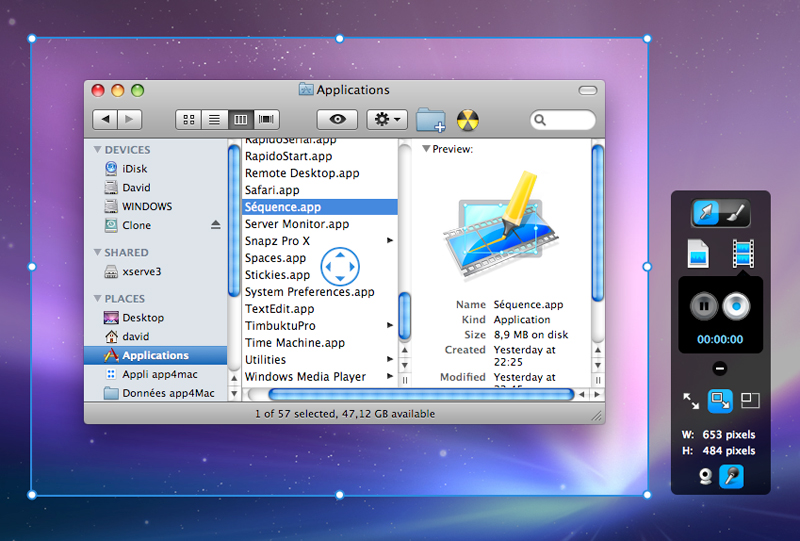
 Developer app4mac has released the final version of its screenshot and video capture tool that uses multithreaded code and a 64-bit enabled compression system. Sequence, according to the makers, is a simple way to capture and save an image or a movie of your screen to your computer's clipboard, or a file in an image format of your choice.
The advantage of using Sequence is that a video or screenshot can be immediately emailed, uploaded on the web, or shared with friends via whatever service you choose, as it is instantly saved to clipboard, ready to be added anywhere. Sequence can handle capturing DVD, audio, or any other multimedia application, as it uses a multithreaded code and a 64-bit enabled compression system, which makes it powerful enough to simultaneously record from your webcam and your screen, if you so desire.
app4mac offers an example as to how Sequence can become a hefty and useful training tool for those who are having trouble in understanding how to work their computers: "...you could easily help your friends and family learn more about their computers. No need for boring and complicated documentation! With Sequence you can give clear and precise explanations, including mouse movements and keyboard entries."
The software sports a voice recording function as well, which uses your Mac's built-in microphone or any external audio source that you choose. This allows you to record yourself while performing some actions for the guide in question.
Sequence supports saving screenshots as bmp, pict, gif, jpg, png, tiff, pdf. Using the RapidoResizer free utility, you can resize the screens in a matter of seconds, the developer notes. Almost any audio source can be captured as well, including audio from DVDs.
Sequence leverages several core technologies found in Mac OS X Leopard, such as Core Animation, QuickLook, QTKit, Core Image, and iChat Theater.
You may download the free version of the software right from HERE, to try out before you buy. If you decide this is a must-have piece of Mac software for you, you will receive your serial number in less than 5 seconds at the end of the ordering process.