 14 DAY TRIAL //
 Google is enabling Google+ users to set who they get notifications from. Most people don't like to be spammed with notifications about everything that happens on the site, especially since they've got Facebook, Twitter and others to manage as well.
Facebook recently moved to have fewer notifications sent to users, unless they specifically request it.
Now, Google+ is doing something about notifications as well, it's enabling users to specify what circles or what people are allowed to send them notifications.
Technically, it prevents Google+ from sending you notifications about various activities people from your circles undertake on the site.
"Circles give you control over who you share with on Google+ and who you see content from," Google's Kathleen Ko writes.
"Many of you have asked for similar controls over who can send you notifications, so today we're rolling out a new option in Google+ settings: 'Who can notify you'," she said.
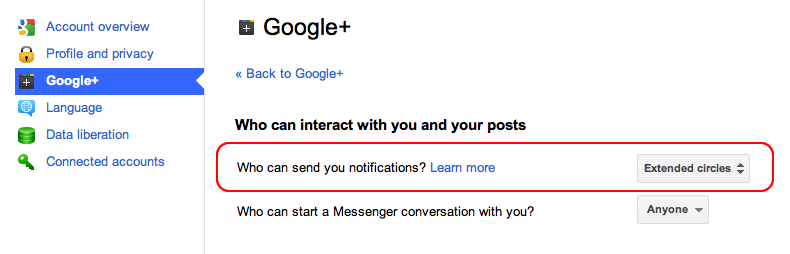
You'll now notice a new option in the Google Accounts > Google+ settings, "Who can send you notifications."
"We’ve set the 'Who can notify you' setting to Extended circles as the default, but you can change this to be Your circles, Anyone, or a custom selection of specific circles and individuals. We’ll be rolling this out slowly, so if it’s not available for you yet check back soon," she announced.
Just like with anything else on Google+, you can completely customize the list of people whom you will be notified about.
The default option is a rather expansive one, but you can restrict this to your close friends or just to a few select people. Of course, you could set it to Anyone if you're an information junkie.
Users are also able to customize the type of notifications they receive, there's a rather ample list to choose from, and also how to receive those notifications, via email or phone.