 14 DAY TRIAL //
 Free or open source content management systems are used or tested on a large scale over the Internet. Due to their popularity, they become the inherent targets of various types of attacks, especially from different robots. The consequences of these attacks could range from a temporary offline period for a website, to database destruction and permanently data loss.
Usually, the participating communities in open source projects development will rapidly fix many of the known security issues for a given content management system. Due to this fact, it is recommended to always have the latest version or security patches for your CMS (content management system).
In case of Joomla! CMS as well as other similar applications based on PHP / MySQL, the hosting server should always have the latest PHP / MySQL versions because they have an increased stability and security as compared to other older versions. Beginning from the installation stage, you must follow the guidelines that will ensure the maximum security during the production phase (post-installation period of content building).
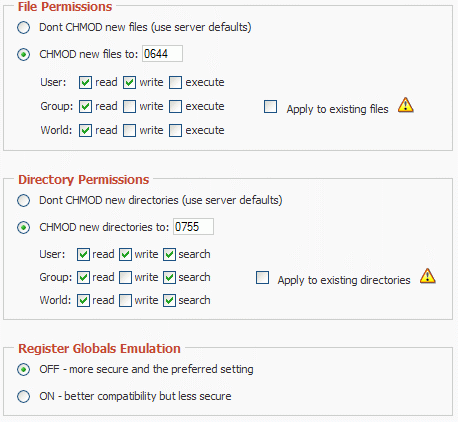
After you finalize the Joomla! installation, you must set the global CHMOD configuration for files to 0644, respectively 0755. Practically, you just have to select the corresponding radio buttons for File Permissions, respectively Directory Permissions in the Server tab from the Global Configuration window in the Administration Panel and you will notice that the CHMOD values are 0644, respectively 0755 as defaults.
Of course, you must make the configuration.php file non-writable, because it contains critical settings data that could affect the overall website security. You can also increase the security of your Joomla! website by denying the access to the Control Panel for all IP addresses excepting yours and setting to 'off' the register globals emulation.
There could be enumerated lots of other security issues that you should solve before putting the Joomla! website online. Due to its complexity, the manual checking of security issues could not always lead to a secure Joomla! installation. If you need to really be sure of a complete verification of possible security holes in your server or Joomla! CMS configuration, the website security audit software applications are indicated to be used (for example Joomla! Tools Suite).