 14 DAY TRIAL //
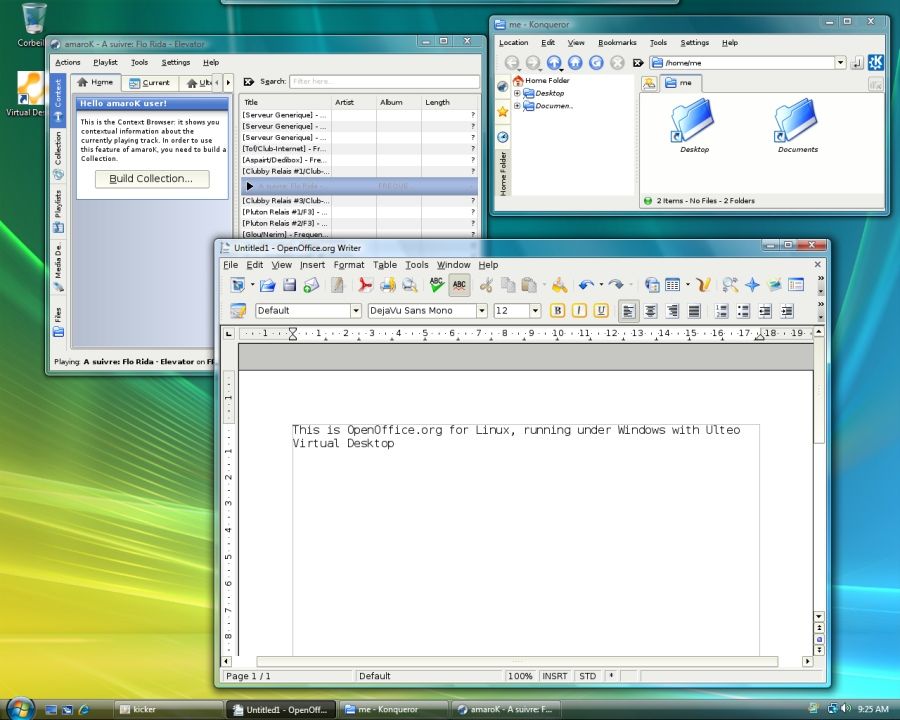
 Binaries tailored specifically to the open source Linux operating system can coexist on the same desktop with Windows Vista and Windows XP programs via Ulteo Virtual Desktop. Essentially, the promise of the Ulteo Virtual Desktop is to deliver Linux applications on Windows via the Ulteo panel. The virtualized environment will permit end users to run native Linux solutions right on the Windows Vista desktop, and integration complete down to the level of sharing the Windows Aero graphical user interface.
"At the moment, you will find a selection of applications that include: Firefox web browser enabled with Flash & Java, the full OpenOffice.org office suite that can deal with your MS Office documents KPdf to deal with your PDF documents, Kopete: the multi-Instant Messaging software that supports MSN and other protocols, Skype, Thunderbird + Enigmail, GIMP and Digikam to manage your pictures and InkScape and Scribus to create great graphics and newspapers," reads a fragment of Ulteo's description.
But most importantly, Ulteo permits users to seamlessly add and remove layers of applications, from desktop items to gaming products, with development solutions planned to be added in the future. By any measure, Ulteo is a virtualized Linux operating system, but not in the sens of traditional virtualization software. This allows Ulteo to provide a level of performance which is very similar to a genuine Linux platform. The secret behind this is the fact that Ulteo is based on the coLinux port of the Linux operating system to Windows.
"Ulteo Virtual Desktop requires a PC (x86-based) with a modern 32-bit CPU and at least 512MB RAM. At least 4 GB of free HD space is required. A PDF reader is needed. For a better experience, we recommend a DualCore CPU and 1GB RAM. Ulteo Virtual Desktop has been tested successfully on Windows XP and Windows Vista (32-bit only for now)," Ulteo makers added.
Ulteo Virtual Desktop is available for download here.