
Softpedia
 

NEWS CATEGORIES:


NEWS ARCHIVE >>
SOFTPEDIA REVIEWS >>
MEET THE EDITORS >>
TRENDING TODAY
Home > News > Apple > Apple & Mac Blog

November 13th, 2012, 18:17 GMT · By

BLOG

Remove the Devilish Red-Eye Effect with a Single Tap in Adobe Photoshop Express 2.6 iOS

SHARE:

Adjust text size:


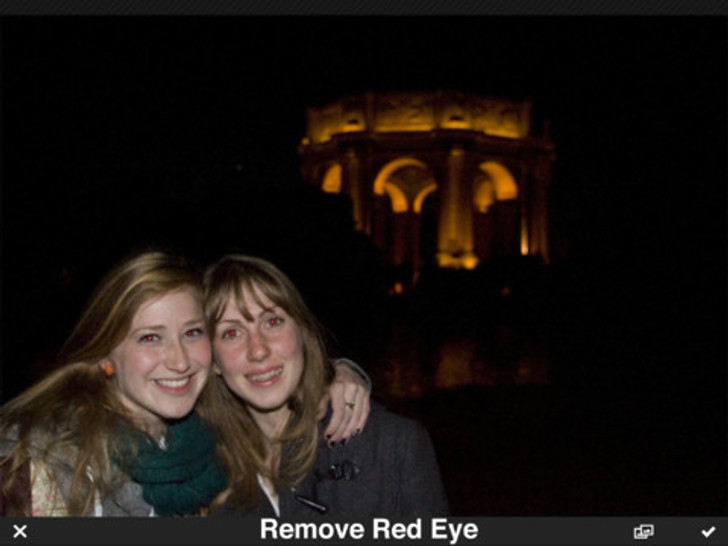
Red-eye effect Enlarge picture - Red-eye effect
Adobe is out with an updated Photoshop Express for iDevice holders enabling easy face tagging while sharing photos to Facebook, one-tap red-eye fixing, an animated Help section, and more.

Adobe Photoshop Express 2.6 streamlines photo sharing via social networks with the ability to easily tag faces while sharing photos to Facebook and updated sharing screens.

Editing gets a leg up with easy red-eye repair by simply tapping on the devilish red dots. Adjustment sliders also display numerical values now.

Those who are just picking up on the free app will be greeted by an animated Help module “to get up and running quickly.”

Support for iOS 6 has been added, along with some “bug fixes, performance boosts, and in-app notifications for greater speed and ease-of-use.”

Adobe Photoshop Express works with all iDevices that support iOS 4.3.

Download Adobe Photoshop Express iOS (Free)

TELL US WHAT YOU THINK:

814 hits · Link to this article · Print article · Send to friend · Subscribe to news

MUST-READ RELATED ARTICLES:


Download Xcode 4.6 DP2 – Developer News

Insane Amount of Apps-Gone-Free on Apple’s Mac App Store

Apple Giving Select Staffers Time Off for Private Projects

Apple’s Palo Alto Store Is a Bit Too Noisy, Some Say

iPhone 5 Now Shipping Faster

READER COMMENTS:


No user comments yet.
Be the first to express your opinion!
Copyright © 2001-2013 Softpedia. Contact/Tip us at

WindowsGamesDriversMacLinuxScriptsMobileHandheldNews

SUBMIT PROGRAM   |   ADVERTISE   |   GET HELP   |   SEND US FEEDBACK   |   RSS FEEDS   |   UPDATE YOUR SOFTWARE   |   ROMANIAN FORUM