
NEWS CATEGORIES:


NEWS ARCHIVE >>
SOFTPEDIA REVIEWS >>
Home / News / Webmaster / Tips and Tricks

Tips and Tricks


Reduce Spam by Protecting Your Email Address Name

Tips for having a clean inbox

By Catalin Bocanu, Web News Editor

10th of September 2007, 15:17 GMT

Adjust text size:


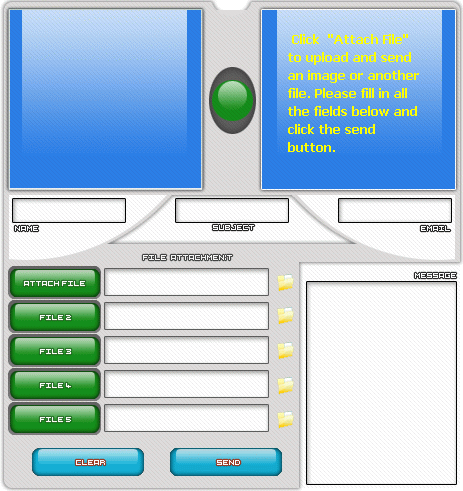
Simple Flash Email Form
Enlarge picture
If you leave an email address on your site in order to be contacted by visitors or site users, this could be easily detected by spiders or robots which crawl the web to find email addresses for spam purposes. There are many methods to protect your email from spammers, but none of them will guarantee a full protection.
The simplest methods would be either using equivalent ASCII codes for your email or email encryption.

By converting your email name in ASCII codes or only the "@" character (& # 6 4 -is @ ASCII code-use it without spaces), the web browser will display the email name normally, such as me@domainexample.com, but the spiders will be confused and will not recognize your email. But this practice is not so secure, just as writing the email name in the form "me at domainexample dot com" isn't either, because spammers could use parsers to automatically detect if your email name has this structure. As an alternative, you can use feedback forms, forms to email scripts or any other variant of HTML mail, in which the email is sent to your inbox by a server side script.

In this way, your email name is not available for spammers, but some disadvantages do exist, for example the possibility of virus code injection. Another common practice to protect your email is the insertion in the HTML body of a javascript code that will hide the email name from spiders. For example, corresponding to the email name me@domainexample.com the javascript code is:

CODE
var recipient = "My name"
var emailfront = "me"
var emailback = "domainexample.com"
document.write("" recipient "")

You can also put your email address as image, because this could be the safer way to protect your email from spammers. The email name protection will still be a subject of long discussions, since there's no such thing as security systems with 100% functionality. It is also recommended that you use your email address name with precaution inside your website (for example, use a single contact page) and in other situations, such as acquiring a domain name, when is possible for your email address to be available to the public only with simple whois queries.

TAGS:

spam | email | anti spam | email protection | email encryption


Rating:
Good (3.4/5) 7 vote(s) so far    

Read by 1,058 user(s) | Add comment | Link to this article
Subscribe to news | Print article | Send to friend

© Copyright 2001-2008 Softpedia
Contact:


SEARCH THE NEWS ARCHIVE :


Today's News
| Yesterday's News | News Archive


MORE RELATED ARTICLES:


Stop Viruses for Free!

How to Set Up Yahoo Mail as The Default Email Client

Wild Threat Attacks Yahoo Mail

My Gmail Account Is Full Of Spam

Five More Gmail Hidden Tricks

Free Office 2007 Outlook and Windows Live Hotmail Connector

User opinions:

No user comments yet.
Be the first to express your opinion using the form below!

Share your opinion:

Your Name:
Your Email Address:
(will not be used for commercial purposes)
Solve this to prove you're not a bot: =
Your review/opinion:


SUBMIT PROGRAM   |   ADVERTISE   |   GET HELP   |   SEND US FEEDBACK   |   RSS FEEDS   |   ENTER NEWS SITE   |   ENGLISH BOARD   |   ROMANIAN FORUM