 14 DAY TRIAL //
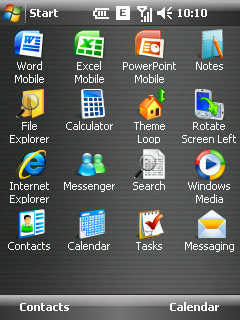
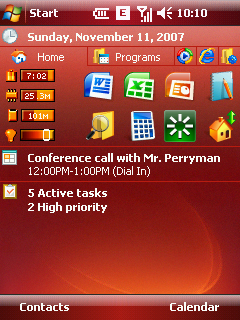
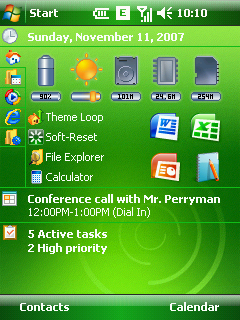
 Spb Software puts out on the market all the missing features of Microsoft's Windows Mobile operating systems and more. The Spb Pocket Plus Today plug-in looks like a powerful program launcher that enables users to start any application right from the Home screen. It shows the status of the battery and storage cards and you can even adjust the backlighting of the device. You can also use it to compress or uncompress .zip files, smart scroll in Internet Explorer and quickly switch between active programs.
Spb Pocket Plus can be set to fit any user's needs, by customizing and personalizing the Today plug-in. You'll be able to add, edit or delete tabs in any of the four tabs of the application. The usual lack of the Windows Mobile operating system that only minimized any application that you intended to close by using the X-button has been corrected and will function accordingly with this one. You will have the option to close the app by simply clicking on the X-button or by tapping and holding it for a few seconds, and you can even choose a gesture that will close it.
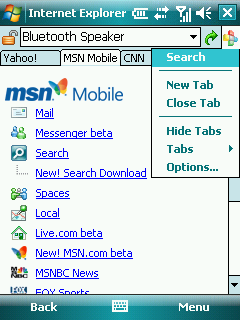
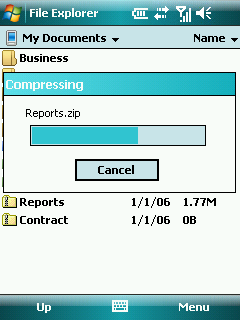
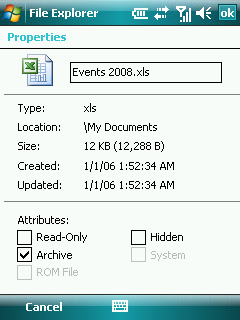
Lots of improvements have been added to the Pocket Internet Explorer browser, which will certainly provide a more pleasant browsing experience. Besides the smart scrolling feature you'll be able to open multiple windows and browse between them with the help of a tab. If you want to select the text from a webpage instead of scrolling, disable the Enable screen drag option. This way you'll be able to select the webpage text instead of scrolling only when you drag slowly. File Explorer has been featured with new functions such as: Enabling of ZIP support, Enabling storage card format support, Enabling "Add To Today Screen," Enabling encryption support, Adding "Properties" to the context menu. A new Safe Mode function has also been implemented, allowing you to troubleshoot Windows and determine what is causing it to crash. This function can be set to start on every reset, or if the system has worked for less than three minutes. Spb Pocket Plus can be acquired for 29.95 USD, but a trial version is also available for download.Note: You can easily follow my daily guides by subscribing to the RSS feed.