 14 DAY TRIAL //
 Titanium Software has updated its free multi-function utility that helps Mac users maintain an optimum operating efficiency of their systems. With the release of OnyX 2.0.1, the developer has included three changes.
Titanium Software hopes to have improved deleting the Cache, while new web browsers are now recognized, the company says, mentioning that deleting the Internet cache is now possible with the respective applications. Lastly, the folks behind OnyX were able to squash a bug that temporarily disabled the option to change the OnyX icon.
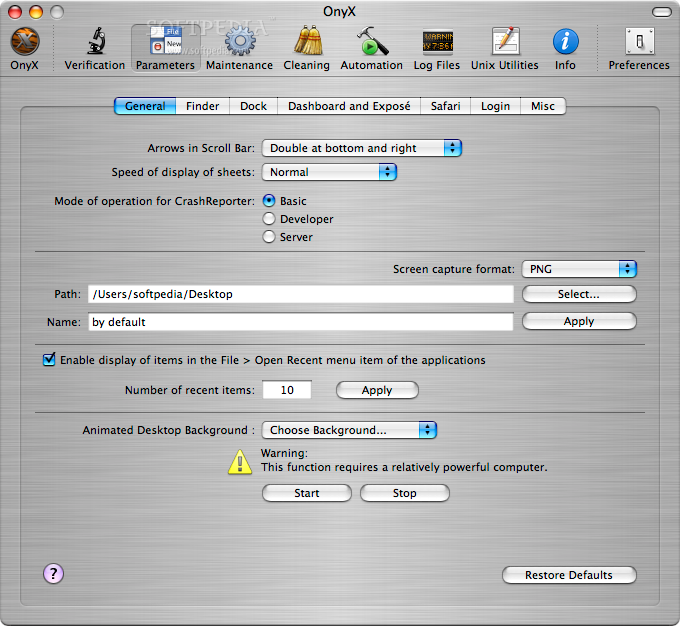
By using OnyX, users can tweak pretty much anything there is to tweak within Mac OS X. As long as there are some parameters to change, things like the Finder, Dock, Dashboard, Expose, Safari, the Login window, and even the hidden settings of some of Apple's own applications become obstacles in the way of OnyX – the app practically begs you to make some changes. And here's how:
·The utility enables you not only to optimize the way OS X works, but also to manage some of the processes behind most applications.
· It allows you to delete caches and remove a certain number of files and folders that may become cumbersome, and there's also the option to see detailed info of your configuration, and to preview the different logs and CrashReporter reports.
·The app also lets you modify its appearance - window transparency, the icon, and the toolbar icons, and more.
·OnyX is able to save a Desktop before modifying and relaunching the Finder, while you can set Help Viewer window to “floating,” or “non-floating” mode, and choose the application to execute at launch of X11.
·OnyX automatically checks for updates on startup.
This free Mac app is available for Mac OSes ranging from Jaguar to Leopard. By using the link below, you can download the latest version of OnyX, as well as the uninstaller. If a beta is the latest version available, stable variants of the program are always up for grabs using the same link. There's a note there – read that too!