 14 DAY TRIAL //
 Those planning to upgrade to Lion next month should make sure they pack everything they need, both hardware and software-wise.
According to Apple, in order to install Mac OS X 10.7, you will need: a Mac equipped with an Intel Core 2 Duo, Core i3, Core i5, Core i7, or Xeon processor; 2GB of RAM; Mac OS X 10.6.6 or later with the Mac App Store installed; at least 4GB of additional hard disk space for the Lion download, though more will be needed for a good experience.
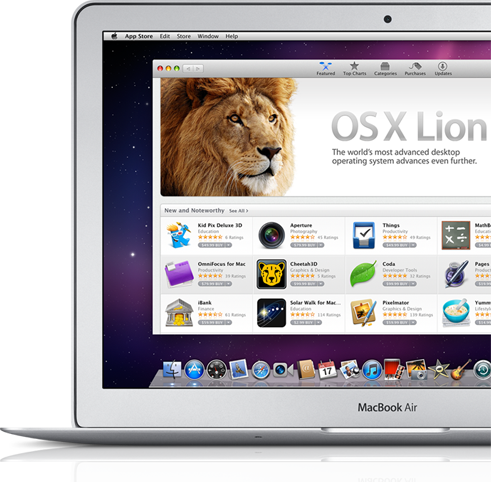
“To upgrade your Mac to OS X Lion, you don’t need to drive to a store, bring home a box, and install a bunch of discs,” Apple says. “All you do is click the Mac App Store icon, buy Lion for $29.99, and your Mac does the rest.”
“Just make sure you have what you need to get your hands on Lion the minute it’s available,” the tech giant adds.
In other words, it’s dead easy to upgrade to Lion.
Basically, the steps involve checking Mac compatibility, updating to the latest version of Snow Leopard (if you haven’t already) and, finally, downloading Lion from the App Store.
On the Mac section of the Apple website, Cupertino further elaborates the steps required to download and install Lion on a supported Mac.
These are the actual, official steps to go from Mac OS X 10.6 (Snow Leopard) to Mac OS X 10.7 Lion, according to Apple:
Step 1: Make sure your Mac can run Lion.
Your Mac must have an Intel Core 2 Duo, Core i3, Core i5, Core i7, or Xeon processor to run Lion. Find out if your current Mac has one of these processors by clicking the Apple icon at the top left of your screen, then choosing About This Mac.
Step 2: Make sure you have the latest version of Snow Leopard.
Get up to date with the latest version of OS X Snow Leopard to purchase OS X Lion from the Mac App Store. If you have Snow Leopard, click the Apple icon and choose Software Update to install the latest version.
Step 3: Download OS X Lion from the Mac App Store.
When OS X Lion is released in July, open the Mac App Store from your Dock to buy and download it. Then follow the onscreen instructions to install Lion.