
Search Perform an advanced search query SOFTPEDIA
 
SOFTPEDIA
Updated one minute ago
HomeSubmit a program for being reviewedAdvertise on our websiteGet help on surfing our websitesSend us your feedbackGet information about our XML/RSS backend and how to use itBrowse the news archiveVisit our discussion forumVizitati forumul in limba romana


KLIP
  1. HOME
  2. SCIENCE
  3. TECHNOLOGY
  4. WEBMASTER
  5. SECURITY
  6. MICROSOFT
  7. LINUX
  8. APPLE
  9. GAMES
  10. TELECOMS
  11. REVIEWS
  12. LIFE & STYLE
  13. EDITORIALS
  14. INTERVIEWS
  15. RSS
Welcome!
Hello, Guest

Login if you have a Softpedia.com account.

Otherwise, register for one.

APPLE

More Multitouch from Apple. Pretend to Write/Draw

- Unprecedented integration of typing, resting, pointing, scrolling, 3D manipulation, and handwriting

By: Filip Truta, Apple News Editor

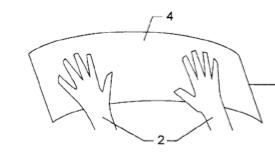
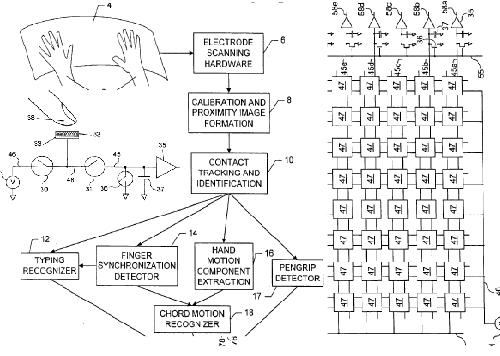
Ongoing research by Apple as far as multitouch tech goes has been the number one topic lately. Complete with rumors that MacBook and MacBook Pros might also be getting smarter trackpads, every mac-based website (and not only) is reporting Apple's latest patent application revealing techniques for both palm and finger contact recognition, using a platform similar to Fingerworks' input devices.

As macrumors.com also notes, yet another patent application in the multitouch
field should come as no surprise to those who have been reading Apple news lately, let alone those aware of the company's acquisition of Fingerworks a few years ago.

However, it was PCJoint.com who stumbled upon the Apple Multi-Touch 2.0, described in a new patent application up on USPTO site. Here's a bunch of feature highlights on behalf of the respective source:

"- Need to move a cursor across the screen? Just slide your finger and it goes.

- Want to enter text? Just start typing and the text is there. You even get the touch feedback as if really pressing the keys.

- Need to erase some text? Use the backspace or just slide the finger backwards

- Have to write or draw something? Just pretend you hold a stylus or pen in your hand and start writing/drawing.

- If that is still not good enough, pick up the real stylus and start writing with it.

- All these cool touch gestures that Apple has implemented in iPhone and is exploring further? You know, scrolling, zooming, rotating & moving objects, etc; They are here too

- 3D object manipulation? Select a few 3D objects on the screen and use all 5 fingers on both hands to play with them.

- Want to take a break to relax and afraid to put your hands on the touch surface? Don’t worry Multi-touch 2.0 thingie knows that and does not pay attention to your resting palms or fingers."

Apple themselves describe the new tech saying that "identification and classification of intuitive hand configurations and motions" will enable users to experience "unprecedented integration of typing, resting, pointing, scrolling, 3D manipulation, and handwriting into a versatile, ergonomic computer input device."
MORE RELATED ARTICLES: Keyboard Update Available for MacBook Owners Linkin Park and Apple in NYC This Month Apple Files Patent Application for Advanced Multitouch Tech Multi-touch Trackpad Not Coming to MacBook Pros?
 
Comments | Link here | Subscribe
Print | Send to friend
Today's News | Yesterday's News

Search:


22nd February 2008, 10:01 GMT | Copyright (c) 2008 Softpedia | Contact:
Read by 592 user(s) | Rating: | 6 vote(s) so far | Cast your vote:
More Multitouch from Apple. Pretend to Write/Draw - USER OPINIONS


We are sorry, there are no opinions available for this article.


SHARE YOUR OPINION ABOUT More Multitouch from Apple. Pretend to Write/Draw

Since you are not logged on, your comments will have to be approved before being displayed.
Click here to login, or register.
Your Name:
Your Email:
Type in the result:
Your Opinion:


DO YOU WANT TO CONTACT US?  

If you have some comments or you want to send us some information you can send us an email directly to .
You can use the form below for the same purpose.
Your full name: (at least 3 characters)
Your email address: (at least 5 characters)
Message subject: (at least 5 characters)
Message text:
(at least 10 characters)
Type in the result:


© 2001 - 2008 Softpedia. All rights reserved.
Softpedia™ and Softpedia™ logo are registered trademarks of SoftNews NET SRL.
Copyright Information | Privacy Policy | Terms of Use | Contact Softpedia | Update your software | Archive